
ROMJ E99 A14
ROMJ E99 A14 Foldable Drone User Manual
Guia completo para operação e manutenção.
1. Produto acabadoview
The ROMJ E99 A14 is a compact and foldable drone designed for both adults and beginners, featuring a 4K/1080P HD camera for high-quality aerial photography and videography. Its intelligent functions like auto-return and one-touch take-off/landing make it user-friendly. The drone's foldable design ensures portability and easy storage, making it an ideal companion for outdoor adventures.
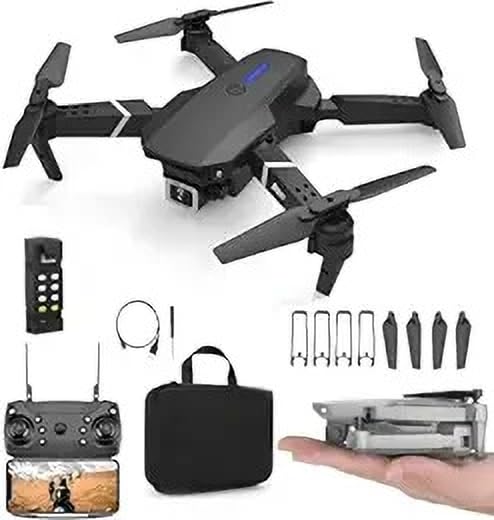
Image: The ROMJ E99 A14 drone, remote control, spare propellers, USB charging cable, and a carrying bag are shown. The drone is black with four propellers and an integrated camera. A smaller image shows the drone folded and held in a hand, highlighting its compact size.
2. Conteúdo da embalagem
Por favor, verifique se todos os itens listados abaixo estão presentes em sua embalagem:
- ROMJ E99 A14 Foldable Drone
- Controle remoto
- Battery (Lithium Polymer)
- Hélices (conjunto sobressalente incluído)
- Carregador USB
- Storage Bag (as shown in images)
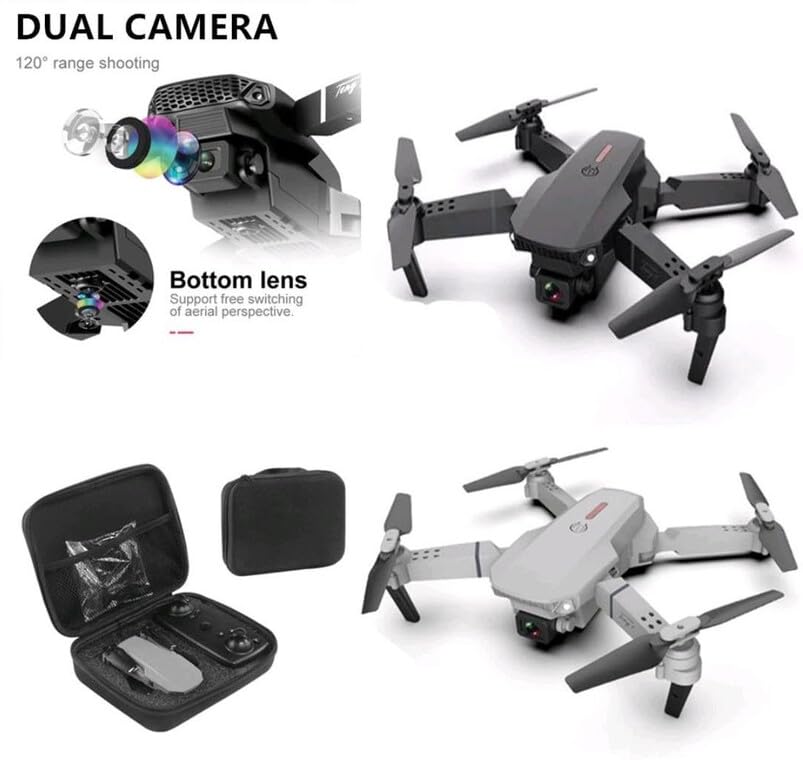
Image: An open black travel storage bag for the drone, showing the drone and remote control neatly fitted inside. The bag is designed for convenient and light travel.
3. Diretrizes de segurança
Operating a drone requires responsibility. Adhere to the following safety guidelines to ensure a safe and enjoyable flight experience:
- Verificação pré-voo: Always inspect the drone, propellers, and battery before each flight.
- Consciência ambiental: Voe em áreas abertas, longe de pessoas, animais, edifícios e linhas de energia. Evite voar com ventos fortes ou em condições climáticas adversas.
- Linha de visão: Mantenha contato visual direto com o drone em todos os momentos.
- Segurança da bateria: Utilize apenas o carregador e a bateria fornecidos. Não sobrecarregue nem perfure as baterias. Interrompa o uso se as baterias estiverem danificadas ou inchadas.
- Segurança da hélice: Mantenha as mãos, o rosto e as roupas soltas longe das hélices giratórias.
- Conformidade legal: Be aware of and comply with local drone regulations and airspace restrictions.
- Recomendação de idade: This product is not a toy and is recommended for users of appropriate age and skill level.
4. Configuração
4.1 Desdobrando o Drone
- Gently pull out each of the four propeller arms until they lock into place.
- Ensure all arms are fully extended and stable before flight.
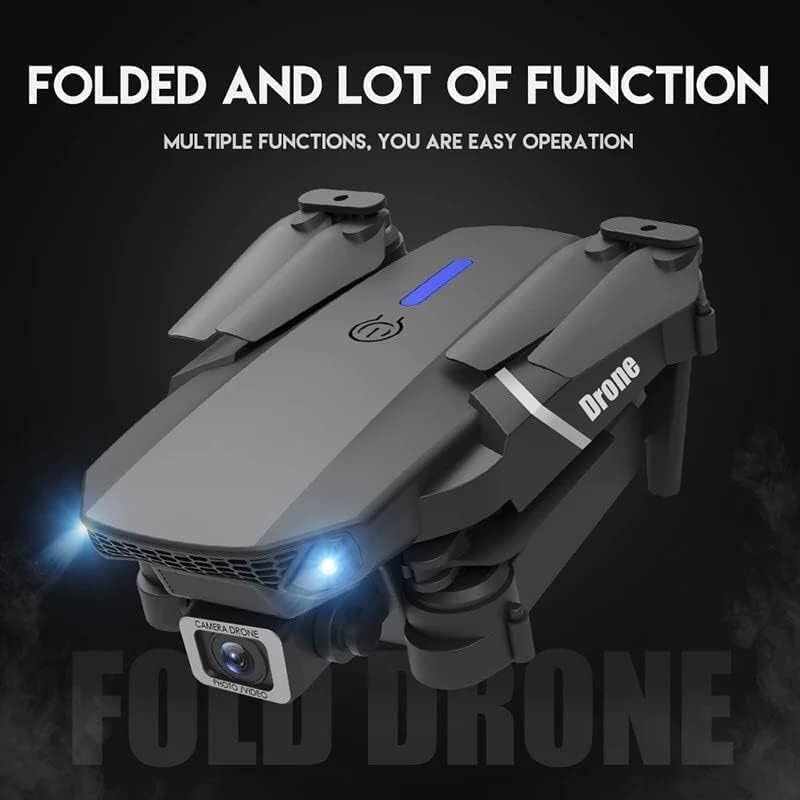
Image: The ROMJ E99 A14 drone in its folded state, showcasing its compact design. The front lights are illuminated, indicating power or readiness.
4.2 Instalação e carregamento da bateria
- Bateria Drone: Insert the fully charged Lithium Polymer battery into the battery compartment on the drone's rear until it clicks into place.
- Bateria do controle remoto: Open the battery cover on the back of the remote control and insert the required batteries (not specified, assume AA/AAA, user should check remote). Close the cover.
- Carregamento: Connect the USB charger to the drone's battery (or directly to the drone if integrated charging) and then to a USB power source. The indicator light will show charging status (refer to charger's specific light indications).
4.3 Instalação da hélice (se necessário)
The drone typically comes with propellers pre-installed. If replacement is needed:
- Identify the correct propeller type (A or B) for each motor arm. Propellers are usually marked.
- Align the propeller with the motor shaft and press down firmly until it is securely attached. Ensure it spins freely without wobbling.
5. Instruções de operação
5.1 Controle Remoto Sobreview
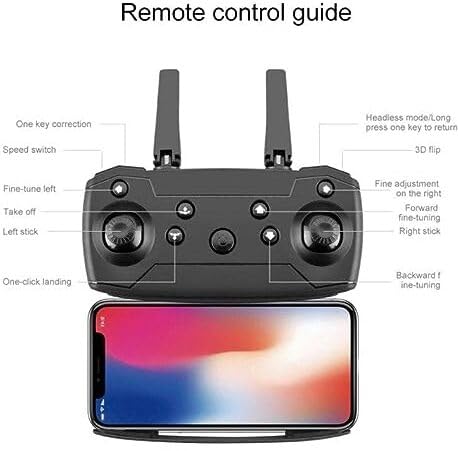
Image: A detailed diagram of the drone's remote control, labeling various buttons and joysticks. Key functions include One Key Correction, Speed Switch, Fine-tune Left, Take off, Left Stick, One-click Landing, Headless Mode/Long press one key to return, 3D Flip, Fine adjustment on the right, Forward fine-tuning, Right Stick, and Backward fine-tuning. A smartphone is shown mounted below the remote, indicating app connectivity.
- Vara Esquerda: Controla a altitude (para cima/para baixo) e a rotação (para a esquerda/para a direita).
- Alavanca da direita: Controla os movimentos para frente/para trás e para a esquerda/para a direita.
- Uma única tecla para decolagem/pouso: Press to automatically take off or land.
- Interruptor de velocidade: Ajusta a velocidade de voo (ex.: baixa, média, alta).
- Modo sem cabeça: Simplifies flight by orienting the drone relative to the pilot, regardless of the drone's front direction.
- Retorno com uma única tecla: Initiates an automatic return to the take-off point (requires calibration).
- Inversão 3D: Executes an acrobatic flip (ensure sufficient altitude).
- Fine-tuning Buttons: Used to trim the drone's flight to correct drift.
5.2 Pairing the Drone
- Coloque o drone em uma superfície plana e nivelada.
- Power on the drone. The indicator lights will flash.
- Ligue o controle remoto.
- Push the left joystick up to the maximum position, then pull it down to the minimum position. The drone lights will stop flashing and become solid, indicating successful pairing.
5.3 Decolagem e Pouso
- One-Touch Take-off: After pairing, press the "Take off" button on the remote control. The drone will automatically ascend to a stable hovering height.
- Decolagem manual: After pairing, push both joysticks simultaneously to the bottom-outer corners to arm the motors. Then, slowly push the left joystick up to ascend.
- One-Touch Landing: Press the "One-click Landing" button. The drone will slowly descend and land.
- Pouso manual: Slowly pull the left joystick down to descend. Once landed, pull both joysticks to the bottom-outer corners again to disarm the motors.
5.4 Operação da câmera
The ROMJ E99 A14 features an integrated 1080p HD camera and a bottom lens for diverse aerial perspectives.
Imagem: Um close-up view of the drone's front, highlighting its dual camera system. The main camera is visible at the front, and a secondary bottom lens is shown, indicating support for free switching of aerial perspectives.
- Foto/Vídeo: Use the dedicated buttons on the remote control (or via the companion app) to capture photos or start/stop video recording.
- Conectividade do aplicativo: For live video feed and advanced camera controls, download the official ROMJ drone app (check manual for QR code or app store name) and connect your smartphone via Wi-Fi to the drone's network.
5.5 Special Flight Functions
- 360° Tumbling Stunt: Press the 3D Flip button and then move the right joystick in the desired direction to perform a flip. Ensure sufficient altitude (at least 2-3 meters) for this maneuver.
- Modo sem cabeça: Activate Headless Mode before take-off. In this mode, the drone's forward direction is always the direction the pilot is facing when Headless Mode was activated, simplifying control.
- Retorno com uma única tecla: Long press the One Key Return button. The drone will fly back towards its take-off position. This function works best after proper compass calibration.
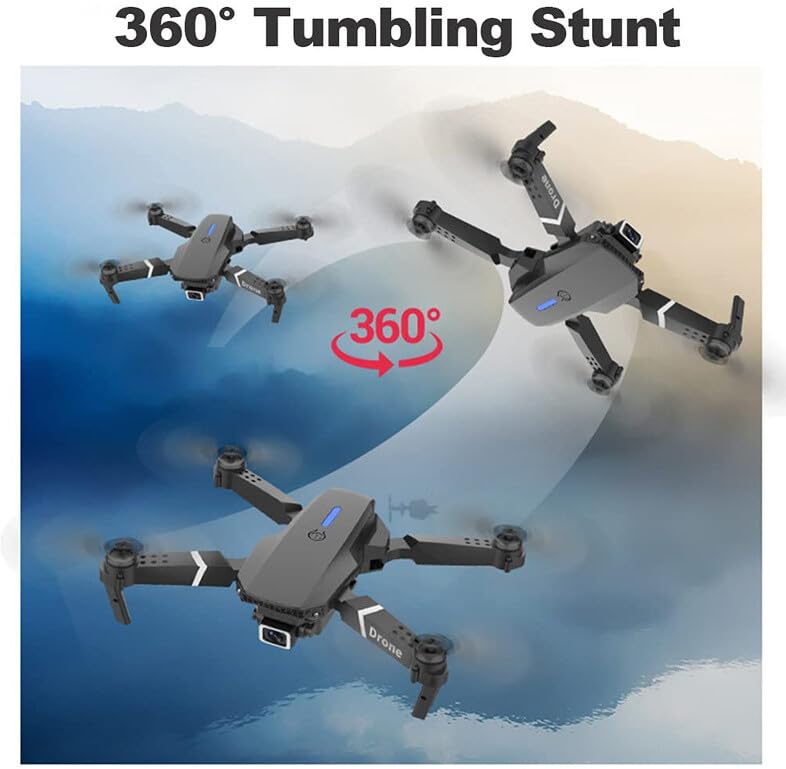
Image: Three instances of the ROMJ E99 A14 drone in mid-air, illustrating a 360-degree tumbling stunt. The drone is shown at different angles during the flip, with an arrow indicating the circular motion.
6. Manutenção
- Limpeza: Use um pano macio e seco para limpar o corpo do drone e a lente da câmera. Evite usar líquidos ou solventes.
- Inspeção da hélice: Verifique regularmente se as hélices apresentam rachaduras, empenamentos ou danos. Substitua imediatamente qualquer hélice danificada utilizando as peças sobressalentes fornecidas.
- Cuidados com a bateria: Armazene as baterias em local fresco e seco. Não armazene baterias totalmente carregadas ou completamente descarregadas por longos períodos. Carregue-as até cerca de 50-60% para armazenamento a longo prazo.
- Cuidados Motores: Mantenha os motores livres de poeira e detritos. Não tente lubrificar os motores.
- Armazenar: When not in use, fold the drone and store it in its original packaging or the provided storage bag to protect it from dust and physical damage.
7. Solução De Problemas
| Problema | Possível causa | Solução |
|---|---|---|
| O drone não liga. | A bateria não está carregada ou não está instalada corretamente. | Certifique-se de que a bateria esteja totalmente carregada e inserida corretamente. |
| O controle remoto não se conecta ao drone. | Not paired correctly; interference. | Repeat pairing procedure (Section 5.2). Ensure no strong Wi-Fi interference. |
| O drone deriva durante o voo. | Not calibrated; wind interference. | Perform gyroscope calibration (refer to app/remote instructions for specific steps). Use fine-tuning buttons. Fly in calm conditions. |
| Camera not recording or poor quality. | SD card issues (if applicable); lens dirty; app not connected. | Ensure SD card is inserted and formatted (if applicable). Clean camera lens. Verify app connection. |
| Tempo de voo curto. | Bateria não totalmente carregada; bateria antiga; voo agressivo. | Certifique-se de que a bateria esteja totalmente carregada. Considere substituir baterias antigas. Voe de forma mais conservadora. |
8. Especificações
| Recurso | Detalhe |
|---|---|
| Marca | ROMJ |
| Nome do modelo | E99 A14 |
| Características especiais | Compact, Foldable, Integrated Camera |
| Resolução de captura de vídeo | 1080p |
| Tecnologia de Conectividade | USB, Wi-Fi |
| Componentes incluídos | Battery, Propeller, USB Charger |
| Nível de habilidade | Todos |
| Material | Acrilonitrila Butadieno Estireno, Plástico |
| Composição da célula da bateria | Polímero de lítio |
| Controle remoto incluído? | Sim |
9. Garantia e Suporte
ROMJ products are manufactured to high-quality standards. For any issues, technical support, or warranty inquiries, please contact your retailer or the official ROMJ customer service channel. Please retain your proof of purchase for warranty claims.
For the most up-to-date support information, please visit the official ROMJ website or refer to the contact details provided with your purchase.
Ask a question about this manual
Ask about setup, troubleshooting, compatibility, parts, safety, or missing instructions. Manuals+ will review the question and use this page’s manual context to help answer it.