
Introdução
This user manual provides comprehensive instructions for the setup, operation, and maintenance of your LG 65-Inch Class OLED evo G4 Series Smart TV. Designed for an unparalleled viewing experience, this television features LG's signature OLED technology with self-lit pixels, Brightness Booster Max, and the powerful α11 AI Processor. It also integrates advanced audio and video technologies like Dolby Vision, Dolby Atmos, and FILMMAKER MODE, alongside smart features powered by webOS 24 and AI-powered capabilities with Alexa built-in.
Configurar
Proper setup ensures optimal performance and longevity of your LG OLED evo G4 TV. Please follow these steps carefully.
Desembalagem e colocação
Carefully remove the TV from its packaging. Ensure you have all included components: the TV unit, Magic Remote MR24 with NFC, 2 AA batteries for the remote, power cable, and Quick Start Guide. Choose a suitable location for your TV, considering viewing angles and power access.

Image: The LG 65-Inch OLED evo G4 Smart TV shown with its included stand, ready for placement in your living space.
Opções de montagem
The LG OLED evo G4 supports a sleek One Wall Design, allowing it to hang with virtually no gap when mounted. Consult the detailed e-manual for specific wall mounting instructions and compatible brackets. Ensure the wall can support the TV's weight of approximately 62.6 pounds.

Image: The LG OLED evo G4 TV demonstrating its One Wall Design, appearing flush against the wall when mounted.
Conectando Periféricos
Connect your external devices such as gaming consoles, soundbars, or media players to the appropriate ports on the back of the TV. The TV supports various connectivity options including HDMI, USB, Ethernet, Wi-Fi, and Bluetooth.

Imagem: Uma imagem detalhada view of the rear connectivity ports on the LG OLED evo G4 TV, showing HDMI and USB inputs.
After connecting all necessary cables, plug the power cable into a wall outlet. The TV is now ready for initial power-on.
Instruções de operação
Familiarize yourself with the TV's interface and remote control to fully utilize its features.
Magic Remote Usage
The included Magic Remote MR24 provides intuitive control with its point-and-click functionality, scroll wheel, and voice command capabilities. Insert the two AA batteries as indicated. Use the remote to navigate the webOS interface, select apps, and control playback.

Image: The LG Magic Remote MR24, highlighting its ergonomic design and key buttons for smart TV control.
webPlataforma inteligente do sistema operacional
Sua TV LG funciona com o webOS 24 smart platform, offering easy access to streaming services, live TV, and smart home features. The Quick Cards feature allows for personalized grouping of your favorite applications.
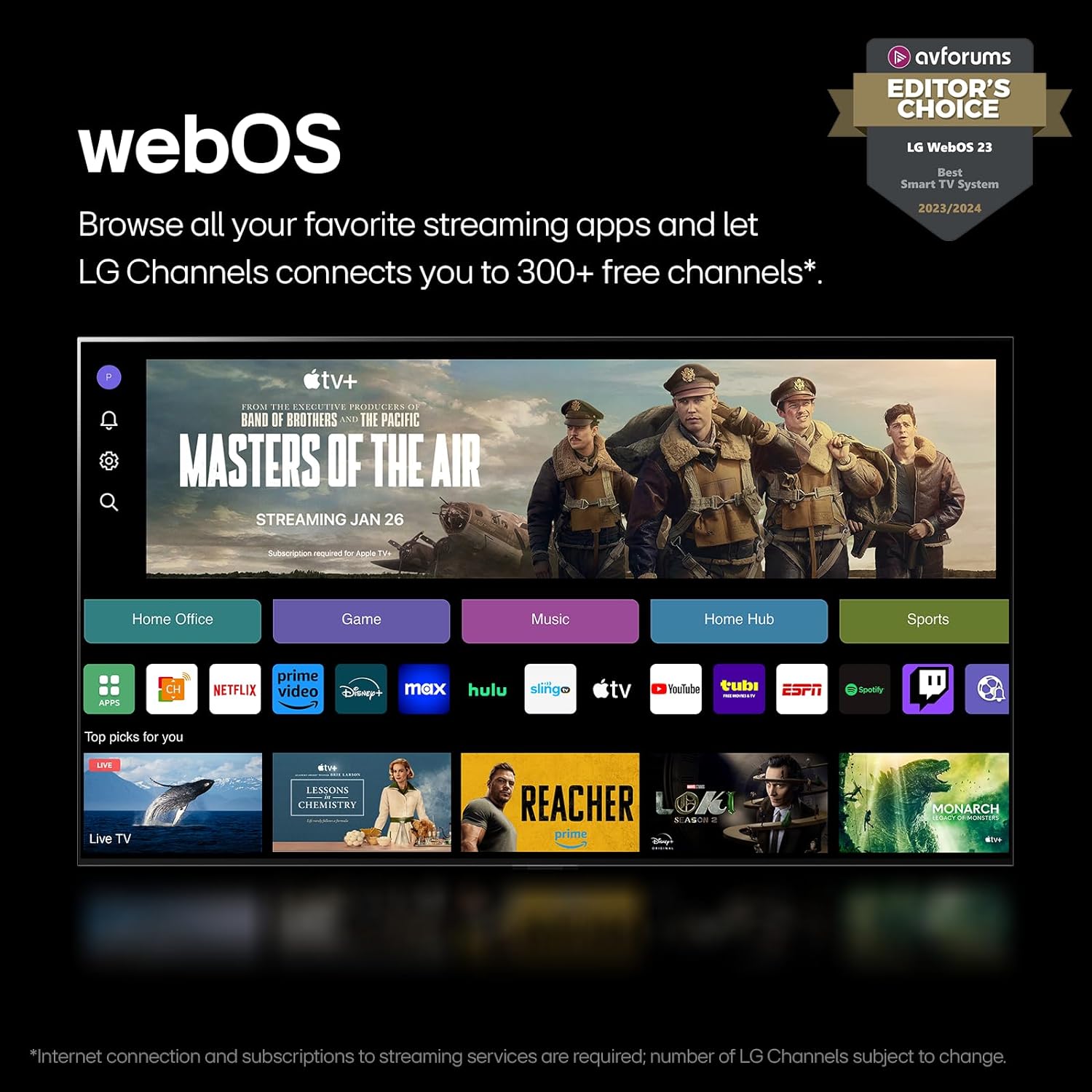
Imagem: The LG webOS smart TV interface displaying a selection of popular streaming applications and content categories.
Aprimoramento de imagem e som
The α11 AI Processor optimizes picture and sound quality in real-time. Features like AI Picture Pro and AI Super Upscaling enhance content to 4K resolution, while AI Director Processing perfects tone for movies. Enjoy immersive audio with Dolby Atmos and stunning visuals with Dolby Vision and FILMMAKER MODE.

Image: A visual representation of the LG α11 AI Processor, highlighting its role in improving graphics, processing speeds, and AI performance for an enhanced viewexperiência.

Image: A living room setting with the LG OLED evo G4 TV displaying vibrant content, accompanied by logos for Dolby Vision, Dolby Atmos, and FILMMAKER MODE, indicating advanced audio and video capabilities.
Recursos de jogos
For gamers, the TV offers a 0.1ms response time and up to 144Hz refresh rate (on 55/65/77/83" G4 models with compatible PC-connected content). It supports Nvidia G-Sync and AMD FreeSync Premium for smooth, tear-free gaming.

Image: A dynamic image depicting a racing game scene on the LG OLED evo G4 TV, emphasizing its gaming capabilities with AMD FreeSync Premium and Nvidia G-SYNC support.
Manutenção
Regular maintenance helps preserve the picture quality and extend the lifespan of your TV.
Cleaning the Screen and Body
Para limpar a tela, passe suavemente um pano de microfibra macio e seco. Para manchas persistentes, esfregue levemente.ampen the cloth with water or a screen-safe cleaning solution. Avoid harsh chemicals or abrasive materials. Clean the TV body with a soft, dry cloth.
Atualizações de software
Your LG OLED evo G4 TV is part of the webOS Re:New Program, which provides new software updates and feature refreshes for 5 years. Ensure your TV is connected to the internet to receive these updates automatically. You may receive a pop-up notification to accept or deny software updates if auto-update is disabled.

Imagem: The LG webOS Re:New Program logo, illustrating the commitment to providing software updates and feature refreshes for five years.
Pixel Care and Burn-in Prevention
LG OLED TVs are designed with features to protect against image retention and burn-in. These include Pixel Refresher and Screen Shift. The G4 series also includes advanced technology that can address pixel issues. Avoid displaying static images for extended periods to minimize risk.

Image: A vibrant image of a whale breaching, demonstrating the impressive brightness and color capabilities of the LG OLED evo G4 display, which are maintained through proper pixel care.
Solução de problemas
If you encounter issues with your LG OLED evo G4 TV, refer to the following common solutions before contacting support.
Sem energia / Sem imagem
- Certifique-se de que o cabo de alimentação esteja firmemente conectado tanto à TV quanto a uma tomada elétrica em funcionamento.
- Verifique se a luz indicadora de energia da TV está acesa.
- Verify that the correct input source is selected using the Magic Remote.
Qualidade de imagem ruim
- Check the resolution of the content being played. For optimal 4K viewing, ensure your source device and content are 4K compatible.
- Adjust picture settings (e.g., brightness, contrast, sharpness) in the TV's menu.
- Ensure HDMI cables are high-speed and properly connected.
Sem som
- Verifique o volume da TV e certifique-se de que não está no mudo.
- Se estiver usando dispositivos de áudio externos (soundbar, receptor), certifique-se de que estejam ligados e conectados corretamente.
- Verify audio output settings in the TV's menu.
Controle remoto não funciona
- Substitua as pilhas do controle remoto Magic Remote.
- Certifique-se de que não haja obstruções entre o controle remoto e a TV.
- Re-pair the Magic Remote with the TV if necessary (refer to the e-manual for pairing instructions).
For more detailed troubleshooting steps, please consult the full E-Manual accessible via your TV's webOS interface or LG's official support website.
Especificações
Key technical specifications for the LG 65-Inch Class OLED evo G4 Series Smart TV (OLED65G4SUB).
| Recurso | Detalhe |
|---|---|
| Marca | LG |
| Número do modelo | OLED65G4SUB |
| Tamanho da tela | 65 polegadas |
| Tecnologia de exibição | OLED |
| Resolução | 4K (3840 x 2160) |
| Taxa de atualização | 120 Hz (up to 144Hz with compatible PC content) |
| Processador | Processador α11 AI 4K |
| Sistema operacional | webSO 24 |
| Conectividade | HDMI, USB, Ethernet, Wi-Fi, Bluetooth |
| Dimensões (LxPxA) | 56.73" x 10.4" x 32.52" (com suporte) |
| Peso do item | 62.6 libras |
| Consumo de energia (modo ligado) | 175 watts |
| Componentes incluídos | Magic Remote MR24 with NFC, 2 AA batteries, Power Cable, Quick Start Guide, E-Manual |
Garantia e Suporte
Your LG 65-Inch Class OLED evo G4 Series Smart TV comes with a comprehensive warranty and access to support resources.
Informações de garantia
The LG OLED evo G4 models (G, Z & M Series) include a 5-year limited panel warranty. During the 1st year of the warranty, both panel, parts, and labor costs are covered. For the 2nd-5th year, only the panel is covered, and labor will be charged. This warranty provides peace of mind regarding the display panel's durability.
Suporte ao cliente
For further assistance, technical support, or warranty claims, please refer to the contact information provided in your Quick Start Guide or visit the official LG support website. The full E-Manual is also available digitally for detailed information on all TV features and settings.
Você pode visitar o Loja LG na Amazon Para obter informações adicionais sobre o produto e acessórios.