
Introdução
The BAOFENG UV-5RM is a versatile multi-band two-way radio designed for reliable communication across various environments. It features a 1.77-inch LCD screen, 999 memory channels, and supports USB-C charging. This device is suitable for outdoor activities, professional use, and emergency communication, offering features like NOAA weather alerts, frequency hopping, and scramble functions for enhanced privacy.
This manual provides essential information for the proper setup, operation, and maintenance of your UV-5RM radio to ensure optimal performance and longevity.
Conteúdo da embalagem
Antes de prosseguir com a instalação, verifique se todos os itens estão presentes na sua embalagem:
- BAOFENG UV-5RM Radio Unit
- Antena
- Bateria recarregável de Lithium-Ion
- Cabo de carregamento USB-C
- Desktop Charger Dock
- Clipe de cinto
- Alça de mão
- Manual do usuário (este documento)
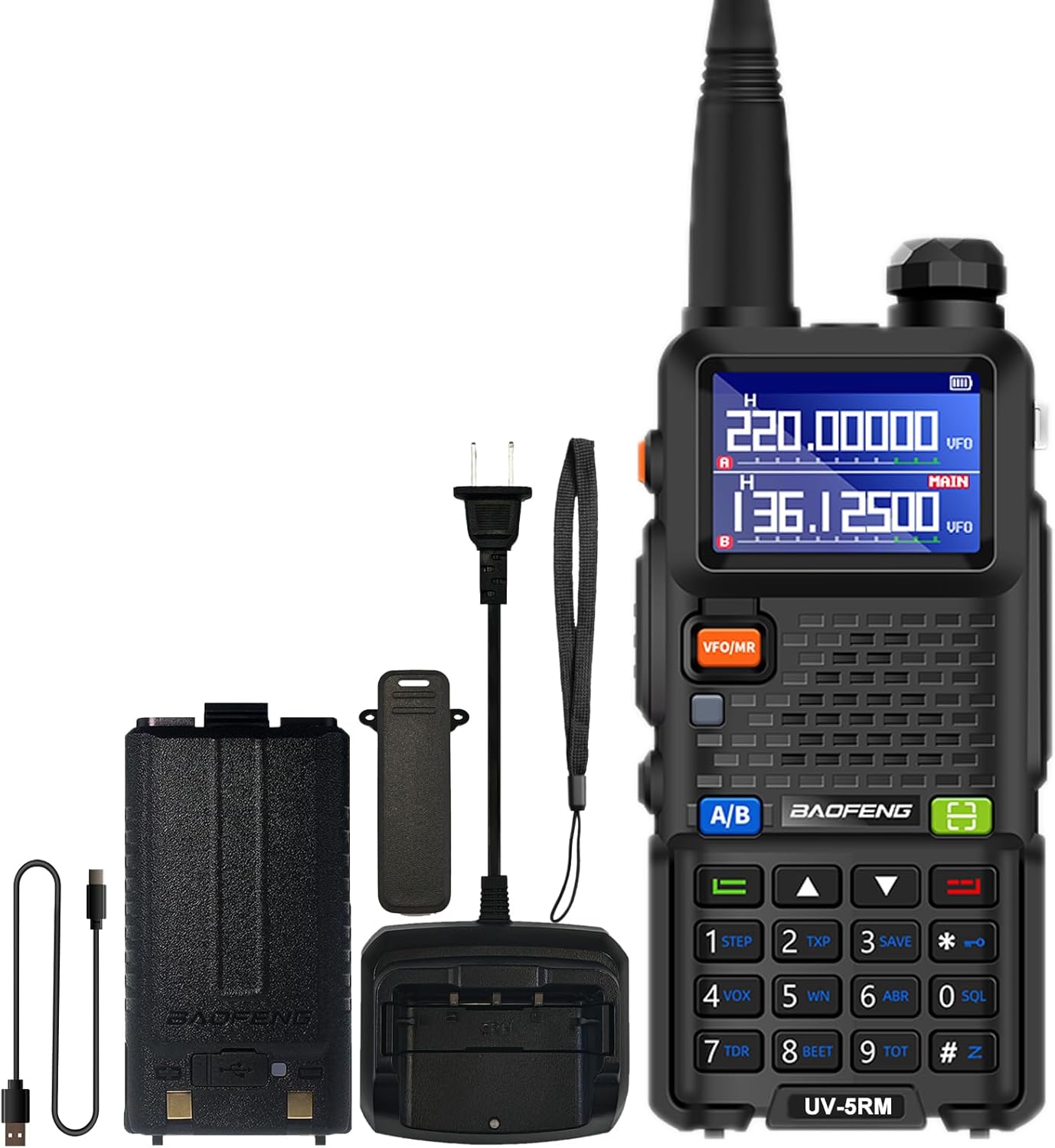
Image: The BAOFENG UV-5RM radio unit with its standard accessories, including the antenna, battery, and charging components.
Configurar
1. Conectando a antena
Carefully screw the antenna clockwise into the connector on the top of the radio until it is finger-tight. Do not overtighten.
2. Instalando a bateria
Align the battery pack with the grooves on the back of the radio. Slide the battery upwards until it clicks into place. To remove, press the release latch (if present) and slide the battery downwards.
3. Carregando a bateria
The UV-5RM offers two charging methods:
- Utilizando o carregador de mesa: Place the radio (with battery installed) into the charging dock. Ensure the charging contacts align. The indicator light on the charger will show the charging status.
- Utilizando a porta USB-C: Connect the provided USB-C cable to the port on the back of the battery pack and to a compatible USB power source (e.g., car charger, power bank, laptop, USB wall adapter).
A full charge typically takes several hours. The radio can be charged in your car, with a power bank, or any USB interface device, providing flexibility for charging on the go.

Image: The BAOFENG UV-5RM radio demonstrating both USB-C direct charging and charging via its desktop dock.
4. Fixação do clipe de cinto e da alça de mão
Secure the belt clip to the back of the radio using the provided screws. Attach the hand strap to the designated loop for added security during use.
Instruções de operação
Fim do rádioview e controles

Image: Labeled diagram of the BAOFENG UV-5RM radio highlighting key components and controls.
- Antena: Para transmitir e receber sinais.
- Lanterna: Luz LED integrada para iluminação.
- Botão de potência/volume: Gire para ligar/desligar o rádio e ajustar o volume.
- Tela LCD de 1.77": Displays frequency, channel, battery status, and other information.
- Botão FM: Ativa a função de rádio FM.
- Botão PTT (Push-To-Talk): Pressione e segure para transmitir, solte para receber.
- Botão VFO/MR: Alterna entre o Modo de Frequência (VFO) e o Modo de Canal (MR).
- 2-pin Jack: For connecting external audio accessories like headsets or programming cables.
- Microfone: Microfone para entrada de voz.
- Botão de digitalização: Inicia a varredura de frequência ou canal.
- Botão de menu: Acessa as configurações do menu do rádio.
- Teclado: Para entrada direta de frequência, seleção de canal e navegação no menu.
- Porta USB-C: Para carregamento direto da bateria.
1. Ligar/Desligar e Ajuste de Volume
Rotate the Power/Volume knob clockwise to turn the radio on. Continue rotating clockwise to increase volume, and counter-clockwise to decrease volume. Rotate fully counter-clockwise until a click is heard to turn the radio off.
2. Frequência e Modo de Canal (VFO/MR)
Pressione o VFO/RM botão para alternar entre:
- Modo de frequência (VFO): Allows direct input of frequencies using the keypad.
- Modo de canal (MR): Allows selection of pre-programmed memory channels (up to 999).
3. One Key Match Frequency Function
Essa função permite o pareamento rápido de frequência com outro rádio.
- Etapa 1: Turn on your UV-5RM radio. Press and hold the PROCURAR button (often labeled with a magnifying glass icon or similar) until the screen displays "SEARCH".
- Etapa 2: Press and hold the transmit button on the other radio you wish to match. Your UV-5RM will search for and decode its frequency and CTCSS/DCS tones. Once finished, press a confirmation button (e.g., MENU or SAIR) on your UV-5RM to save.
- Etapa 3: Switch to channel mode to select the newly matched channel. The screen will display the frequency of the other radio, enabling communication.

Image: Visual guide for the 'One Key Match Frequency' feature, illustrating the steps to quickly synchronize frequencies with another radio.
4. Transmissão e Recepção
Para transmitir, pressione e segure o PTT button and speak clearly into the microphone. Release the PTT button to switch to receive mode.
5. Função VOX (Comunicação mãos-livres)
The Voice Operated eXchange (VOX) function allows you to transmit without pressing the PTT button. When VOX is enabled, the radio will automatically transmit when it detects your voice. Adjust VOX sensitivity in the menu settings.
6. Função de rádio FM
Pressione o FM button to activate the built-in FM radio. You can scan for local radio stations and enjoy entertainment when not actively communicating.
7. Rádio Meteorológico da NOAA
The UV-5RM supports NOAA weather channels, providing access to real-time weather alerts and forecasts. Refer to the menu for specific NOAA channel settings and activation.
8. Programação
The radio can be programmed using CHIRP software and a compatible programming cable (sold separately). This allows for advanced customization of frequencies, channels, and other settings.
Manutenção
- Limpeza: Use um pano macio e macioamp Use um pano para limpar a parte externa do rádio. Não utilize produtos químicos agressivos ou abrasivos.
- Cuidados com a bateria: Para prolongar a vida útil da bateria, evite sobrecarregá-la ou descarregá-la completamente. Guarde o rádio e a bateria em local fresco e seco quando não estiverem em uso por longos períodos.
- Armazenar: Guarde o rádio em um ambiente seco e livre de poeira, longe da luz solar direta e de temperaturas extremas.
- Resistência à água: The BAOFENG UV-5RM is não é resistente à água. Avoid exposing the radio to rain, splashes, or immersion in water.
Solução de problemas
| Problema | Possível causa | Solução |
|---|---|---|
| O rádio não liga. | A bateria não está carregada ou está instalada incorretamente. | Certifique-se de que a bateria esteja totalmente carregada e corretamente encaixada. |
| Não é possível transmitir nem receber. | Frequência/canal incorreto, antena desconectada ou bateria fraca. | Verifique a frequência/canal, verifique a conexão da antena, carregue a bateria. |
| Qualidade de áudio ruim. | Volume muito baixo, nível de supressão de ruído muito alto ou interferência. | Ajuste o volume, diminua o nível de silenciamento, afaste-se das fontes de interferência. |
| Teclado não responde. | Bloqueio do teclado ativado. | Refer to the manual for keypad unlock procedure (usually a long press of a specific key). |
Especificações
| Número do modelo | UV-5RM |
| Marca | BAOFENG |
| Número de canais | 999 |
| Faixa de frequência | VHF: 144-148 MHz / UHF: 420-450 MHz (Multi-Band) |
| Mostrar | Tela LCD de 1.77 polegada |
| Carregando | USB-C Charging, Desktop Charger |
| Tipo de Bateria | Íon de lítio (incluído) |
| Vida média da bateria | Até 48 horas |
| Alcance máximo de fala | Até 6 milhas (dependendo do ambiente) |
| Características especiais | NOAA, VOX, FM Radio, LED Flashlight, Squelch, Battery Save, Repeater, CTCSS/DCS, Scan, TOT, BCL, DTMF, Power-on Password, Frequency Hopping, Scramble Functions |
| Nível de resistência à água | Não resistente à água |

Image: A comparison chart detailing the enhanced features of the BAOFENG UV-5RM model compared to the UV-5R, including channel capacity, screen size, battery, and charging options.
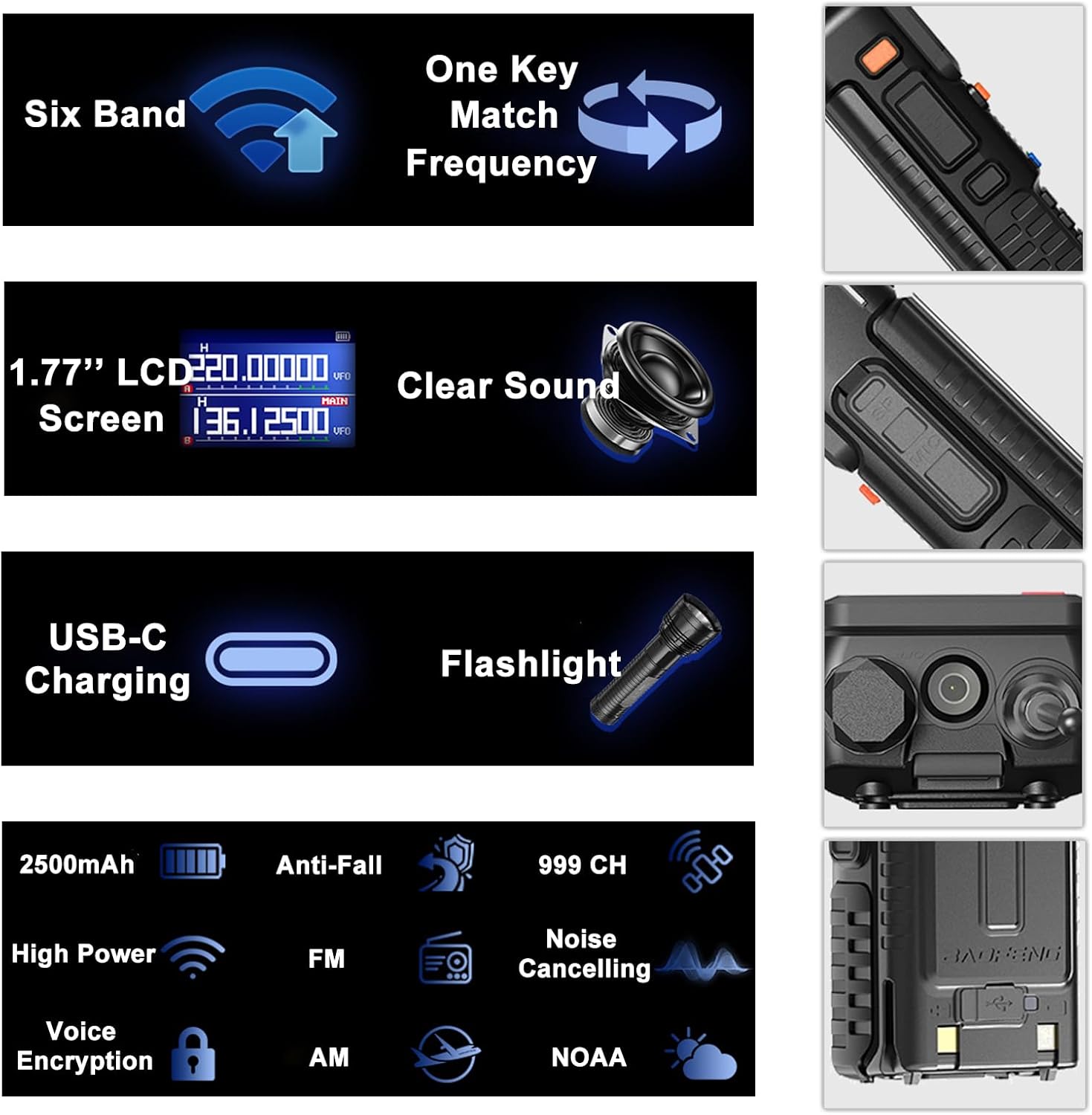
Image: An infographic summarizing the main features of the BAOFENG UV-5RM, such as multi-band capability, one-key frequency matching, USB-C charging, and a 1.77-inch LCD screen.

Imagem: Detalhada view of the 1.77-inch LCD screen on the BAOFENG UV-5RM, illustrating its dual display capability and clear readability.
Garantia e Suporte
Garantia: The BAOFENG UV-5RM Two Way Radio comes with a 1-year warranty. This warranty is provided exclusively through "Shiqun Electronics Co., Ltd." Please retain your proof of purchase for warranty claims.
For technical support, troubleshooting assistance, or warranty inquiries, please contact the seller or authorized service center. Refer to your purchase documentation for specific contact details.