
WONLINK WL-AP7202-CAHS1-YAM
WONLINK Outdoor WiFi Extender User Manual
Model: WL-AP7202-CAHS1-YAM
1. Produto acabadoview
The WONLINK Outdoor WiFi Extender (Model: WL-AP7202-CAHS1-YAM) is a high-performance, dual-band (2.4GHz and 5GHz) wireless device designed to extend your WiFi network coverage outdoors. It supports speeds up to 1200Mbps and features Power over Ethernet (PoE) for flexible installation. Its IP66 weatherproof and robust design ensures reliable operation in various outdoor environments.

Figura 1.1: Frente view of the WONLINK Outdoor WiFi Extender, illustrating its wireless signal propagation.
Principais características
- Dual Band AC1200: Simultaneous 2.4GHz (300Mbps) and 5GHz (867Mbps) for high-speed connectivity.
- Alimentação pela Ethernet (PoE): Simplifica a instalação, fornecendo energia e dados através de um único cabo Ethernet.
- IP66 à prova de intempéries: Designed to withstand harsh outdoor conditions, including rain, dust, and extreme temperatures.
- Vários modos de operação: Supports Access Point (AP), Repeater, Bridge, and Router modes for versatile network deployment.
- Alta potência Amplificadores: Enhances signal strength and coverage for long-range outdoor applications.
- Gigabit Port: Ensures high-speed wired connections.
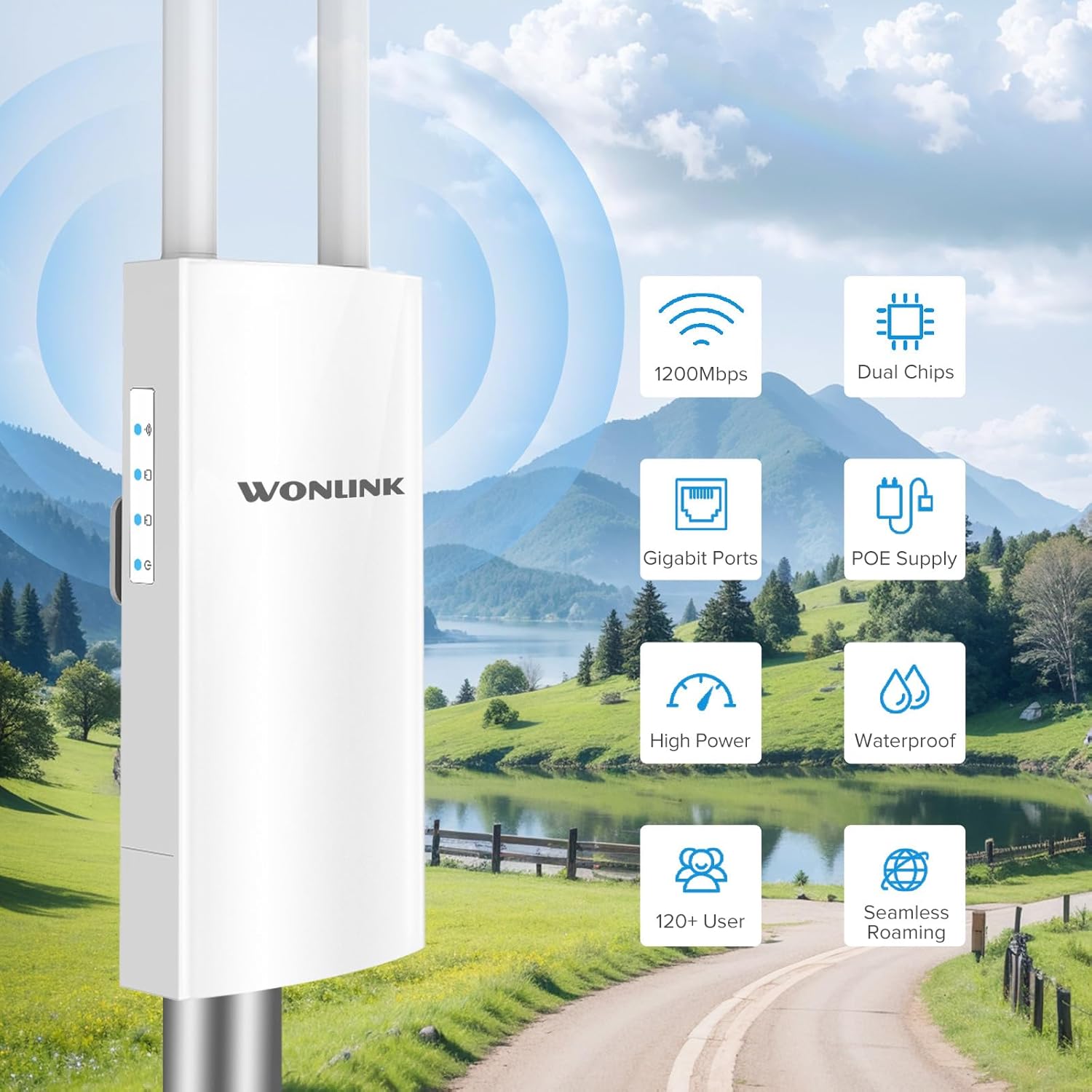
Figura 1.2: Overview of key features including 1200Mbps speed, dual chips, Gigabit ports, PoE supply, high power, waterproof design, support for 120+ users, and seamless roaming.

Figure 1.3: Breakdown of Dual Band AC1200 speeds, showing 5GHz (867Mbps) for less interference and faster speed, and 2.4GHz (300Mbps) for strong compatibility and better penetration.
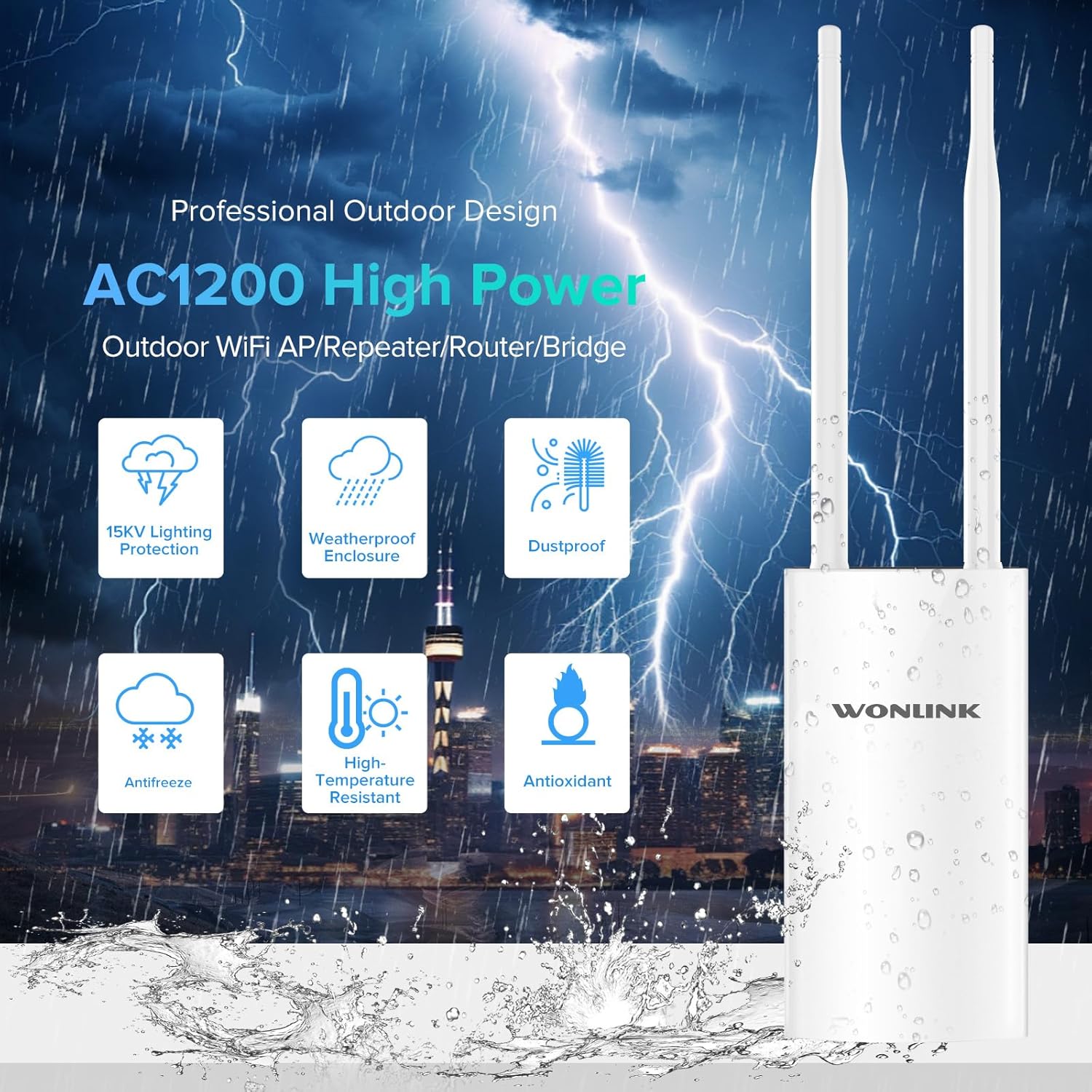
Figure 1.4: Features of the professional outdoor design, including 15KV lighting protection, weatherproof enclosure, dustproof, antifreeze, high-temperature resistance, and antioxidant properties.
2. Configuração e instalação
This section guides you through the physical installation and initial configuration of your WONLINK Outdoor WiFi Extender.
2.1 Conteúdo da embalagem
Antes de começar, verifique se todos os itens estão presentes na embalagem:
- 1 x Outdoor WiFi Extender
- 1 x 48V PoE Adapter
- 2 x Parafusos
- 1 x Guia de instalação rápida
- 2 x Silicone Seals
- 2 x Stainless Ties
2.2 Instalação Física
The device can be mounted on a pole or wall using the provided accessories. Choose a location that offers optimal signal coverage and is within 80 meters of the PoE adapter.
- Attach the antennas to their respective ports on the device.
- Use the stainless ties to secure the device to a pole, or use screws with the bracket for wall mounting.
- Connect an Ethernet cable from the device's WAN/PoE port to the "PoE" port on the 48V PoE Adapter.
- Connect another Ethernet cable from the "LAN" port on the PoE Adapter to your router or network switch.
- Plug the power cord of the PoE Adapter into an electrical outlet.

Figure 2.1: Diagram illustrating the Power Over Ethernet (PoE) connection, showing the 48V PoE Adapter connecting the device to the network and power source.

Figura 2.2: Examples of multiple application scenarios, including yard, swimming pool area, park, and farm, demonstrating the versatility of the outdoor WiFi extender.
2.3 Configuração Inicial
Refer to the Quick Installation Guide for detailed steps on accessing the web management interface and configuring the device for your desired operating mode (AP, Repeater, Bridge, or Router).

Figure 2.3: Visual representation of the four main operating modes: Access Point (AP) Mode, Repeater Mode, Bridge Mode, and Router Mode, showing how the device integrates into different network setups.
3. Operating Modes and Indicators
The WONLINK Outdoor WiFi Extender supports various operating modes to suit different network requirements.
Modos de Operação 3.1
- Modo de ponto de acesso (AP): Conecta-se a uma rede com fio e transmite um sinal sem fio, permitindo que dispositivos sem fio se conectem.
- Modo Repetidor: Extends the range of an existing wireless network by re-broadcasting its signal.
- Modo Ponte: Conecta duas redes com fio sem fio.
- Modo roteador: Funciona como um roteador principal, fornecendo acesso à internet para dispositivos conectados.
3.2 Indicadores LED
The device features several LED indicators to show its status:
| Indicador | Status | Descrição |
|---|---|---|
| Indicador de energia | Sólido Ligado | O dispositivo está ligado. |
| Indicador LAN | Solid On/Blinking | Indicates LAN port activity. |
| Indicador de WAN | Solid On/Blinking | Indicates WAN port activity. |
| Indicador de sinal WiFi | Solid On/Blinking | Indicates wireless signal activity. |

Figura 3.1: Produto detalhadoview showing the location of power, LAN, WAN, and WiFi signal indicators, antennas, bracket, LAN port, reset button, and WAN port.
4. Manutenção
Proper maintenance ensures the longevity and optimal performance of your outdoor WiFi extender.
- Limpeza: Limpe periodicamente a parte externa do dispositivo com um pano macio e seco.amp cloth. Do not use harsh chemicals or abrasive cleaners. Ensure all ports are free from debris.
- Atualizações de firmware: Verifique o fabricante website (szwonlink.com) for available firmware updates. Keeping the firmware updated can improve performance and security.
- Proteção Ambiental: While the device is IP66 weatherproof, ensure proper installation to prevent water ingress into cable connections. Use the provided silicone seals for port protection.
5. Solução De Problemas
Se você encontrar problemas com seu dispositivo, consulte as etapas comuns de solução de problemas a seguir:
- Sem energia:
- Ensure the PoE adapter is properly connected to a power outlet and the device.
- Verify the power indicator LED is on.
- Check the Ethernet cable connecting the PoE adapter to the device.
- Sem acesso à Internet:
- Confirm your main router has internet access.
- Check the WAN/LAN indicator LEDs on the device and PoE adapter for activity.
- Ensure the device is configured correctly for its operating mode (AP, Repeater, Bridge, Router).
- Weak or Unstable WiFi Signal:
- Relocate the device to a more central position or higher elevation.
- Certifique-se de que as antenas estejam firmemente fixadas e orientadas corretamente.
- Check for physical obstructions between the device and client devices.
- Não é possível acessar Web Interface de gerenciamento:
- Verify your computer is connected to the device's network (either wirelessly or via Ethernet).
- Ensure you are using the correct IP address for the device (refer to the Quick Installation Guide).
- Desative temporariamente qualquer firewall ou software antivírus em seu computador.
- Restauração de fábrica: If issues persist, you can perform a factory reset.
- With the device powered on, use a paperclip or pin to press and hold the Reset button (located near the ports) for approximately 5-10 seconds until the LEDs flash.
- O dispositivo será reiniciado com as configurações padrão de fábrica. Você precisará reconfigurá-lo.
6. Especificações
Detailed technical specifications for the WONLINK Outdoor WiFi Extender (WL-AP7202-CAHS1-YAM).
| Recurso | Detalhe |
|---|---|
| Marca | WONLINK |
| Modelo | WL-AP7202-CAHS1-YAM |
| Taxa de transferência de dados | 1200 Megabits por Segundo (Mbps) |
| padrão sem fio | 802.11n, 802.11ac |
| Classe de Banda de Frequência | Banda dupla (2.4 GHz e 5 GHz) |
| Freqüência | 2412 MHz (2.4GHz band) |
| Número de portas | 1 (Gigabit Ethernet) |
| Tecnologia de Conectividade | Wi-Fi (802.11ac, 802.11n), Ethernet |
| Dispositivos compatíveis | Notebook, Computador Pessoal, Smartphone |
| Protocolo de Segurança | WPA2, WPA3 |
| Classificação de proteção de entrada (IP) | IP66 intempéries |
| Fonte de energia | Adaptador PoE 48V |
| Cor | Bege Branco |
| Dimensões da parcela | 22.7 x 19.8 x 5.2 cm |
| Peso do item | 580 g |
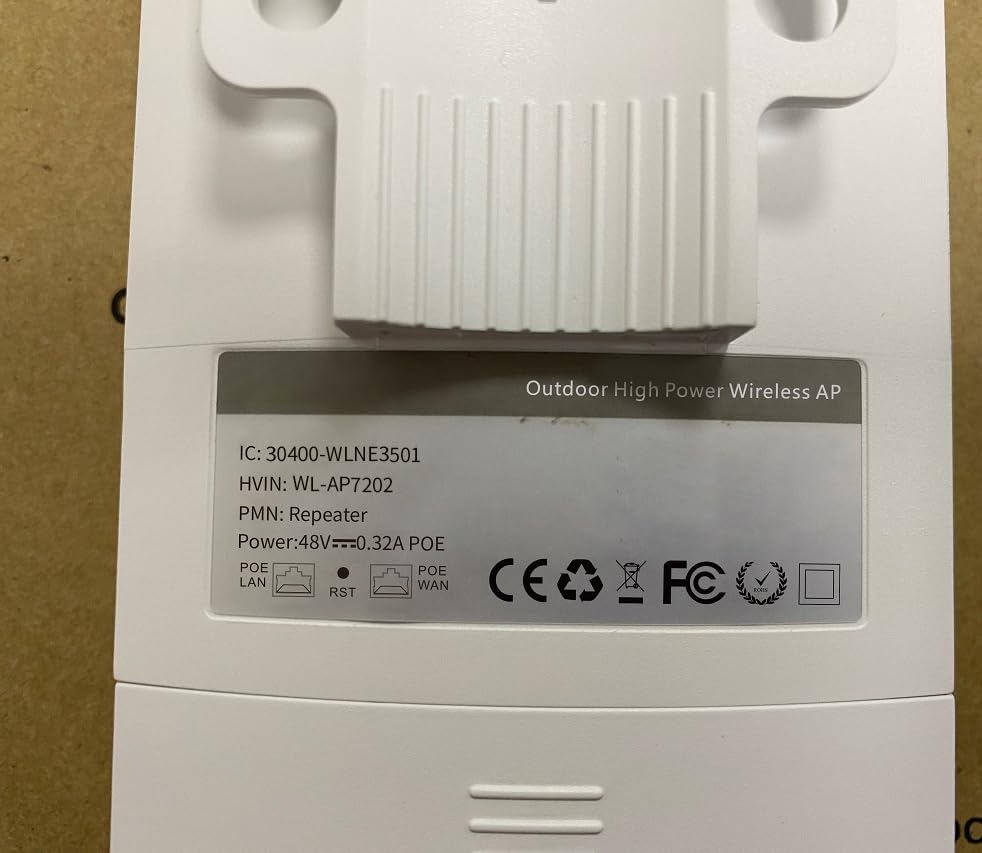
Figure 6.1: Back label of the device, displaying model number (WL-AP7202) and power specifications (48V PoE).
7. Garantia e Suporte
For warranty information, technical support, or further inquiries, please contact WONLINK customer service through their official website or the retailer from whom you purchased the product. Keep your purchase receipt for warranty claims.
Oficial Website: szwonlink.com
Documentos relacionados - WL-AP7202-CAHS1-YAM
 |
Extensor de Wi-Fi WONLINK WL-NE3502: Guia de Configuração do Amplificador de Wi-Fi Dual Band de 1200 Mbps Guia do usuário para o extensor de Wi-Fi WONLINK WL-NE3502, um amplificador e repetidor de Wi-Fi de banda dupla de 1200 Mbps. Inclui instruções de configuração, recursos e especificações para uma cobertura de rede sem fio aprimorada. |
 |
Guia de Instalação Rápida do Repetidor Wi-Fi WONLINK NE3503B Este guia fornece instruções para instalar o repetidor Wi-Fi WONLINK NE3503B, um dispositivo de banda dupla de 1200 Mbps projetado para estender a cobertura da rede sem fio em até 120 m². Saiba mais sobre instalação, configuração e conformidade. |
 |
Guia de Instalação Rápida do Ponto de Acesso Sem Fio WONLINK Guia de instalação rápida para o ponto de acesso sem fio WONLINK, detalhando a configuração para os modos AP, Bridge, Roteador e Repetidor. Inclui etapas de configuração de rede e informações sobre conformidade com a FCC. |
 |
Guia de Instalação Rápida do Extensor/Repetidor Wi-Fi WONLINK WL-NE3503 Este guia fornece instruções passo a passo para instalar e configurar o extensor/repetidor de Wi-Fi WONLINK WL-NE3503, incluindo configuração, dicas de solução de problemas e informações importantes sobre segurança e regulamentação. |
 |
Manual do usuário e guia de configuração do extensor de Wi-Fi WONLINK AC1200 Guia completo para configurar e usar o extensor de Wi-Fi WONLINK AC1200, incluindo recursos, modos e solução de problemas. |
 |
Extensor Wi-Fi 6 WONLINK AX1800: Guia de Instalação Rápida Um guia conciso para configurar seu extensor Wi-Fi 6 WONLINK AX1800 e melhorar a cobertura da sua rede doméstica. Aprenda os passos para posicionamento, conexão e configuração. |
Ask a question about this manual
Ask about setup, troubleshooting, compatibility, parts, safety, or missing instructions. Manuals+ will review the question and use this page’s manual context to help answer it.