
1. Introdução e maisview
Thank you for choosing the Acoyer Roku TV Remote and Remote Cover set. This product provides reliable replacement remote controls for your compatible Roku TV, along with durable silicone protective covers. The covers are designed to enhance visibility, provide protection against drops, and prevent loss, ensuring a more convenient and worry-free viewexperiência.

Image: The Acoyer Roku TV Remote and Remote Cover set, featuring two black remote controls and two brightly colored silicone protective covers (green and blue).
2. Conteúdo da embalagem
Your Acoyer Roku TV Remote and Remote Cover package includes the following items:
- 2 x Acoyer Roku TV Remote Controls
- 2 x Acoyer Remote Control Sleeves (Green and Blue)
3. Compatibilidade
The Acoyer Remote Control is designed for broad compatibility with Roku Series TVs. Please review As informações de compatibilidade estão abaixo:
3.1 Dispositivos Compatíveis
This remote control is compatible with the following Roku TV brands and models:
- TV Roku
- TV Hisense Roku
- Na TV Roku
- Sharp Roku TV
- TV Element Roku
- TV Westinghouse Roku
- TV Philips Roku
- Insígnia Roku TV
- TV JVC Roku
- RCA Roku TV
- Hitachi Roku TV
- Sanyo Roku TVs
3.2 Non-Applicable Devices
The Acoyer Remote is NÃO compatible with the following Roku devices:
- Roku Stick
- Roku Streaming Stick
- Roku Box 1/2/3/4 (HD/LT/XS/XD)
- Roku Ultra
- Roku Express
- Estreia Roku
- Roku Player

Image: Visual guide illustrating the types of Roku remotes that are compatible (standard TV remotes) and incompatible (remotes with headphone jacks or for streaming sticks/boxes).
4. Configuração
The Acoyer Roku TV Remote is designed for easy setup. No complex programming or settings are required for most compatible Roku TVs.
4.1 Initial Setup (Pairing)
- Insira as baterias: Open the battery compartment on the back of the remote. Insert two AAA batteries (not included), ensuring correct polarity (+/-).
- Emparelhamento automático: For most compatible Roku TVs, the remote should automatically pair with your TV once batteries are inserted and the TV is on.
- Emparelhamento manual (se necessário): If the remote does not respond, ensure your Roku TV is powered on. Press and hold the pairing button located inside the battery compartment (or on the back of some Roku TVs) for 5 seconds. A pairing message should appear on your TV screen. Follow any on-screen prompts.
- Funcionalidade de teste: Once paired, test all buttons to ensure full functionality.
5. Instruções de operação
The Acoyer Roku TV Remote provides intuitive control over your Roku TV. The included remote covers offer additional features for convenience and protection.
5.1 Funções de controle remoto
The remote features standard Roku TV controls, including:
- Botão de energia: Liga ou desliga a TV.
- Directional Pad (D-Pad) with OK Button: Navega pelos menus e seleciona as opções.
- Botão Voltar: Retorna à tela anterior.
- Botão Home: Retorna à tela inicial do Roku.
- Aumentar/diminuir volume: Ajusta o volume da TV.
- Botão Mudo: Mutes or unmutes TV audio.
- Replay instantâneo: Retrocede alguns segundos na reprodução do vídeo.
- Rewind/Fast Forward/Play/Pause: Controla a reprodução de mídia.
- Botões de acesso direto: Dedicated buttons for popular streaming services like Netflix, Hulu, YouTube, and Disney+ for quick access.
5.2 Remote Control Cover Features
The silicone remote covers are designed with several user-friendly features:
- Visibilidade aprimorada: The bright green and blue colors make your remote easier to spot, reducing the chance of it getting lost between cushions or in dark rooms.
- Glow-in-the-Dark Functionality: The green and blue covers glow in the dark after being exposed to light. For optimal glow, place the cover under strong light for a period.
- Proteção total: The durable silicone material provides protection against drops, impacts, and daily wear and tear.
- Recortes precisos: Customized openings ensure all buttons and functions, including infrared signals, are fully accessible and usable without obstruction.
- Design antiderrapante: The textured surface of the cover provides a better grip, preventing accidental slips.
- Cordão incluído: Each cover features a lanyard for added security, allowing you to attach it to a convenient location or wear it around your wrist to prevent loss.

Image: The green remote cover absorbing light, demonstrating the glow-in-the-dark feature.
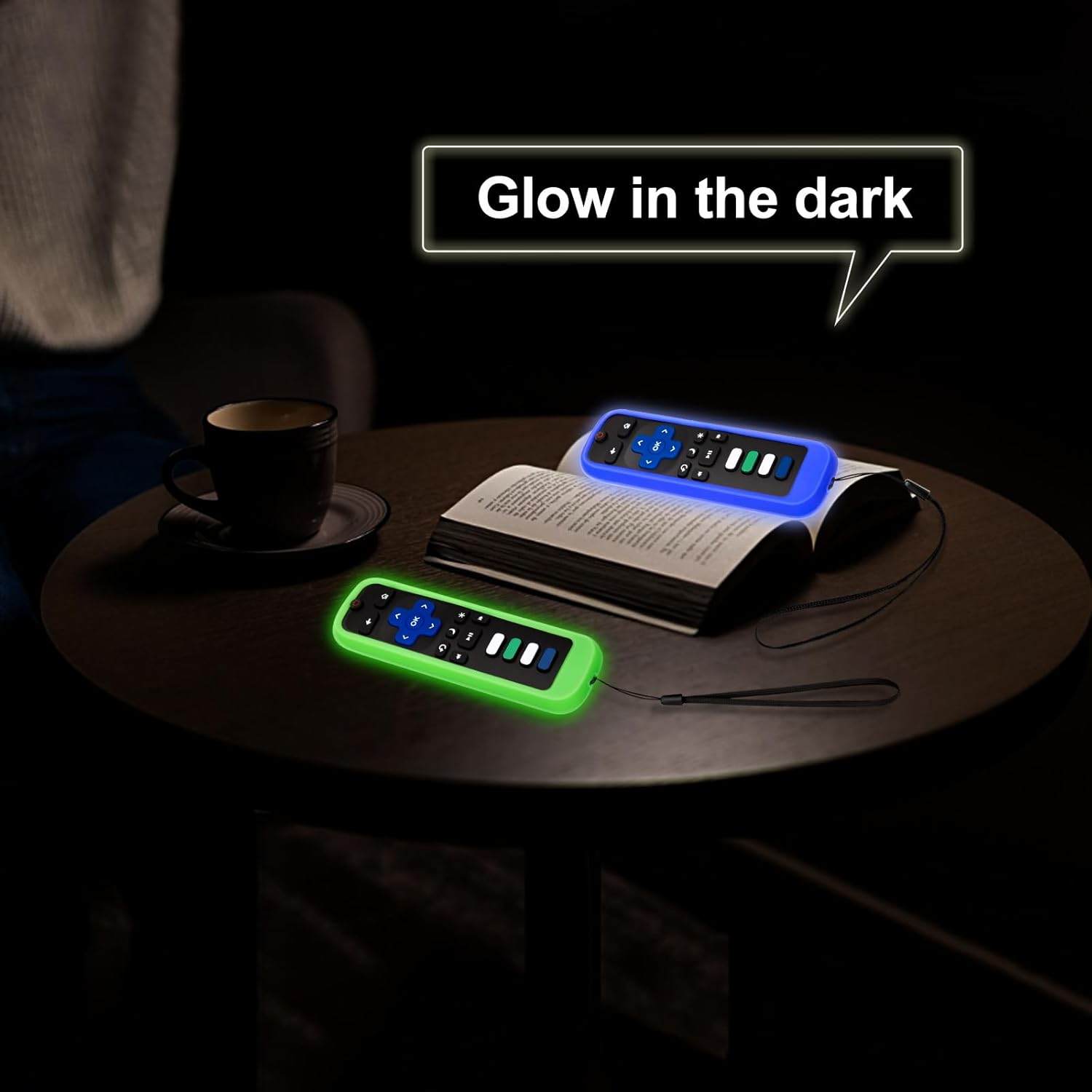
Image: Both the green and blue remote covers glowing in a dark environment, making them easy to locate.

Imagem: Detalhada view of the remote cover's design, showcasing the lanyard, precise cutouts for buttons, anti-slip texture, and signal window.
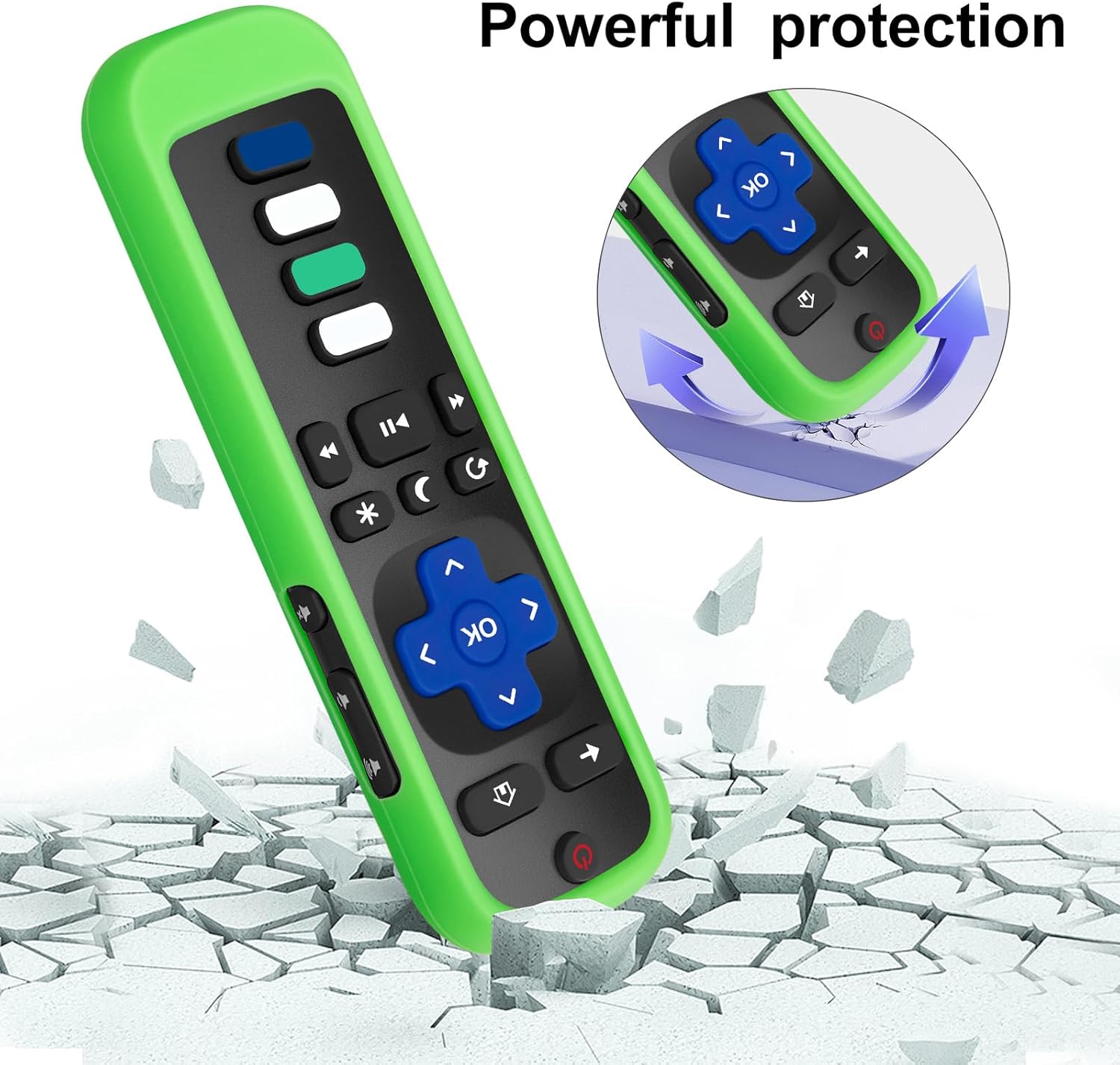
Image: Illustration of the remote cover's protective capabilities, showing a remote on a cracked surface with an arrow indicating impact absorption.
6. Manutenção
Proper care and maintenance will extend the life of your Acoyer Roku TV Remote and its protective cover.
- Como limpar o controle remoto: Use a soft, dry cloth to wipe down the remote control. For stubborn dirt, slightly dampUmedeça o pano com água ou um limpador suave e não abrasivo. Evite umidade excessiva.
- Limpeza da tampa: The silicone cover can be removed and washed with mild soap and water. Ensure it is completely dry before placing the remote back inside.
- Substituição da bateria: Replace batteries when the remote's performance degrades. Always use new, high-quality AAA batteries and dispose of old batteries responsibly.
- Armazenar: Guarde o controle remoto em local fresco e seco, longe da luz solar direta e de temperaturas extremas.
7. Solução De Problemas
If you encounter issues with your Acoyer Roku TV Remote, try the following troubleshooting steps:
| Problema | Solução |
|---|---|
| O controle remoto não está respondendo. |
|
| Glow-in-the-dark feature is weak or not working. |
|
| Buttons feel stiff or unresponsive with the cover on. |
|
8. Especificações
| Recurso | Detalhe |
|---|---|
| Marca | Acoyer |
| Modelo | Roku TV Remote (Replacement) |
| Tipo de controlador | Controle de botão |
| Recurso especial | Design ergonômico para uma pegada confortável |
| Remote Cover Material | Silicone |
| Remote Cover Colors | Black, Green, Blue (covers) |
| Dispositivos compatíveis | Roku Series TVs (TCL, Hisense, Onn, Sharp, Element, Westinghouse, Philips, Insignia, JVC, RCA, Hitachi, Sanyo) |
9. Garantia e Suporte
Acoyer is committed to providing high-quality products and excellent customer service.
9.1 Return and Refund Service
Acoyer Products come with an unlimited return and refund service for 60 days from the date of purchase.
9.2 Suporte ao cliente
If you have any questions, concerns, or require assistance regarding your order or product, please do not hesitate to reach out to Acoyer customer support. You can typically find contact information on the product packaging or through the retailer's website onde você fez sua compra.