
Introdução
Thank you for choosing the Baseus Adaman Digital Display Power Bank (Model: PPAD070001). This portable power bank is designed to provide reliable and efficient charging for your electronic devices. Please read this manual carefully before use to ensure proper operation and to maximize the lifespan of your device.
Informações de segurança
- Não exponha o carregador portátil a temperaturas extremas, luz solar direta ou fogo.
- Evite deixar o dispositivo cair, desmontá-lo ou modificá-lo.
- Mantenha afastado da água e de outros líquidos.
- Utilize apenas cabos e adaptadores de carregamento certificados.
- Mantenha fora do alcance de crianças.
- Se o carregador portátil inchar, apresentar vazamento ou emitir um odor incomum, interrompa o uso imediatamente.
Conteúdo da embalagem
- Baseus Adaman Digital Display Power Bank (PPAD070001)
- Cabo de carregamento USB
- Manual do usuário
Produto acimaview
The Baseus Adaman Power Bank (Model PPAD070001) is a portable charging solution featuring a digital display for battery status and multiple ports for wide compatibility. Its slim design makes it convenient for travel.

Imagem: Principal view of the Baseus Adaman Power Bank showing its various input and output ports. From left to right: Type-C (Input/Output), IP/IN (Input), Micro/IN (Input), USB2 (Output), USB1 (Output).

Imagem: Lado profissionalfile of the Baseus Adaman Power Bank, highlighting its slim and portable design.
- Porta Type-C: Supports both input and output (PD 3.0).
- USB1/USB2 Ports: Output ports for charging devices (QC 3.0).
- Porta Micro USB: Input port for charging the power bank.
- IP/IN Port: Input port for charging the power bank (e.g., for Apple Lightning cables).
- Tela digital: Mostra a porcentagem da bateria em tempo realtage.
Configurar
Before first use, fully charge the power bank. This ensures optimal battery performance.
Carregando o Power Bank
- Connect the provided USB charging cable to one of the input ports on the power bank (Type-C, Micro-USB, or IP/IN).
- Connect the other end of the cable to a USB wall charger (not included).
- O visor digital mostrará o status do carregamento e a porcentagem da bateria.tage.
- Once the display shows 100%, the power bank is fully charged. Disconnect it from the charger.
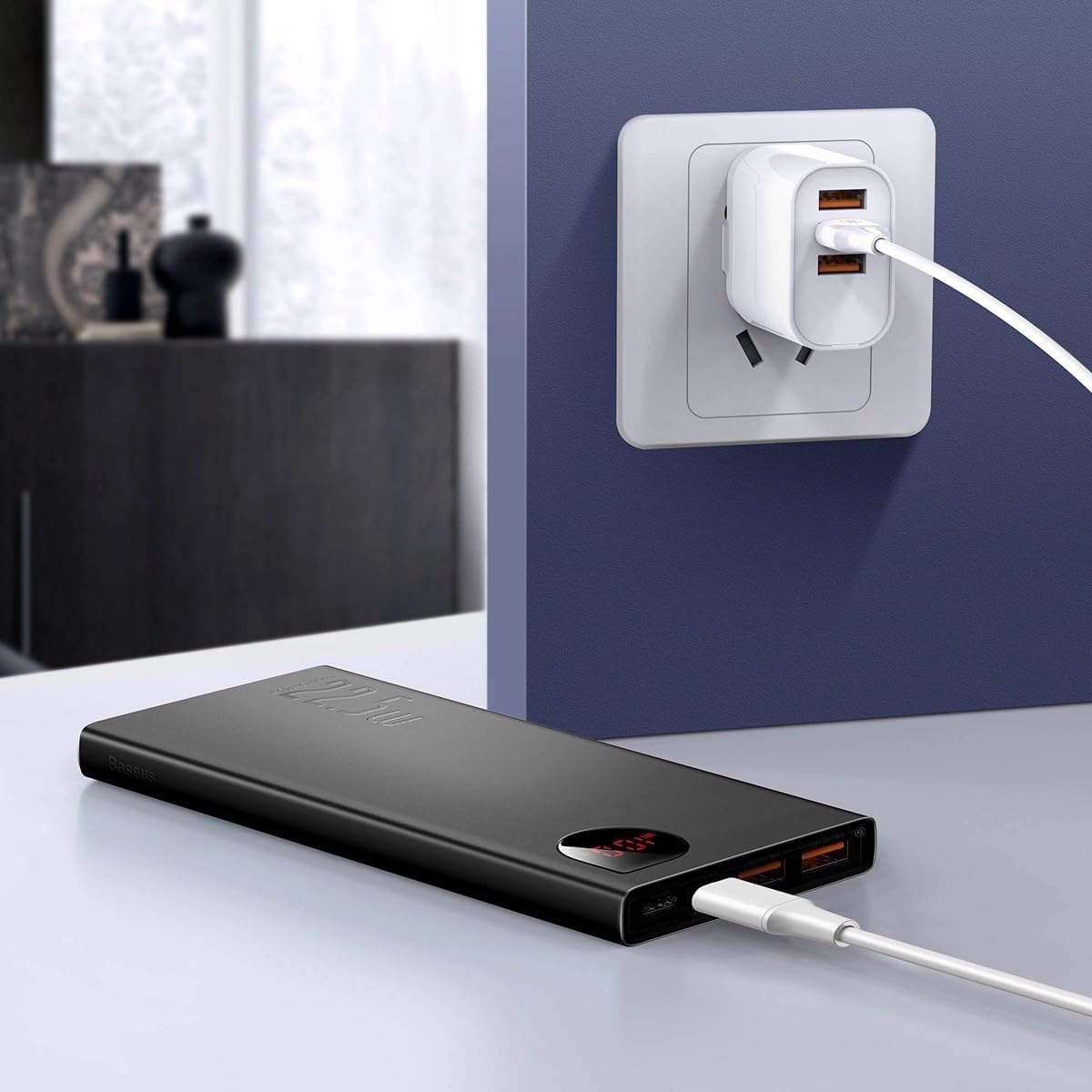
Imagem: The Baseus Adaman Power Bank connected to a wall charger via a USB cable, illustrating the process of recharging the power bank itself.
Instruções de operação
Carregando seus dispositivos
- Connect your device's charging cable to one of the output ports on the power bank (Type-C, USB1, or USB2).
- Conecte a outra extremidade do cabo ao seu dispositivo.
- O carregador portátil começará a carregar seu dispositivo automaticamente. O visor digital mostrará a porcentagem restante da bateria.tage.
- Para interromper o carregamento, basta desconectar o dispositivo do carregador portátil.

Imagem: A smartphone being charged by the Baseus Adaman Power Bank, demonstrating the device's charging capability for mobile phones.
Verificando o nível da bateria
The digital display on the power bank will show the current battery percentage when it is in use or when a device is connected. If the power bank is idle, you may need to briefly press the power button (if available, not explicitly mentioned but common) to activate the display.
Manutenção
- Limpe o carregador portátil com um pano macio e seco. Não utilize produtos químicos agressivos ou materiais abrasivos.
- Guarde o banco de potência em local fresco e seco quando não estiver em uso.
- For optimal battery health, fully charge and discharge the power bank at least once every three months if it's not used regularly.
Solução de problemas
| Problema | Possível causa | Solução |
|---|---|---|
| A bateria externa não está carregando dispositivos. | Low battery, faulty cable, incompatible device. | Charge the power bank. Try a different cable. Ensure your device is compatible. |
| A bateria externa não está recarregando. | Faulty charging cable/adapter, damaged port. | Try a different charging cable and wall adapter. Check ports for damage. |
| O visor digital não está funcionando. | Power bank is off, low battery, malfunction. | Ensure power bank is on or connected to a device. Charge the power bank. If issue persists, contact support. |
Especificações
| Recurso | Detalhe |
|---|---|
| Número do modelo | PPAD070001 |
| Marca | Baseus |
| Capacidade da bateria | 10000 mAh |
| Características especiais | Exibição digital |
| Tipos de conectores | Input: USB Type-C, Micro-USB, IP/IN; Output: USB Type-C, USB-A (x2) |
| Volumetage | 5 Volts |
| Atual | 5 Amps |
| Potência de saída | Up to 22.5W (PD 3.0, QC 3.0) |
| Composição da célula da bateria | Polímero de lítio |
| Número de portas de saída | 3 (1x Tipo-C, 2x USB-A) |
| Number of Input Ports | 3 (1x Type-C, 1x Micro-USB, 1x IP/IN) |
| Dispositivos compatíveis | All Smartphones and other USB-powered devices |
| Portátil | Sim |
Garantia e Suporte
Este produto vem com Sem garantia as per the provided specifications. For any technical support or inquiries, please refer to the official Baseus website ou entre em contato com seu revendedor.
Para mais informações, visite: www.baseus.com