
TakTark BM612
Manual do Usuário do Monitor de Bebê TakTark BM612
Modelo: BM612
Introdução
This manual provides detailed instructions for the setup, operation, and maintenance of your TakTark BM612 Baby Monitor. Please read this manual thoroughly before use to ensure proper functionality and safety.

Figure 1: TakTark BM612 Baby Monitor System
Conteúdo da embalagem
Verifique se todos os itens estão presentes na embalagem:
- Unidade de câmera para bebês
- Parent Monitor Unit
- Adaptadores de energia (x2)
- Manual do usuário (este documento)
Configurar
1. Ligando
- Connect the power adapter to the Baby Camera Unit and plug it into a power outlet.
- Connect the power adapter to the Parent Monitor Unit and plug it into a power outlet. The monitor unit has a built-in rechargeable battery for portable use.
- Press and hold the power button on the Parent Monitor Unit to turn it on.
2. Posicionamento da câmera
Place the Baby Camera Unit in a secure location within the baby's room. Ensure it has a clear view of the crib or play area. The camera can be surface-mounted or wall-mounted.

Figure 2: Camera and Monitor Unit Overview
For optimal performance, ensure the camera is placed at least 3 feet (1 meter) away from the baby to avoid potential entanglement with cords and to provide a wider viewângulo de engate.
3. Initial Pairing (Automatic)
The TakTark BM612 Baby Monitor and Camera are pre-paired at the factory. Once both units are powered on, they should automatically connect and display the video feed. If connection issues occur, refer to the Troubleshooting section.
Instruções de operação
1. Monitorarview
The Parent Monitor Unit features a 4.3-inch IPS screen and intuitive controls for easy operation.
Figure 3: Parent Monitor Unit Display
2. Comunicação de áudio bidirecional
To speak to your baby through the camera unit, press and hold the microphone button on the Parent Monitor Unit. Release the button to listen.

Figure 4: Two-Way Voice Intercom in Use
3. VOX (Voice Operated Exchange) Mode
In VOX mode, the monitor's screen will automatically turn on and alert you when the baby cries or makes significant noise. This feature conserves battery life. When the screen is off, the camera continues to monitor the baby in the background.

Figure 5: VOX Sound Activation

Figure 6: Extended Operation in VOX Mode
4. Visão noturna
The BM612 features automatic infrared night vision. In low light conditions, the infrared LEDs will activate automatically, providing a clear black and white video feed. The infrared light is designed to be very weak and will not disturb your baby's sleep.

Figure 7: Automatic Night Vision in Operation
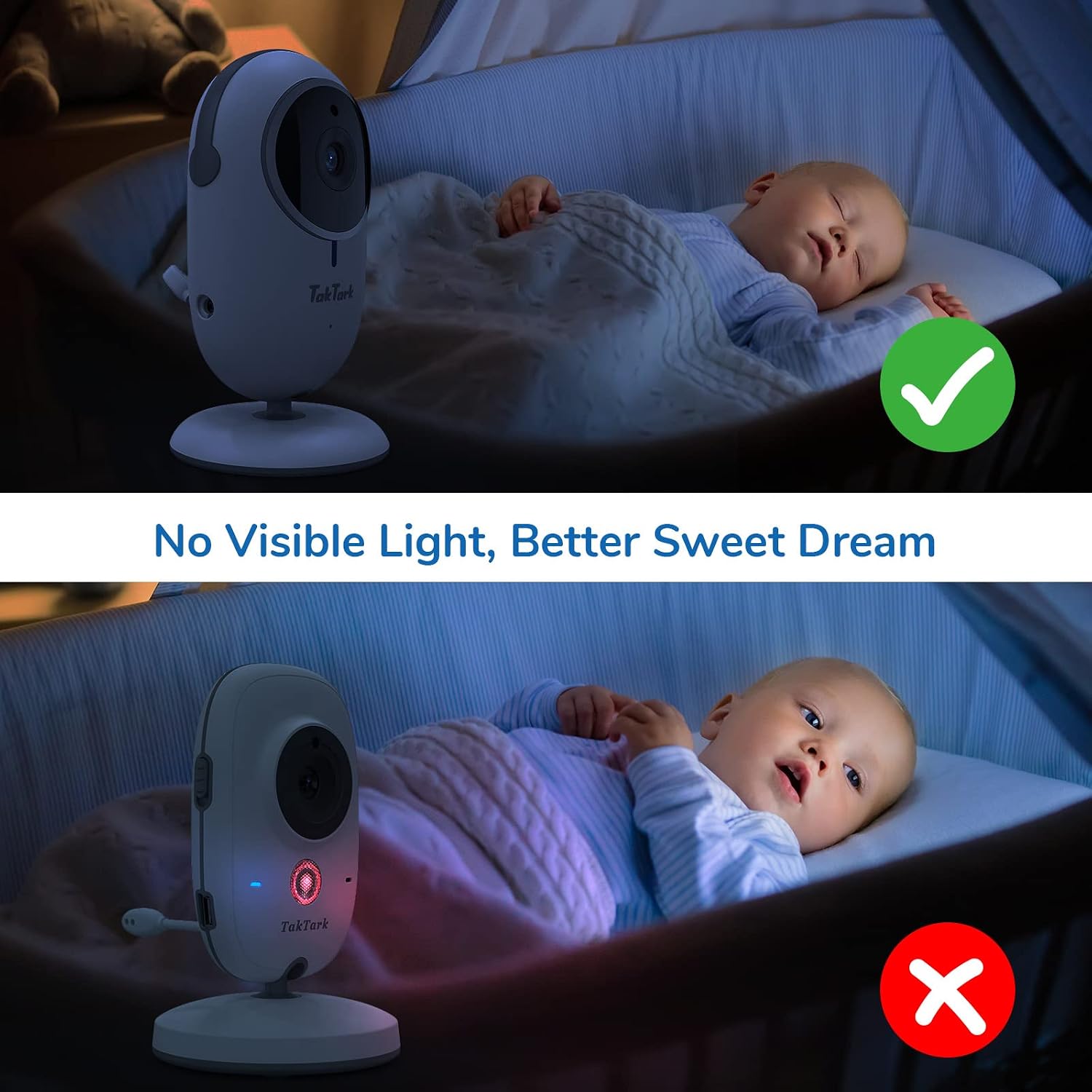
Figure 8: Invisible Infrared Light for Undisturbed Sleep
5. Zoom digital
The monitor supports digital zoom up to 3X. Use the zoom button on the Parent Monitor Unit to magnify the image for a closer view do seu bebê.
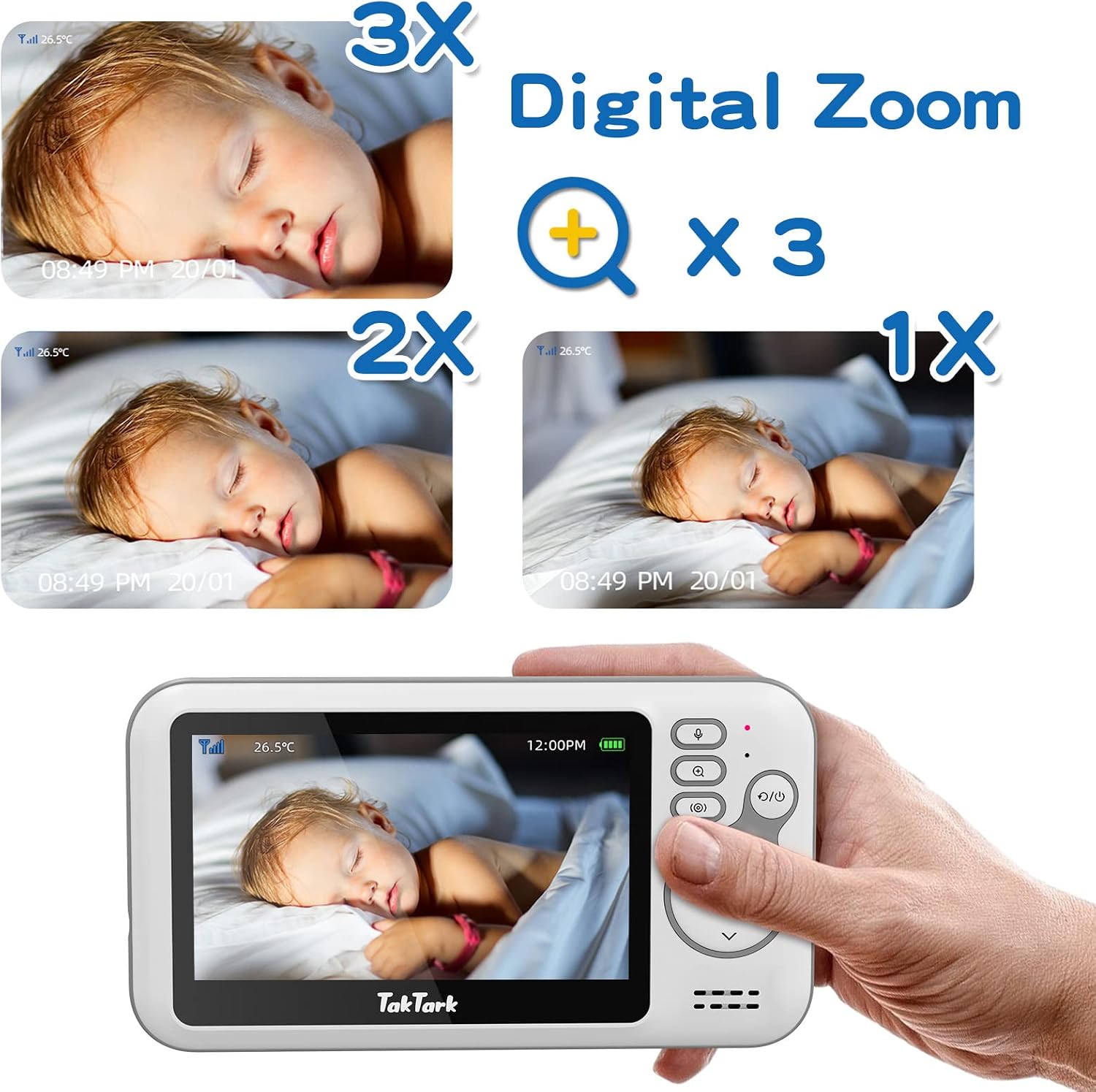
Figura 9: Funcionalidade de zoom digital
6. Monitoramento da temperatura ambiente
The Baby Camera Unit includes a temperature sensor that displays the room temperature on the Parent Monitor Unit, helping you ensure a comfortable environment for your baby.

Figure 10: Temperature Monitoring Display
7. Alarm/Feeding Timer
The monitor includes a time setting and alarm function to remind you of important tasks such as feeding times or diaper changes.
8. Alcance e conectividade
The system operates on 2.4 GHz FHSS wireless technology, providing a stable and secure connection without Wi-Fi. The transmission range is up to 160ft (50m) indoors and 850ft (260m) outdoors.
Video 1: Official TakTark BM612 Video Baby Monitor overview, demonstrating key features like VOX mode, two-way audio, and night vision.
Manutenção
- Limpeza: Use a soft, dry cloth to clean the camera and monitor units. Do not use abrasive cleaners or solvents.
- Armazenar: If storing the unit for an extended period, ensure both units are fully charged, then power them off. Store in a cool, dry place.
- Cuidados com a bateria: The Parent Monitor Unit contains a rechargeable Lithium Metal battery. For optimal battery life, avoid extreme temperatures and do not allow the battery to fully discharge frequently.
Solução de problemas
| Problema | Possível causa | Solução |
|---|---|---|
| Sem imagem/som no monitor | Units not powered on; Out of range; Not paired. | Ensure both units are powered on and charged. Move units closer. Re-pair units (refer to manual for specific pairing steps if automatic pairing fails). |
| Baixa qualidade de imagem | Pouca luz; Obstruções; Lente da câmera suja. | Ensure adequate lighting or allow night vision to activate. Remove obstructions. Clean camera lens. |
| Interferência/Estática | Other 2.4GHz devices nearby; Out of range. | Move the monitor away from other wireless devices (e.g., Wi-Fi routers, microwaves). Move units closer. |
| O modo VOX não está ativando. | Sensibilidade do VOX muito baixa. | Adjust VOX sensitivity settings on the monitor to a higher level. |
Especificações
- Modelo: BM612
- Tamanho da tela: 4.3 polegadas IPS
- Conectividade: 2.4 GHz FHSS (No Wi-Fi required)
- Resolução de vídeo: 480p
- Visão noturna: Infrared, up to 15 feet
- Ampliação: Zoom digital de 3x
- Áudio: Two-Way Audio, VOX Mode
- Sensor de temperatura: Sim
- Fonte de energia: Corded Electric (Camera), Corded Electric/Rechargeable Battery (Monitor)
- Bateria do monitor: 1760 mAh Lithium Metal
- Faixa interna: Até 160 pés (50m)
- Faixa ao ar livre: Até 850 pés (260m)
- Material: Plástico
- Código UPC: 673400574060
Garantia e Suporte
TakTark products are designed for reliability and performance. For warranty information and technical support, please refer to the contact details provided with your purchase or visit the official TakTark website. Guarde o recibo de compra como comprovante para solicitações de garantia.
Para obter suporte e recursos adicionais, você pode visitar o Loja TakTark na Amazon.
Documentos relacionados - BM612
 |
Manual do usuário do monitor de bebê TakTark BM612 Manual do usuário do monitor de vídeo para bebês TakTark BM612, abrangendo instruções de segurança, diagrama do produto, guia de primeiros passos, funções, operações e especificações. |
 |
Manual do usuário do monitor de bebê TakTark BM603 Manual do usuário do monitor de vídeo sem fio TakTark BM603 para bebês. Fornece instruções de configuração, guias de operação, recursos, informações de segurança e especificações técnicas para as unidades dos pais e do bebê. |
 |
Manual do usuário do monitor de vídeo para bebês TakTark BM802 - Recursos e operação Manual do usuário completo do monitor de vídeo para bebês TakTark BM802. Saiba mais sobre seus recursos, incluindo comunicação bidirecional, ativação sonora VOX, visão noturna automática, câmera com rotação horizontal e vertical e monitoramento de temperatura. |
 |
Manual do usuário do monitor de bebê TakTark BM923 Manual do usuário do monitor de vídeo para bebês TakTark BM923, com configuração, operação e especificações técnicas. Aprenda a usar as unidades para pais e bebês, recursos como visão noturna, modo VOX e solução de problemas. |
 |
Guia de utilização do monitor para bebê numérico Este guia fornece instruções completas sobre o uso do seu monitor para bebês numéricos, e inclui a configuração, as funcionalidades e as especificações técnicas. Aprenda a usar a visão noturna, a função vocal, o modo VOX e mais ainda para uma vigilância transparente do seu bebê. |
Ask a question about this manual
Ask about setup, troubleshooting, compatibility, parts, safety, or missing instructions. Manuals+ will review the question and use this page’s manual context to help answer it.