
Introdução
The FreedConn T-COMVB Bluetooth Helmet Headset is designed to provide wireless communication for motorcyclists. This system allows for hands-free phone calls, music listening, FM radio, GPS voice prompts, and intercom communication between riders. It features Bluetooth 5.0 technology, noise cancellation, and a waterproof design for various riding conditions.
O que está na caixa
Verifique se todos os componentes estão presentes no seu pacote:
- FreedConn T-COMVB Bluetooth Headset Unit (x2 for 2-pack)
- Alto-falantes estéreo
- Microfone de haste (para capacetes abertos/modulares)
- Soft-Wire Microphone (for full-face helmets)
- Helmet Mount Bracket (clip-on and adhesive options)
- Cabo de carregamento USB
- Manual do usuário
- Velcro Pads for Speakers and Microphone
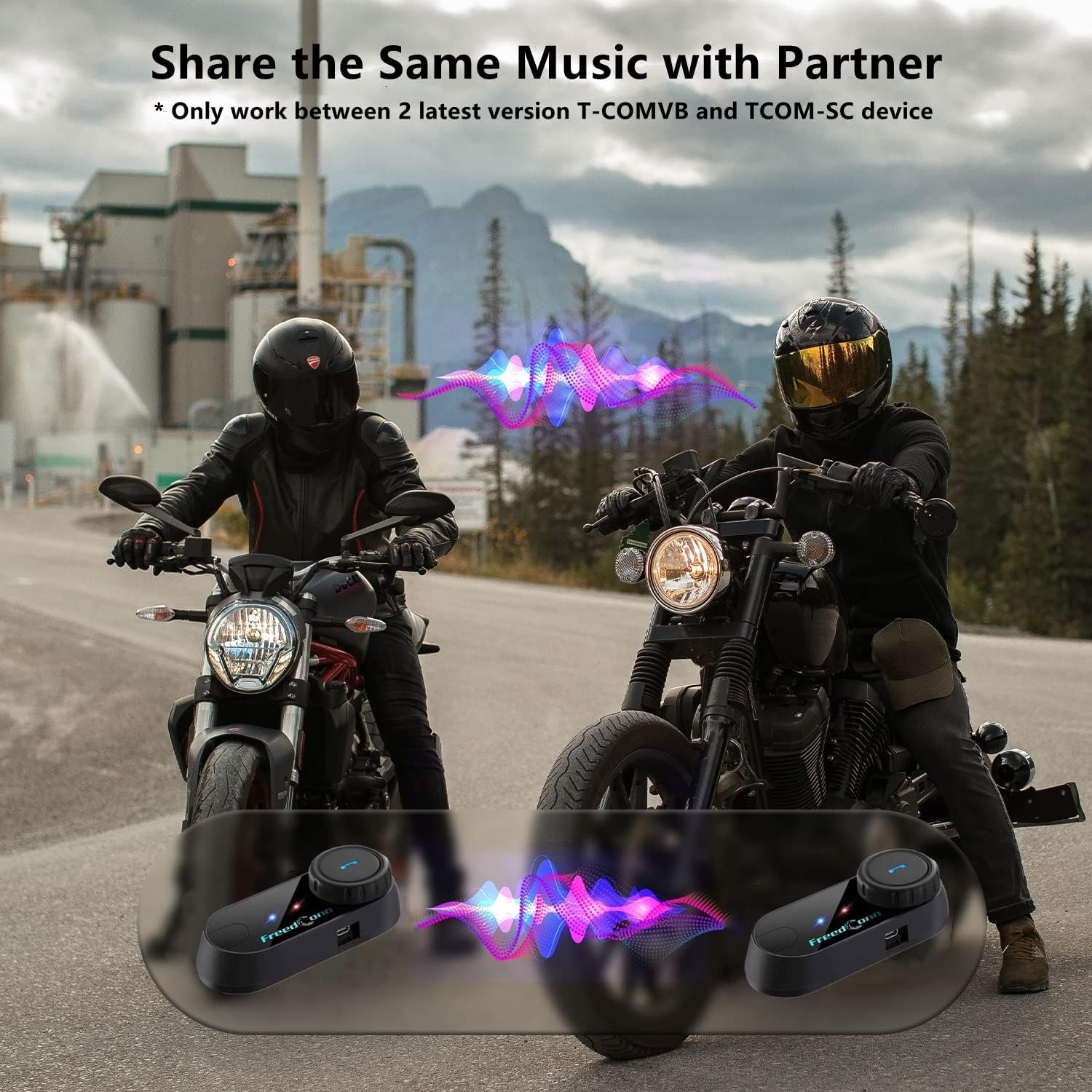
Image: Package contents for the FreedConn T-COMVB Bluetooth Helmet Headset 2-pack, showing all included accessories.
Configurar
1. Carregando o dispositivo
Before first use, fully charge the T-COMVB unit. Connect the USB charging cable to the headset's charging port and a USB power source. The indicator light will show charging status.
- Tempo de carregamento: Aproximadamente 3-4 horas.
- Duração da bateria: Up to 7-8 hours of intercom, 10 hours of phone calls/music, 300 hours standby.

Image: Visual representation of the 400mAh battery capacity and estimated usage times for intercom, phone calls, and standby.
2. Microphone Selection
Escolha o microfone adequado para o seu tipo de capacete:
- Microfone de haste: Recommended for open-face, half, and modular flip-up helmets.
- Soft-Wire Microphone: Recommended for full-face and off-road helmets.
Connect the chosen microphone and speakers to the corresponding ports on the headset unit.
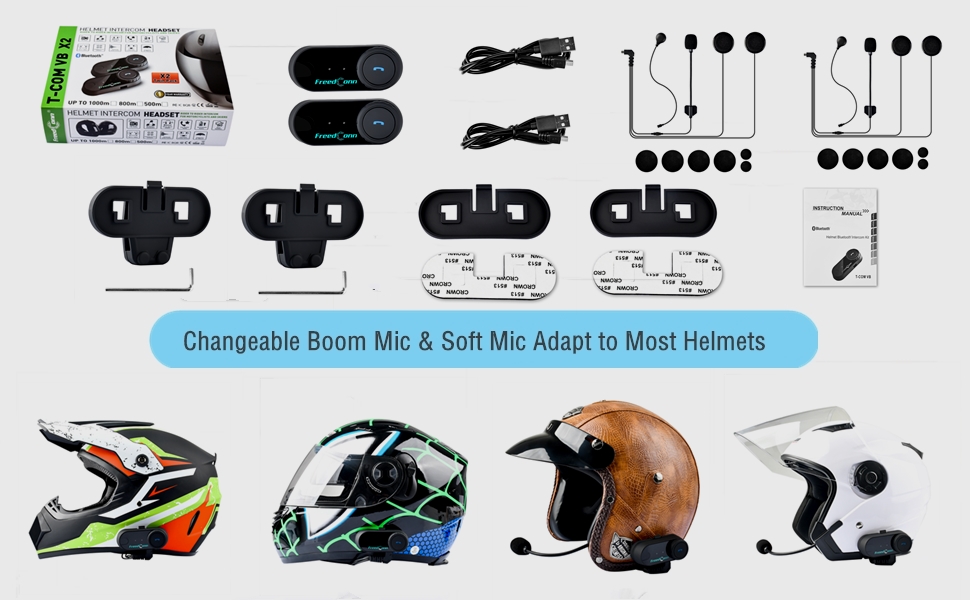
Image: Illustration demonstrating the compatibility of boom and soft-wire microphones with various helmet styles.
3. Instalação do capacete
Mount the T-COMVB unit to the side of your helmet using either the clip-on bracket or the adhesive bracket. Ensure the unit is securely attached and the speakers are positioned correctly inside the helmet for optimal audio.

Image: A FreedConn T-COMVB unit securely installed on the exterior of a motorcycle helmet.
Instruções de operação
1. Ligar/desligar
- Ligar: Press and hold the Power button until the indicator light flashes.
- Desligar: Mantenha pressionado o botão Liga/Desliga até que a luz indicadora se apague.
2. Emparelhamento Bluetooth (com telefone/GPS)
To connect your T-COMVB to a Bluetooth-enabled device (phone, GPS):
- Ensure the T-COMVB is off.
- Pressione e segure o botão Liga/Desliga por aproximadamente 5 a 7 segundos até que a luz indicadora pisque em vermelho e azul alternadamente, indicando o modo de emparelhamento.
- No seu telefone ou GPS, ative o Bluetooth e procure por dispositivos disponíveis.
- Select "FreedConn T-COMVB" from the list. If prompted, enter "0000" as the PIN.
- Após o emparelhamento, a luz indicadora piscará em azul lentamente.

Image: The T-COMVB headset demonstrating its Bluetooth 5.0 and universal connectivity with different devices and helmet types.
3. Intercom Communication (Rider to Rider)
The T-COMVB supports intercom communication with other T-COMVB or TCOM-SC units.
- Ensure both units are powered on and not connected to other Bluetooth devices.
- On one unit, press and hold the Intercom button until the indicator light flashes red and blue alternately.
- On the second unit, press the Intercom button once.
- Os dispositivos irão se buscar e emparelhar automaticamente. Assim que estiverem conectados, as luzes indicadoras piscarão em azul lentamente.
- To initiate intercom, press the Intercom button once. To end, press it again.
4. Reprodução e compartilhamento de música
Once paired with your phone, you can play music. Music sharing is supported between two latest version T-COMVB and TCOM-SC devices.
- Reproduzir/Pausar: Pressione o botão multifuncional uma vez.
- Próxima faixa: Rotate the Multi-function button clockwise.
- Faixa anterior: Rotate the Multi-function button counter-clockwise.
- Compartilhamento de música: While music is playing, press and hold the Intercom button on both units to initiate music sharing.

Image: Two riders sharing music through their FreedConn T-COMVB headsets, highlighting the music sharing feature.
5. Rádio FM
To activate the built-in FM radio:
- Turn On FM: Press the FM button once.
- Canais de varredura: Rotate the Multi-function button to scan for stations.
- Turn Off FM: Press the FM button again.
6. Telefonemas
When paired with your phone, the T-COMVB allows for hands-free calls.
- Atender chamada: Pressione o botão multifuncional uma vez.
- Encerrar chamada: Pressione o botão multifuncional uma vez durante a chamada.
- Rejeitar chamada: Pressione e segure o botão multifuncional por 2 segundos.
- Rediscar último número: Pressione duas vezes o botão multifuncional.
- Voice Assistant (Siri/Google Voice): Press the Voice Assistant button to activate your phone's voice assistant.

Image: Icons representing voice assistant activation (Siri, Google Voice) for hands-free calling functionality.
Manutenção
- Limpeza: Use um pano macio e macioamp cloth to clean the unit. Do not use harsh chemicals or solvents.
- Resistência à água: The unit is waterproof, but avoid submerging it in water. Ensure all ports are securely closed when exposed to rain.
- Cuidados com a bateria: If the device is not used for an extended period, charge it at least once a month to preserve battery life.

Image: The FreedConn T-COMVB headset on a helmet, illustrating its waterproof feature in rainy conditions.
Solução de problemas
- Sem energia: Certifique-se de que a unidade esteja totalmente carregada. Conecte-a a uma fonte de energia e verifique o indicador de carregamento.
- Não foi possível emparelhar o Bluetooth: Ensure the unit is in pairing mode (red and blue flashing light). Make sure other Bluetooth devices are disconnected. Try restarting both the headset and your phone/GPS.
- Sem som nas caixas de som: Check that the speakers are securely plugged into the headset unit. Ensure volume is not set to minimum.
- O interfone não está conectando: Ensure both units are T-COMVB or TCOM-SC models and are in intercom pairing mode. Keep units within range (up to 800 meters).
- Qualidade de áudio ruim/Ruído: Ensure the microphone is positioned correctly, close to your mouth. The T-COMVB features advanced noise cancellation technology.

Image: A visual representation of the advanced noise cancellation technology, demonstrating its effect on sound quality.
Especificações
| Modelo | T-COMVB |
| Versão Bluetooth | 5.0 + EDR |
| Faixa de intercomunicação | Até 800 metros (2-3 ciclistas) |
| Capacidade da bateria | 400mAh |
| Tempo de carregamento | 3-4 horas |
| Tempo de intercomunicação | 7-8 horas |
| Phone Call/Music Time | 10 horas |
| Tempo de espera | 300 horas |
| Resistência à água | Impermeável |
| Método de controle | Voice, Manual Buttons |
| Características especiais | Microphone Included, Noise Cancellation, FM Radio |
| Material | Polímero |
| Peso do item | Approximately 1.15 pounds (for 2 units) |
Garantia e Suporte
For warranty information, technical support, or service inquiries, please refer to the contact details provided with your purchase or visit the official FreedConn website. Guarde o comprovante de compra para solicitações de garantia.