
I2GO i2GO PRO 20000mAh Power Bank
I2GO PRO 20000mAh Ultra-Fast Power Bank User Manual
Model: i2GO PRO 20000mAh Power Bank
1. Introduction
Thank you for choosing the I2GO PRO 20000mAh Ultra-Fast Power Bank. This portable charger is designed to provide reliable and fast charging for your electronic devices on the go. With its high capacity and multiple charging ports, you can keep your smartphones, tablets, and other gadgets powered throughout the day.
2. Product Features
- 20000mAh High Capacity: Provides multiple full charges for most smartphones.
- Power Delivery (PD) 20W: Fast charges compatible devices up to 50% in 30 minutes via USB-C.
- Dual USB-A Smart Charge (18W Quick Charge): Intelligently distributes power for optimal charging speed.
- USB-C Input/Output: Versatile port for both charging the power bank and charging devices.
- Digital Display: Clearly shows the exact remaining battery percentage.
- Simultaneous Charging: Charge up to 3 devices at once.
- Multi Protect System: Built-in protection against overcurrent, overvoltage, and overheating.
- Premium Type-A Battery: Durable and safe, suitable for air travel.
- Compact and Portable Design: Easy to carry for daily use or travel.

Figure 2.1: Front view of the I2GO PRO 20000mAh Power Bank, displaying its digital battery indicator.

Figure 2.2: The power bank connected to and charging three devices simultaneously, demonstrating its multi-device charging capability.
3. Setup
3.1 Initial Charging of the Power Bank
Before first use, fully charge your I2GO PRO Power Bank. This ensures optimal battery performance and longevity.
- Connect the provided Micro-USB cable or a USB-C to USB-C cable (not included) to the corresponding input port on the power bank.
- Connect the other end of the cable to a USB wall adapter (5V/2A or 9V/2A recommended for faster charging).
- The digital display will show the charging progress. It will indicate "100" when fully charged.
- Full charging time is approximately 8-10 hours.
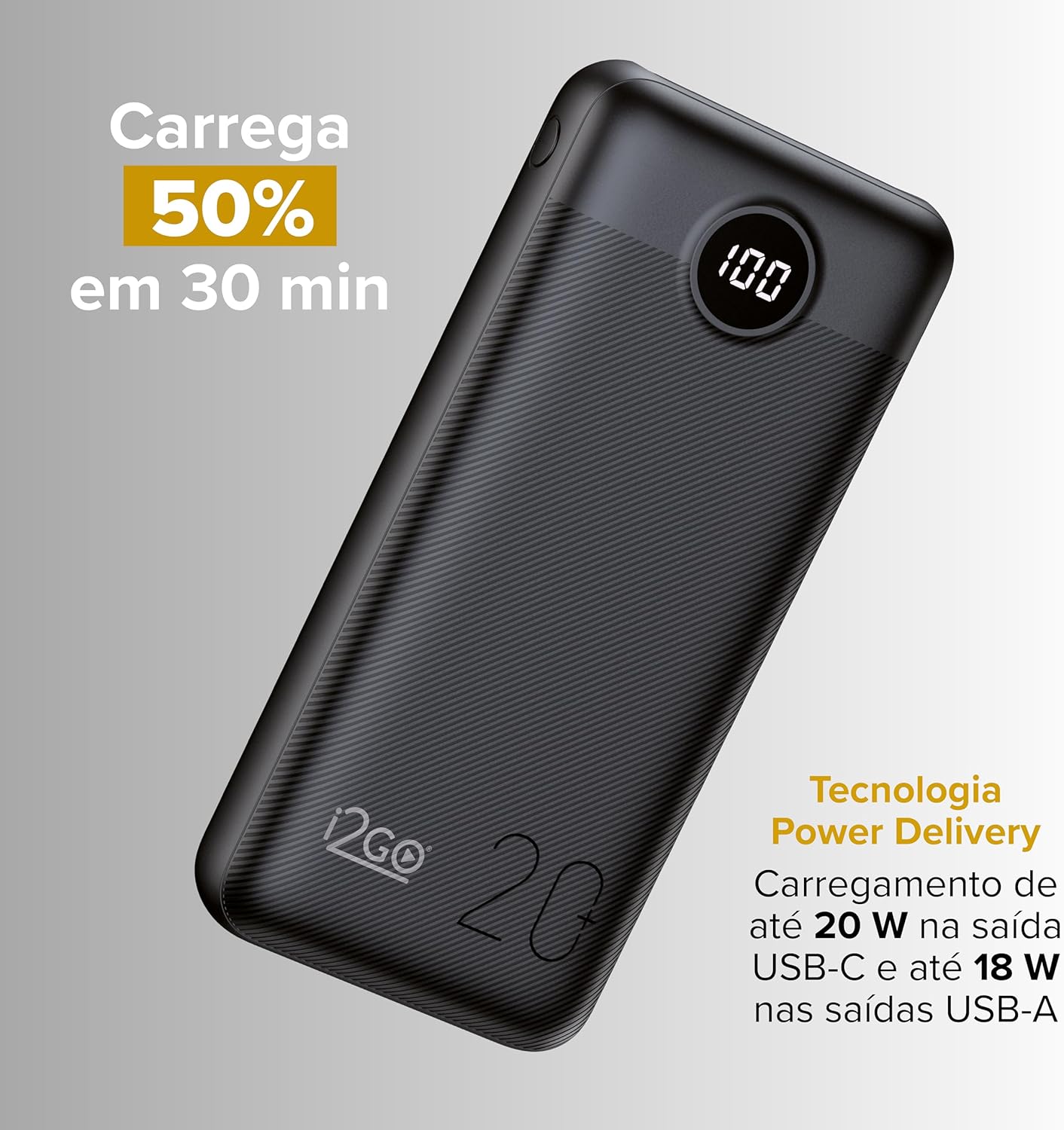
Figure 3.1: Illustration highlighting the Power Delivery feature, allowing 50% charge in 30 minutes for compatible devices.
4. Operating Instructions
4.1 Charging Your Devices
The I2GO PRO Power Bank offers multiple output ports for charging various devices.
- Identify the correct charging cable for your device (USB-A to your device's connector, or USB-C to USB-C/Lightning).
- Connect one end of the cable to an available output port on the power bank (USB-A or USB-C).
- Connect the other end of the cable to your device.
- The power bank will automatically begin charging your device. The digital display will show the power bank's remaining charge.
- To stop charging, simply disconnect the cable from your device or the power bank.
4.2 Checking Battery Level
The digital display provides an accurate percentage of the power bank's remaining battery life.
- Briefly press the power button on the side of the power bank to activate the digital display.
- The percentage shown indicates the current charge level.

Figure 4.1: Close-up of the power bank's digital display, indicating a full 100% charge.
5. Maintenance
- Keep the power bank dry and away from moisture.
- Avoid extreme temperatures (hot or cold).
- Do not drop, disassemble, or attempt to repair the device yourself.
- Clean the surface with a soft, dry cloth. Do not use harsh chemicals or abrasive materials.
- For optimal battery health, fully charge the power bank at least once every three months if not in regular use.
6. Troubleshooting
| Problem | Possible Cause | Solution |
|---|---|---|
| Power bank not charging. | Cable not connected properly; faulty cable/adapter; power bank battery depleted. | Ensure cables are securely connected. Try a different cable or wall adapter. Allow sufficient time for initial charge. |
| Device not charging from power bank. | Power bank battery depleted; incorrect cable; device not compatible; power bank in standby. | Recharge the power bank. Use the correct charging cable for your device. Ensure your device is compatible. Press the power button to activate the power bank. |
| Slow charging. | Cable not supporting fast charge; device not supporting fast charge; multiple devices charging. | Use a high-quality cable that supports fast charging. Ensure your device supports Power Delivery or Quick Charge. Charging multiple devices simultaneously may reduce individual charging speeds. |
| Digital display not working. | Power bank is off; internal issue. | Press the power button briefly. If the issue persists after charging, contact customer support. |
7. Specifications
| Feature | Detail |
|---|---|
| Battery Type | Lithium Polymer (Premium Type A) |
| Capacity | 20,000mAh |
| Micro-USB Input | 5V 2A | 9V 2A |
| USB-C Input | 5V 3A | 9V 2A |
| USB-C Output (PD) | 5V 3A | 9V 2.2A | 12V 1.5A (20W Power Delivery) |
| USB-A Outputs (QC) | 5V 3A | 9V 2A | 12V 1.5A (18W Quick Charge) |
| Full Charging Time | 8-10 hours |
| Dimensions | 2.2 x 7.6 x 17 cm |
| Weight | 412g |
| Certifications | ANATEL, CE, FCC, RoHS |
| Included Components | 1 Portable Battery, 1 Micro-USB Cable, 1 Instruction Manual |

Figure 7.1: Dimensions of the I2GO PRO 20000mAh Power Bank, illustrating its slim design.
8. Warranty and Support
This product is guaranteed against manufacturing defects for 1 year from the date of purchase. To activate an extended warranty of 2 additional years (3 years total), please register your product on the official I2GO website.
For technical support, warranty claims, or further assistance, please visit the official I2GO website or contact their customer service department. Keep your purchase receipt as proof of purchase.
Official I2GO Store: Visit I2GO Store on Amazon
Related Documents - i2GO PRO 20000mAh Power Bank
 |
Power Bank 10K Plus i2GO: Manual do Usuário e Especificações Descubra o Power Bank 10K Plus da i2GO. Este manual digital detalha as especificações, instruções de uso, características e garantia deste carregador portátil de 10.000 mAh com Multi Protect System. |
 |
Manual do Usuário: i2GO Ultra Sound GO - Caixa de Som Sem Fio Guia completo de instruções para a caixa de som sem fio i2GO Ultra Sound GO. Aprenda sobre configurações, pareamento Bluetooth, modo TWS, carregamento e especificações técnicas. |
 |
Manual do Usuário: i2GO Smart Scale Fit (I2GOTH743) Manual de instruções e especificações técnicas da balança inteligente i2GO Smart Scale Fit. Inclui guia de configuração do aplicativo i2GO Home, medições corporais, solução de problemas e especificações. |
 |
Manual Digital do Usuário i2GO Air Buds GO 2.0 Fones de Ouvido TWS Manual digital completo e especificações técnicas para os fones de ouvido True Wireless Stereo (TWS) i2GO Air Buds GO 2.0, cobrindo configuração, uso, carregamento, emparelhamento, controles, segurança e garantia. |
 |
Manual do Usuário i2GO Air Buds GO - Fone de Ouvido TWS Guia completo de uso para os fones de ouvido Bluetooth i2GO Air Buds GO. Aprenda a emparelhar, carregar, controlar músicas e chamadas, e solucionar problemas. |
 |
Manual do Usuário i2GO Smartwatch Track R200 Manual completo do usuário para o i2GO Smartwatch Track R200, cobrindo configuração, recursos, integração com aplicativo, monitoramento de saúde e especificações. |
Ask a question about this manual
Ask about setup, troubleshooting, compatibility, parts, safety, or missing instructions. Manuals+ will review the question and use this page’s manual context to help answer it.