
ZHIYUN Smooth Q3 Combo
ZHIYUN Smooth Q3 Combo 3-Axis Phone Gimbal User Manual
Model: Smooth Q3 Combo
Introdução
The ZHIYUN Smooth Q3 Combo is a 3-axis smartphone gimbal stabilizer designed to capture smooth, stable video footage. It features an integrated fill light, gesture control, and intelligent tracking capabilities, making it suitable for various video recording scenarios with both iPhone and Android smartphones. This manual provides instructions for setting up, operating, and maintaining your Smooth Q3 Combo.
O que está na caixa
Por favor, verifique se todos os itens estão presentes em sua embalagem:
- ZHIYUN Smooth Q3 Gimbal
- Mini Tripé
- Cabo de carregamento USB Tipo-C
- Bolsa protetora
- Cartão VIP
- Alça de pulso

Image: The ZHIYUN Smooth Q3 Combo package contents, including the gimbal, mini tripod, USB-C cable, protective bag, VIP card, and wrist strap.
Configurar
- Unfolding the Gimbal: Gently unfold the gimbal from its compact, folded position. Ensure all axes are free to move.

Image: The ZHIYUN Smooth Q3 gimbal held in a hand, illustrating its compact and foldable design.
- Como montar seu smartphone: Estenda o telefone clamp and securely place your smartphone in it. Ensure the phone is centered and balanced. For optimal performance, remove bulky phone cases.

Image: The ZHIYUN Smooth Q3 gimbal with a smartphone mounted, demonstrating its classic structure and design for stable footage.
- Balancing the Gimbal: After mounting your phone, manually adjust its position in the clamp até que permaneça nivelado quando o gimbal estiver desligado. Isso reduz o esforço do motor e melhora a estabilização.
- Ligar/desligar: Pressione e segure o botão liga/desliga por alguns segundos para ligar ou desligar o gimbal.
- Connecting to ZY Cami App:
- Download the "ZY Cami" app from your smartphone's app store (iOS or Android).
- Ative o Bluetooth no seu smartphone.
- Open the ZY Cami app and follow the on-screen prompts to connect to your Smooth Q3.

Image: A smartphone screen displaying the ZY Cami application interface, used for controlling the gimbal and accessing advanced features.
Instruções de operação
Controles básicos
The Smooth Q3 features intuitive controls for easy operation. Refer to the ZY Cami app for a detailed button layout and customization options.
Modos de cardan
The 3-axis stabilization system offers several modes to suit different shooting styles:
- Pan-Following Mode: The camera pans left and right with your movement, while tilt and roll axes are locked.
- Modo de bloqueio: All three axes (pan, tilt, roll) are locked, keeping the camera pointed in a fixed direction.
- Full-Follow Mode: The camera follows your pan and tilt movements smoothly.
- PhoneGo Mode: Provides rapid response for quick transitions and dynamic shots.

Image: A visual comparison demonstrating the enhanced stability of video footage captured with the ZHIYUN Smooth Q3 gimbal versus a handheld phone.
Integrated Fill Light
The Smooth Q3 features a touch-sensitive fill light that can be flipped 180° to illuminate your subject from various angles. It has three adjustable brightness levels.
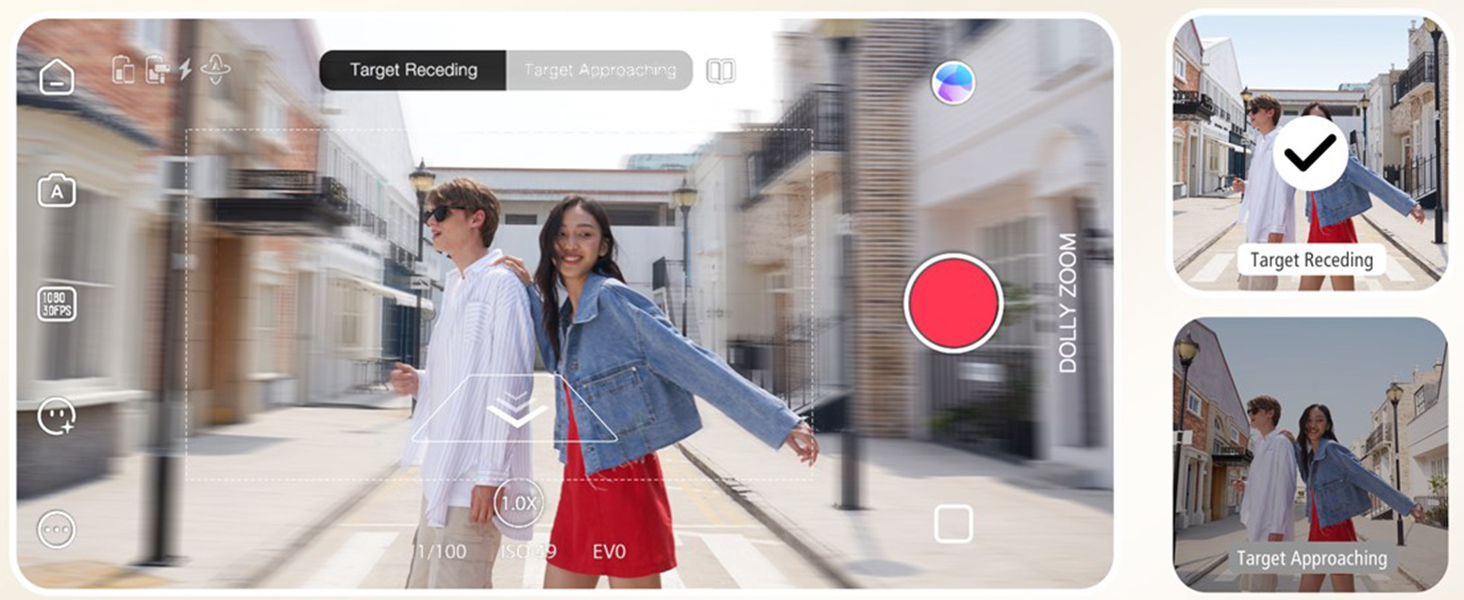
Image: The ZHIYUN Smooth Q3's integrated fill light, demonstrating its 180-degree rotatable design and three adjustable brightness levels for optimal lighting.
SmartFollow 3.0 e Controle por Gestos
Utilize SmartFollow 3.0 within the ZY Cami app to automatically track subjects with a single tap. Gesture control allows you to initiate or stop recording with simple hand gestures.

Image: An illustration of gesture control with the ZHIYUN Smooth Q3, showing hand signals to start and end video recording.

Image: The ZHIYUN Smooth Q3's intelligent tracking feature, automatically identifying and locking onto a moving subject to maintain focus.
Cinematic Features (via ZY Cami App)
The ZY Cami app unlocks a variety of creative shooting modes:
- Câmera lenta: Capture dramatic slow-motion footage.
- Zoom da boneca: Create a classic cinematic effect where the background appears to zoom while the foreground remains constant.
- Modo de iniciação: Achieve a spinning camera effect.
- 360° Panorama: Capture expansive panoramic shots.
- Espaço de tempo: Condense eventos longos em vídeos curtos e envolventes.
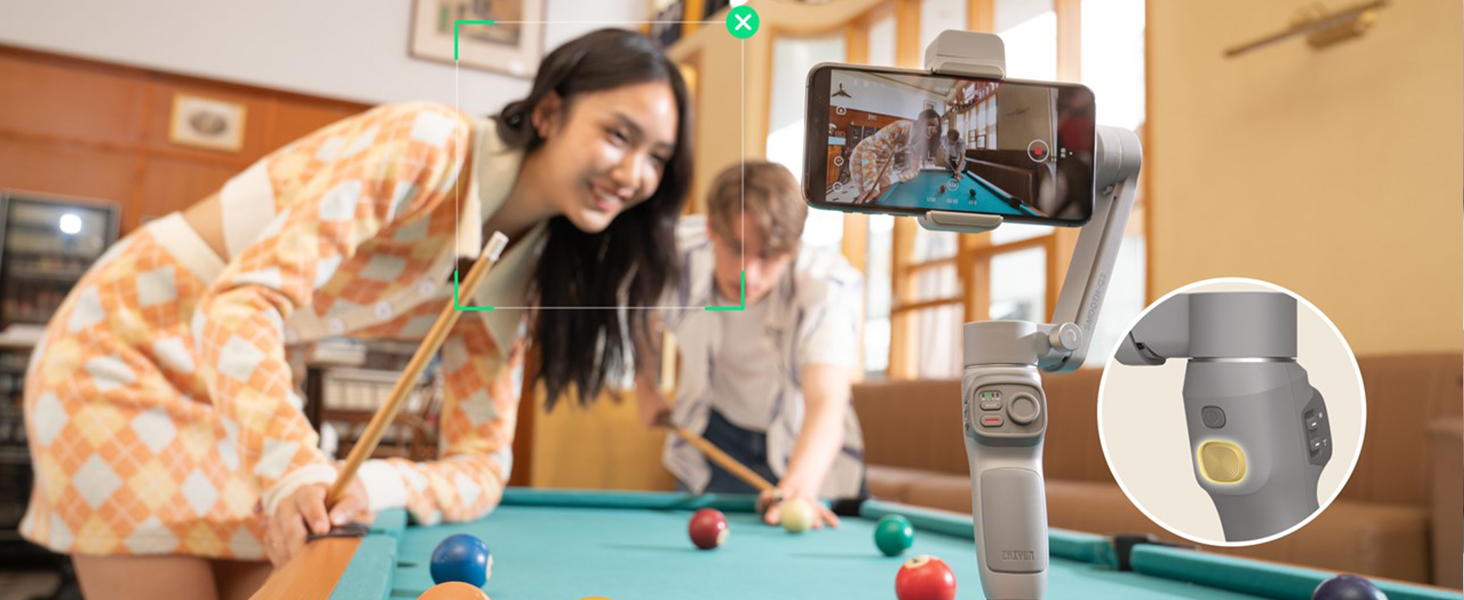
Image: A demonstration of the ZHIYUN Smooth Q3's Dolly Zoom feature, showing how to create a dynamic background effect while keeping the subject in focus.

Imagem: Um example of the ZHIYUN Smooth Q3's 360-degree panorama feature, capturing a wide, immersive scene.
Manutenção
- Limpeza: Use um pano macio e seco para limpar o corpo do gimbal. Evite usar produtos de limpeza líquidos ou solventes.
- Armazenar: When not in use, fold the gimbal and store it in the protective bag in a cool, dry place.
- Cuidados com a bateria: Carregue a bateria regularmente, mesmo quando não estiver em uso, para prolongar sua vida útil. Evite descarregar completamente a bateria por períodos prolongados.
Solução de problemas
| Problema | Possível causa | Solução |
|---|---|---|
| O gimbal não liga. | Bateria fraca; botão liga/desliga não pressionado por tempo suficiente | Charge the gimbal fully; Press and hold the power button for 3 seconds. |
| comida instáveltage / Gimbal shaking | Phone not properly balanced; Overloaded gimbal; Obstruction | Re-balance the phone; Ensure phone weight is within limits (max 280g); Check for obstructions. |
| Cannot connect to ZY Cami App | Bluetooth off; App not updated; Gimbal not in pairing mode | Ensure Bluetooth is on; Update ZY Cami app; Restart gimbal and app. |
| Fill light not working | Low battery; Light not activated | Charge the gimbal; Tap the touch-sensitive area to activate and adjust brightness. |
Especificações
- Modelo: Smooth Q3 Combo
- Dimensões do produto: 9.5 x 2.7 x 7.2 inches (unfolded); 1.8 x 6.1 x 7.1 inches (folded)
- Peso do item: 12 onças (340 gramas)
- Supported Device Weight: Up to 0.62lb (280g)
- Bateria: 1 Lithium Polymer battery (included), 1500 mAh
- Duração da bateria: Até 10 horas
- Luz de preenchimento: 180° rotatable, 3-level adjustable brightness
- Estabilização: 3 eixos
- Conectividade: Bluetooth
- Dispositivos compatíveis: Google Pixel 3XL; Realme X50 Pro X; OnePlus 8 7 Pro 6T, Samsung Galaxy S20 Ultra S10+ S9+ S9 S8+ Note10+ Note9 Note8, iPhone 12 11 Pro Max 12 mini XS Max XR X 8 7 6s Plus SE2 and similar sized smartphones.
Garantia e Suporte
For detailed warranty information and technical support, please refer to the official ZHIYUN website ou entre em contato com o atendimento ao cliente.
- Guia oficial do usuário (PDF): Baixar PDF
- ZHIYUN Store: Visit ZHIYUN Store on Amazon
Ask a question about this manual
Ask about setup, troubleshooting, compatibility, parts, safety, or missing instructions. Manuals+ will review the question and use this page’s manual context to help answer it.