
1. Introdução
Thank you for choosing the Symcode 2.4 GHz Wireless Laser Barcode Scanner. This device is designed for efficient and reliable barcode scanning, offering both wireless and wired connectivity options. This manual provides detailed instructions for setup, operation, and maintenance to ensure optimal performance.

Figura 1: Symcode 2.4 GHz Wireless Laser Barcode Scanner. This image displays the Symcode 2.4 GHz Wireless Laser Barcode Scanner in black, along with its accompanying USB wireless dongle and USB charging cable. The scanner features a comfortable grip and a laser scanning window.
2. Conteúdo da embalagem
Por favor, verifique se todos os itens estão presentes em sua embalagem:
- 1 x Symcode Laser Barcode Scanner
- 1 x 2.4 GHz Wireless USB Dongle
- 1 x Cabo USB para Carregamento/Transferência de Dados
3. Recursos do Produto
- Conectividade 2 em 1: Supports both 2.4 GHz wireless and USB wired connections.
- Conecte e use: Na maioria dos sistemas operacionais, não é necessária a instalação de drivers.
- Ampla compatibilidade: Works with Windows, Mac, Android, and Linux systems, connecting to PCs, laptops, and POS machines via a USB port.
- Longa distância de transmissão: Up to 15-30 meters indoors (with obstacles) and 30-100 meters outdoors (open environment).
- Dois modos de upload: Instant Upload and Offline Storage modes.
- Recursos programáveis: Customizable settings for uppercase/lowercase, volume, terminator, prefix/suffix, and character addition/masking.
- High Decoding Capability: Reads various 1D barcodes.
- Bateria durável: 1800mAh capacity for extended operation.
4. Configuração
4.1 Conexão com fio (USB)
- Conecte o cabo USB à porta do scanner.
- Conecte a outra extremidade do cabo USB a uma porta USB disponível no seu computador.
- The scanner will be recognized automatically by your operating system. It is ready for use once the connection is established.
4.2 Wireless Connection (2.4 GHz)
- Insert the 2.4 GHz wireless USB dongle into an available USB port on your computer.
- The computer will automatically install the necessary drivers.
- Turn on the barcode scanner by pressing the trigger. The scanner will automatically pair with the dongle.
- Once paired, the scanner is ready for wireless operation.

Figura 2: Mini USB Receiver. This image highlights the compact mini USB receiver, emphasizing its plug-and-play functionality for easy connection to laptops and PCs. It also indicates the ability to store up to 100,000 barcodes.
5. Instruções de operação
5.1 Modos de digitalização
O scanner suporta dois modos de digitalização principais:
- Modo de gatilho: Press the trigger to activate the laser and scan a barcode. Release the trigger to deactivate.
- Modo contínuo: The laser remains active, continuously scanning barcodes without needing to press the trigger for each scan.
To switch between scanning modes, specific setting barcodes are required. If these are not provided in your physical manual, please contact Symcode customer support for assistance.
5.2 Modos de Upload de Dados
The scanner offers two methods for uploading scanned data:
- Instant Upload Mode (Normal Mode): Data is transmitted to your computer immediately after each successful scan. This is the default mode.
- Modo de armazenamento offline: Scanned barcodes are stored in the scanner's internal memory. You can then upload all stored data to your computer at a later time by scanning a specific setting barcode. The scanner can store up to 100,000 barcodes.

Figura 3: Two Upload Modes. This image illustrates the two data upload modes: Instant Upload Mode, where data is synchronously transferred to the computer after each scan, and Offline Storage Mode, where barcodes are stored internally in the scanner for later upload.
5.3 Capacidades de decodificação
The Symcode MJ-2030-B scanner is capable of reading various 1D barcode types, including but not limited to:
- UPC/EAN (including add-on code)
- Code 128, UCC/EAN128
- Code 39, Code 39 Full ASCII
- Código 93
- Codabar
- Intercalado 2 de 5
- MSI
- Código 11
- ISBN, ISSN, China Postage
5.4 Recursos programáveis
The scanner offers several programmable options to customize its behavior:
- Uppercase/Lowercase Settings: Adjust how scanned data appears.
- Ajuste de volume: Control the sound level of the buzzer.
- Terminator Setting: Configure the character appended to scanned data (e.g., Enter, Tab).
- Prefix/Suffix Setting: Adicione caracteres personalizados antes ou depois dos dados do código de barras escaneado.
- Add/Hide Characters: Modify specific characters within the scanned data.
These settings are typically configured by scanning specific programming barcodes found in the full user manual or provided by customer support.

Figura 4: Prefix and Suffix Customization. This image shows how the scanner supports adding custom prefixes or suffixes to scanned barcode data, allowing for flexible data formatting.
5.5 Suporte a vários idiomas
The scanner supports various keyboard layouts and languages, including English (US & UK), German, French, Italian, Spanish, and Japanese, to ensure correct data input in different regions.
6. Manutenção
6.1 Informações da Bateria
The scanner is equipped with a built-in 1800mAh Lithium-ion battery. To ensure optimal battery life and performance:
- Operação contínua: Approximately 8 to 10 hours.
- Tempo de espera: Até 15 dias.
- Tempo de carregamento: Approximately 3.5 to 4 hours for a full charge using the provided USB cable.
- Recharge the battery when the low battery indicator is active or when performance degrades.
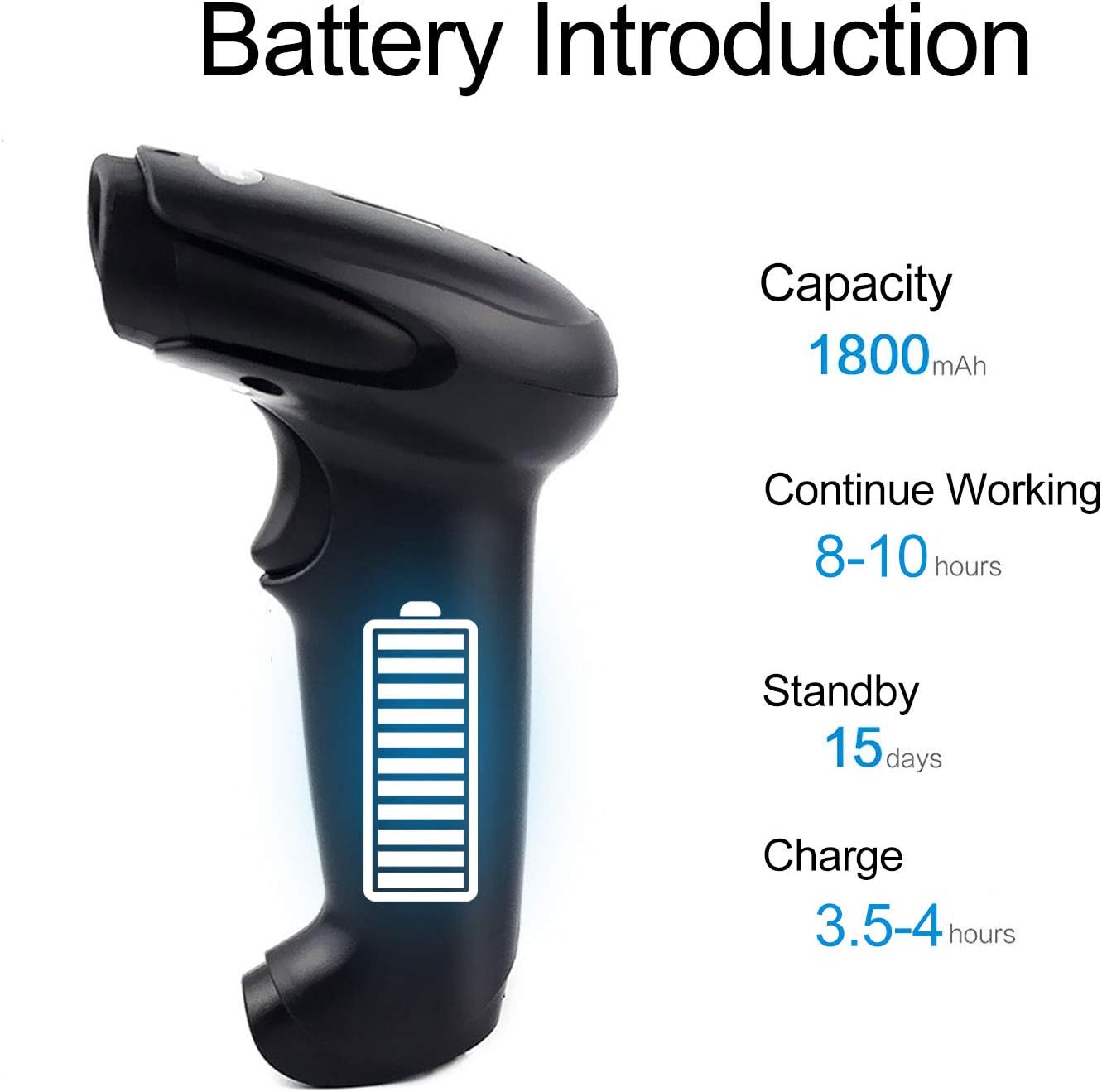
Figura 5: Battery Specifications. This image provides details about the scanner's battery, including its 1800mAh capacity, 8-10 hours of continuous working time, 15 days of standby time, and 3.5-4 hours charging time.
6.2 Limpeza
To clean the scanner, use a soft, dry cloth. Do not use abrasive cleaners or solvents, as these can damage the device. Keep the scanning window clean for accurate performance.
7. Solução De Problemas
- O scanner não está conectando: Ensure the USB cable is securely connected or the wireless dongle is properly inserted. For wireless, ensure the scanner is charged and within range.
- O leitor não está lendo códigos de barras: Ensure the barcode is not damaged or smudged. Check that the laser is active and properly aimed. Verify the scanner is in the correct scanning mode.
- Data not appearing on computer: Confirm the scanner is connected and in Instant Upload Mode. Check if the cursor is active in a text field on your computer.
- Difficulty changing settings: Specific setting barcodes are required for configuration. If these are missing from your manual, contact customer support for the correct codes.
- Vida curta da bateria: Ensure the scanner is fully charged. Reduce continuous scanning time if possible.
8. Especificações
8.1 Parâmetros técnicos
| Recurso | Especificação |
|---|---|
| Fonte de luz | 650 nm (visible laser) |
| Processador | ARM de 32 bits |
| Velocidade de digitalização | 200 lines/sec |
| Profundidade de digitalização | 2.5 mm - 600 mm |
| Largura de digitalização | 18 centímetros |
| Contraste de impressão | 20% mínimo |
| Taxa de erro | 1 / 5 milhões |
| Resolução | 3 milímetros |
| Indicadores | Buzzer, LED light |
| Trigger Life | 3 milhões de vezes |
| Vida Laser | 100,000 horas |
8.2 Wireless Parameters
| Recurso | Especificação |
|---|---|
| Transmission Distance (Indoor) | 15-30 meters (with obstacles) |
| Transmission Distance (Outdoor) | 30-100 meters (open environment) |
| Modo de operação | Normal Mode (Instant Upload), Storage Mode (Offline) |

Figura 6: Long Transmission Distance. This image demonstrates the wireless transmission capabilities of the scanner, showing an indoor range of 10-50 meters with obstacles and an outdoor range of up to 100 meters in open areas.
8.3 Especificações da Bateria
| Recurso | Especificação |
|---|---|
| Capacidade | 1800 mAh |
| Tempo de trabalho contínuo | 8-10 horas |
| Tempo de espera | 15 dias |
| Tempo de carregamento | 3.5-4 horas |
8.4 Parâmetros Ambientais
| Parâmetro | Valor |
|---|---|
| Temperatura de operação | 0 °C a 40 °C |
| Temperatura de armazenamento | -40 °C a 60 °C |
| Umidade | 5% a 95% (sem condensação) |
| Luz ambiente | Máximo de 50,000 lux |
| Descarga eletrostática | Air discharge 15 kV, Contact discharge 8 kV |

Figura 7: Product Dimensions. This image provides the physical dimensions of the Symcode barcode scanner, indicating its length, width, and height in both inches and centimeters for precise measurement.
9. Garantia e Suporte
This Symcode barcode scanner comes with a Garantia de 180 dias a partir da data da compra. Esta garantia cobre defeitos de fabricação e mau funcionamento sob condições normais de uso. Guarde o comprovante de compra para solicitações de garantia.
For technical support, specific setting barcodes, or warranty inquiries, please contact your seller or Symcode customer service. Refer to the contact information provided with your purchase or visit the official Symcode website.