
1. Produto acabadoview
The Symcode G3300W-2D is an omnidirectional, hands-free automatic barcode scanner designed for efficient and versatile scanning. It features dual-engine imaging technology, allowing it to capture both 1D and 2D barcodes from various surfaces, including LCD and OLED mobile phone screens. Its desktop design frees up your hands, enhancing operational efficiency in various environments.

Figure 1: Symcode G3300W-2D Omnidirectional Barcode Scanner with connectivity cables.
Video 1: Demonstration of the Symcode Omnidirectional Barcode Scanner, showcasing its physical features, unboxing, and scanning capabilities for both 1D and 2D barcodes from various items.
2. Principais características
- Omnidirectional Hands-Free Scanning: Allows for quick and convenient scanning without needing to hold the device.
- Superior Decoding Ability: Capable of reading common 1D and 2D codes, including QR Code, Data Matrix, PDF417, UPC/EAN, Code39, Code 128, and more.
- Digitalização de tela: Efficiently captures barcodes from mobile phone and computer screens.
- Desempenho robusto: Decodes blurring, damaged, distorted, colorful, or reflective barcodes at high speeds.
- Conecte e use: No software or drivers required for most operating systems; connects via a single USB cable.
- Ampla compatibilidade: Works with Windows XP/7/8/10, Mac OS, Linux, and common software like Word and Excel.
- Design ajustável: The scanner head can be adjusted for optimal scanning angles.

Figure 2: The scanner's advanced decoding capabilities for various barcode types, including damaged and blurred codes.
3. Conteúdo da embalagem
Por favor, verifique se todos os itens estão presentes em sua embalagem:
- Symcode G3300W-2D Barcode Scanner Unit
- USB Connection Cable (1.8m/5.9ft)
- Manual do usuário

Figure 3: Contents included in the Symcode barcode scanner package.
4. Instruções de configuração
4.1 Conectando o scanner
- Locate the USB connection port on the back of the scanner unit.
- Connect the smaller end of the provided USB cable to the scanner's port.
- Connect the larger USB-A end of the cable to an available USB port on your computer (PC, laptop, etc.).
- The scanner is designed for plug-and-play operation and should be automatically recognized by your operating system (Windows, Mac OS, Linux) without requiring additional driver installation.
- Once connected, the scanner will emit a short beep and the indicator light will turn on, signifying it is ready for use.
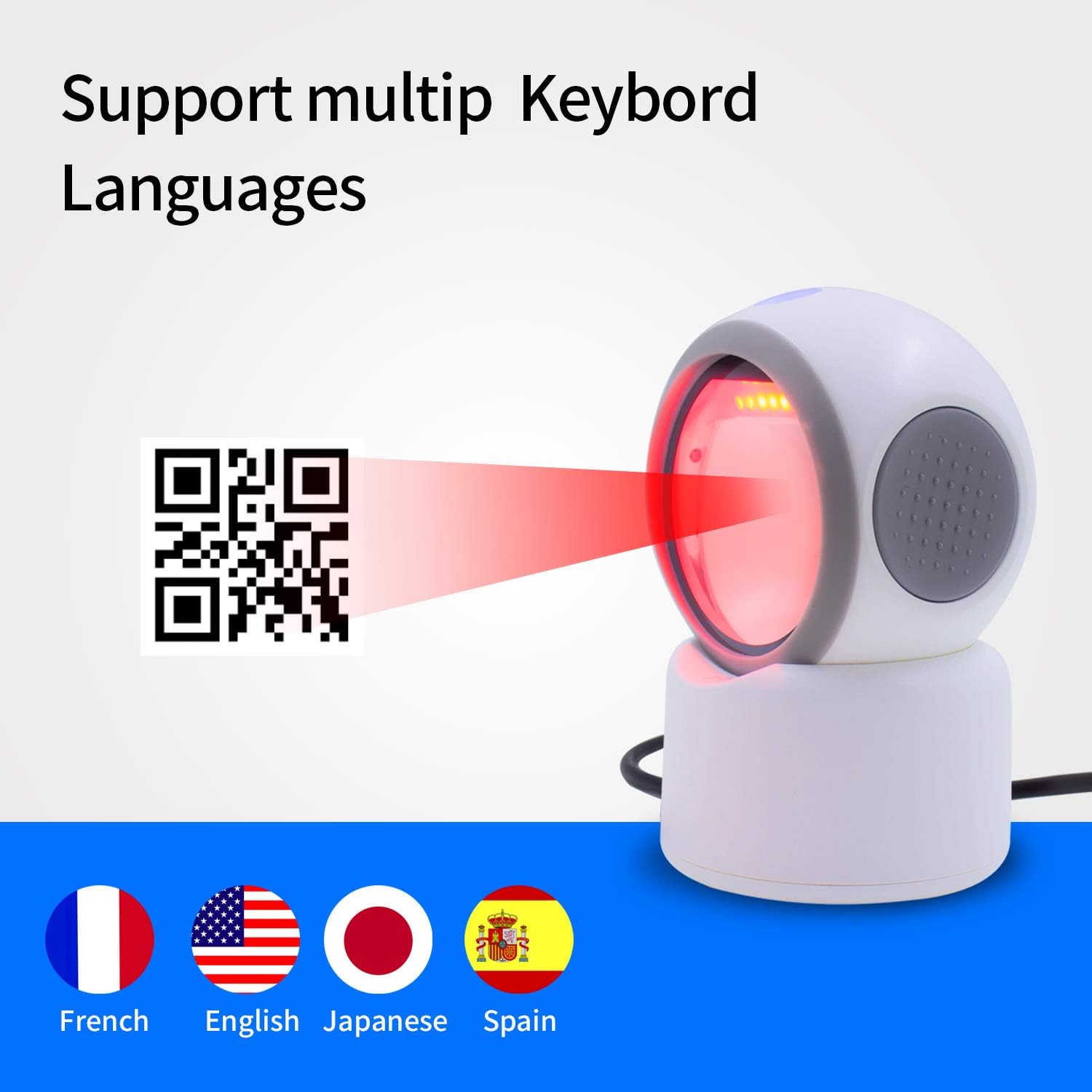
Figure 4: The scanner's broad compatibility with various devices and operating systems.
5. Instruções de operação
The Symcode G3300W-2D scanner operates in an automatic, hands-free mode. Simply place the item with the barcode in front of the scanner's window.
5.1 1D Barcode Scanning
To scan a 1D barcode:
- Certifique-se de que o scanner esteja conectado e ligado.
- Position the 1D barcode within the scanner's field of view. The scanner will automatically detect and read the barcode.
- A successful scan will be indicated by a beep and the data appearing in your active application (e.g., text editor, POS software).
5.2 2D Barcode Scanning (QR, Data Matrix, PDF417)
To scan a 2D barcode:
- Certifique-se de que o scanner esteja conectado e ligado.
- Place the 2D barcode (e.g., QR code on a package or screen) in front of the scanner's window.
- The scanner's advanced imaging technology will quickly capture and decode the information.
- Confirm the successful scan by the audible beep and the data output.
5.3 Scanning from Mobile Phone and Computer Screens
The G3300W-2D is optimized to read barcodes directly from digital displays. For best results, ensure the screen brightness is adequate and avoid excessive glare.
6. Configuration and Customization
The scanner can be configured using special programming barcodes found in the full instruction manual. These barcodes allow you to adjust settings such as:
- Volume of the beep sound
- Keyboard language (e.g., English, French, Japanese, Spanish)
- Modos de digitalização
- Configurações de transmissão de dados
Refer to the detailed programming guide in your physical user manual for a complete list of configurable options and their corresponding barcodes.

Figure 5: The scanner supports various keyboard layouts for international use.

Figure 6: Design features including LED lighting and a non-slip base for stability.
7. Manutenção
To ensure optimal performance and longevity of your Symcode barcode scanner, follow these maintenance guidelines:
- Limpeza: Regularly wipe the scanner's window and exterior with a soft, dry, lint-free cloth. For stubborn smudges, a slightly dampened cloth with water or a mild, non-abrasive cleaner can be used. Avoid harsh chemicals or abrasive materials.
- Armazenar: Guarde o scanner em local fresco e seco, longe da luz solar direta e de temperaturas extremas.
- Manuseio: Handle the scanner with care to prevent drops or impacts that could damage internal components or the scanning window.
8. Solução de problemas comuns
Se você encontrar problemas com seu scanner, consulte os problemas e soluções comuns a seguir:
- Scanner não reconhecido pelo computador:
- Certifique-se de que o cabo USB esteja firmemente conectado tanto ao scanner quanto ao computador.
- Tente conectar o scanner a uma porta USB diferente do seu computador.
- Reinicie o seu computador.
- If the scanner becomes unresponsive after the computer idles or sleeps, unplug and re-plug the USB cable to re-establish the connection.
- Não foi possível ler os códigos de barras:
- Verify that the scanner is powered on (indicator light is active).
- Ensure the barcode is clean, undamaged, and within the scanner's optimal reading range.
- Check for excessive glare on the barcode, especially when scanning from screens. Adjust the angle or lighting.
- Confirm that the barcode type is supported by the scanner (refer to Section 2: Key Features).
- Saída de dados incorreta:
- Check the keyboard language settings of your computer and ensure they match the scanner's configuration (refer to Section 6: Configuration and Customization).
- Ensure no other applications are interfering with the input.
- Scanner is Too Sensitive/Scans Multiple Times:
- Refer to the full user manual for programming barcodes that can adjust scanning sensitivity or trigger modes.
9. Especificações técnicas
| Especificação | Detalhe |
|---|---|
| Número do modelo | G3300W-2D |
| Dimensões do produto | 5.43 x 4.13 x 2.36 polegadas |
| Peso do item | 1.06 libras |
| Tecnologia de Conectividade | USB 2.0 |
| Dispositivos compatíveis | Computador de mesa, laptop |
| Fonte de energia | powered USB |
| Tipos de código de barras (1D) | UPC/EAN, Code39, Interleaved 2 of 5, Code93, Code 128, Codabar, Industry25, Matrix25, etc. |
| Tipos de código de barras (2D) | PDF417, QR Code, Data Matrix, etc. |
10. Informações de garantia
Symcode products are manufactured to high-quality standards. This product typically comes with a standard manufacturer's warranty covering defects in materials and workmanship under normal use. For specific warranty terms, duration, and conditions, please refer to the warranty card included in your product packaging or contact Symcode customer support directly.
11. Suporte ao cliente
If you require further assistance, have questions about your product, or need technical support, please contact Symcode customer service through the following channels:
- On-line: Visit the official Symcode webSite com perguntas frequentes, recursos de suporte e formulários de contato.
- E-mail: Consulte a embalagem do produto ou o manual oficial. website para o endereço de e-mail de suporte ao cliente.
- Telefone: Contact numbers may be available on the official Symcode website ou na documentação do produto.
When contacting support, please have your product model number (G3300W-2D) and purchase information ready.