1. Introdução
The FreedConn TCOM-SC is a Bluetooth communication system designed for motorcycle helmets. It allows for wireless communication, music streaming, FM radio, and GPS voice instructions, enhancing safety and convenience during rides. This manual provides detailed instructions for installation, operation, and maintenance of your TCOM-SC unit.
2. Recursos do Produto
- Conectividade Bluetooth 3.0: For stable wireless connections.
- Função de intercomunicação: Supports pairing of up to 3 riders, with 2 riders communicating simultaneously over a range of up to 800 meters.
- Tela LCD: Provides clear visual information on status, battery, and FM radio frequency.
- Design impermeável: Garante um desempenho confiável em diversas condições climáticas.
- Rádio FM: Rádio FM integrado para entretenimento.
- Controle avançado de ruído: Reduces background noise for clear audio.
- Reprodução de música: Stereo music streaming with playback control.
- Bateria recarregável: Long standby time and usage duration.
- Compatibilidade Universal: Suitable for full-face and flip-up helmets.

Imagem: Acimaview of FreedConn TCOM-SC product features, including 3-rider connection, 800m duplex intercom, phone connectivity, last number redial, FM radio, advanced noise control, stereo music, playback control, individual volume control, rechargeable battery, waterproof, sunproof, dustproof, and hard & soft microphone options.
3. Conteúdo da embalagem
Por favor, verifique a embalagem para garantir que todos os itens estejam presentes:
- 1 x Intercom Host
- 1 x Headset (Soft Mic/Hard Mic options)
- 1 x Cabo USB
- 1 x 3M Clip
- 1 x clipe
- 1 x Chave de fenda
- 1 x Manual do Usuário
- 6 x Headset Velcro Pads

Image: Visual representation of the FreedConn TCOM-SC package contents, including the intercom host, headset with microphone, USB cable, mounting clips, screwdriver, user manual, and headset velcro pads.
4. Produto acabadoview e Componentes
Familiarize yourself with the main components of the TCOM-SC unit:
- Tela de exibição LCD: Mostra o status operacional.
- Volante: Multi-function control for volume, track skipping, and menu navigation.
- Botão multifuncional: For power, intercom, and phone calls.
- Charger and Headset Socket: For connecting the charging cable and headset.
- Stereo Ear Speakers: Para saída de áudio.
- Microfone com cancelamento de ruído: Available in hard cable (boom mic) and soft cable (flexible mic) versions.

Image: Diagram illustrating the components of the FreedConn TCOM-SC headset, including stereo ear speakers, power on/off and intercom button, LCD display screen, jog wheel, multi-function button, charger and headset socket, noise canceling microphone (hard and soft cable options), and slot cable.
5. Instalação
Follow these steps to install the TCOM-SC unit on your helmet:
- Escolha o método de montagem: Decide between the clamp mount (for helmets with an edge) or the adhesive mount (for helmets without a suitable edge).
- Anexar montagem: Securely attach the chosen mount to the left side of your helmet.
- Insert Intercom Unit: Slide the TCOM-SC unit onto the mount until it clicks into place.
- Instalar alto-falantes: Attach the Velcro pads to the inside of your helmet, then place the stereo speakers over the Velcro pads, aligning them with your ears.
- Instalar microfone: For full-face helmets, use the soft cable microphone and position it inside the chin bar. For open-face or flip-up helmets, use the hard cable boom microphone and position it in front of your mouth.
- Conectar fone de ouvido: Plug the headset cable into the headset socket on the TCOM-SC unit.
- Cabos de rota: Neatly tuck all cables under the helmet padding to avoid obstruction and ensure comfort.
6. Carregando a bateria
The TCOM-SC unit is powered by a rechargeable battery. Ensure it is fully charged before first use.
- Connect the provided USB cable to the charging port on the TCOM-SC unit.
- Connect the other end of the USB cable to a USB power adapter (not included) or a computer USB port.
- The LCD display will indicate charging status.
- O carregamento normalmente leva cerca de 2.5 horas.
- A full charge provides up to 10 hours of phone calling time, 8 hours of intercom time, and up to 300 hours of standby time.
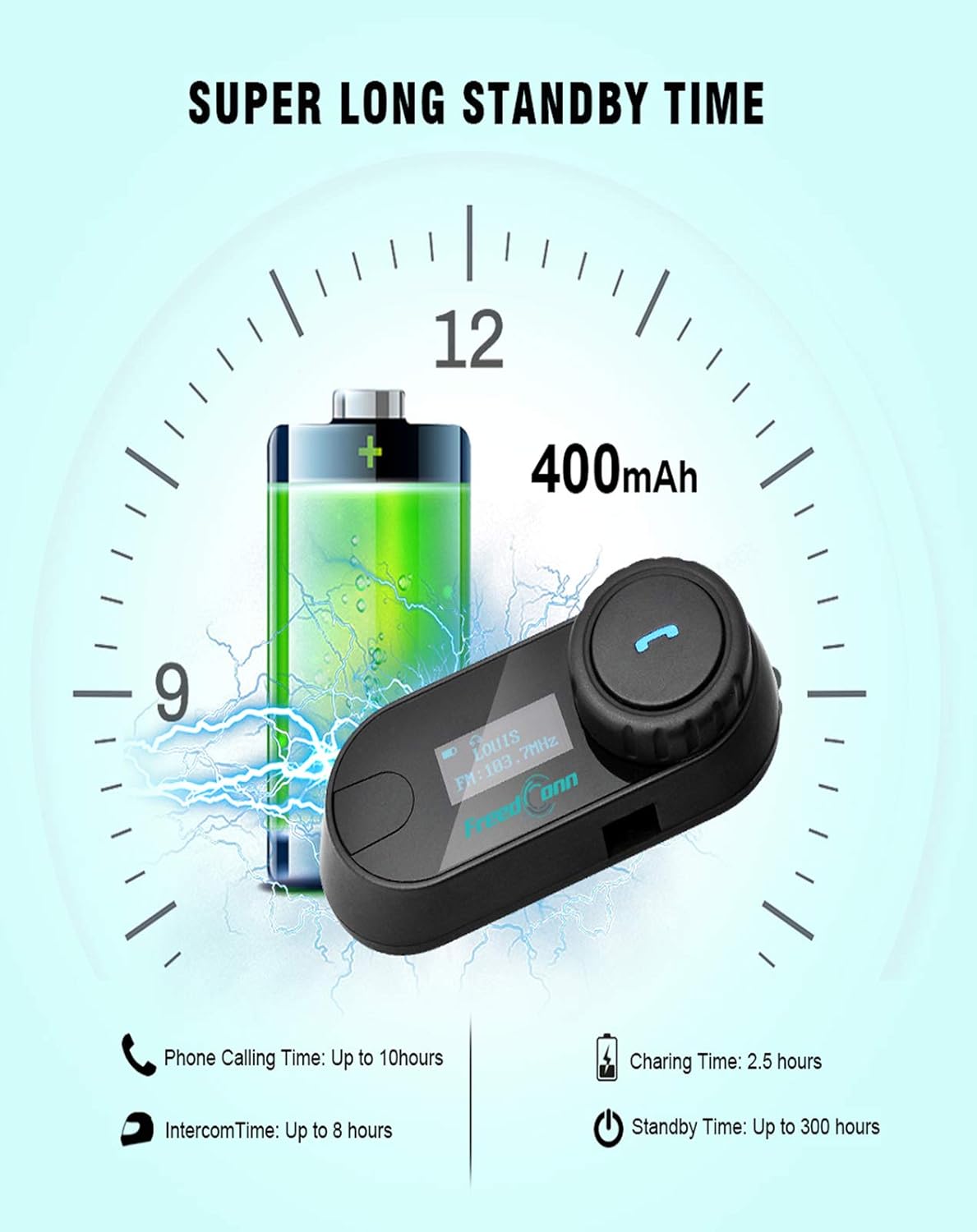
Image: Illustration of FreedConn TCOM-SC battery life and charging details, showing a 400mAh battery, 2.5 hours charging time, up to 10 hours phone calling time, up to 8 hours intercom time, and up to 300 hours standby time.
7. Operações básicas
7.1 Ligar/Desligar
- Ligar: Press and hold the Multi-function Button for approximately 3 seconds until you hear a voice prompt and the LCD screen illuminates.
- Desligar: Press and hold the Multi-function Button for approximately 5 seconds until you hear a voice prompt and the LCD screen turns off.
7.2 Ajuste de volume
- Rotate the Jog Wheel forward to increase volume.
- Rotate the Jog Wheel backward to decrease volume.
8. Emparelhamento Bluetooth
8.1 Emparelhar com um telefone móvel
- Certifique-se de que a unidade TCOM-SC esteja desligada.
- Press and hold the Multi-function Button for approximately 5-7 seconds until the LCD screen shows "Pairing" and the indicator light flashes red and blue alternately.
- No seu celular, habilite o Bluetooth e pesquise dispositivos.
- Select "FreedConn TCOM-SC" from the list of available devices.
- If prompted, enter the PIN code "0000".
- Once paired, the LCD will show "Connected" and the indicator light will flash blue slowly.
8.2 Emparelhamento com outra unidade TCOM-SC (Intercomunicador)
To establish intercom communication between two TCOM-SC units:
- Certifique-se de que ambas as unidades TCOM-SC estejam desligadas.
- On both units, press and hold the Multi-function Button for approximately 5-7 seconds until they enter pairing mode (red and blue indicator lights flashing alternately).
- Briefly press the Multi-function Button on um of the units. It will search for the other unit.
- Once connected, both units will show "Intercom" on their LCD screens and the indicator lights will flash blue slowly.
For multi-rider intercom (up to 3 units), repeat the pairing process with the third unit, ensuring only two units are actively communicating at any given time.
9. Funções operacionais
9.1 Chamadas telefônicas
- Atender chamada: Briefly press the Multi-function Button.
- Encerrar chamada: Briefly press the Multi-function Button.
- Rejeitar chamada: Pressione e segure o botão multifuncional por 2 segundos.
- Rediscar último número: Pressione duas vezes o botão multifuncional.
9.2 Reprodução de música
- Reproduzir/Pausar: Briefly press the Multi-function Button.
- Próxima faixa: Rotate the Jog Wheel forward and hold for 2 seconds.
- Faixa anterior: Rotate the Jog Wheel backward and hold for 2 seconds.
Rádio 9.3 FM
- Ligar/Desligar FM: Double-press the Multi-function Button to switch between music/intercom and FM radio.
- Estações de digitalização: Rotate the Jog Wheel forward or backward to change stations.
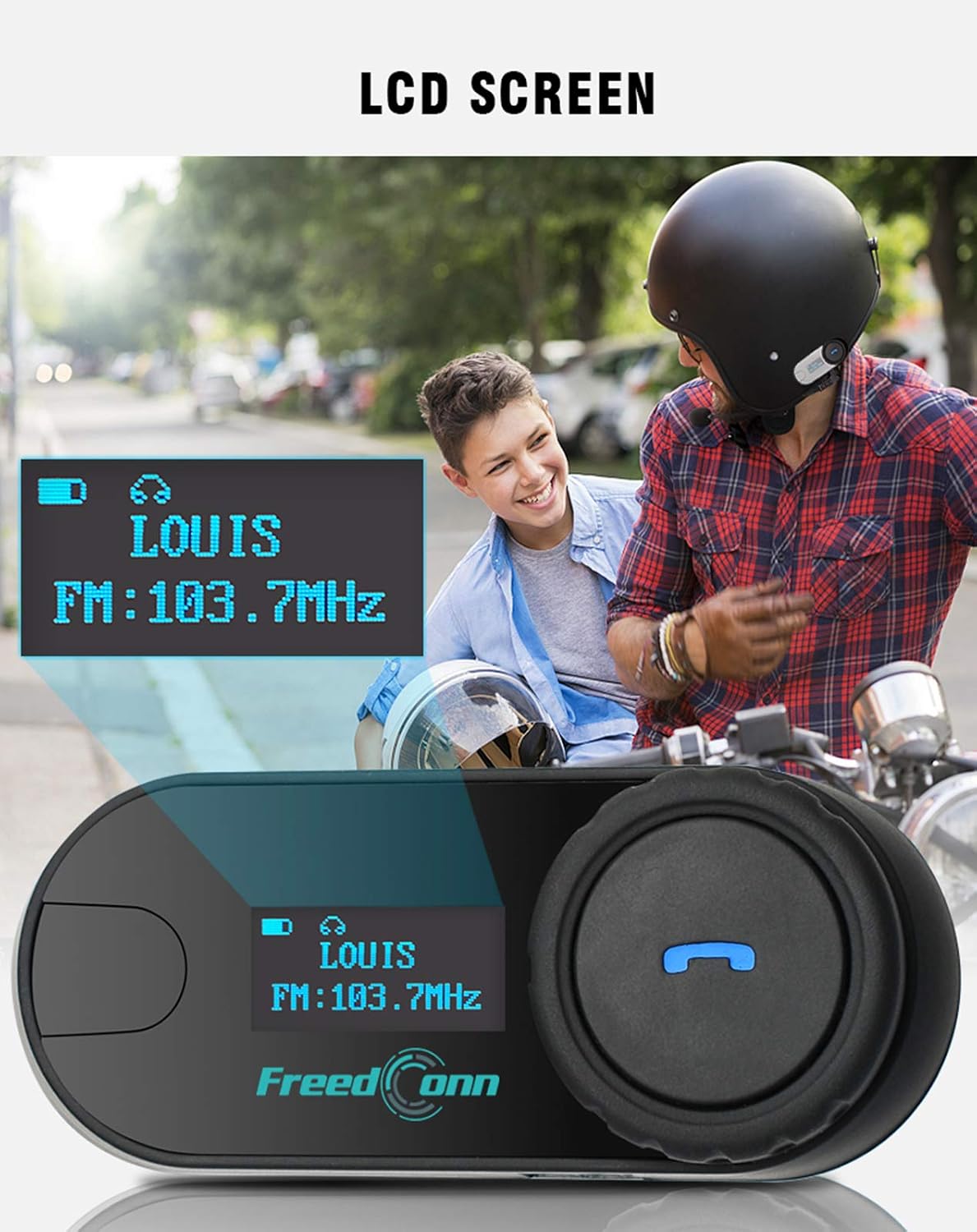
Imagem: Close-up view of the FreedConn TCOM-SC LCD screen, displaying information such as connected device name (e.g., LOUIS) and FM radio frequency (e.g., FM: 103.7MHz).
10. Manutenção
- Limpe a unidade com um pano macio, damp pano. Não use produtos químicos ou solventes agressivos.
- Certifique-se de que a tampa da porta de carregamento esteja bem fechada quando não estiver carregando para manter a resistência à água.
- Guarde a unidade em local fresco e seco quando não estiver em uso.
- Evite expor a unidade a temperaturas extremas.

Image: The FreedConn TCOM-SC unit shown with water splashing around it, illustrating its waterproof, sun protection, and dust-proof capabilities, highlighting its durable and protective design.
11. Solução De Problemas
- Sem energia: Verifique se a bateria está carregada. Conecte-a a um carregador e tente novamente.
- Não foi possível emparelhar: Make sure both devices are in pairing mode. Turn off and restart both devices, then try pairing again. Ensure no other Bluetooth devices are interfering.
- Sem som: Check volume levels on both the TCOM-SC and the connected device. Ensure the headset is properly plugged into the unit.
- Intercomunicadores desconectam: Ensure units are within the 800m range and there are no major obstructions. Re-establish the intercom connection.
- Má qualidade de áudio: Check microphone placement. Ensure speakers are correctly positioned over your ears. Reduce background noise if possible.
12. Especificações
| Número do modelo | TCOM-SC |
| Versão Bluetooth | 3.0 |
| Faixa de intercomunicação | Até 800 metros (2 ciclistas) |
| Capacidade da bateria | 400mAh |
| Phone Calling Time | Até 10 horas |
| Tempo de intercomunicação | Até 8 horas |
| Tempo de espera | Até 300 horas |
| Tempo de carregamento | Aproximadamente 2.5 horas |
| Nível de resistência à água | Impermeável |
| Dimensões do produto | 1.22 x 0.98 x 3.19 polegadas |
| Peso do item | 10.2 onças |
13. Garantia e Suporte
Para informações sobre garantia e suporte técnico, consulte o site oficial da FreedConn. webNo site ou entre em contato com o revendedor. Guarde o comprovante de compra como prova de aquisição.