1. Introdução
Thank you for choosing the Redragon S156 Wireless Gaming Keyboard and Mouse. This combo offers versatile tri-mode connectivity (2.4G, Bluetooth, USB-C), a mechanical-feel keyboard with programmable macro keys, and an ultra-lightweight gaming mouse with adjustable DPI and vibrant RGB backlighting. Designed for both gaming and productivity, this manual will guide you through the setup, operation, and maintenance of your new device.
2. Conteúdo da embalagem
Certifique-se de que todos os itens estejam presentes em sua embalagem:
- Redragon S156 Wireless Gaming Keyboard
- Redragon S156 Wireless Gaming Mouse
- Receptor USB 2.4 GHz
- Cabo de carregamento USB-C
- Manual do usuário
- Adesivos

3. Configuração
3.1 Opções de conectividade
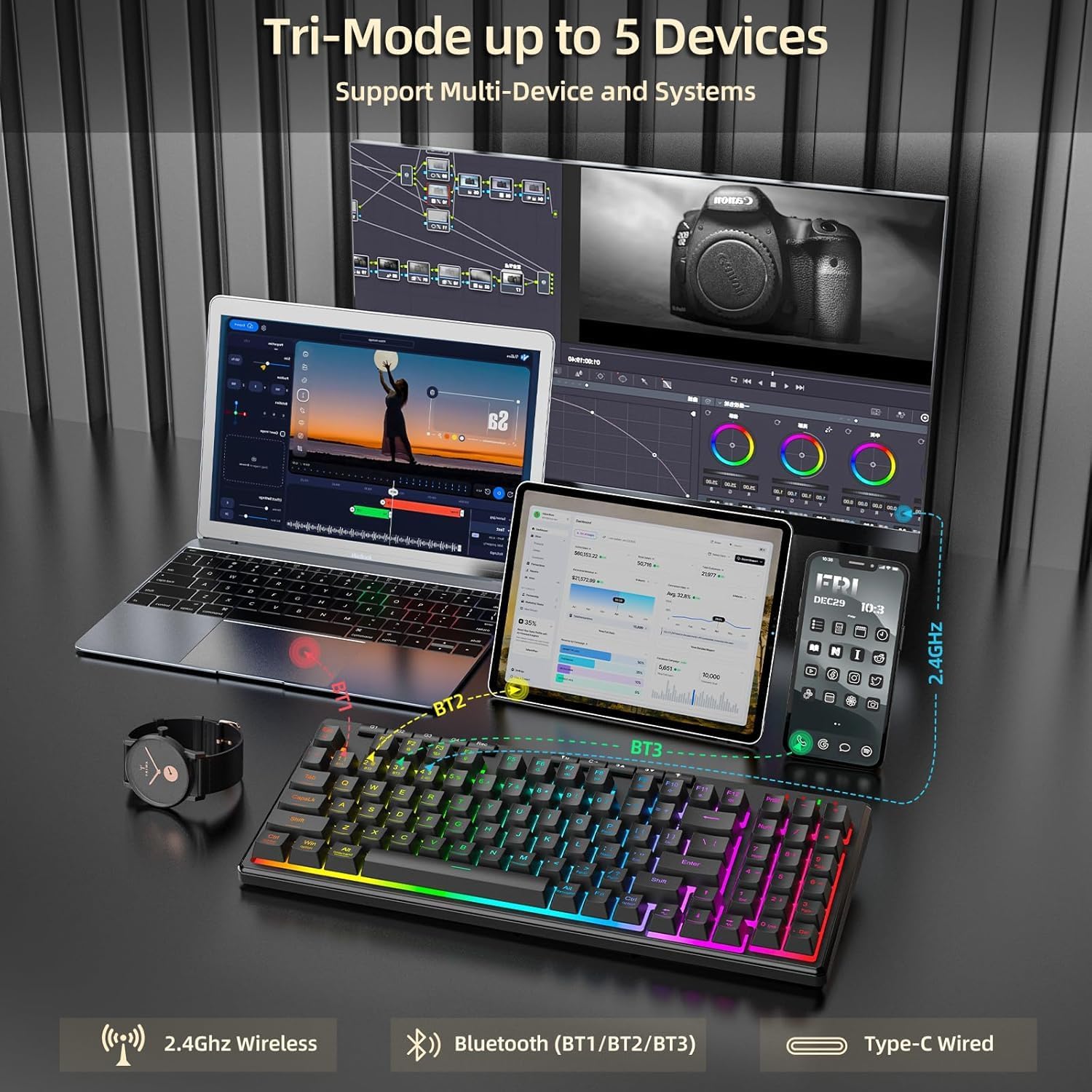
The Redragon S156 supports three connection modes: 2.4G wireless, Bluetooth, and USB-C wired. This allows for seamless switching between multiple devices and systems (Windows and Mac compatible).
3.2 Conexão inicial
- 2.4G sem fio: Insert the 2.4GHz USB receiver into an available USB port on your computer. The keyboard and mouse should connect automatically.
- Bluetooth: On the keyboard/mouse, switch to Bluetooth mode (BT1, BT2, or BT3). On your device, search for Bluetooth devices and select 'Redragon S156 Keyboard' or 'Redragon S156 Mouse' to pair.
- USB-C com fio: Connect the provided USB-C cable from the keyboard/mouse to your computer. This mode also charges the device.

3.3 Carregamento da bateria
The keyboard and mouse feature long-lasting internal batteries. Use the provided USB-C cable to charge them. You can continue to use the devices while they are charging in wired mode.

4. Operando o teclado
4.1 Mechanical-Feel Keys
The keyboard features mechanical-feel membrane keys, providing tactile feedback for comfortable and quiet typing, suitable for both gaming and work.

4.2 Teclas Macro Programáveis (G1-G4)
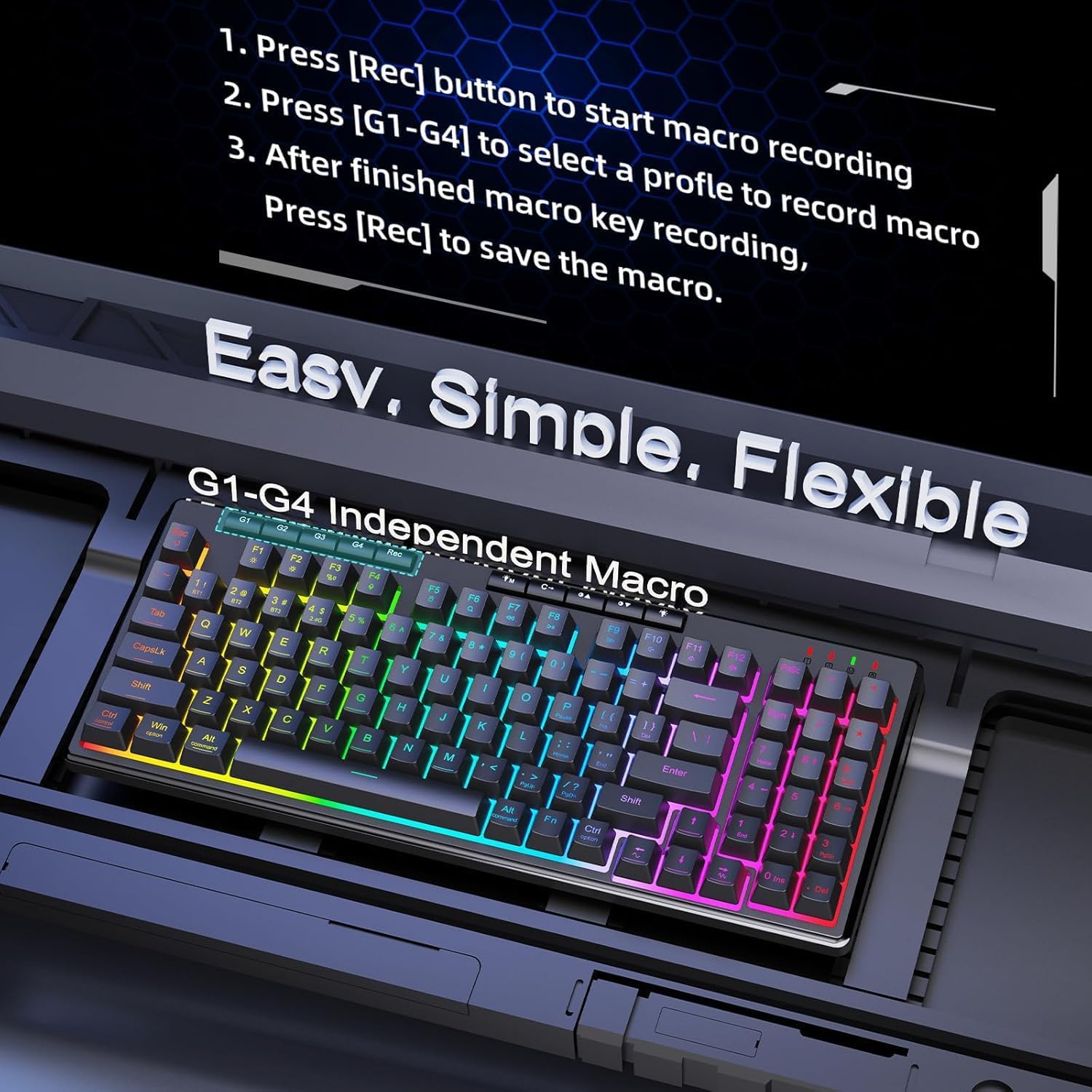
The keyboard includes dedicated macro keys (G1-G4) for on-the-fly programming without software. To record a macro:
- Press the [Rec] button to start macro recording.
- Pressione [G1-G4] para selecionar um profissionalfile para gravar a macro.
- After finishing the macro key recording, press [Rec] to save the macro.
4.3 Retroiluminação RGB
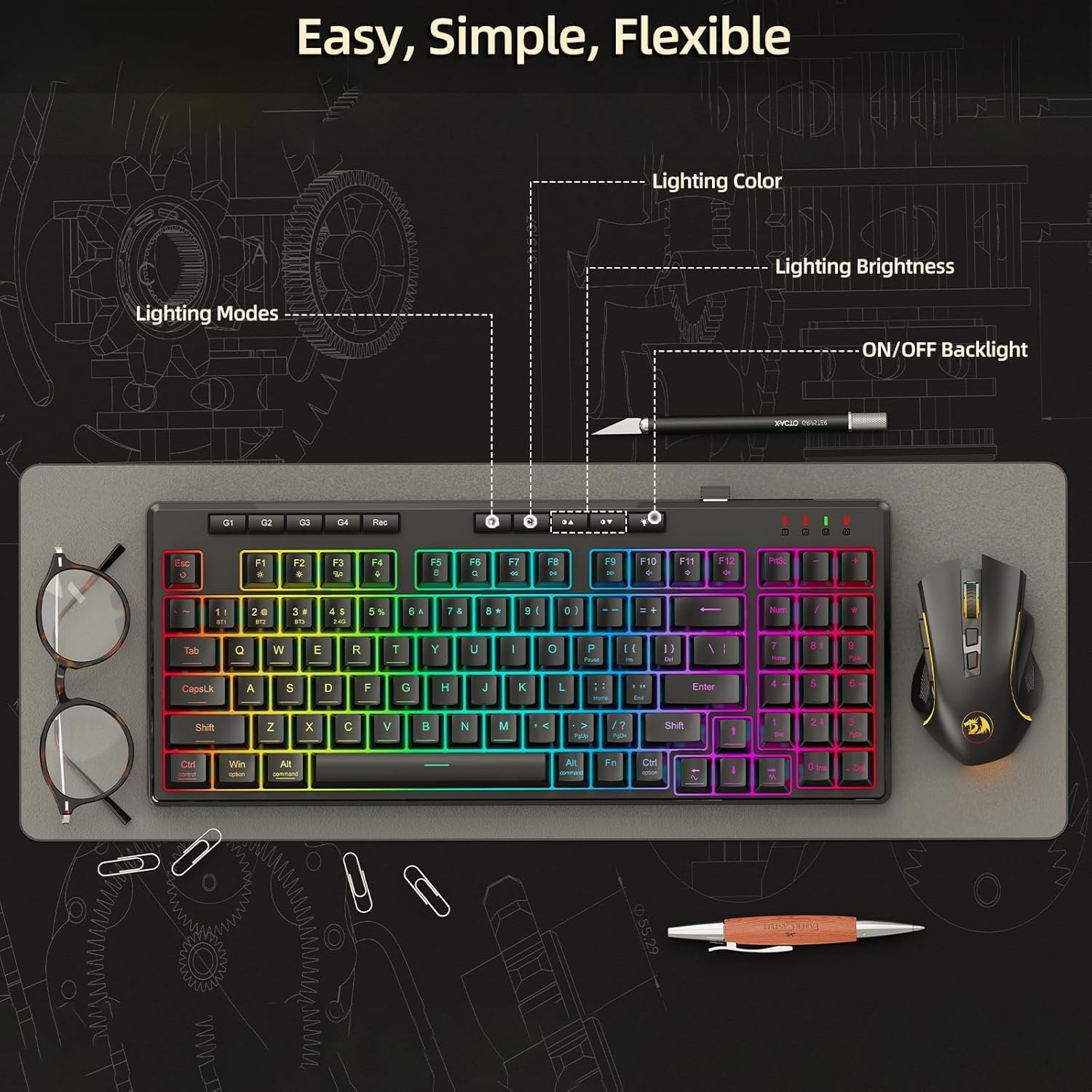
The keyboard offers multiple built-in RGB lighting modes and effects. Use the dedicated lighting control buttons (often combined with Function keys) to adjust lighting color, brightness, and modes, or to turn the backlight on/off.
5. Operando o Mouse
5.1 Design Leve
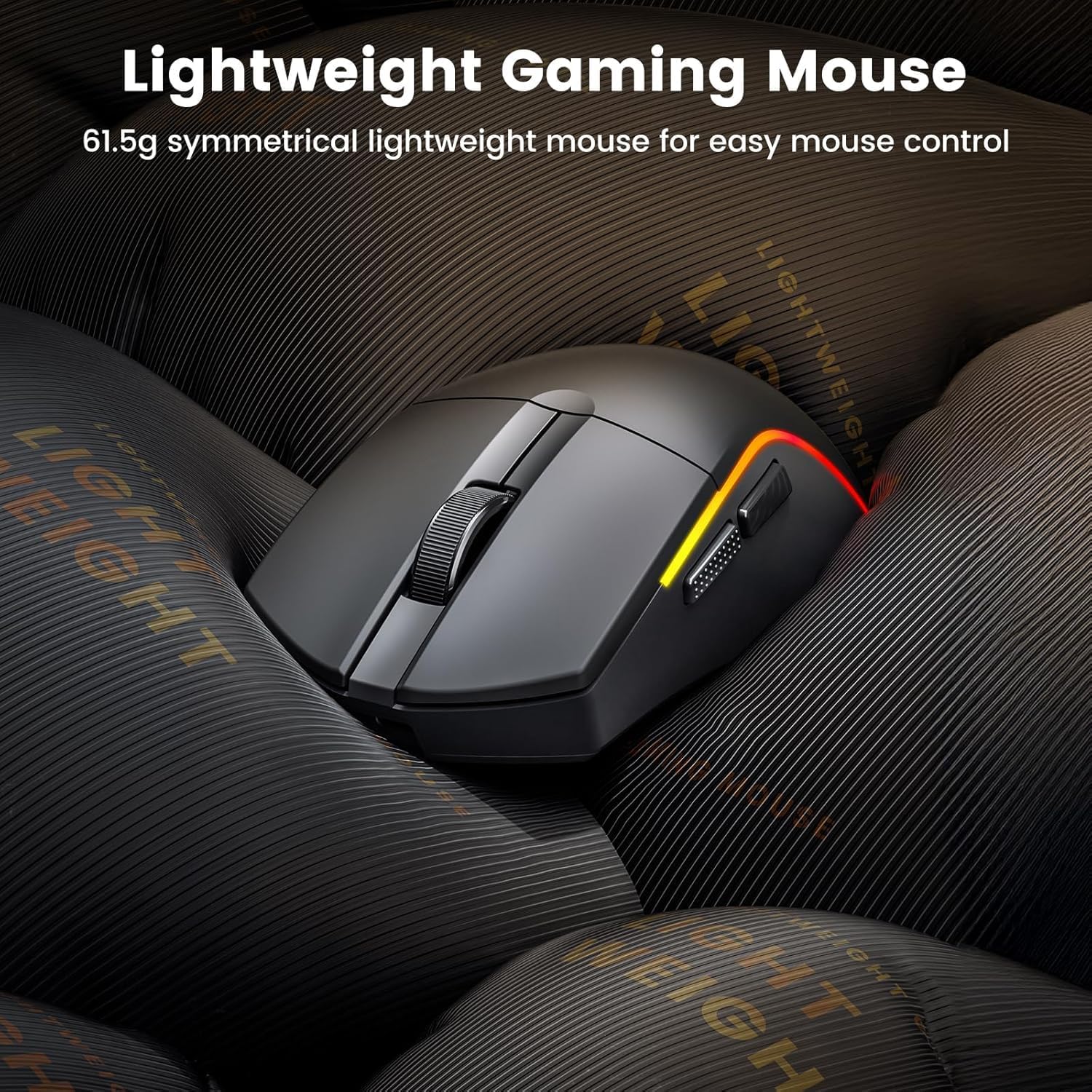
The mouse features an ultra-lightweight design (61g) for easy and precise control during gaming sessions.
5.2 Adjustable DPI and Customizable Buttons
The mouse offers adjustable DPI settings up to 10000 DPI for precision control. It also features customizable buttons and macros via software (Windows only).

5.3 Retroiluminação RGB
Customize millions of colors on the mouse via software, with over 1.6 million RGB effects available.

6. Manutenção
To ensure the longevity and optimal performance of your Redragon S156 keyboard and mouse, follow these maintenance guidelines:
- Limpeza: Use um pano macio e seco para limpar as superfícies do teclado e do mouse. Para uma limpeza mais profunda, utilize um pano levemente umedecido.amp Pode-se usar um pano com sabão neutro, garantindo que nenhum líquido entre no aparelho.
- Remoção de poeira: Use compressed air to remove dust and debris from between the keys and mouse crevices.
- Armazenar: When not in use, store the devices in a cool, dry place away from direct sunlight and extreme temperatures.
- Evite líquidos: Mantenha líquidos longe do teclado e do mouse para evitar danos.
7. Solução De Problemas
If you encounter any issues with your Redragon S156 keyboard and mouse, please refer to the following common troubleshooting steps:
- Problemas de conectividade: Ensure the device is in the correct mode (2.4G, BT1/2/3, or wired). For 2.4G, try re-inserting the USB receiver. For Bluetooth, ensure your device's Bluetooth is on and try re-pairing.
- Atraso ou desconexão: Move the devices closer to the receiver/computer. Avoid interference from other wireless devices. Ensure batteries are charged.
- Keys/Buttons Not Responding: Check for low battery. Try connecting in wired mode. Clean any debris from under the keys/buttons.
- Problemas de iluminação: Ensure the backlight is turned on. Cycle through different lighting modes and brightness levels using the dedicated buttons.
- Problemas de software: Ensure you have the latest software version installed from the Redragon website. Restart your computer.
If problems persist, please contact Redragon customer support.
8. Especificações
| Recurso | Especificação |
|---|---|
| Marca | Dragão Vermelho |
| Modelo | S156 |
| Tecnologia de Conectividade | 2.4G, Bluetooth, Wired (USB-C) |
| Descrição do teclado | Membrane (Mechanical Feel) |
| Usos recomendados | Jogos |
| Características especiais | Backlit, Lightweight, Programmable Keys, Rechargeable, Quiet |
| Material | Plástico |
| Peso do item | 2.16 libras |
| Dimensões da embalagem | 15.2 x 8.78 x 2.01 polegadas |
| Dispositivos compatíveis | Laptop, PC, Smartphone, Tablet |
| DPI do mouse | Até 10000 DPI |
| Peso do rato | 61g (Ultra-Light) |
| Duração da bateria do mouse | Até 200 horas |
9. Garantia e Suporte
Redragon products come with a standard manufacturer's warranty. For specific warranty details, please refer to the warranty card included in your package or visit the official Redragon website. If you require technical assistance, troubleshooting, or have any questions about your product, please contact Redragon customer support through their official channels.
Política de devolução: This product typically includes a 30-day return/replacement policy from the date of purchase.