
MIKUSO KB-C026 Wireless Keyboard and Mouse Combo User Manual
1. پیژندنه
This manual provides instructions for the setup, operation, and maintenance of your MIKUSO KB-C026 Wireless Keyboard and Mouse Combo. This combo set offers a reliable 2.4G wireless connection, providing a full-size keyboard with a numeric keypad and an ergonomic mouse for efficient computing tasks. It is designed for ease of use and a clutter-free workspace.
2. د خوندیتوب معلومات
- Do not expose the devices to liquids or excessive moisture.
- د سخت تودوخې څخه ډډه وکړئ.
- Do not attempt to disassemble or repair the devices yourself. Refer to qualified service personnel.
- د ماشومانو د لاسرسي څخه لرې وساتئ.
- د ځایی مقرراتو سره سم د بیټرۍ تصفیه کول.
3. د بسته محتويات
مهرباني وکړئ د لاندې توکو لپاره په بسته کې وګورئ:
- MIKUSO Full-Size Wireless Keyboard
- MIKUSO Ergonomic Wireless Mouse
- د USB 2.4G بې سیم رسیور
- د کارونکي لارښود (دا لاسوند)
4. ترتیب کول
Follow these steps to set up your MIKUSO Wireless Keyboard and Mouse Combo:
- بیټرۍ داخل کړئ: Open the battery compartments on the underside of both the keyboard and the mouse. Insert the required batteries (typically AA or AAA, not included) according to the polarity indicators.
- د USB رسیدونکي سره وصل کړئ: Locate an available USB port on your computer. Plug the USB 2.4G wireless receiver into the USB port.
- پاور آن: Turn on the keyboard and mouse using their respective power switches, usually located on the underside of each device.
- اتوماتیک پیوستون: The keyboard and mouse should automatically connect to your computer. No additional software installation is required. Your computer will recognize the devices and install necessary drivers.
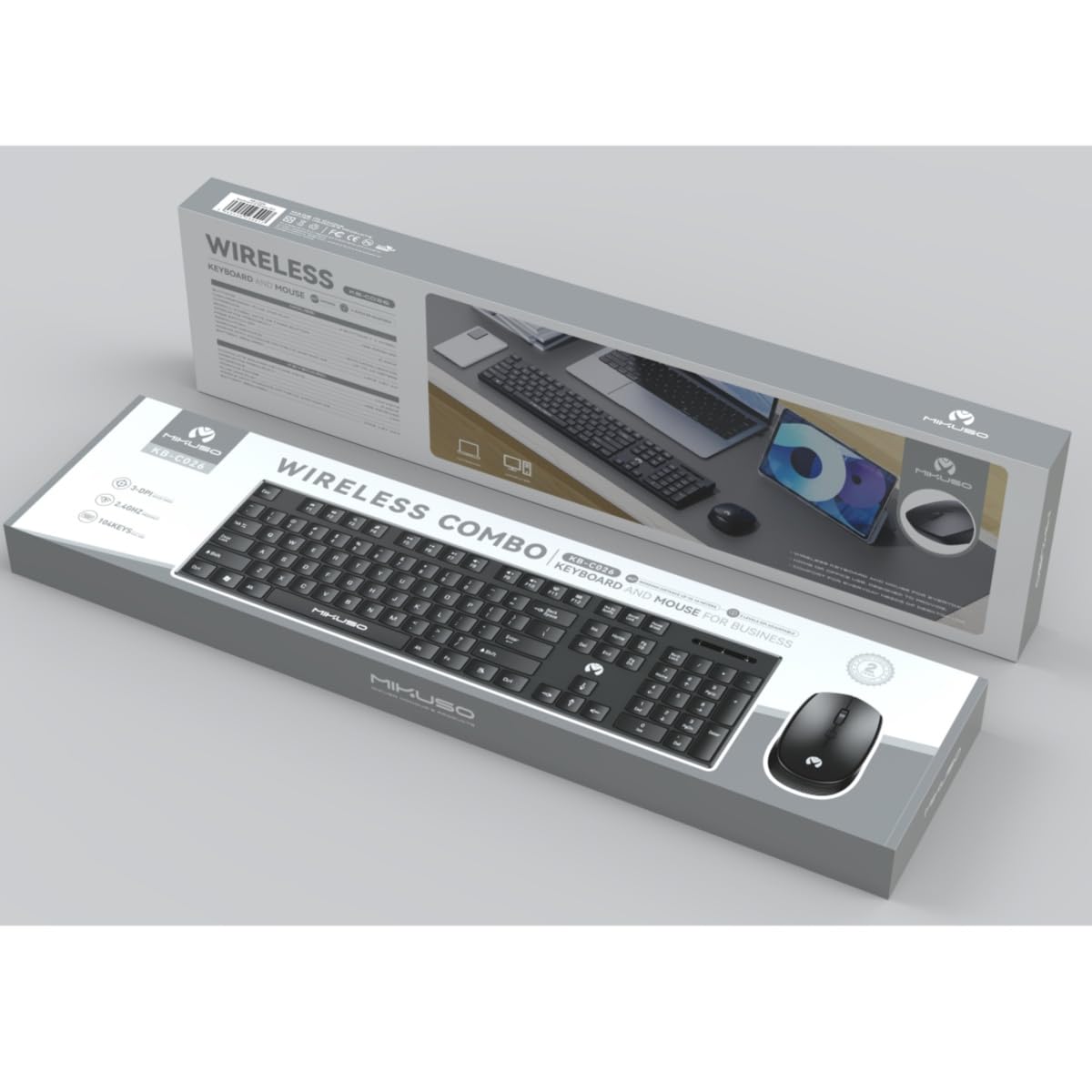
Image 1: MIKUSO KB-C026 Wireless Keyboard and Mouse Combo. This image displays the full-size keyboard, ergonomic mouse, and the compact USB receiver, illustrating the components included in the set.
5. عملیاتي لارښوونې
۳. د کیبورډ کارول
- ټایپ کول: Use the full QWERTY layout for standard typing.
- عددي کیپډ: The dedicated numeric keypad on the right side is ideal for data entry and calculations. Ensure the 'Num Lock' key is active if numbers are not registering.
- د فعالیت کیلي (F1-F12): These keys perform various functions, often in combination with the 'Fn' key, depending on your operating system and software.
۴.۲. د موږک کارول
- کیڼ کلیک: لومړنۍ کړنه، انتخاب.
- ښي کلیک: د شرایطو مینو پرانیزي.
- سکرول ویل: د اسنادو له لارې سکرول وکړئ او web pages. The scroll wheel may also function as a middle click.
- حرکت: په خپل سکرین کې د کرسر کنټرولولو لپاره موږک په یوه فلیټ سطحه حرکت ورکړئ.
6. ساتنه
- پاکول: د کیبورډ او موږک سطحې پاکولو لپاره نرم، وچ ټوکر وکاروئ. د سختې خاورې لپاره، یو څه damp د نرم صابون سره ټوکر کارول کیدی شي، ډاډ ترلاسه شي چې هیڅ مایع وسایلو ته ننوځي.
- د بیټرۍ بدلول: When the devices become unresponsive or exhibit delayed input, replace the batteries. Ensure correct polarity.
- ذخیره کول: When not in use for extended periods, turn off the devices to conserve battery life. Store in a cool, dry place.
7. ستونزه حل کول
| ستونزه | د حل لاره |
|---|---|
| کیبورډ/ماوس ځواب نه ورکوي |
|
| ځنډ یا وقفه ای اړیکه |
|
| عددي کیپډ کار نه کوي |
|
8. مشخصات
- ماډل: KB-C026
- ارتباط: 2.4G بې سیم
- د بې سیم لړۍ: تر 10 مترو پورې (33 فوټ)
- کي بورډ هډونه: Full-size QWERTY with Numeric Keypad
- د موږک ډول: Ergonomic, Optical
- اخیستونکی: د USB نانو ترلاسه کونکی
- مطابقت: Windows 7, Windows 8, Windows 10, Windows 11 (Desktop and Laptop Computers)
- د بریښنا سرچینه: Batteries (not included, typically AA/AAA for devices)
9. تضمین او ملاتړ
This product is covered by a standard manufacturer's warranty. For specific warranty terms and conditions, please refer to the documentation provided at the time of purchase or contact your retailer. If you encounter any issues or require technical assistance, please contact the seller or manufacturer's customer support through the details provided on your purchase receipt or the product packaging.