
1. پیژندنه
This manual provides detailed instructions for the safe and proper installation, operation, and maintenance of your LOKLNEYK Universal TV Bracket, Model liangwei 90. This low-profile wall mount is designed for most 14-60 inch flat or curved TVs with a maximum VESA compatibility of 200x200mm and a maximum load capacity of 40kg.
مهرباني وکړئ دا لارښود د نصبولو دمخه په بشپړ ډول ولولئ او د راتلونکي حوالې لپاره یې وساتئ. ډاډ ترلاسه کړئ چې ټولې برخې شتون لري او مخکې له دې چې پرمخ لاړ شئ زیانمن شوي نه وي.
2. د خوندیتوب معلومات
خبرداری: Improper installation may result in serious personal injury or damage to your TV and property. If you do not understand these instructions or have doubts about the safety of the installation, please contact a qualified installer.
- د اعظمي بار وړلو ظرفیت له 40kg (88 پونډه) څخه ډیر مه کوئ.
- ډاډ ترلاسه کړئ چې د دیوال جوړښت کولی شي د ماونټ او ستاسو د تلویزیون ګډ وزن په خوندي ډول ملاتړ وکړي.
- د خوندي نصبولو لپاره د دیوال سټډونو موندلو لپاره تل د سټډ موندونکي څخه کار واخلئ. که چیرې په کانکریټ یا خښتو کې نصب شوي وي، نو مناسب لنگرونه وکاروئ (تل شامل نه وي).
- د نصبولو پرمهال د سترګو د ساتنې په ګډون مناسب خوندیتوب وسایل واغوندئ.
- د نصب کولو پرمهال ماشومان او څاروي لرې وساتئ.
- پیچونه ډیر مه ټینګوئ، ځکه چې دا ممکن زیان ورسوي.
- دا محصول یوازې د داخلي کارونې لپاره دی.
3. د محصول مشخصات
| د محصول ډول | TV Mount Accessories |
| د سکرین اندازه مطابقت | 14-60 inches (Flat/Curved TVs) |
| د VESA مطابقت | Max VESA 200x200mm |
| د اعظمي بار وزن | 40 کیلو ګرامه (88 پونډه) |
| سمون | Fixed with 0-15° tilting angle |
| د لګولو ډول | دیوال نصبول |
| مواد | سړه رول شوي فولاد |
| د توکي وزن | 1.76 اونس (0.05 کیلو ګرامه) |
| د ماډل شمیره | liangwei 90 |
Note: The product is designed for a low-profile installation, keeping your TV close to the wall.
4. د بسته محتويات
Please verify that all parts are included before installation. If any parts are missing or damaged, do not proceed with installation and contact customer support.
- دیوال پلیټ (1)
- TV Bracket Arms (2)
- Mounting Hardware (Screws, Washers, Spacers, Wall Anchors - specific quantities may vary)
- Bubble Level (1) (Often included for installation)

Figure 1: Mount Dimensions and VESA Compatibility. This image illustrates the overall dimensions of the mount (440mm width, 417mm height) and indicates compatibility for 26-60 inch TVs. While the image shows VESA up to 400x400mm, please adhere to the product specification of Max VESA 200x200mm.
5. ترتیب او نصب کول
Follow these steps carefully to install your LOKLNEYK Universal TV Bracket.
۵.۱ اړین وسایل (شامل نه دي)
- پنسل
- ډرل
- د فیلیپس سر سکریډرایور
- د سټډ موندونکی (د لرګیو سټډ دیوالونو لپاره)
- د اندازه کولو ټیپ
- Level (a small bubble level is often included)
۴.۳ د تلویزیون بریکٹونه تلویزیون ته نښلول
- د سکرین د زیان د مخنیوي لپاره په احتیاط سره خپل تلویزیون په نرم او پاک سطح باندې کیږدئ.
- د خپل تلویزیون شاته د VESA نصب کولو سوري وپیژنئ.
- Select the appropriate screws, washers, and spacers from the provided hardware that fit your TV's mounting holes. Ensure the screws are long enough to securely fasten the brackets but not so long that they damage internal components.
- Attach the two vertical TV bracket arms to the back of your TV using the selected hardware. Ensure the hooks on the bracket arms are facing upwards and the arms are centered and level. Do not overtighten.
۴.۲ د دیوال پلیټ نصب کول
- Determine the desired height for your TV. Mark the center of where you want the TV to be.
- Hold the wall plate against the wall at the desired height and use a level to ensure it is perfectly horizontal. Mark the drilling locations through the holes on the wall plate.
- د لرګیو د دیوالونو لپاره: Use a stud finder to locate the center of two adjacent wood studs. Drill pilot holes at the marked locations. Secure the wall plate to the studs using the provided wood screws and washers.
- د کانکریټو/خښتو دیوالونو لپاره: Drill pilot holes at the marked locations. Insert the plastic wall anchors into the drilled holes. Secure the wall plate using the provided concrete screws and washers.
- Verify the wall plate is securely fastened and level before proceeding.

Figure 2: Wall Plate Installation. This image shows the main wall plate securely mounted to a wall, ready for the TV to be attached.

Figure 3: Mount Construction Detail. This image emphasizes the cold-rolled steel material, indicating durability, and shows a built-in bubble level for accurate installation.
۵.۴ د تلویزیون ځړول
- With assistance, carefully lift the TV with the attached bracket arms.
- Hook the TV bracket arms onto the top edge of the wall plate.
- Gently lower the TV until the bracket arms fully engage with the wall plate.
- Secure the TV to the wall plate using the safety screws or locking mechanisms located at the bottom of the TV bracket arms. This prevents accidental dislodging.
- Check that the TV is level and securely mounted.
6. عملیات
The LOKLNEYK Universal TV Bracket is a low-profile wall mount designed for a fixed position with a slight tilting capability.
- ثابت مقام: Once installed, your TV will be held securely in a fixed position close to the wall, optimizing space.
- د خښتو زاویه: This mount allows for a 0-15° tilting adjustment. To adjust the tilt, loosen the tilt adjustment screws on the side of the TV bracket arms, set the desired angle, and then securely tighten the screws. This feature helps reduce glare and provides a comfortable viewپه مختلفو پوستونو کې تجربه.
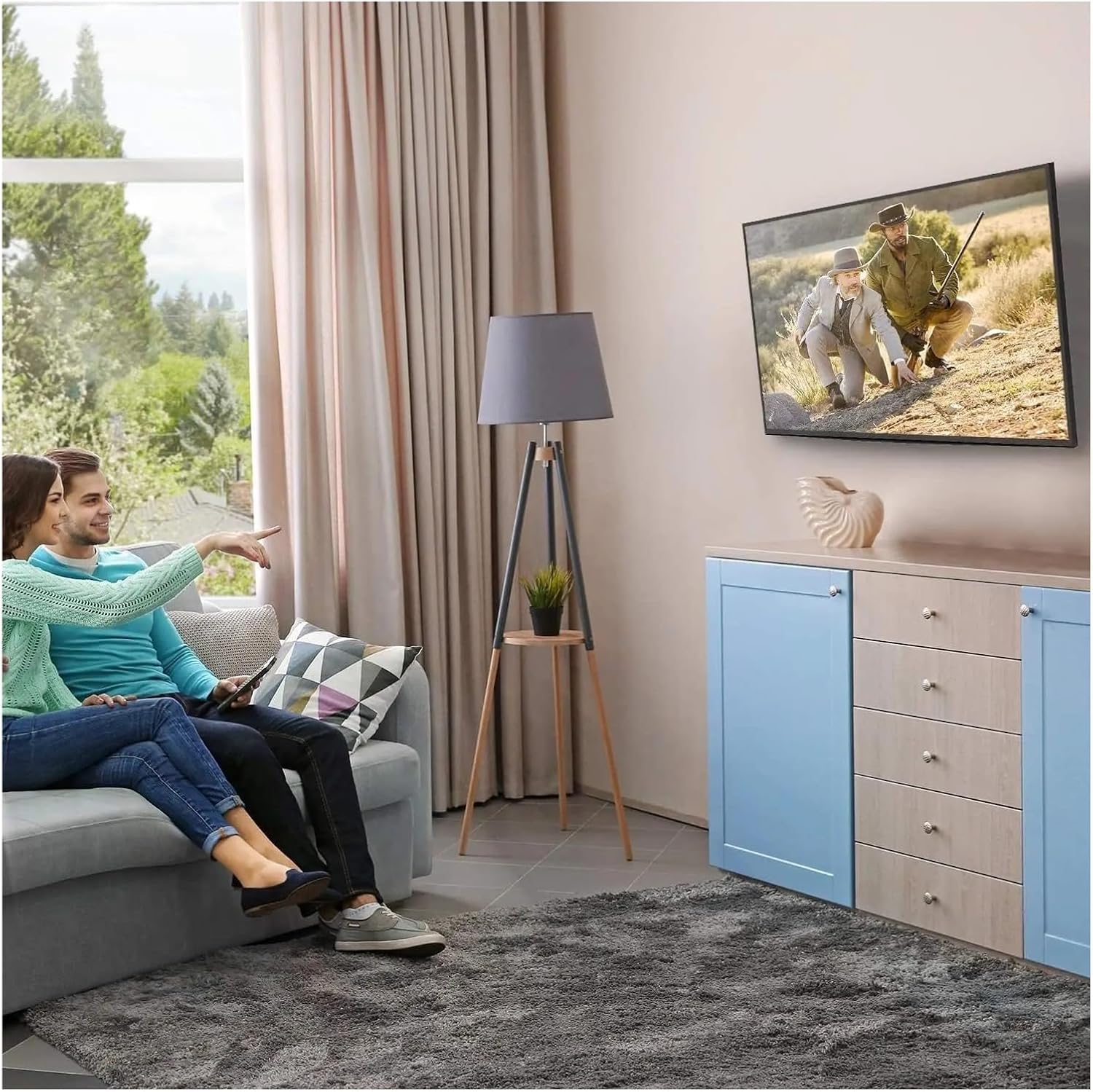
شکل ۵: غوره Viewing Experience. This image demonstrates the TV mounted on the wall, providing an enhanced viewing experience and saving space.
7. ساتنه
منظم ساتنه ستاسو د تلویزیون د ماونټ اوږد عمر او خوندیتوب تضمینوي.
- پاکول: د نرم او وچ ټوکر سره وخت په وخت ماونټ خاورې کړئ. د کثافاتو پاکوونکو یا محلولونو څخه ډډه وکړئ.
- اړیکې چیک کړئ: Annually, or if you notice any instability, check all screws and bolts to ensure they are securely tightened. Do not overtighten.
- د زیانونو لپاره معاینه کول: Periodically inspect the mount for any signs of wear, corrosion, or damage. If any damage is found, contact customer support for replacement parts or advice.
8. ستونزه حل کول
که تاسو د نصبولو پرمهال یا وروسته له ستونزو سره مخ شئ، لاندې عامې ستونزې او حل لارې وګورئ.
| ستونزه | احتمالي لامل | د حل لاره |
|---|---|---|
| تلویزیون په سطحه نه دی | د نصبولو پرمهال د دیوال پلیټ سطحه نه وي. | Remove TV, adjust wall plate to be level, re-mount TV. Use a level during installation. |
| تلویزیون بې ثباته احساس کوي | Screws not fully tightened; incorrect wall anchors used; wall structure insufficient. | Ensure all screws are tightened. Verify wall type and use correct anchors. Consult a professional if wall structure is questionable. Do not exceed weight capacity. |
| Cannot attach TV bracket arms to TV | د VESA غلط نمونه؛ غلط پیچونه کارول شوي. | Verify your TV's VESA pattern matches the mount's compatibility (max 200x200mm). Ensure correct screw diameter and length are used for your TV. |
| TV does not tilt | د خښتو تنظیم کولو پیچونه ډیر تنګ دي. | Loosen the tilt adjustment screws slightly, adjust the angle, then re-tighten. |
9. تضمین او ملاتړ
For warranty information or technical support, please refer to the documentation included with your purchase or contact LOKLNEYK customer service directly. Please have your model number (liangwei 90) and purchase details ready when contacting support.
Manufacturer: LOKLNEYK
Date First Available: January 10, 2026