
1. محصول ختم شوview
The Philips 55MLED610/94 is a 55-inch 4K Ultra HD QLED Smart QD-Mini LED Google TV. It features advanced display technology, smart connectivity, and integrated audio solutions for an enhanced viewتجربه

مخکی view of the Philips 55MLED610/94 55-inch 4K QD-Mini LED Google TV.
کلیدي ځانګړتیاوې:
- ښکاره کول: 4K QD-Mini LED Panel, Philips Halo Control Technology, Dolby Vision, Local Dimming, 120 Hz Motion Clarity HSR, HDR 10+, 178 Degree Wide Viewing Angle, MEMC, ALLM.
- سمارټ تلویزیون: Google TV operating system, 2GB RAM, 32GB ROM, Quad Core Processor, Dual band WIFI 5, Hands-Free Voice Control, Screen Mirroring, Google Assistant compatibility.
- آډیو: 36 Watts Output, Dolby Atmos, Dolby Audio.
- ارتباط: 3 HDMI Ports (including HDMI 2.1), 2 USB Ports, 1 LAN Port, 1 Antenna Input, 1 Satellite Input, 1 Digital Audio Out (Optical), 1 AV-IN, 1 Earphone port.
2. ترتیب او نصب کول
۲.۱ د بسته بندۍ او محتوا خلاصول
Carefully unpack the television and ensure all components are present.
- 1N TV Unit
- 2N Stand Bases
- د 1N چټک پیل لارښود
- 1N تضمین کارت
- 1N ریموټ کنټرول
- 2N AAA بیټرۍ (د ریموټ لپاره)
- د 1N بریښنا تار
- 4N Screws (for stand/mount)
- 1N AV Converting Cable

Illustration showing the TV unit and its included accessories for setup.
۳.۲ د سټینډ نصب کول یا دیوال نصب کول
The television supports both table-top stand installation and wall mounting.
- د میز غره: Attach the provided stand bases to the bottom of the TV unit using the included screws. Ensure the stand is stable on a flat surface.
- وال ماونټ: For wall mounting, use a compatible VESA wall mount (not included) and follow the instructions provided with the wall mount. Refer to the TV's back panel for mounting points.

شاته view of the television, highlighting the mounting points and various input/output ports.
2.3 د پردیو سره نښلول
Connect your external devices such as set-top boxes, gaming consoles, and audio systems to the TV using the appropriate ports.
- HDMI: Use HDMI ports for high-definition video and audio from devices like Blu-ray players or gaming consoles. HDMI 2.1 supports advanced features.
- USB: د میډیا پلې بیک یا بهرنۍ ذخیره کولو لپاره USB ډرایوونه وصل کړئ.
- لین: د یو باثباته تار لرونکي انټرنیټ اتصال لپاره.
- انتن/سپوږمکۍ: Connect your antenna or satellite dish for broadcast TV.
- ډیجیټل آډیو آوټ (آپټیکل): د بهرني غږ سیسټمونو سره د نښلولو لپاره.
- AV-IN: د زړو وسیلو لپاره چې مرکب ویډیو او سټیریو آډیو کاروي.
- ایرفون: د شخصي اوریدلو لپاره.

تفصيلي view of the television's input and output ports, including HDMI, USB, LAN, and audio connections.
3. عملیاتي لارښوونې
۴.۲ د بریښنا پیل او د ګوګل تلویزیون تنظیم کول
After connecting the power cord, press the power button on the remote control or TV. Follow the on-screen instructions to complete the initial setup, including language selection, network connection (Wi-Fi or LAN), and Google account sign-in.

The Google TV interface, showing various streaming applications and content recommendations.
3.2 د ریموټ کنټرول فعالیتونه
The provided remote control uses both IR and Bluetooth technology. Insert the two AAA batteries as indicated.

The remote control for the Philips 55MLED610/94 TV, featuring dedicated buttons for streaming services and Google Assistant.
- د بریښنا تڼۍ: تلویزیون چالان یا بند کړئ.
- د نیویګیشن پیډ: د مینو نیویګیشن او انتخاب لپاره.
- د ګوګل مرستیال تڼۍ: د امرونو او لټونونو لپاره د غږ کنټرول فعالوي.
- د حجم/چینل تڼۍ: حجم تنظیموي او چینلونه بدلوي.
- د اپلیکیشن شارټ کټ تڼۍ: Direct access to popular streaming services like Netflix and Prime Video.
3.3 Smart TV Features and Applications
The Google TV platform provides access to a wide range of applications and services.
- مخکې نصب شوي ایپسونه: Access popular streaming services such as Prime Video, Netflix, Hotstar, Zee5, YouTube, Eros Now, Hungama, JioCinema, and SonyLiv.
- د ګوګل معاون: د مینځپانګې لټون کولو، سمارټ کور وسایلو کنټرولولو او معلوماتو ترلاسه کولو لپاره د لاسونو څخه پاک غږ کنټرول وکاروئ.
- د سکرین عکس اخیستل (میراکاسټ): Cast content from compatible mobile devices to the TV screen.
- Web براوزر: په خپل تلویزیون کې مستقیم انټرنیټ وګورئ.
۴.۳ د ښودنې او آډیو ترتیبات
د انځور او غږ ترتیبات تنظیم کړئ ترڅو خپل viewد اوریدلو او اوریدلو تجربه.
- د انځور طریقې: Select from various picture modes (e.g., Standard, Vivid, Movie, Game) or customize settings like brightness, contrast, color, and sharpness.
- Dolby Vision & HDR10+: The TV automatically detects and optimizes content for Dolby Vision and HDR10+ for enhanced dynamic range and color.
- د غږ طریقې: Choose sound modes (e.g., Standard, Music, Movie) or adjust equalizer settings. Dolby Atmos provides immersive audio.
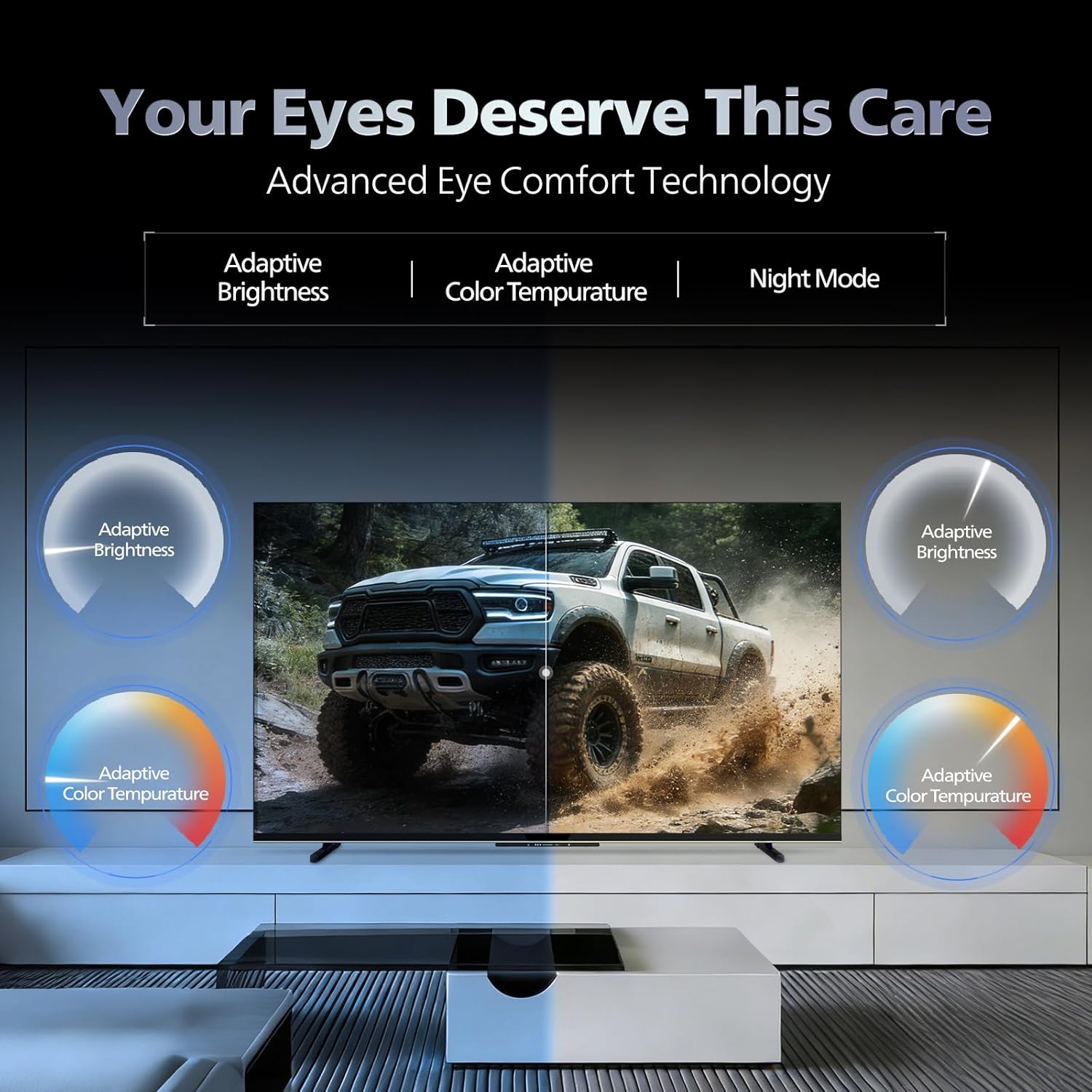
- د سترګو آرامۍ ټیکنالوژي: Features like Adaptive Brightness, Adaptive Color Temperature, and Night Mode are available to reduce eye strain.

Visual representation of the TV's advanced eye comfort technology, including adaptive brightness and color temperature.

A visual demonstrating the immersive multi-dimensional audio experience provided by Dolby Atmos on the television.
4. ساتنه
۴.۱ د تلویزیون پاکول
To clean the screen and cabinet, first unplug the power cord. Use a soft, lint-free cloth. For stubborn marks, lightly dampټوکر د اوبو یا یو نرم، غیر خارښونکي سکرین کلینر سره ومینځئ. هیڅکله کلینر مستقیم په سکرین مه سپری کوئ.
مهم: The television is د اوبو په وړاندې مقاومت نلري. Avoid exposing it to liquids.
4.2 د سافټویر تازه معلومات
Ensure your TV's software is up to date for optimal performance and security. The TV will typically prompt you for available updates. You can also manually check for updates in the settings menu.
5. ستونزه حل کول
If you encounter issues with your television, try the following basic troubleshooting steps before contacting support.
- ځواک نشته: ډاډ ترلاسه کړئ چې د بریښنا تار په خوندي ډول د تلویزیون او کارونکي بریښنا ساکټ دواړو سره وصل شوی دی. یو بل ساکټ هڅه وکړئ.
- انځور/غږ نشته: د ټولو کیبل اتصالونو (HDMI، AV، انټینا) وګورئ. ډاډ ترلاسه کړئ چې په تلویزیون کې د ننوتلو سمه سرچینه غوره شوې ده.
- ریموټ کار نه کوي: په ریموټ کنټرول کې بیټرۍ بدل کړئ. ډاډ ترلاسه کړئ چې د ریموټ او د تلویزیون د IR سینسر ترمنځ هیڅ خنډ شتون نلري.
- د انټرنیټ اتصال ستونزې: Restart your Wi-Fi router. Check the TV's network settings and ensure it's connected to the correct network. Try a wired LAN connection if possible.
- د انځور کیفیت مسایل: د انځور ترتیبات تنظیم کړئ (روښانتیا، برعکس، تیزوالی). ډاډ ترلاسه کړئ چې د منځپانګې سرچینه لوړ کیفیت لري.
The television displaying a fast-paced gaming scene, highlighting its 120Hz refresh rate and gaming optimization features.
6. مشخصات
| فیچر | تفصیل |
|---|---|
| د ماډل شمیره | 55MLED610/94 |
| د سکرین اندازه | 55 انچونه (138 سانتي متره) |
| ټیکنالوژي ښکاره کول | د QD-مینی LED |
| قرارداد | 4K الټرا ایچ ډي (3840 x 2160) |
| د تازه کولو نرخ | 120 Hz HSR |
| د HDR بڼه ملاتړ شوی | HDR10+، ډولبي ویژن |
| Viewزاویه | 178 درجې |
| د غږ محصول | 36 واټ |
| د آډیو کوډ کول | Dolby Atmos, Dolby Audio |
| عملیاتي سیسټم | ګوګل تلویزیون |
| RAM | 2GB |
| ROM | 32GB |
| ارتباط | Wi-Fi (Dual band WIFI 5), Bluetooth 5.1, 3 HDMI (1x HDMI 2.1 eARC), 2 USB, 1 LAN, 1 Antenna, 1 Satellite, 1 Digital Audio Out (Optical), 1 AV-IN, 1 Earphone |
| د محصول ابعاد (د x څلویښتم x څلویښتم) | ۳۰.۶D x ۴۵.۱W x ۳۰.۶H سانتي متره |
| Item Weight Without Stand | 9.4 کیلوګرامه |
| د بریښنا مصرف | 130 واټ |
| د انرژي کچه | 3 ستوری |
| د انرژۍ کلنۍ مصرف | 182 kWh / کال |
| شاملې برخې | TV Unit, Stand Bases, Quick Start Guide, Warranty Card, Remote, Batteries, Power cord, Screws, AV Converting Cable |

Dimensional drawing of the Philips 55MLED610/94 TV, showing height, width, and depth measurements.
7. تضمین او ملاتړ
7.1 د تضمین معلومات
A 1-year warranty is provided by the manufacturer from the date of purchase. Warranty claims can be processed using your Amazon e-invoice.
The warranty covers manufacturing defects but does not cover spares.
7.2 د پیرودونکي ملاتړ
For assistance, contact the brand's toll-free number: 18004256396. Please provide the product's model name (55MLED610/94) and seller's details from your invoice. The service center will schedule a convenient service slot.
جوړونکی: Radiant Appliances And Electronics Private Limited
Survey No. 111, 112, S-2 A 1, Ecity, Fabcity, Maheshwaram Mandal Raviryala Village, Ranga Reddy, Telangana- 501141
واردونکي: د TPV ټیکنالوژۍ هند خصوصي محدودیت
Unit No. 307-308 3rd Floor, SEWA Corporate Park MG Road Gurugram Haryana 122002