
1. پیژندنه
Welcome to the user manual for your LOKLNEYK H610 S4 Motherboard. This guide provides detailed instructions for installation, operation, maintenance, and troubleshooting to ensure optimal performance and longevity of your system. Please read this manual thoroughly before beginning installation.
2. ترتیب کول
2.1. د بسته محتويات
ډاډ ترلاسه کړئ چې ټولې برخې ستاسو د مور بورډ په کڅوړه کې شتون لري:
- LOKLNEYK H610 S4 Motherboard
- I / O شیلډ
- SATA Data Cables (quantity may vary)
- د کارونکي لارښود (دا لاسوند)
- د ډرایور سي ډي/يو ايس بي (يا لارښوونې ډاونلوډ کړئ)
۱. د مور بورډ ترتیب
Familiarize yourself with the various components and connectors on the motherboard. Refer to the diagram below for a detailed overview of the H610 S4 motherboard's key areas.

Figure 1: Labeled diagram of the LOKLNEYK H610 S4 Motherboard, highlighting CPU socket, RAM slots, PCIe slots, M.2 slots, SATA ports, and various headers.
2.3. د نصبولو پړاوونه
د خپل مور بورډ او اجزاو د سم نصبولو لپاره دا ګامونه تعقیب کړئ:
- چیسس چمتو کړئ: د خپل کمپیوټر کیس په شا پرانیسته کې د I/O شیلډ نصب کړئ.
- د مور بورډ نصب کړئ: Carefully place the motherboard into the chassis, aligning it with the standoffs. Secure it with screws.
- د CPU نصب کول (LGA 1700):
- Open the CPU socket lever and protective cover.
- Align the CPU's triangular mark with the mark on the socket.
- په نرمۍ سره CPU ساکټ ته دننه کړئ. په زور یې مه اچوئ.
- د CPU د خوندي کولو لپاره لیور وتړئ.
- د CPU کولر نصب کول: Install your CPU cooler according to its manufacturer's instructions, ensuring proper thermal paste application.
- RAM Installation (DDR4):
- Open the clips on both ends of the DDR4 memory slots.
- Align the memory module's notch with the slot's key.
- د ماډل په دواړو سرونو کې په کلکه فشار ورکړئ تر هغه چې کلپونه په خپل ځای کې راشي.
- Storage Installation (NVMe M.2 / SATA):
- For M.2 SSDs, insert the drive into the M.2 slot and secure it with the provided screw.
- For SATA drives, connect SATA data cables to the motherboard's SATA ports and to your drives. Connect power cables from your power supply to the drives.
- د PCIe کارت نصب کول: Insert your graphics card or other PCIe expansion cards into the appropriate PCIe slots and secure them.
- د بریښنا رسولو اتصالونه: د 24-pin ATX بریښنا نښلونکی او د 8-pin CPU بریښنا نښلونکی د خپل بریښنا رسولو څخه مدر بورډ ته وصل کړئ.
- د مخکینۍ پینل اړیکې: Connect the front panel headers (power button, reset button, USB ports, audio jacks, LED indicators) to the corresponding pins on the motherboard. Refer to the motherboard layout diagram (Figure 1) for pin locations.
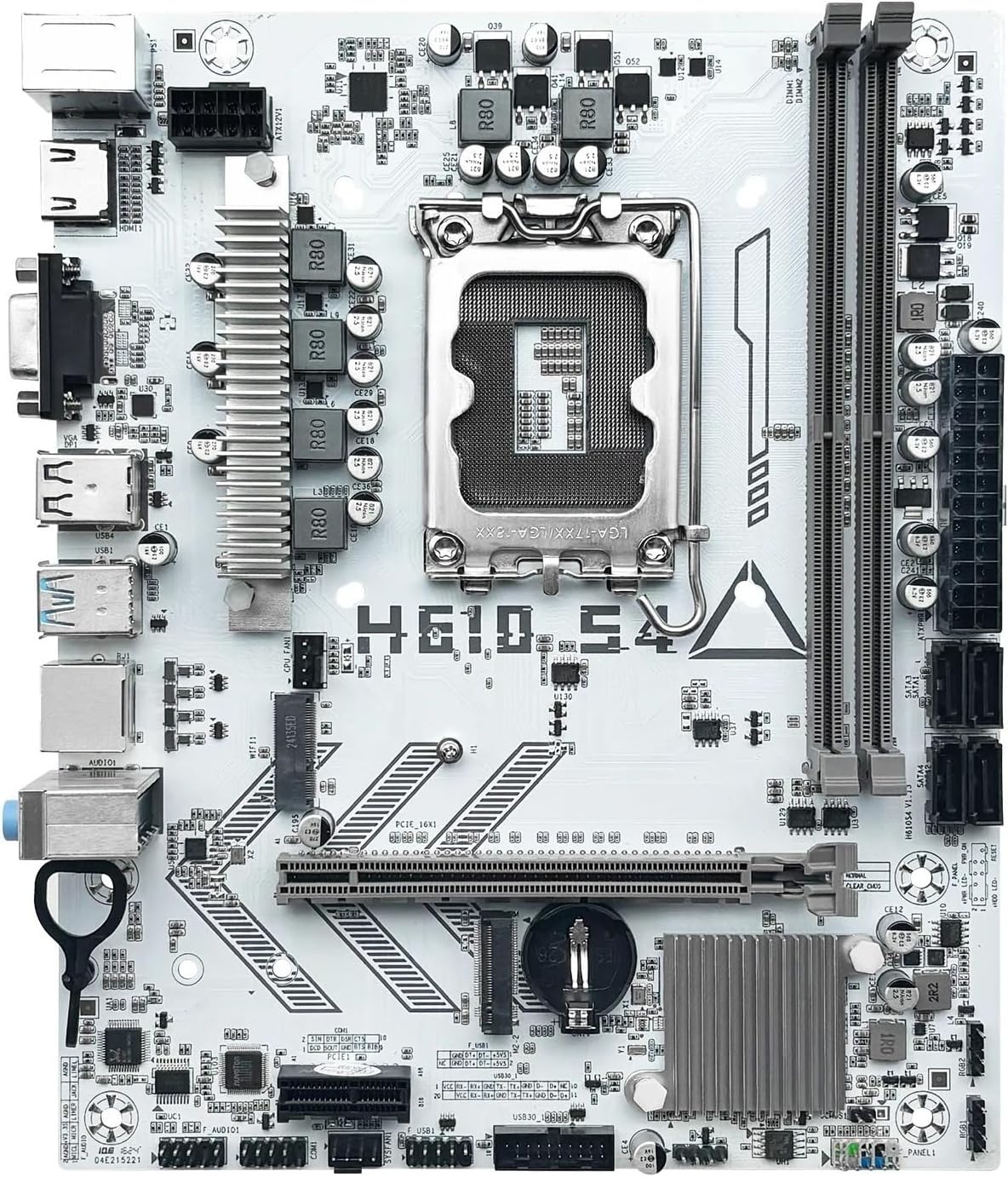
شکل 2: پایview of the LOKLNEYK H610 S4 Motherboard, showing the general layout of components.
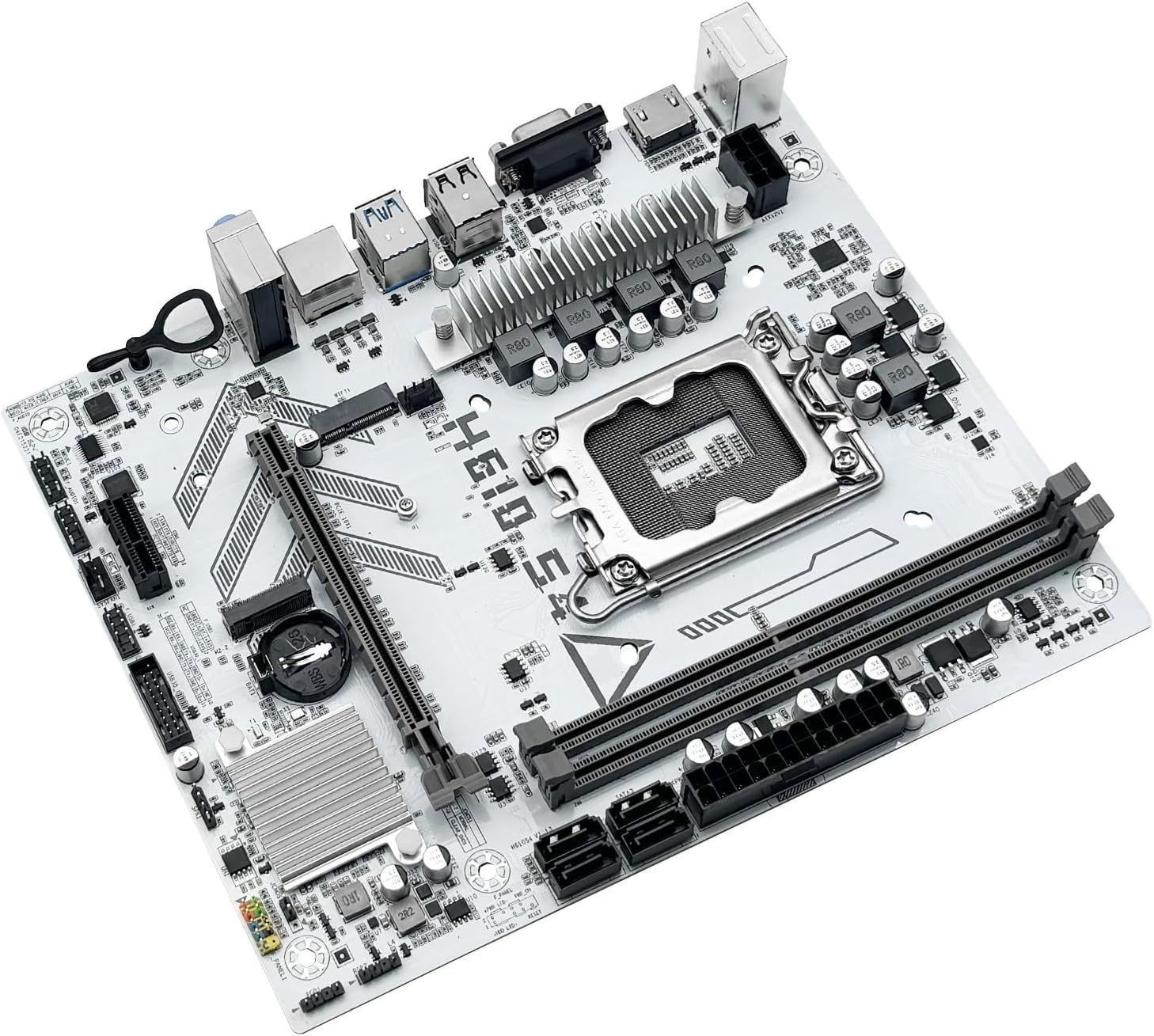
Figure 3: Rear I/O panel connectors and typical accessories like the I/O shield and SATA cables.
3. عملیاتي لارښوونې
۳. لومړی بوټ
After completing all hardware installations, connect your monitor, keyboard, and mouse. Power on your system. The system should display the BIOS/UEFI splash screen. If not, check all power connections and component seating.
۳.۱. د BIOS/UEFI ترتیب
د BIOS/UEFI تنظیم کولو اسانتیا ته د ننوتلو لپاره، فشار ورکړئ DEL or F2 key during the initial boot sequence. Here you can configure:
- Boot order for your operating system drive.
- د نیټې او وخت تنظیمات.
- Memory profiles (e.g., XMP for DDR4).
- Fan speed controls.
- SATA mode (AHCI/RAID).
3.3. د ډرایور نصب کول
After installing your operating system, it is crucial to install the latest drivers for your motherboard components. These include:
- Chipset drivers
- LAN (Ethernet) drivers
- آډیو چلوونکي
- Graphics drivers (for integrated graphics or discrete GPU)
Drivers can typically be found on the LOKLNEYK official website or on the provided driver media.
4. ساتنه
4.1. پاکول
Regular cleaning helps maintain optimal performance and extends the lifespan of your motherboard. Use compressed air to remove dust from heatsinks, fans, and other components. Ensure the system is powered off and unplugged before cleaning.
۴.۲. د BIOS/UEFI تازه معلومات
Periodically check the LOKLNEYK website for updated BIOS/UEFI versions. Updates can provide improved compatibility, stability, and new features. Follow the specific instructions provided by LOKLNEYK for updating the BIOS/UEFI to avoid system damage.
5. ستونزه حل کول
دا برخه د هغو عامو ستونزو حلونه وړاندې کوي چې تاسو ورسره مخ کیدی شئ.
۶. عامې ستونزې او حل لارې
- ځواک نشته:
- وګورئ چې ایا د بریښنا رسولو په سمه توګه د مور بورډ سره وصل دی (24-pin ATX او 8-pin CPU).
- ډاډ ترلاسه کړئ چې د بریښنا رسولو سویچ په 'آن' حالت کې دی.
- د مخکینۍ پینل د بریښنا تڼۍ اتصال تایید کړئ.
- نه ښودنه:
- Ensure the monitor cable is securely connected to the graphics card or motherboard (if using integrated graphics).
- د ګرافیک کارت او RAM ماډلونه بیا تنظیم کړئ.
- یوازې د یو RAM سټیک سره بوټ کولو هڅه وکړئ.
- د سیسټم بې ثباتي/خرابی:
- د CPU او GPU تودوخه وګورئ.
- ډاډ ترلاسه کړئ چې ټول چلوونکي تازه دي.
- Test RAM modules for errors.
- د بوټ وسیله ونه موندل شوه:
- Verify that your storage drive (SSD/HDD) is properly connected.
- Check BIOS/UEFI settings for correct boot order and SATA mode.
- ډاډ ترلاسه کړئ چې عملیاتي سیسټم په ډرایو کې په سمه توګه نصب شوی دی.
For more complex issues, consult the LOKLNEYK support webسایټ یا وړ تخنیکین.
6. مشخصات
Below are the technical specifications for the LOKLNEYK H610 S4 Motherboard:
| فیچر | مشخصات |
|---|---|
| د CPU ساکټ | LGA 1700 |
| Compatible CPUs | Intel Core 12th, 13th, 14th Generation i3, i5 Processors |
| چپسیټ | Intel H610 |
| د یادونې سلاټونه | 2 x DDR4 DIMM |
| د حافظې اعظمي ظرفیت | 64 جي بي |
| د ذخیره کولو انٹرفیسونه | 2 x M.2 (NVMe 2280), 4 x SATA 3.0 |
| د PCIe سلاټونه | 1 x PCIe 4.0 x16, 1 x PCIe x1 |
| LAN | 1 x RJ45 ګیګابیت ایترنیټ |
| USB بندرونه | USB 3.0, USB 3.1 Gen1, USB 2.0 (Front & Rear) |
| د ویډیو محصولات | HDMI ، VGA |
| آډیو | آن بورډ آډیو |
| د فارم فکتور | کمپیکٹ (۲۱۶ ملي متره x ۱۹۰ ملي متره) |

Figure 4: LOKLNEYK H610 S4 Motherboard showing its physical dimensions.
7. تضمین او ملاتړ
7.1. د تضمین معلومات
Please refer to the warranty card included with your product or visit the official LOKLNEYK webد تضمین د مفصلو شرایطو او شرایطو لپاره سایټ. د تضمین ادعاوو لپاره د پیرود ثبوت وساتئ.
7.2. تخنیکي ملاتړ
If you encounter any issues that cannot be resolved using this manual, please visit the LOKLNEYK support webد FAQs، د موټر چلوونکي ډاونلوډونو، او د تخنیکي مرستې لپاره د اړیکو معلوماتو لپاره سایټ.