
1. محصول ختم شوview
The VENTION 6-in-1 USB C Docking Station is a versatile adapter designed to expand the connectivity of your USB-C enabled laptop or device. It integrates multiple essential ports into a single, compact unit, making it ideal for mobile professionals and streamlined workstations.

Figure 1: VENTION 6-in-1 USB C Docking Station with various connected devices.
کلیدي ځانګړتیاوې:
- 4K HDMI محصول: Connect to external displays for high-resolution video output.
- د ۱۰۰ واټ برېښنا رسولو (PD): Charge your host device while using the hub.
- د USB 3.0 ډیټا لیږد: Two USB-A ports for high-speed peripheral connections.
- د SD/TF کارت لوستونکي: Direct access to photos and fileد میموري کارتونو څخه.
- دوامدار ډیزاین: Constructed with an aluminum body for effective heat dissipation and portability.

شکل 2: مفصل view of the VENTION 6-in-1 USB C Docking Station ports.
۴. د تنظیم لارښوونې
2.1 د بسته محتويات
مخکې له دې چې تاسو پیل کړئ، ډاډ ترلاسه کړئ چې ټول توکي شتون لري:
- VENTION 6-in-1 USB C Docking Station (Model THJHB)
- Integrated USB-C Host Cable
۲.۳ د ډاکینګ سټیشن سره نښلول
- Connect the integrated USB-C host cable from the docking station to a compatible USB-C port on your laptop or device. Ensure your device's USB-C port supports DisplayPort Alternate Mode (DP Alt Mode) for video output and Power Delivery for charging.
- For Power Delivery (PD) charging, connect your laptop's original USB-C power adapter to the USB-C PD IN port on the docking station. This allows the hub to pass power through to your host device while providing power to connected peripherals.
- The docking station is plug-and-play and typically does not require driver installation for basic functionality.

Figure 3: Connecting the docking station for 100W Power Delivery.
2.3 مطابقت
The VENTION 6-in-1 USB C Docking Station is widely compatible with various operating systems and devices:
- عملیاتي سیسټمونه: Windows, Mac OS, iPad OS, Chrome OS, Android.
- مطابقت لرونکي وسایل: MacBook Air, MacBook Pro, iMac, Mac mini, iPad Pro, iPad Air, iPad, iPad mini, Galaxy Tab, Surface Pro, Samsung S22/S21, OnePlus 11, Steam Deck, and other USB-C devices that support DP Alt Mode.
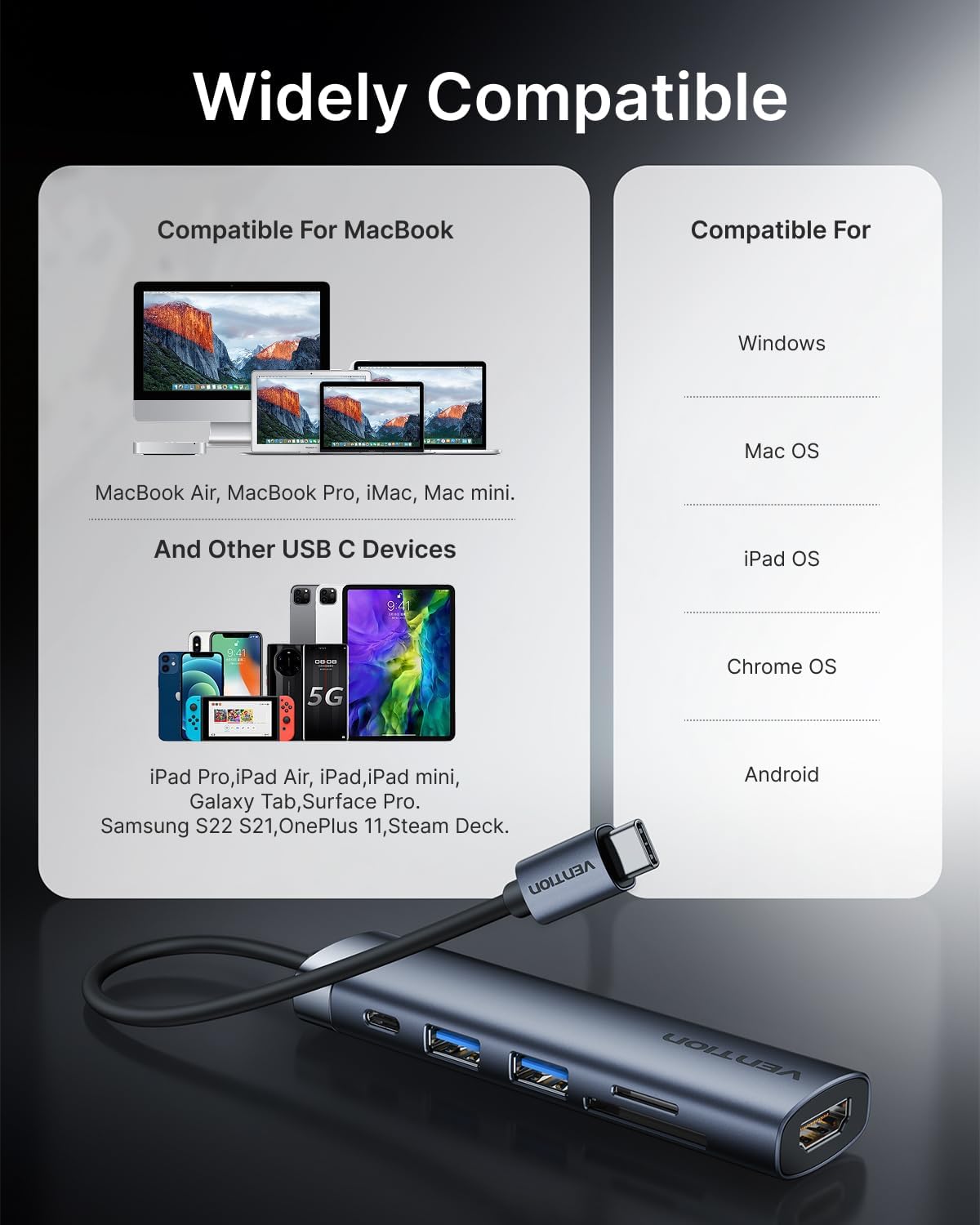
شکل ۳: مطابقت ختم شوview for the docking station.
مهم: For full functionality, especially video output and Power Delivery, ensure your host device's USB-C port supports DisplayPort Alternate Mode (DP Alt Mode) and Power Delivery. Refer to your device's specifications or user manual.
۶. د ډاکینګ سټیشن چلول
۴.۱ د HDMI ویډیو محصول
Connect an HDMI cable from the docking station's HDMI port to your external monitor, TV, or projector. The hub supports resolutions up to 4K at 30Hz.
- د عکس حالت: Duplicate your laptop's screen on the external display.
- د تمدید حالت: Extend your desktop across multiple screens for increased workspace.
Adjust display settings through your operating system's display preferences.
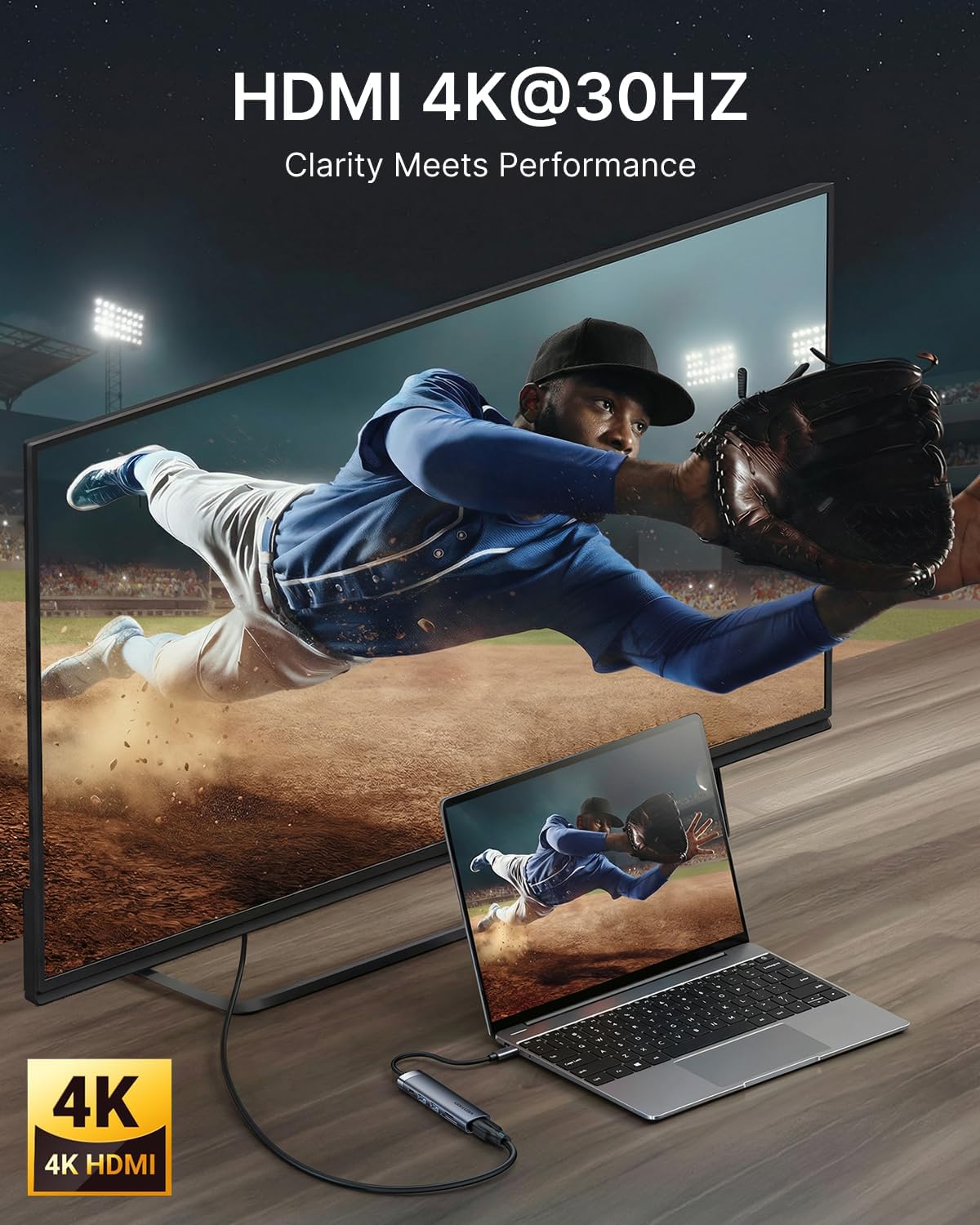
شکل ۴.۱: د ۴K HDMI آوټ پټ اتصال.
۴.۲ د USB ډیټا لیږد
The docking station features two USB 3.0 ports, offering data transfer speeds up to 5Gbps. These ports are suitable for connecting a variety of USB peripherals:
- بهرني هارډ ډرایو
- د USB فلش ډرایو
- کیبورډونه او موږکان
- Printers and other USB-enabled accessories

شکل ۴.۴: د لوړ سرعت معلوماتو لیږد لپاره د USB ۳.۰ پورټونه.
۴.۵ SD/TF کارت لوستونکی
Insert your SD or microSD (TF) card into the corresponding slot for quick access to your media files. The card readers support various card types and offer fast data transfer speeds (up to 104MB/s).

Figure 7: Using the integrated SD and TF card readers.
4. ساتنه
4.1 پاکول
To maintain optimal performance and appearance, clean the docking station regularly:
- Disconnect the device from all power sources and host devices before cleaning.
- د بهرنۍ برخې د پاکولو لپاره نرم، وچ، له لینټ څخه پاک ټوکر وکاروئ.
- د سختو کیمیاوي موادو، خړوبونکو پاکوونکو، یا محلولونو کارولو څخه ډډه وکړئ، ځکه چې دا کولی شي پای ته زیان ورسوي.
- For ports, use compressed air to gently remove dust and debris.
4.2 ذخیره کول او سمبالول
Proper storage and handling will extend the life of your docking station:
- وسیله په یخ او وچ ځای کې د مستقیم لمر وړانګو او سختې تودوخې څخه لرې وساتئ.
- د مدغم شوي USB-C کیبل د ډیر خم کولو یا تاوولو څخه ډډه وکړئ.
- The aluminum body is designed for heat dissipation; ensure adequate airflow around the device during operation.
5. ستونزه حل کول
If you encounter issues with your VENTION 6-in-1 USB C Docking Station, refer to the following common problems and solutions:
۵.۱ په بهرني مانیټر کې هیڅ ښودنه نشته
- د کیبل پیوستون چیک کړئ: Ensure the HDMI cable is securely connected to both the docking station and the monitor.
- د USB-C پورټ تایید کړئ: Confirm that your laptop's USB-C port supports DisplayPort Alternate Mode (DP Alt Mode). Not all USB-C ports support video output.
- د څارنې ننوت: Select the correct HDMI input source on your monitor.
- د حل ترتیبات: Try lowering the display resolution on your laptop to see if the monitor detects the signal.
- وسیلې بیا پیل کړئ: Disconnect and reconnect the docking station, then restart your laptop and monitor.
۵.۲ USB وسایل نه پیژندل شوي
- بیا اړیکه نیول: Unplug and re-plug the USB device into the docking station.
- بل پورټ ازموینه وکړئ: Try connecting the USB device to a different USB port on the docking station or directly to your laptop.
- د بریښنا رسول: If using power-hungry USB devices (e.g., external hard drives), ensure your laptop's power adapter is connected to the docking station's USB-C PD IN port.
- د موټر چلوونکي تازه معلومات: Ensure your laptop's USB-C drivers are up to date.
۵.۲ د معلوماتو د لیږد ورو سرعت
- د USB 3.0 مطابقت: Ensure both the connected device and your laptop's USB-C port support USB 3.0 or higher for optimal speeds.
- لاسوهنه: Avoid placing the docking station near sources of electromagnetic interference.
5.4 Charging Issues (PD)
- د بریښنا اډاپټر: Use your laptop's original power adapter or a certified USB-C PD charger with sufficient wattage (up to 100W supported).
- د USB-C پورټ: Confirm your laptop's USB-C port supports Power Delivery.
- د کابل کیفیت: Ensure the USB-C cable connecting your power adapter to the hub is rated for Power Delivery.
6. مشخصات
| فیچر | تفصیل |
|---|---|
| د محصول ابعاد | 4.34 x 1.12 x 0.59 انچه |
| د توکي وزن | 2.08 اونس |
| د توکي ماډل شمیره | THJHB |
| برانډ | وینشن |
| رنګ | خړ |
| د معلوماتو د لیږد کچه | په ثانیه کې ۵ ګیګابایټونه (USB ۳.۰) |
| مواد | المونیم |
| ځانګړي ځانګړتیاوې | Fast Data Transfer, Lightweight, Pass Through Charge, Plug and Play, Portable |
| د HDMI محصول | 4K@30Hz |
| د USB-C PD داخلول | تر 100W پورې |
| د کارت لوستونکی | SD, MicroSD (TF) |
7. تضمین او ملاتړ
For warranty information or technical support, please refer to the documentation included with your purchase or visit the official VENTION website. Contact details for customer service can typically be found on the product packaging or the manufacturer's support page.