
LIGE EF12
د LIGE EF12 سمارټ واچ کارونکي لارښود
موډل: EF12
1. پیژندنه
This manual provides detailed instructions for the setup, operation, and maintenance of your LIGE EF12 Smart Watch. Please read this manual thoroughly before using the device to ensure proper function and to maximize your user experience. Keep this manual for future reference.
2. د بسته محتويات
ډاډ ترلاسه کړئ چې ټول توکي په کڅوړه کې شتون لري:
- LIGE EF12 Smart Watch (1 unit)
- د چارج کولو کیبل (۱ واحد)
- د کارونکي لارښود (1 واحد)
- د پټې تنظیم کوونکی (۱ واحد)
- Straps (3 units): 1 Steel strap, 2 Silicone straps
3. محصول ختم شوview
The LIGE EF12 Smart Watch is designed for daily wear and fitness tracking, featuring a 1.75-inch HD display, Bluetooth 5.2 calling, and a 1000mAh battery. It includes health monitoring functions, multiple sports modes, and a built-in LED flashlight.

انځور 3.1: مخکی view of the LIGE EF12 Smart Watch, showcasing its round display, metal casing, and integrated flashlight. The screen displays time, date, steps, calories, heart rate, and weather information.
کلیدي ځانګړتیاوې:
- ښکاره کول: 1.75" HD Touchscreen (360x360 resolution)
- ارتباط: Bluetooth 5.2 for calls and notifications
- بیټرۍ: 1000mAh, providing 10-15 days of typical use
- روغتیا څارنه: Heart Rate, SpO2, Sleep Tracking, Breath Monitor
- د فټنس تعقیب: 120+ Sports Modes, Activity Tracker (steps, calories, distance)
- ځانګړي ځانګړتیاوې: Built-in LED Flashlight (3 modes), Custom Watch Faces, Music Control, Camera Control, Weather Forecast, Alarm Clock, Sedentary Alerts, Hydration Reminders, Voice Control
- د اوبو مقاومت: IP68
- مطابقت: Android 5.1+ او iOS 9.0+
4. ترتیب کول
۲.۲ د سمارټ واچ چارج کول
Before first use, fully charge your smart watch. Connect the magnetic charging cable to the charging contacts on the back of the watch and plug the USB end into a standard USB power adapter (not included) or a computer USB port. A full charge typically takes approximately 2.5 hours.

انځور 4.1: Illustration highlighting the 1000mAh battery capacity of the LIGE EF12 Smart Watch, indicating longer battery life and faster charging compared to other models.
۳.۳ د اپلیکیشن نصب او جوړه کول
- اپلیکیشن ډاونلوډ کړئ: Scan the QR code in the user manual or search for the companion app (e.g., "GloryFit" or similar, typically mentioned in the physical manual) in your smartphone's app store (Google Play Store for Android, Apple App Store for iOS).
- نصب او راجستر کړئ: اپلیکیشن نصب کړئ او د حساب جوړولو یا ننوتلو لپاره په سکرین کې لارښوونې تعقیب کړئ.
- بلوتوث فعال کړئ: ډاډ ترلاسه کړئ چې ستاسو په سمارټ فون کې بلوتوټ فعال دی.
- ساعت جوړه کړئ: Open the app, navigate to the device section, and search for your LIGE EF12 Smart Watch. Select the watch from the list to initiate pairing. Confirm the pairing request on both your phone and the watch if prompted.
یوځل چې جوړه شي، ساعت به ستاسو د تلیفون سره معلومات همغږي کړي، په شمول د وخت، نیټې او خبرتیاو.
4.3 Strap Installation and Adjustment
The LIGE EF12 Smart Watch comes with three interchangeable straps. To attach a strap, align the spring bar with the lug holes on the watch body and slide it into place. Use the provided strap adjuster for the steel strap to remove or add links for a comfortable fit.

انځور 4.2: The LIGE EF12 Smart Watch packaging, showing the watch, charging cable, user manual, strap adjuster, and the three included straps (steel and two silicone).
5. عملیاتي لارښوونې
5.1 بنسټیز نیویګیشن
- ټچ سکرین: Swipe left/right to navigate between main screens (e.g., activity data, heart rate, weather). Swipe up/down to access quick settings or notifications.
- د غاړې تڼۍ: The watch typically has two side buttons. One usually serves as a power/home button, while the other may be a shortcut to sports modes or other functions. Refer to the specific button functions in the app or physical manual.
- د ویښیدو سکرین: د سکرین د راویښولو لپاره خپل لاس پورته کړئ یا د غاړې تڼۍ فشار ورکړئ.
۴.۳ بلوتوث زنګ وهل او خبرتیاوې
Once paired via Bluetooth, you can manage calls and receive notifications directly on your watch.
- زنګونه کول / ځواب ورکول: Tap the phone icon on the watch screen to access the dial pad or recent calls. When an incoming call arrives, you can answer or reject it from the watch.
- خبرتیاوې: Ensure app notifications are enabled in your phone's settings and the companion app. Swipe down on the watch face to view recent notifications from apps like WhatsApp, Twitter, Facebook, and Instagرام.
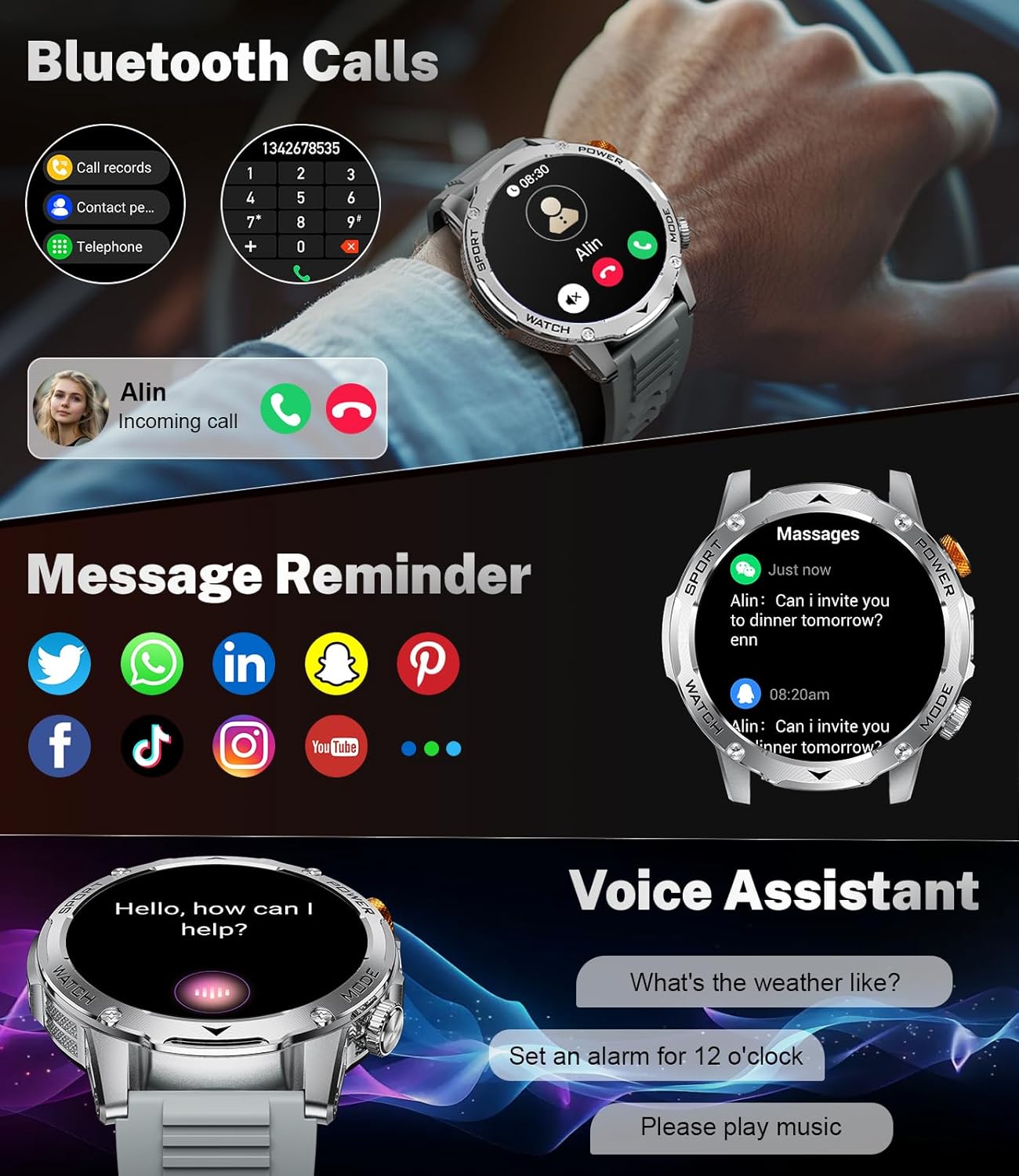
انځور 5.1: The LIGE EF12 Smart Watch displaying an incoming call and various app icons for message reminders, including WhatsApp, Twitter, Facebook, and Instagرام.
۴.۲ جوړ شوی LED فلش لائټ
The watch features an integrated LED flashlight with three modes:
- قوي رڼا: Provides continuous illumination.
- فلش کول: Emits a blinking light.
- SOS: Transmits an SOS signal.
To activate, typically a long press on a designated side button or a specific gesture on the screen will toggle the flashlight modes. Refer to your physical manual for the exact activation method.

انځور 5.2: The LIGE EF12 Smart Watch screen, emphasizing its 1.75-inch HD display and illustrating the three flashlight modes: Constant-On, Warning (Flashing), and SOS, shown in different outdoor scenarios.
۲.۴ د څار مخونو تنظیمول
The watch supports over 150 watch faces and allows for custom photo uploads. Access watch face settings through the companion app or by long-pressing the watch face on the device itself. You can switch styles to match your preference.
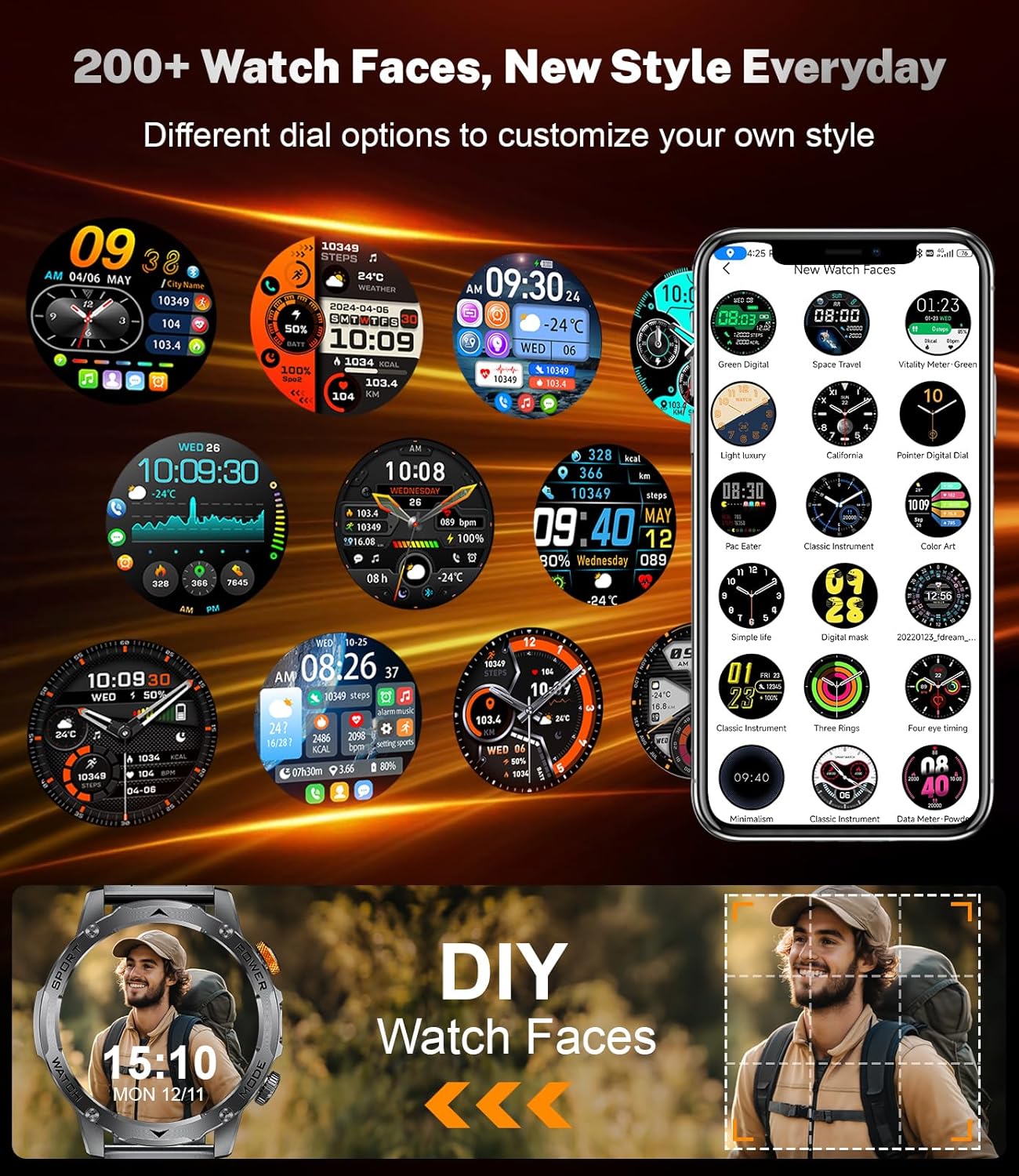
انځور 5.3: A collage of different watch faces available for the LIGE EF12 Smart Watch, along with an illustration of how users can create their own custom watch faces using personal photos.
5.5 Health and Wellness Tracking
The LIGE EF12 Smart Watch continuously monitors several health metrics:
- د زړه ضربان: د زړه د ضربان ریښتیني وخت څارنه. View په اپلیکیشن کې تاریخي معلومات.
- SpO2 (د وینې اکسیجن): د وینې اکسیجن کچه اندازه کوي.
- د خوب څارنه: د خوب تعقیبويtages (ژور، رڼا، REM) او د خوب کیفیت په اړه بصیرت وړاندې کوي.
- Breath Monitor: Guides breathing exercises to help reduce stress.
د دقیق لوستلو لپاره، ډاډ ترلاسه کړئ چې ساعت ستاسو په لاس کې په کلکه اغوستل شوی، د لاس د هډوکي څخه شاوخوا د یوې ګوتې په پلنوالي کې.
۳.۴ د سپورت حالتونه او د فعالیت تعقیب
The watch supports over 120 sports modes to track your workouts. It records calories burned, steps taken, and distance covered.
- د سپورت حالتونو ته لاسرسی: Navigate to the sports mode section on the watch or via a dedicated button. Select your desired activity to start tracking.
- د فعالیت معلومات: View real-time data during your workout and detailed summaries in the companion app after completion.

انځور 5.4: An image showing the LIGE EF12 Smart Watch interface for sports modes, displaying metrics like calories, steps, and distance, along with icons representing various activities such as running, cycling, and hiking.
5.7 Other Smart Tools
- د موسیقۍ کنټرول: په خپل سمارټ فون کې د موسیقۍ غږول کنټرول کړئ (غږول، بندول، ټریکونه پریښودل).
- د کیمرې کنټرول: د خپل تلیفون کیمرې لپاره ساعت د ریموټ شټر په توګه وکاروئ.
- د هوا وړاندوینه: View current weather and forecasts (requires app synchronization).
- د الارم ساعت: د اپلیکیشن له لارې یا مستقیم په ساعت کې الارمونه تنظیم کړئ.
- Sedentary Alerts: د غیر فعالیت مودې وروسته د حرکت کولو لپاره یادونې ترلاسه کړئ.
- د هایدریشن یادونې: د اوبو څښلو لپاره یادونې تنظیم کړئ.
- د غږ همکار: Interact with your phone's voice assistant (e.g., "What's the weather like?").

انځور 5.5: The LIGE EF12 Smart Watch displaying various multi-functional features including music control, flashlight, camera control, weather, alarm clock, and drink reminders.
6. ساتنه
6.1 پاکول
Regularly clean your smart watch and straps to prevent skin irritation and maintain functionality.
- Wipe the watch screen and body with a soft, lint-free cloth. If necessary, slightly dampد اوبو سره ټوکر.
- For silicone straps, wash with mild soap and water, then rinse thoroughly and dry.
- For steel straps, use a soft brush to clean crevices and wipe with a dry cloth. Avoid harsh chemicals.
۶.۱ د اوبو مقاومت (IP68)
The LIGE EF12 Smart Watch is IP68 rated, meaning it is resistant to dust and can withstand immersion in water up to 1.5 meters for up to 30 minutes. It is suitable for daily use, such as hand washing, rain, and shallow swimming. However, it is not recommended for hot showers, saunas, or diving, as steam and high water pressure can compromise the seals.
6.3 د بیټرۍ پاملرنه
- د بیټرۍ په مکرر ډول د بشپړ چارج کولو څخه ډډه وکړئ.
- ساعت د ورکړل شوي کیبل او یو مناسب بریښنا اډاپټر په کارولو سره چارج کړئ.
- ساعت په یخ او وچ ځای کې وساتئ کله چې د اوږدې مودې لپاره نه کارول کیږي.
7. ستونزه حل کول
| ستونزه | احتمالي حل |
|---|---|
| ساعت نه چالانېږي. | ډاډ ترلاسه کړئ چې ساعت په بشپړه توګه چارج شوی دی. لږترلږه د 30 دقیقو لپاره چارجر سره وصل شئ. |
| د سمارټ فون سره جوړه نشي کیدی. |
|
| خبرتیاوې نه ترلاسه کیږي. |
|
| د روغتیا په اړه ناسم معلومات. |
|
| بیټرۍ په چټکۍ سره وچیږي. |
|
8. مشخصات
| فیچر | تفصیل |
|---|---|
| د ماډل شمیره | EF12-G |
| د محصول ابعاد | 2.36 x 0.79 x 1.18 انچه |
| د توکي وزن | 10.8 اونس |
| د سکرین اندازه | ۷۸۷ انچه |
| قرارداد | 360x360 |
| د بیټرۍ ظرفیت | 1000 ملیونهamp ساعتونه (لیتیم پولیمر) |
| ارتباط | بلوتوث 5.2 |
| د عملیاتي سیسټم مطابقت | Android 5.1+، iOS 9.0+ |
| د اوبو د مقاومت درجه | IP68 |
| د حافظې د ذخیره کولو ظرفیت | 128 MB |
| ځانګړي ځانګړتیاوې | LED Light, Activity Tracker, Breath Monitor, Distance Tracker, Heart Rate Monitor, Calorie Counter, Multisport Tracker, Music Player, Sleep Monitor, Phone Call, Touchscreen, Voice Control, Alarm Clock, Weather Forecast, Stress Monitor, Stopwatch, Timer, Calculator, Phone Finder |
9. تضمین او ملاتړ
For warranty information and customer support, please refer to the documentation included with your purchase or contact the manufacturer directly. Our dedicated support team aims to reply to inquiries within 24 hours.
For further assistance, visit the official LIGE webسایټ یا د دوی پیرودونکي خدمت سره اړیکه ونیسئ.
Ask a question about this manual
Ask about setup, troubleshooting, compatibility, parts, safety, or missing instructions. Manuals+ will review the question and use this page’s manual context to help answer it.