
پیژندنه
د پیرودلو لپاره مننهasing the Hisense 43A69Q 4K UHD Smart VIDAA TV. This manual provides essential information for setting up, operating, and maintaining your television. Please read it thoroughly before using the product to ensure safe and correct operation. Keep this manual for future reference.
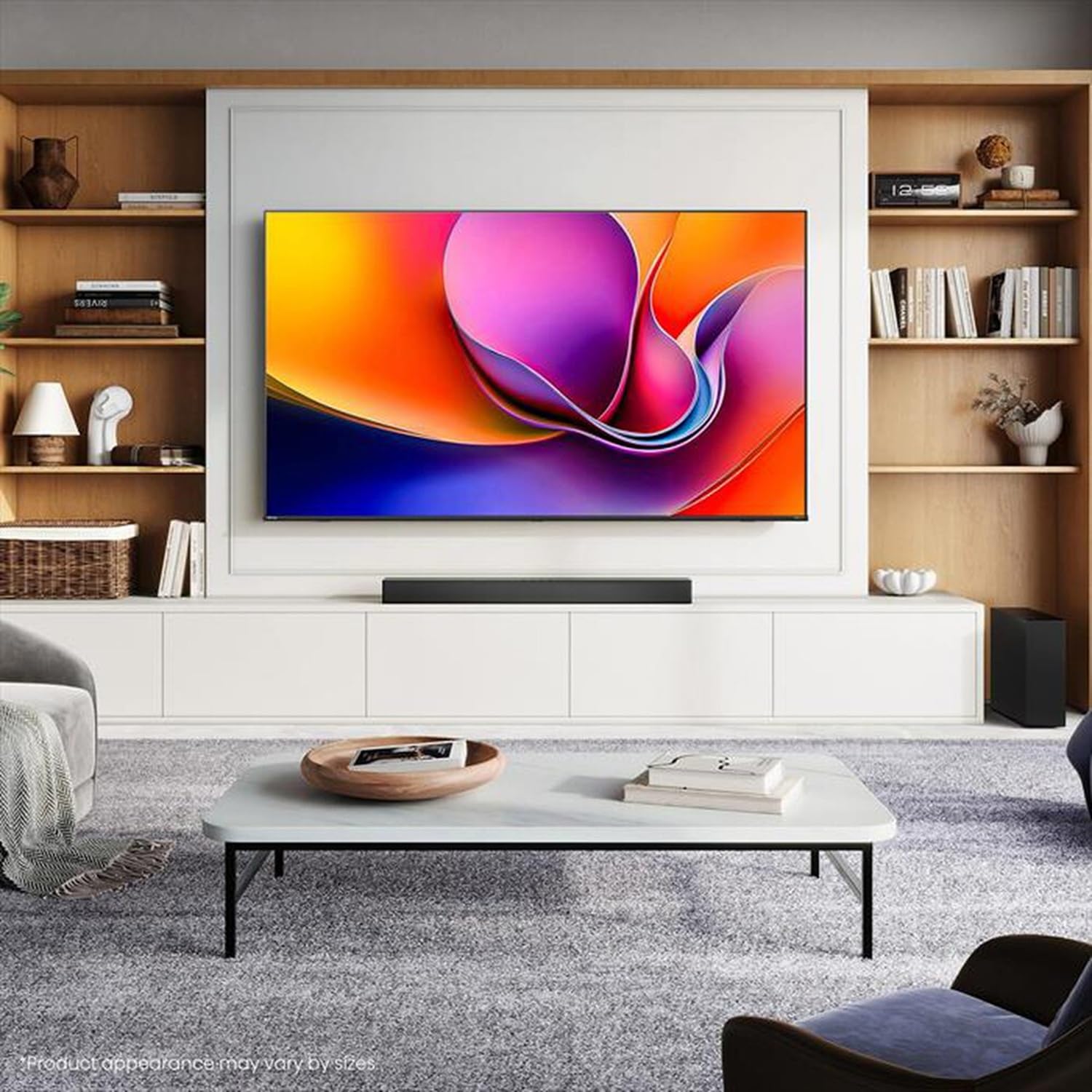
Image: Hisense 43A69Q 4K UHD Smart VIDAA TV. This image shows the television from the front, highlighting its slim bezel design and display.
د خوندیتوب معلومات
تل د خپل تلویزیون کارولو پر مهال د خوندیتوب دا اساسي احتیاطي تدابیر تعقیب کړئ:
- تلویزیون باران یا رطوبت ته مه ښکاره کوئ.
- د تلویزیون کابینه مه پرانیزئ. ټولې خدمات وړ پرسونل ته واستوئ.
- د تلویزیون شاوخوا مناسب هوا ورکول ډاډمن کړئ. د هوا د بهیدو لارې مه بندوئ.
- د بریښنا تار د چلولو یا پنچ کیدو څخه خوندي کړئ.
- د برېښنا د طوفانونو پر مهال یا کله چې د اوږدې مودې لپاره نه کارول کیږي، تلویزیون خلاص کړئ.
- Keep the TV away from heat sources like radiators, heat registers, stoves, or other heat-producing appliances.
په بکس کې څه دي
ډاډ ترلاسه کړئ چې ټولې برخې شتون لري:
- Hisense 43A69Q 4K UHD Smart VIDAA TV
- د بیټرۍ سره ریموټ کنټرول
- د بریښنا تار
- د تلویزیون سټینډ اجزا (دوه پښې)
- د سټینډ نصبولو لپاره پیچونه
- د چټک تنظیم کولو لارښود
- د کارونکي لارښود (دا لاسوند)
چمتو کول
1. خلاصول
Carefully remove the TV from its packaging. It is recommended that two people handle the TV to prevent damage or injury. Retain the packaging materials for future transport or servicing.
2. د سټینډ نصب کول
که تاسو تلویزیون په دیوال نه نصب کوئ، سټینډ ضمیمه کړئ:
- د سکرین د زیان مخنیوي لپاره تلویزیون په نرم او پاک سطح باندې مخامخ کیږدئ.
- د تلویزیون په ښکته برخه کې د هر سټینډ پښه د اړوندو سلاټونو سره سم کړئ.
- هره پښه د ورکړل شویو پیچونو سره خوندي کړئ. ډاډ ترلاسه کړئ چې دوی په کلکه ټینګ شوي دي.
- تلویزیون په احتیاط سره په یوه مستحکم، هموار سطحه کې مستقیم موقعیت ته پورته کړئ.
۳. دیوال نصب کول (اختیاري)
The Hisense 43A69Q is compatible with VESA standard wall mounts (200x300 mm). Wall mount kits are sold separately. Follow the instructions provided with your wall mount kit and ensure professional installation if you are unsure.
4. د بهرنیو وسایلو نښلول
خپل وسایل د تلویزیون پورټونو سره وصل کړئ:
- HDMI: Connect Blu-ray players, game consoles, or set-top boxes to the HDMI ports (HDMI1, HDMI2, HDMI3). This model features HDMI 2.1 with ALLM and VRR (60Hz) support on all ports, and eARC on HDMI3.
- USB: Plug in USB drives for media playback (2 USB 2.0 ports).
- انتن/کیبل: Connect your antenna or cable TV signal to the RF tuner input.
- ایترنیټ: د یو باثباته تار لرونکي انټرنیټ اتصال لپاره، د ایترنیټ کیبل د RJ45 پورټ سره وصل کړئ.
- آډیو بهر: Use the S/PDIF optical output for digital audio to a soundbar or receiver, or the headphone jack for private listening.
5. Power On & First-Time Setup
After connecting all devices:
- د برېښنا تار په تلویزیون کې ولګوئ او بیا د دیوال په یوه کړکۍ کې.
- په ریموټ کنټرول یا پخپله تلویزیون کې د بریښنا تڼۍ فشار ورکړئ.
- د لومړني تنظیم لپاره د سکرین پر لارښوونو تعقیب کړئ، پشمول د ژبې انتخاب، د شبکې اتصال (وای فای یا ایترنیټ)، او د چینل سکین کول.
- Log in to your VIDAA account or create a new one to access smart features.
د تلویزیون چلول
۳. د ریموټ کنټرول اوورview
Familiarize yourself with the remote control buttons for basic functions like power, volume, channel, input selection, and smart app shortcuts.
2. Navigating VIDAA Smart OS
The VIDAA Smart OS provides a user-friendly interface. Use the directional buttons and OK button on your remote to navigate menus, launch applications, and adjust settings.
۳. د سمارټ ځانګړتیاوو کارول
Access pre-installed applications like Netflix, YouTube, and Amazon Prime Video directly from the home screen. Additional apps can be downloaded from the VIDAA App Store.
4. Picture & Sound Settings
Adjust picture modes (Standard, Dynamic, Cinema, Game) and sound modes (Standard, Music, Speech) to optimize your viewing experience. Advanced settings allow fine-tuning of brightness, contrast, color, and audio equalizer.
This TV supports Dolby Vision and HDR10 for enhanced picture quality, and DTS Virtual X for immersive audio.
۳. د اتصال ځانګړتیاوې
- وای فای او بلوتوث: Connect wirelessly to your home network and Bluetooth devices like headphones or speakers.
- د سکرین شریکول: Use built-in screen sharing features (e.g., AirPlay 2 support) to mirror content from compatible mobile devices.
- د لوبې حالت پلس: For gaming, enable Game Mode PLUS to reduce input lag (≤ 20 ms) and utilize VRR (Variable Refresh Rate) for smoother gameplay.
ساتنه
۱. د تلویزیون پاکول
د سکرین پاکولو لپاره، په نرمۍ سره یې د نرم، لینټ نه پاک ټوکر سره پاک کړئ. د سختو نښو لپاره، یو څه لږampen the cloth with water or a specialized screen cleaner. Never spray cleaner directly onto the screen. Clean the TV cabinet with a soft, dry cloth.
2. د سافټویر تازه معلومات
Your TV may receive software updates to improve performance and add new features. Ensure your TV is connected to the internet. You can usually check for updates in the TV's settings menu under 'System' or 'About TV'.
د ستونزو حل کول
که تاسو له ستونزو سره مخ شئ، نو دا عام حلونه هڅه وکړئ:
- ځواک نشته: وګورئ چې آیا د بریښنا تار په خوندي ډول د تلویزیون او دیوال ساکټ دواړو سره نښلول شوی دی. یو بل ساکټ هڅه وکړئ.
- انځور/غږ نشته: ډاډ ترلاسه کړئ چې د ننوتلو سمه سرچینه غوره شوې ده. ټول کیبل اتصالونه وګورئ. وصل شوي وسایل بیا پیل کړئ.
- ریموټ کنټرول کار نه کوي: بیټرۍ بدل کړئ. ډاډ ترلاسه کړئ چې د ریموټ او د تلویزیون د IR سینسر ترمنځ هیڅ خنډ شتون نلري.
- د شبکې د اتصال ستونزې: خپل روټر او موډیم بیا پیل کړئ. تلویزیون خپل وای فای شبکې سره بیا وصل کړئ یا د ایترنیټ کیبل وګورئ.
- د انځور کمزوری کیفیت: د انتن/کیبل اتصالونه وګورئ. د انځور ترتیبات تنظیم کړئ. ډاډ ترلاسه کړئ چې د سرچینې مینځپانګه لوړ کیفیت لري.
For persistent problems, consult the Hisense support webسایټ یا د پیرودونکي خدمت سره اړیکه ونیسئ.
مشخصات
| فیچر | مشخصات |
|---|---|
| برانډ | هیسینس |
| د ماډل نوم | 43A69Q |
| د سکرین اندازه | 43 انچه (108 سانتي متره) |
| قرارداد | 4K Ultra HD 3840x2160 |
| د تازه کولو نرخ | 60 Hz |
| عملیاتي سیسټم | VIDAA سمارټ OS |
| د HDR ټیکنالوژي | HDR, HDR10, HDR10+ decoding, Dolby Vision, HLG |
| آډیو ټیکنالوژي | DTS Virtual X (2x7W speakers) |
| د HDMI بندرونه | 3 (HDMI 2.1 with ALLM, VRR (60Hz); HDMI3 also with eARC) |
| USB بندرونه | 2 (USB 2.0) |
| ارتباط | Wi-Fi (IEEE 802.11 a/b/g/n/ac-2.4G,5G), Bluetooth, Ethernet |
| د VESA مطابقت | 200x300 mm |
| د انرژۍ موثریت طبقه (SDR/HDR) | E / G |
| ابعاد (د موقف سره) | 963 ملي متر (W) x 608 ملي متر (H) x 222 ملي م م (D) |
| خالص وزن (د موقف سره) | 6.9 کیلو ګرامه |
تضمین او ملاتړ
Hisense products are covered by a manufacturer's warranty. Please refer to the warranty card included with your product or visit the official Hisense webستاسو د سیمې لپاره ځانګړي د تضمین تفصيلي شرایطو او شرایطو لپاره سایټ.
د تخنیکي ملاتړ، د ستونزو حل کولو مرستې، یا د خدماتو غوښتنو لپاره، مهرباني وکړئ د دوی د رسمي له لارې د های سینس پیرودونکي ملاتړ سره اړیکه ونیسئ. webسایټ یا ستاسو د محصول اسنادو کې چمتو شوي د اړیکو معلومات.