
1. پیژندنه
Welcome to the OUKITEL C59 Pro user manual. This guide provides detailed instructions on how to set up, operate, maintain, and troubleshoot your new Android 15 smartphone. Please read this manual thoroughly to ensure optimal performance and longevity of your device.
2. د خوندیتوب معلومات
To prevent injury to yourself or others, or damage to your device, read all safety information before using the device. Keep this manual for future reference.
- وسیله د سختې تودوخې، مستقیم لمر وړانګو، یا لوړې رطوبت سره مه مخ کوئ.
- Use only OUKITEL-approved chargers, batteries, and accessories.
- د وسیلې د غورځولو یا سخت تاثیر څخه ډډه وکړئ.
- وسیله پخپله مه جلا کوئ، ترمیم یې مه کوئ یا ترمیم یې مه کوئ.
- Maintain a safe distance from medical devices to avoid interference.
- وسیله او د هغې اجزا په مسؤلیت سره د ځایی مقرراتو سره سم تصفیه کړئ.
3. د بسته محتويات
ډاډ ترلاسه کړئ چې ټول توکي ستاسو د محصول په بکس کې شتون لري:
- OUKITEL C59 Pro سمارټ فون
- د تلیفون قضیه
- USB کیبل (Type-C)
- د سیم Ejector وسیله
- د بریښنا اډاپټر
4. وسیله ختمه شوهview
Familiarize yourself with the physical features and components of your OUKITEL C59 Pro smartphone.

انځور: عمومي view د OUKITEL C59 Pro سمارټ فون، showcasinد هغې ښکلی ډیزاین او د شا کیمرې ماډل.
۴.۱ فزیکي تڼۍ او بندرونه
- د بریښنا تڼۍ: Located on the side, used to power on/off the device or wake/sleep the screen. Integrates fingerprint recognition.
- د حجم تڼۍ: Located on the side, used to adjust media volume and ringtone volume.
- د USB ډول-C پورټ: په ښکته برخه کې موقعیت لري، د چارج کولو او معلوماتو لیږد لپاره کارول کیږي.
- د سیم/مایکرو ایس ډی کارت سلاټ: Located on the side, for inserting Nano SIM cards and a MicroSD card.
- 110lm LED Flashlight: An exclusive physical flashlight located at the top of the device, activated by a dedicated button.
4.2 ښکاره کول
The OUKITEL C59 Pro features a large 6.88-inch HD+ display with a 90Hz refresh rate and 450 nits brightness, providing a clear and smooth visual experience.

Image: The OUKITEL C59 Pro's 6.88-inch HD+ display, highlighting its size and visual clarity.
4.3 کیمرې
The device is equipped with a dual rear camera system, featuring a 13MP main camera, and a 5MP front camera for selfies and video calls.

Image: Close-up of the OUKITEL C59 Pro's rear camera module and examples of photos taken with the 13MP main camera and 5MP front camera.
4.4 فلش لائټ
The OUKITEL C59 Pro features a powerful 110 lumen LED flashlight at the top. This flashlight can be activated instantly by pressing a dedicated physical button on the side of the phone, even when the screen is locked.

Image: The OUKITEL C59 Pro's 110lm LED flashlight illuminating dark environments, demonstrating its brightness and utility in various scenarios.
5. ترتیب کول
۴.۳ د سیم او مایکرو ایس ډی کارتونو داخلول
Your OUKITEL C59 Pro supports Dual Nano SIM cards and a MicroSD card for expandable storage up to 1TB.
- د وسیلې په اړخ کې د سیم کارت ټری ومومئ.
- د سیم ایجیکټر وسیله د ټری تر څنګ په کوچني سوري کې دننه کړئ ترڅو یې خلاص کړئ.
- خپل نانو سیم کارتونه او/یا مایکرو ایس ډی کارت په ټری کې ټاکل شوي سلاټونو کې ځای په ځای کړئ، ترڅو سم لوري ته پاملرنه وکړئ.
- په نرمۍ سره ټری بیرته وسیلې ته فشار ورکړئ تر هغه چې دا ځای ته کلیک وکړي.

Image: The SIM card tray of the OUKITEL C59 Pro, showing slots for two Nano SIM cards and one MicroSD card.
5.2 د وسیلې چارج کول
Before first use, fully charge your OUKITEL C59 Pro. The device supports 18W fast charging.
- د USB ډول-سي کیبل د تلیفون په ښکته کې د چارج کولو پورټ سره وصل کړئ.
- د USB کیبل بل پای د بریښنا اډاپټر سره وصل کړئ.
- د بریښنا اډاپټر په دیوال کې ولګوئ.
- بشپړ چارج معمولا شاوخوا څلور ساعته وخت نیسي.
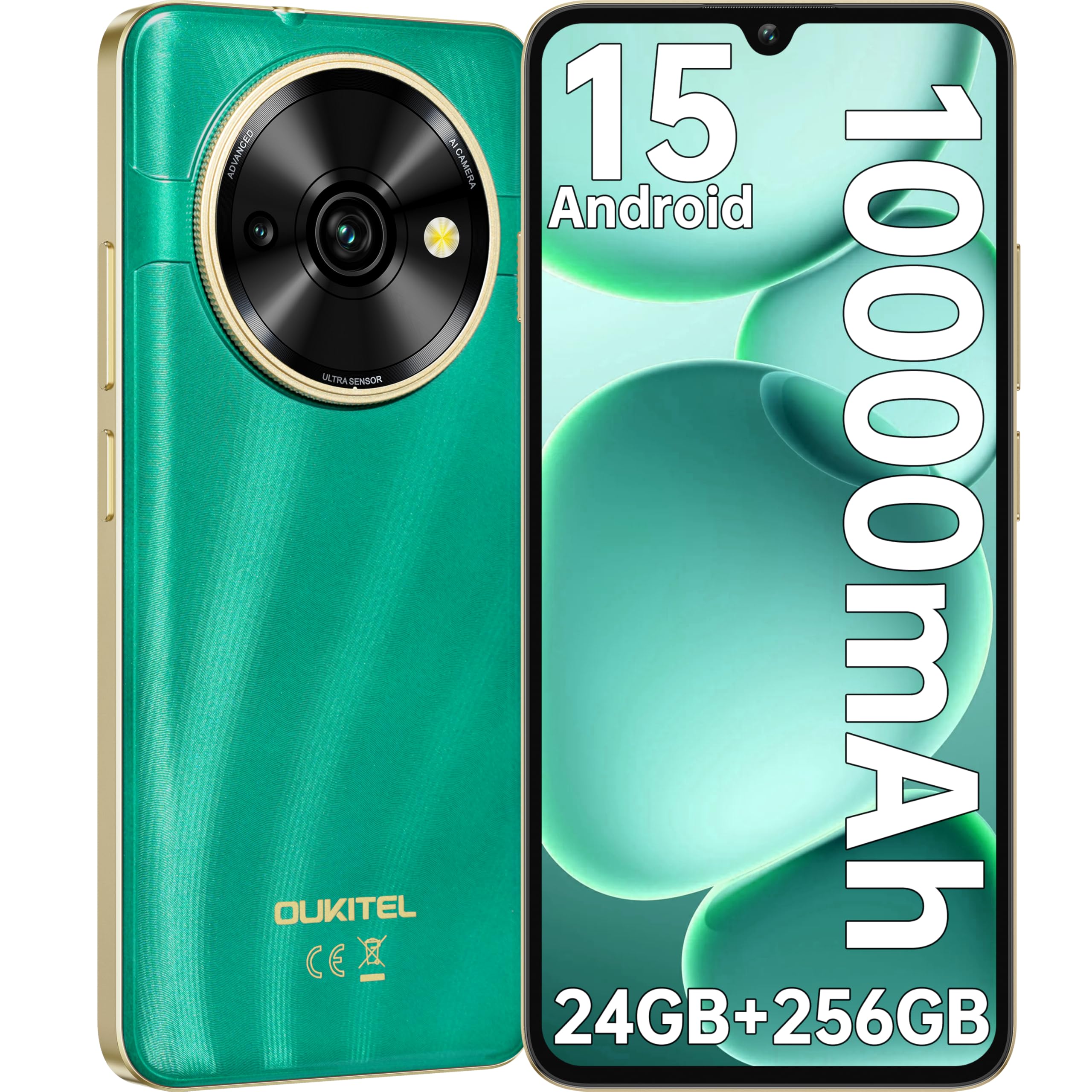
Image: Visual representation of the OUKITEL C59 Pro's 10000mAh battery capacity, indicating extended standby, talk, flashlight, and video playback times.
5.3 بریښنا کول / بندول
- د فعالولو لپاره: د بریښنا تڼۍ فشار ورکړئ او ونیسئ تر هغه چې د OUKITEL لوګو څرګند شي.
- د بریښنا بندولو لپاره: د پاور تڼۍ کېکاږئ او ونیسئ، بیا په سکرین کې د انتخابونو څخه 'پاور بند' غوره کړئ.
- د بیا پیلولو لپاره: د پاور تڼۍ کېکاږئ او ونیسئ، بیا د انتخابونو څخه 'بیا پیل کړئ' غوره کړئ.
۵. د خپل سمارټ فون چلول
۳.۱ د Android ۱۳ عملیاتي سیسټم
Your OUKITEL C59 Pro runs on the latest Android 15 operating system, offering enhanced energy efficiency, privacy protection, and multi-device integration capabilities optimized with artificial intelligence.

انځور: د Android 15 عملیاتي سیسټم انٹرفیس بصري استازیتوب، showcasing its modern design and various application icons.
6.2 Biometric Security (Fingerprint & Face ID)
Unlock your device securely using the side-mounted fingerprint sensor or Face ID recognition.
- د ګوتو نښان پیژندنه: Register your fingerprints in the Security settings. To unlock, simply place your registered finger on the side power button.
- د مخ ID: Set up Face ID in the Security settings. To unlock, hold the phone in front of your face.
6.3 Connectivity Features (NFC, GPS)
The OUKITEL C59 Pro supports NFC for contactless payments and data transfer, and GPS for navigation and location services.
- NFC: Enable NFC in Settings > Connected devices > Connection preferences > NFC. Tap your phone to compatible devices for quick pairing or payments.
- GPS: Location services are enabled by default. You can manage them in Settings > Location.
6.4 حافظه او ذخیره کول
The device comes with 24GB RAM (8GB physical + 16GB virtual) and 256GB internal storage, expandable up to 1TB via MicroSD card.

Image: A graphical representation of the OUKITEL C59 Pro's memory configuration, showing 24GB RAM (8GB + 16GB expansion) and 256GB ROM (expandable to 1TB).
6.5 OTG Functionality
The OUKITEL C59 Pro supports OTG (On-The-Go) reverse charging, allowing you to transfer data to other devices or use your phone as an emergency power bank.
7. ساتنه
Proper maintenance ensures the longevity and optimal performance of your smartphone.
- پاکول: د وسیلې سکرین او بدن پاکولو لپاره د نرم، لینټ څخه پاک ټوکر وکاروئ. د سخت کیمیاوي موادو یا کثافاتو موادو کارولو څخه ډډه وکړئ.
- د سافټویر تازه معلومات: په منظم ډول د سیسټم تازه معلومات وګورئ او نصب کړئ ترڅو ډاډ ترلاسه کړئ چې ستاسو وسیله وروستي ځانګړتیاوې او امنیتي پیچونه لري. ترتیبات> سیسټم> سیسټم تازه معلومات ته لاړ شئ.
- د بیټرۍ پاملرنه: د بیټرۍ په مکرر ډول د بشپړ چارج کولو څخه ډډه وکړئ. د اوږدې مودې ذخیره کولو لپاره، بیټرۍ شاوخوا 50٪ پورې چارج کړئ.
- د ذخیرې مدیریت: په دوره یي ډول غیر ضروري پاک کړئ fileد ذخیره کولو ځای خالي کولو او فعالیت ښه کولو لپاره د ملاتړ کونکو او ایپسونو ملاتړ وکړئ.
8. ستونزه حل کول
که تاسو په خپل وسیله کې ستونزې سره مخ شئ، لاندې حلونه هڅه وکړئ:
- وسیله ځواب نه ورکوي: د بریښنا تڼۍ د شاوخوا ۱۰-۱۵ ثانیو لپاره فشار ورکړئ او ونیسئ ترڅو بیا پیل کړئ.
- د اپلیکیشنونو خرابېدل: Clear the cache and data of the problematic app in Settings > Apps > [App Name] > Storage. If the issue persists, uninstall and reinstall the app.
- د بیټرۍ ضعیف ژوند: Check battery usage in Settings > Battery to identify power-hungry apps. Reduce screen brightness, disable unnecessary features like GPS or Wi-Fi when not in use.
- د شبکې مسلې: ډاډ ترلاسه کړئ چې سیم کارتونه په سمه توګه داخل شوي دي. د وسیلې بیا پیلولو هڅه وکړئ. د شبکې ترتیبات وګورئ یا د خپل خدمت چمتو کونکي سره اړیکه ونیسئ.
- ډیر ګرمول: Avoid using the device while charging or during prolonged heavy usage. Close background apps.
- د فابریکې رییس: As a last resort, if software issues persist, you can perform a factory reset. خبرداری: دا به ستاسو په وسیله کې ټول معلومات له منځه یوسي. د پرمخ تللو دمخه مهم معلومات بیک اپ کړئ. ترتیبات> سیسټم> د بیا تنظیم کولو اختیارونه> ټول معلومات پاک کړئ (د فابریکې بیا تنظیم) ته لاړ شئ.
9. مشخصات
Detailed technical specifications for the OUKITEL C59 Pro smartphone.
| فیچر | مشخصات |
|---|---|
| برانډ | OUKITEL |
| د ماډل نوم | د اوکیټل سي ۶۵ پرو |
| عملیاتي سیسټم | Android 15 |
| د نصب شوي RAM اندازه | ۲۴ جي بي (۸ جي بي فزيکي + ۱۶ جي بي مجازي) |
| د ذخیره کولو ظرفیت | 256 جي بي |
| Max Supported Flash Memory Size | ۳۰۰۰ جي بي (۳ ټي بي) |
| د سکرین اندازه | ۷۸۷ انچه |
| قرارداد | 1640 x 720 پکسلز |
| د تازه کولو نرخ | 90 Hz |
| د ښودلو ډول | LCD |
| سیلولر ټیکنالوژي | 4G |
| د ارتباط ټیکنالوژي | 4G |
| رنګ | شین |
| Number of SIM Card Slots | دوه ګونی سیم |
| د سیم کارت اندازه | نانو |
| د نښلونکي ډول | د USB ډول C |
| د فارم فکتور | بار |
| Biometric Security Feature | د ګوتو نښې پیژندنه، د مخ پېژندګلوي |
| د اوبو د مقاومت کچه | د پنروک نه |
| هیډفون جیک | هیڅ نه |
| د شا کیمرې ریزولوشن | 13 MP |
| Number of Rear Cameras | 2 |
| Number of Front Cameras | 1 |
| د ویډیو نیول حل | 1080p |
| د چوکاټ نرخ | 30fps، 60fps، 120fps |
| د بیټرۍ ظرفیت | 10000 mAh |
| د بیټرۍ ژوند | ۱۳ ساعته (د خبرو وخت) |
| GPS | هو |
| شاملې برخې | Phone case, USB cable, SIM ejector tool, Power adapter |
| د محصول ځانګړي استعمالونه | Gaming, Photography, Streaming, Video Conferencing |
10. تضمین او ملاتړ
10.1 د تضمین معلومات
The OUKITEL C59 Pro smartphone comes with a د جوړونکي دوه کلن تضمین. This warranty covers defects in materials and workmanship under normal use. It does not cover damage caused by misuse, accidents, unauthorized repairs, or normal wear and tear. Please retain your proof of purchase for warranty claims.
10.2 د پیرودونکي ملاتړ
For technical assistance, warranty claims, or any other inquiries regarding your OUKITEL C59 Pro, please contact OUKITEL customer support through their official website or the contact information provided with your purchase. Ensure you have your device model and purchase details ready when contacting support.