
BAIJIALI BLJ-KK9
د بایجیالي AM/FM پورټ ایبل راډیو کارونکي لارښود
Model: BLJ-KK9
محصول پای ته ورسیدview
The BAIJIALI BLJ-KK9 is a compact and portable AM/FM/SW transistor radio designed for ease of use and reliable performance. It features a DSP anti-jamming chip for enhanced signal reception and delivers clear sound quality through its integrated speaker. This radio is ideal for home use, outdoor activities, and emergency situations, offering both battery and USB power options.

شکل 1: مخکی view of the BAIJIALI BLJ-KK9 Portable Radio, showcasinد هغې کمپیکټ ډیزاین او کنټرولونه.
Setup and Powering the Device
The BAIJIALI BLJ-KK9 radio offers flexible power options to ensure continuous operation.
د بیټرۍ نصب کول
This radio operates on 2 AA batteries (not included). Follow these steps to install them:
- د راډیو شاته د بیټرۍ کڅوړه ومومئ.
- سلایډ د بیټرۍ خونې پوښ خلاص کړئ.
- ۳ AA بیټرۍ دننه کړئ، د سم قطبیت (+ او -) ډاډ ترلاسه کړئ لکه څنګه چې د خونې دننه ښودل شوي.
- د بیټرۍ کمپارټ پوښ په خوندي ډول وتړئ.

شکل 2: شاته view of the radio showing the open battery compartment and earphone jack.
د USB بریښنا اختیار
The radio can also be powered via a USB connection (USB cable not included). Connect a standard USB cable to the radio's USB port and to a compatible USB power source (e.g., USB wall adapter, power bank, computer USB port).
عملیاتي لارښوونې
Familiarize yourself with the radio's controls for optimal listening experience.
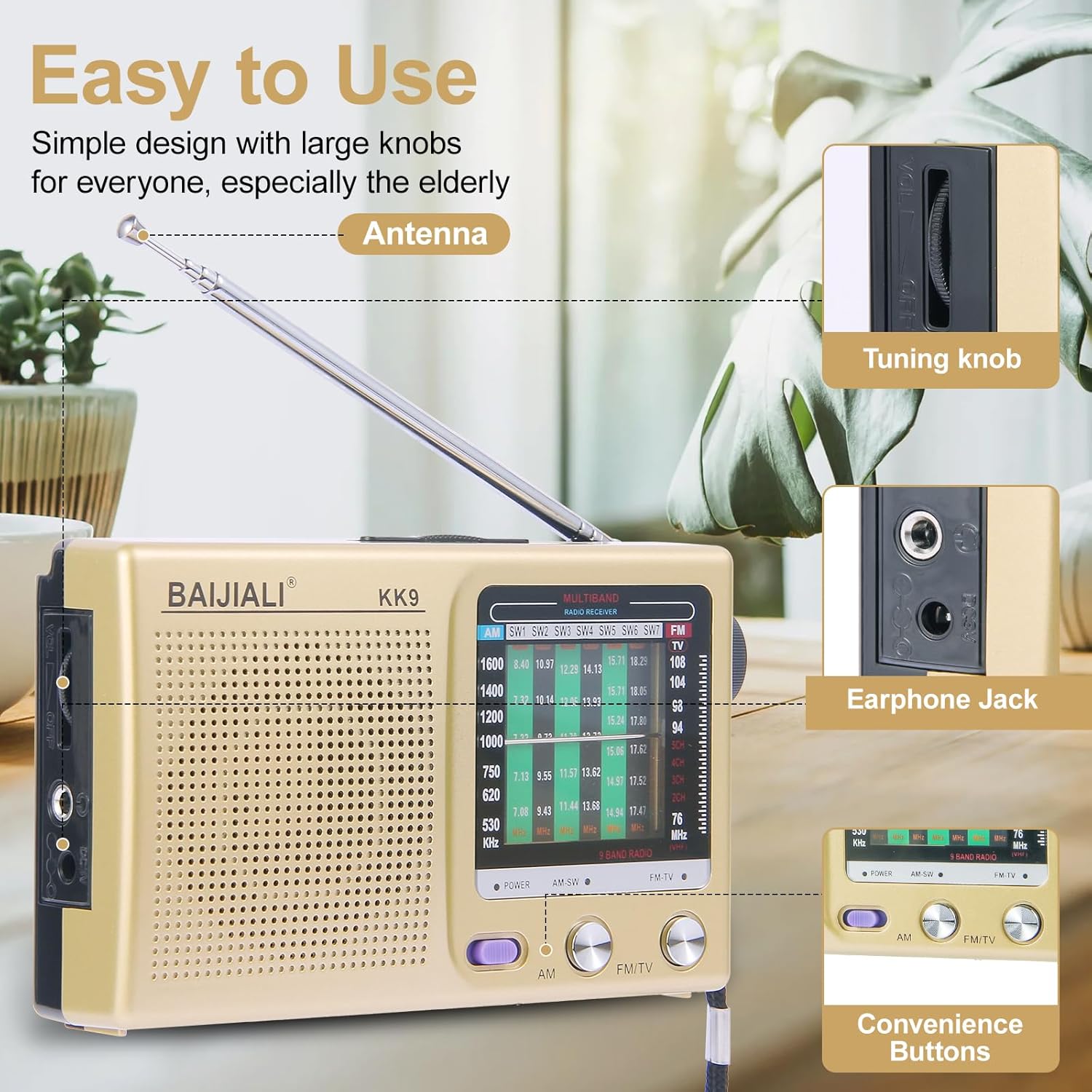
Figure 3: Diagram highlighting the antenna, tuning knob, earphone jack, and convenience buttons.
Powering On/Off and Band Selection
- To power on the radio, slide the پاور پرځای ځای ته لاړ شه.
- Select your desired band (AM, FM, or SW) using the AM/FM/SW switch located on the front panel.
سټیشن ته ټون کول
- Extend the telescopic antenna for improved FM and SW reception. For AM, the internal antenna is typically sufficient.
- وګرځوئ د تونینګ غوټۍ (located on the side) slowly to scan for radio stations.
- Observe the frequency display to identify the current station frequency.

Figure 4: The radio positioned in a room, demonstrating the extended antenna for optimal reception.
د حجم کنټرول
د څرخولو له لارې حجم تنظیم کړئ د حجم نوب, typically located near the tuning knob or on the front panel.
د هیډفون جیک کارول
For private listening, plug any standard 3.5mm headphones (not included) into the هیډفون جیک. The internal speaker will automatically mute when headphones are connected.
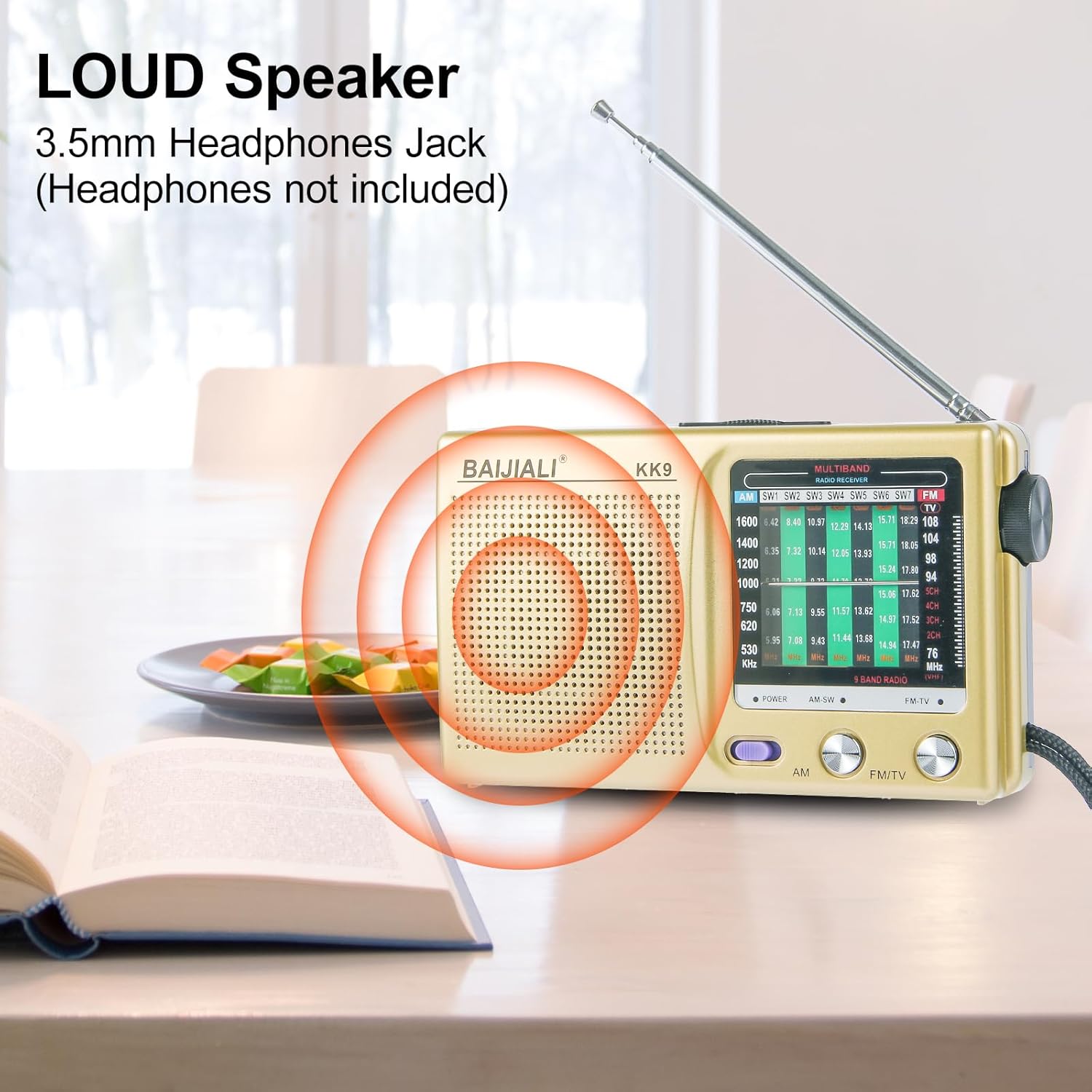
5 شکل: تړل view of the radio's speaker and the 3.5mm headphone jack.
ساتنه
Proper care will extend the life of your radio.
- پاکول: د راډیو بهرنۍ برخه پاکولو لپاره نرم، وچ ټوکر وکاروئ. مایع پاکوونکي یا د کثافاتو مواد مه کاروئ.
- د بیټرۍ پاملرنه: If the radio will not be used for an extended period, remove the batteries to prevent leakage and damage.
- ذخیره کول: راډیو په یخ او وچ ځای کې د مستقیم لمر وړانګو او سختې تودوخې څخه لرې وساتئ.
- انتن: Gently retract the telescopic antenna when not in use to prevent damage.
د ستونزو حل کول
که تاسو د خپلې راډیو سره ستونزې سره مخ شئ، لاندې عامې ستونزې او حل لارې وګورئ:
| ستونزه | احتمالي لامل | د حل لاره |
|---|---|---|
| هیڅ غږ یا ډیر ټیټ حجم. |
|
|
| کمزوری استقبال یا جامد. |
|
|
| راډیو نه چالانېږي. |
|
|
مشخصات
| فیچر | تفصیل |
|---|---|
| د ماډل شمیره | BLJ-KK9 |
| برانډ | باجیالی |
| د تونر ټیکنالوژي | سهار/اېف ایم/سوئټ (۲-بینډ) |
| د FM فریکونسی رینج | 87-108 MHz |
| د ام فریکوینسي حد | 522-1700،XNUMX kHz |
| د SW فریکونسی رینج | 5.6-22 MHz |
| د بریښنا سرچینه | 2 x AA Batteries (not included) or USB Powered |
| ارتباط | USB, 3.5mm Headphone Jack |
| د محصول ابعاد | 4.92 x 1.18 x 2.95 انچه (12.5 x 3 x 7.5 سانتي متره) |
| د توکي وزن | 6.4 اونس (181 ګرامه) |
| شاملې برخې | د چټک پیل لارښود |

Figure 6: Visual representation of the radio's dimensions.
تضمین او ملاتړ
Specific warranty information for the BAIJIALI BLJ-KK9 Portable Radio is not provided in this manual. For warranty details, technical support, or service inquiries, please contact the manufacturer directly using the contact information provided with your purchase or visit the official BAIJIALI webسایټ
مهرباني وکړئ د هر ډول تضمین ادعا لپاره د پیرود ثبوت په توګه د پیرود رسید وساتئ.
Ask a question about this manual
Ask about setup, troubleshooting, compatibility, parts, safety, or missing instructions. Manuals+ will review the question and use this page’s manual context to help answer it.