
1. پیژندنه
This manual provides essential instructions for the safe operation, setup, maintenance, and troubleshooting of your ARRIS WPL C24-1 RC Rock Crawler. Please read this manual thoroughly before using the product to ensure proper function and longevity.

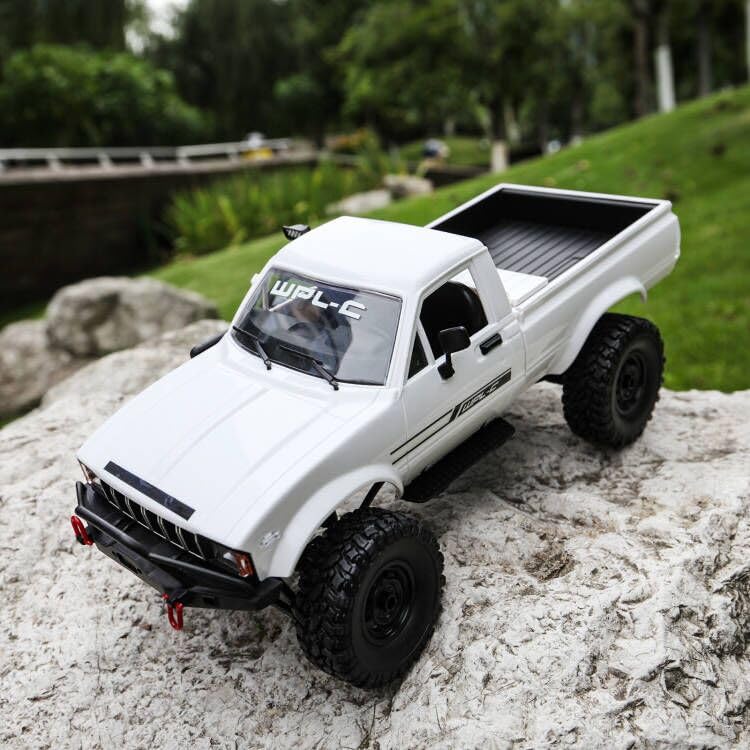
Image: The ARRIS WPL C24-1 RC Rock Crawler, showcasing its detailed design and robust tires.
2. د خوندیتوب معلومات
Always operate the RC vehicle in a safe and responsible manner. Failure to follow these safety guidelines may result in injury or damage to the product or property.
- لاسونه، ویښتان، او نرمې جامې د حرکت کولو برخو څخه لرې وساتئ.
- د خلکو، څارویو یا خنډونو سره نږدې کار مه کوئ.
- Avoid operating in wet conditions or near water unless the product is specifically designed for it.
- ډاډ ترلاسه کړئ چې بیټرۍ په سمه توګه چارج شوي او په احتیاط سره اداره کیږي.
- د ۱۸ کلونو څخه کم عمر لرونکو کاروونکو لپاره د لویانو څارنه سپارښتنه کیږي.
3. د بسته محتويات
ډاډ ترلاسه کړئ چې لاندې ټول توکي ستاسو په بسته کې شامل دي:
- ARRIS WPL C24-1 RC Rock Crawler (1 unit)
- Remote Control Transmitter (1 unit)
- Rechargeable Battery (1 unit, 7.4V 500mAh)
- د چارج کولو کیبل (۱ واحد)
- د لارښود لارښود (دا سند)
4. د تنظیم کولو لارښود
4.1. د موټر بیټرۍ چارج کول
The vehicle battery (7.4V 500mAh) requires charging before first use. A full charge takes approximately 2 hours and provides about 30 minutes of operation.
- Locate the battery compartment on the underside of the RC crawler.
- Connect the rechargeable battery to the provided charging cable.
- د چارج کولو کیبل په مناسب USB بریښنا سرچینې کې ولګوئ (د مثال په توګه، د کمپیوټر USB پورټ، د USB دیوال اډاپټر).
- The indicator light on the charging cable will show the charging status (refer to charger instructions for specific light patterns).
- Once fully charged, disconnect the battery from the charger and install it into the vehicle's battery compartment.
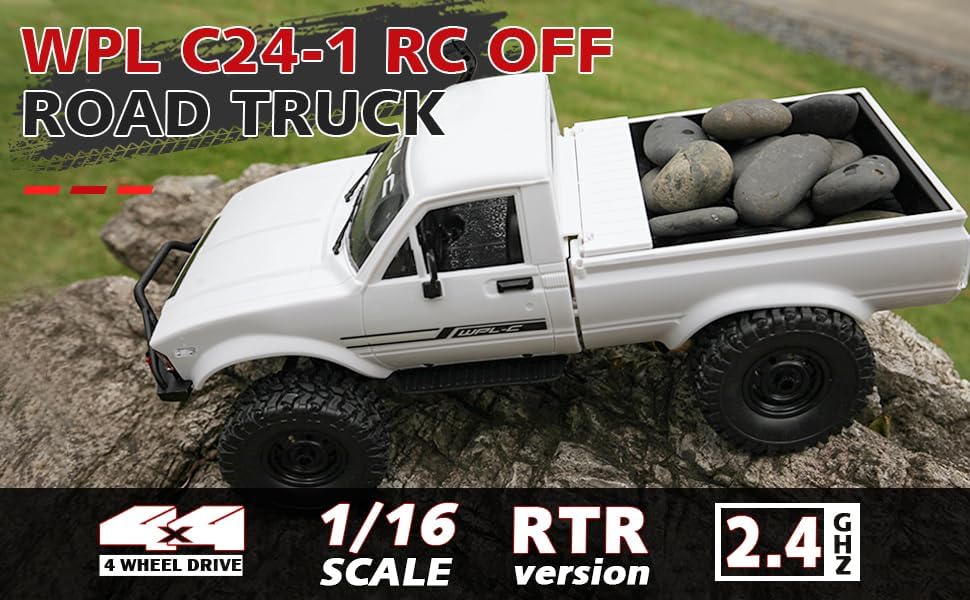
Image: Underside of the RC crawler, highlighting the battery and chassis components.
4.2. د ریموټ کنټرول بیټرۍ نصب کول
The remote control requires 1 C battery (included). Ensure correct polarity when installing.
- د ریموټ کنټرول شاته د بیټرۍ پوښ خلاص کړئ.
- Insert the C battery according to the polarity markings (+/-).
- د بیټرۍ پوښ په خوندي ډول وتړئ.
4.3. د ریموټ کنټرول سره یوځای کول
The RC crawler and remote control are typically pre-paired. If re-pairing is necessary:
- Turn on the RC crawler using the switch located on the chassis.
- ریموټ کنټرول چالان کړئ.
- The indicator light on the remote control should stop flashing and remain solid, indicating a successful connection.
- If the connection fails, turn both devices off and repeat the process.
5. عملیاتي لارښوونې
۶.۱. اساسي کنټرولونه
- د تروټل محرک: د مخ په وړاندې تګ لپاره کش کړئ، د بریک/ریورس لپاره فشار ورکړئ.
- سټیرینګ ویل: د چپ لوري ته د تګ لپاره چپ لوري ته وګرځئ، د ښي لوري ته د تګ لپاره ښي لوري ته وګرځئ.
- د ټرم تنظیمات: Use the trim dials on the remote to fine-tune steering and throttle if the vehicle pulls to one side or moves without input.
۳. د موټر چلولو لارښوونې
The ARRIS WPL C24-1 is designed for off-road crawling. Its 4WD system and independent suspension allow it to navigate various terrains.
- For optimal crawling, use slow and controlled throttle inputs.
- Experiment with steering angles to overcome obstacles.
- The vehicle features highlight LED lights for improved visibility in low-light conditions.

Image: The RC crawler navigating a challenging rocky path, demonstrating its off-road capabilities.

Image: The RC crawler traversing sandy terrain, showcasing its 4WD design.
6. ساتنه
6.1. پاکول
After each use, especially in dusty or dirty conditions:
- Use a soft brush or compressed air to remove dirt and debris from the chassis, wheels, and suspension.
- بدن د اعلان سره مسح کړئamp ټوکر سخت کیمیاوي توکي مه کاروئ.
- Ensure no moisture enters electronic components.
۶.۲. د بیټرۍ پاملرنه او ذخیره کول
- Always disconnect the battery from the vehicle when not in use.
- بیټرۍ په یخ او وچ ځای کې وساتئ، د مستقیم لمر وړانګو او سختې تودوخې څخه لرې.
- بیټرۍ ډیر چارج مه کوئ یا ډیر خارج کړئ.
۵.۲. د اجزاو تفتیش
Regularly inspect the following components for wear or damage:
- Wheels and tires for damage or excessive wear.
- Suspension components (shocks, springs, linkages).
- Steering mechanism for smooth operation.
- All screws and fasteners for tightness.
7. ستونزه حل کول
| ستونزه | احتمالي لامل | د حل لاره |
|---|---|---|
| موټر ځواب نه ورکوي. | Low vehicle battery; Low remote control battery; Not paired. | Charge vehicle battery; Replace remote control battery; Re-pair remote control. |
| موټر ورو یا په غیر متناسب ډول حرکت کوي. | Low vehicle battery; Obstruction in drivetrain; Motor issue. | Charge vehicle battery; Clear obstructions; Contact support if motor issue persists. |
| سټیرینګ بې نظمه یا بې ځوابه دی. | Steering trim incorrect; Damaged servo; Obstruction. | Adjust steering trim; Inspect servo for damage; Clear obstructions. |
| د کار کولو لنډه لړۍ. | Interference; Low remote control battery. | Move to an area with less interference; Replace remote control battery. |
8. د محصول مشخصات
| فیچر | تفصیل |
|---|---|
| د ماډل شمیره | WPL C24-1 |
| برانډ | ARRIS |
| پیمانه | 1:16 |
| د محصول ابعاد | 12.2 x 5.78 x 4.44 انچه |
| د توکي وزن | ۲.۴۵ پونډه |
| مواد | ABS + فلزي |
| موټور | 180 برش شوي موټور |
| بیټرۍ (موټر) | ۳.۷V ۵۰۰mAh (شامل دی) |
| د چارج کولو وخت | نږدې 2 ساعته |
| د عملیاتو وخت | نږدې 30 دقیقې |
| د ریموټ کنټرول فریکونسی | 2.4 GHz |
| د کنټرول واټن | له 35 مترو څخه ډیر |
| اعظمي سرعت | په ساعت کې ۱۵۰ کیلومتره |
| وړاندیز شوی عمر | 15 کاله او پورته |
انځور: اړخ view of the RC crawler with key dimensions indicated.

انځور: تفصیلي view of the RC crawler's chassis, showing components like the motor, suspension, and drive shafts.
9. تضمین او ملاتړ
ARRIS products are manufactured to high-quality standards. For warranty information or technical support, please refer to the official ARRIS website or contact customer service through your purchase platform.
د هر ډول تضمین ادعاوو لپاره د پیرود ثبوت په توګه د پیرود رسید وساتئ.
د نورو مرستو لپاره، مهرباني وکړئ لیدنه وکړئ په ایمیزون کې د ARRIS پلورنځی.