
پیژندنه
Welcome to the GUHUAVMI GT4 Pro Smartwatch user manual. This guide provides detailed instructions on how to set up, operate, and maintain your new smartwatch. The GT4 Pro combines advanced health monitoring, comprehensive fitness tracking, and smart connectivity features in a durable, stylish design. Please read this manual carefully to ensure optimal performance and longevity of your device.
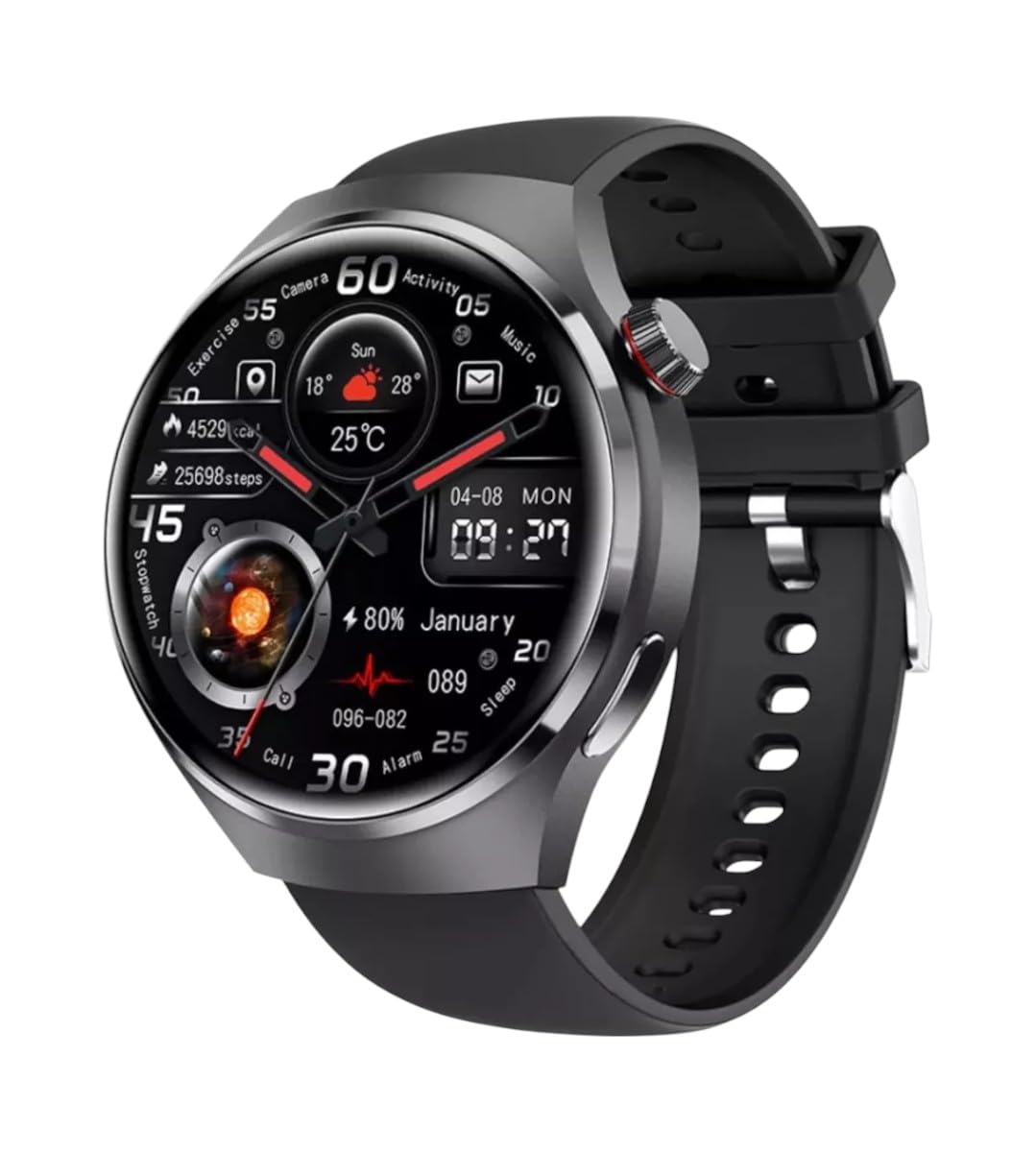
انځور: مخکینۍ برخه view of the GUHUAVMI GT4 Pro Smartwatch, showcasinد هغې ښکلی ډیزاین او ښودنه.
چمتو کول
۱. د بکس خلاصول او اجزا
مخکې له دې چې تاسو پیل کړئ، ډاډ ترلاسه کړئ چې ټولې برخې په بسته کې شتون لري:
- GUHUAVMI GT4 Pro Smartwatch
- بې سیم چارجر
- د کارونکي لارښود (دا لاسوند)
۲.۱. د سمارټ واچ چارج کول
For first-time use, fully charge your GT4 Pro Smartwatch. Connect the wireless charger to a USB power adapter (not included) and place the smartwatch onto the magnetic charging base. The watch will indicate charging status on its screen.
- د چارج کولو وخت: د بشپړ چارج لپاره نږدې 3 ساعته.
- د بیټرۍ ژوند: Typical usage provides 5-7 days of battery life.

Image: The GUHUAVMI GT4 Pro Smartwatch placed on its magnetic wireless charger, displaying battery life and charging time information.
3. بریښنا فعال/بند
- پاور آن: د اړخ تڼۍ فشار ورکړئ او ونیسئ تر هغه چې سکرین روښانه شي.
- بندول: د غاړې تڼۍ کېکاږئ او ونیسئ، بیا په سکرین کې د 'بریښنا بند' اختیار غوره کړئ.
۳. د اپلیکیشن ډاونلوډ او جوړه کول
To unlock the full potential of your GT4 Pro, download the companion app on your smartphone. Scan the QR code provided in the watch's initial setup screen or search for the app name (usually indicated on the watch or packaging) in your phone's app store.
- په خپل سمارټ فون کې بلوتوټ فعال کړئ.
- د ملګري اپلیکیشن پرانیزئ او د حساب جوړولو یا ننوتلو لپاره په سکرین کې لارښوونې تعقیب کړئ.
- In the app, select 'Add Device' or 'Pair Device' and choose 'GT4 Pro' from the list of available devices.
- په خپل سمارټ فون او سمارټ واچ دواړو کې د جوړه کولو غوښتنه تایید کړئ.
عملیاتي لارښوونې
1. بنسټیز نیویګیشن
The GT4 Pro features a 1.6-inch HD AMOLED touchscreen and a side crown button for navigation.
- پورته / ښکته سوائپ: د مینو او خبرتیاو له لارې سکرول وکړئ.
- کیڼ/ښي خوا ته سوپ کړئ: چټکو ویجیټونو یا مختلفو لید مخونو ته لاسرسی ومومئ.
- ټایپ: یو توکي غوره کړئ یا یو اپلیکیشن خلاص کړئ.
- د غاړې تڼۍ فشار ورکړئ: کور سکرین ته بیرته راشئ یا د اپلیکیشن لیست ته لاسرسی ومومئ.
۴. د مصنوعي ذهانت غږ مرستیال
Your GT4 Pro is equipped with an integrated AI voice assistant for hands-free operation.
- فعالول: Tap the voice assistant icon on the watch face or use a designated gesture/button press (refer to watch settings).
- حکمونه: Speak clearly to ask questions, set reminders, make calls, or control music.
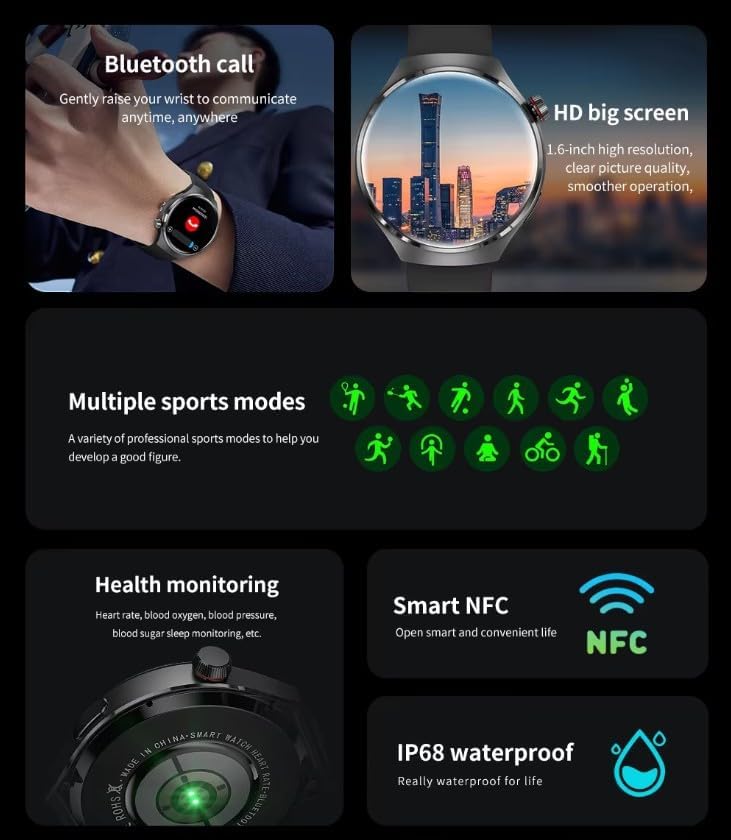
Image: The GUHUAVMI GT4 Pro Smartwatch displaying the AI voice assistant interface, showing exampد غږیزو امرونو لږ څه.
۱. بلوتوث زنګ وهل
یوځل چې ستاسو د سمارټ فون سره جوړه شي، تاسو کولی شئ مستقیم له خپل سمارټ واچ څخه زنګونه ووهئ او ترلاسه کړئ.
- زنګ وهل: په خپل ساعت کې ډایلر یا د اړیکو لیست ته لاسرسی ومومئ.
- تلیفونونه ترلاسه کول: د ساعت سکرین څخه مستقیم راتلونکو زنګونو ته ځواب ورکړئ یا رد کړئ.
۳. د روغتیا څارنه
The GT4 Pro provides real-time health data to help you monitor your well-being.
- د زړه ضربان: د ورځې په اوږدو کې دوامداره څارنه.
- د وینې اکسیجن (SpO2): د خپلې وینې د اکسیجن د اشباع کچه اندازه کړئ.
- Blood Sugar: Provides estimated blood sugar readings.
- د خوب تعقیب: د خوب څارنه کويtagکیفیت او کیفیت.
View detailed health reports in the companion app.
۵. د فټنس تعقیب
Track your workouts and daily activity with precision.
- د سپورت ډیری طریقې: Select from various activities like running, cycling, swimming, and more for accurate data.
- جوړ شوی GPS: Records your route, distance, and pace during outdoor activities.
- کمپاس: Provides directional guidance for outdoor adventures.

Image: The GUHUAVMI GT4 Pro Smartwatch showcasing icons for NFC, GPS, compass, heart rate, and Bluetooth call, highlighting its comprehensive features.
6. NFC Features
The GT4 Pro supports NFC for convenient interactions.
- د لاسرسي کنټرول: Use your watch for compatible access systems.
- Find My iPhone: Utilize NFC to locate your paired iPhone.
7. Dynamic Island Function
Experience enhanced interactive displays for notifications, music, and charging status.
- Interactive Displays: Smart displays adapt to show relevant information dynamically.
- د OTA پرمختګونه: New functional interactive displays may be added through future over-the-air updates.
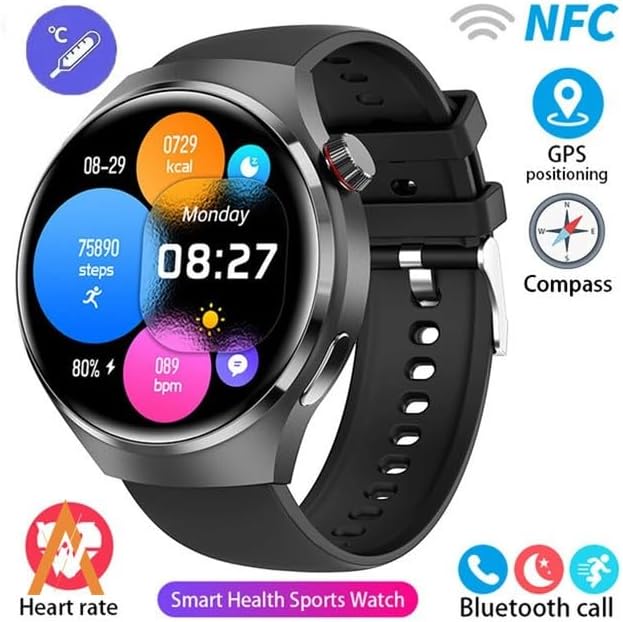
Image: The GUHUAVMI GT4 Pro Smartwatch screen demonstrating the Dynamic Island function, showing notifications and active processes.
8. Other Utility Features
The smartwatch includes several convenient tools:
- ریموټ کیمره: Control your smartphone camera remotely.
- د الارم ساعت: له خپل لاس څخه مستقیم الارمونه تنظیم کړئ.
- سټاپ واچ او ټایمر: د دقیق وخت ساتنې لپاره.
- د تودوخې اندازه کول: Monitor ambient temperature.
- Multi-Time Zone Settings: Keep track of different time zones.
- د میوزیک پلے بیک کنټرول: Manage music on your paired smartphone.
ساتنه
۹. د اوبو مقاومت (IP68)
The GT4 Pro has an IP68 waterproof rating, meaning it is resistant to dust and can withstand immersion in water up to 1.5 meters for 30 minutes. It is suitable for swimming and use in rainy conditions.
- Do not use in hot water, saunas, or steam rooms.
- Avoid exposure to high-velocity water.
- د اوبو سره د تماس وروسته، ساعت د نرم ټوکر سره وچ کړئ.
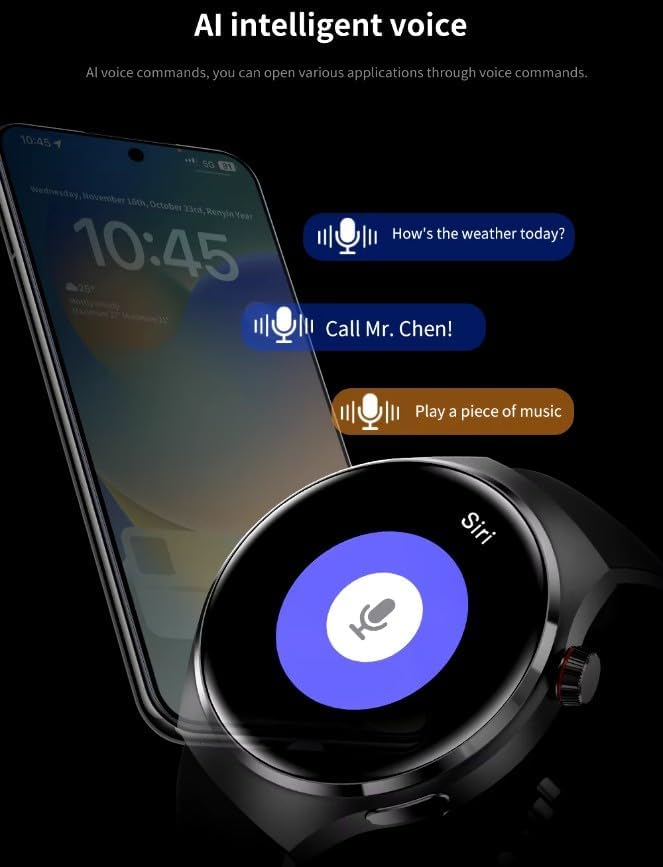
Image: Two GUHUAVMI GT4 Pro Smartwatches shown with water droplets, illustrating their IP68 waterproof capability.
2. پاکول
Regularly clean your smartwatch to maintain its appearance and sensor accuracy.
- سکرین او بدن د نرم، دamp, lint-free ټوکر.
- Clean the charging contacts and heart rate sensor on the back of the watch to ensure proper function.
- د سختو کیمیاوي موادو یا خړوبولو موادو کارولو څخه ډډه وکړئ.
3. د سافټویر تازه معلومات
Periodically check for software updates through the companion app. Updates can provide new features, performance improvements, and bug fixes.
د ستونزو حل کول
- ساعت نه چالانېږي: ډاډ ترلاسه کړئ چې ساعت په بشپړه توګه چارج شوی دی. لږترلږه د 30 دقیقو لپاره یې چارجر سره وصل کړئ.
- د سمارټ فون سره جوړه نشي کیدی:
- ډاډ ترلاسه کړئ چې ستاسو په تلیفون او ساعت کې بلوتوټ فعال دی.
- ډاډ ترلاسه کړئ چې ساعت ستاسو د تلیفون په حد کې دی.
- ساعت او تلیفون دواړه بیا پیل کړئ.
- وګورئ چې ایا ملګری ایپ وروستي نسخې ته تازه شوی دی.
- د روغتیا ناسم معلومات:
- ډاډ ترلاسه کړئ چې ساعت ستاسو په لاس کې په کلکه اغوستل شوی دی، نه ډیر تنګ او نه ډیر خلاص.
- د ساعت په شا کې سینسرونه پاک کړئ.
- د اندازه کولو پرمهال له ډیر حرکت څخه ډډه وکړئ.
- د بیټرۍ لنډ ژوند:
- د سکرین روښانتیا کمه کړئ.
- غیر ضروري خبرتیاوې یا ځانګړتیاوې غیر فعال کړئ.
- که اړتیا نه وي، د زړه د ضربان دوامداره څارنه محدوده کړئ.
مشخصات
| فیچر | تفصیل |
|---|---|
| د ماډل شمیره | GT4 Pro |
| ښودل | 1.6-inch HD AMOLED, 360x360 resolution |
| ارتباط | بلوتوث 5.0 |
| د پنروک درجه | IP68 |
| د روغتیا څارنه | Heart Rate, Blood Oxygen, Blood Sugar, Sleep Tracking |
| د فټنس تعقیب | Built-in GPS, Compass, Multiple Sports Modes |
| د غږ معاون | AI Voice Assistant Integrated |
| NFC | Supported (e.g., Find My iPhone, Access Control) |
| د چارج کولو ډول | مقناطیسي بې سیم چارج کول |
| د بیټرۍ عادي ژوند | 5-7 ورځې |
| د چارج کولو وخت | نږدې 3 ساعته |
| شاملې برخې | Smartwatch, User Manual, Wireless Charger |
تضمین او ملاتړ
د تضمین معلومات
The GUHUAVMI GT4 Pro Smartwatch comes with a د 6 میاشتو تضمین د پیرود نیټې څخه. دا تضمین د عادي استعمال لاندې د تولید نیمګړتیاوې پوښي. دا د ناوړه ګټې اخیستنې، پیښو، غیر مجاز تعدیلاتو، یا عادي اغوستلو او اوښکو له امله رامینځته شوي زیانونه نه پوښي.
د پیرودونکي ملاتړ
If you encounter any issues or have questions regarding your GUHUAVMI GT4 Pro Smartwatch, please refer to the troubleshooting section of this manual. For further assistance, contact your retailer or the manufacturer's customer support channel. Please have your purchase receipt and product model number (GT4 Pro) ready when contacting support.