
پیژندنه
The GameSir G8 Plus Thanos Edition is a versatile mobile game controller designed to provide a console-like gaming experience across multiple platforms. This manual provides essential information for setting up, operating, maintaining, and troubleshooting your controller.
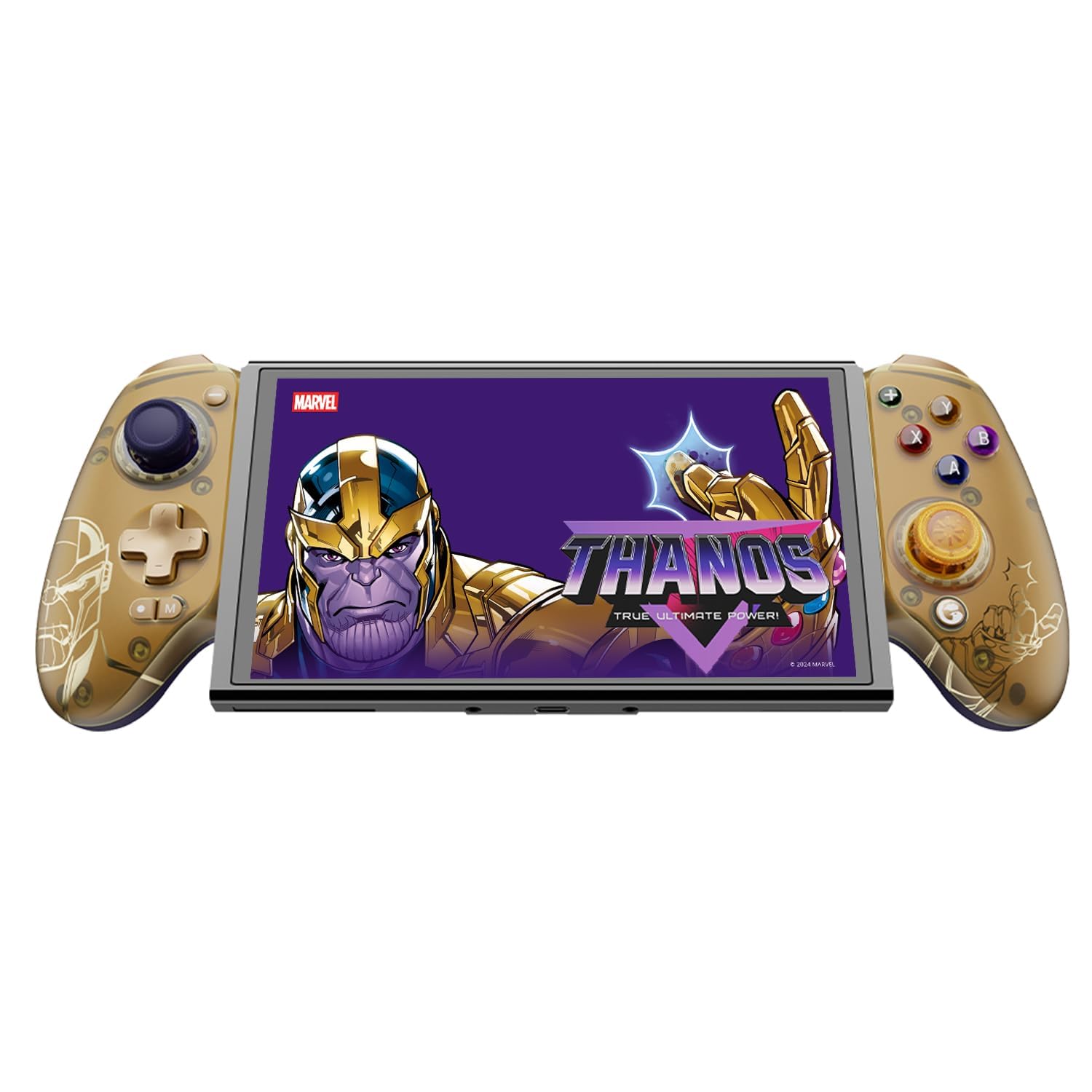
Figure 1: GameSir G8 Plus Thanos Edition Mobile Game Controller.
چمتو کول
د بسته محتويات
ډاډ ترلاسه کړئ چې ټول توکي په کڅوړه کې شتون لري:
- GameSir G8 Plus Thanos Edition Mobile Game Controller
- Interchangeable Thumbstick Caps (3 pairs)
- USB-C کیبل
- د کارونکي لارښود (دا لاسوند)

Figure 2: Contents of the GameSir G8 Plus Thanos Edition package.
د وسیلې مطابقت
The GameSir G8 Plus is compatible with a wide range of devices:
- Android devices (Android 8.0 or later)
- iOS وسایل
- د نینټینډو سویچ
- Tablets (4.7 to 8.4 inches)
- PC (via 2.4G receiver, sold separately, or wired)

Figure 3: Universal compatibility of the GameSir G8 Plus.
لومړنی پیوستون
To connect your GameSir G8 Plus controller to a device:
- د موبایل وسیلو لپاره (بلوتوث): Extend the controller to fit your smartphone or tablet. Ensure Bluetooth is enabled on your device. Press and hold the pairing button on the controller until the indicator light flashes, then select "GameSir G8 Plus" from your device's Bluetooth settings.
- د نینټینډو سویچ لپاره: Insert the Switch console into the controller. The controller should automatically connect.
- For PC (Wired): Connect the controller to your PC using the provided USB-C cable.
- For PC (2.4G Wireless): Insert the 2.4G receiver (sold separately) into your PC's USB port. The controller should connect automatically.
ویډیو ۱: پایview of the Gamesir G8 Plus Bluetooth Marvel Licensed controller, demonstrating its design and features.
عملیات
کلیدي ځانګړتیاوې او کنټرولونه
- د هال اغیزې جوی سټیکونه: Experience precise 360° control with anti-drift technology, ensuring longevity and accuracy.
- د هال اغیزې محرکونه: Optimized triggers provide smooth and quick response, ideal for various game genres.
- د نقشې وړ شاته تڼۍ: Two additional back buttons (L4/R4) allow for instant button mapping, enhancing gameplay customization.
- د حرکت احساس: A built-in 6-axis gyroscope enhances motion control, particularly useful for compatible Switch games and motion-sensitive gameplay.
- د زړه راښکونکي غبرګون: Console-level haptic feedback provides realistic and immersive sensations during gameplay.

Figure 4: Explanation of GameSir Hall Effect Sticks.

شکل ۷: د لوبې د مختلفو ډولونو لپاره د ټریګر حالتونه بدل کړئ.

Figure 6: Motion Control capabilities with built-in 6-axis gyro.

Figure 7: Realistic and immersive haptic sensation.
اصلاح کول
- Magnetic Faceplates: The controller features magnetic faceplates that can be easily removed and swapped for personalized aesthetics or maintenance.
- Interchangeable Thumbstick Caps: Three pairs of thumbstick caps with varying heights are included, allowing users to customize control feel.
- GameSir App: The GameSir app (Android exclusive) allows for real-time customization, including button mapping and sensitivity adjustments, for personalized gameplay.

Figure 8: Free customization options for the controller.

Figure 9: Advanced features of the GameSir G8 Plus.
Video 2: Introduction to the GameHub App, showcasing its features for game management and controller customization.
د حالت بدلول
The controller supports various modes for different platforms. To switch between modes, press the corresponding key combination:
| موډ | د کور شاخص | د پیوستون طریقه | مناسب پلیټ فارم |
|---|---|---|---|
| Android | شین | Controller + A | د Android 8.0 یا وروسته نسخې |
| DS4 | آبي | Controller + B | iOS |
| سویچ | سور | Controller + X | سویچ |
| جی ټچ | سیان | Controller + Y | د لوبې سر ایپ |
* په کاري حالت کې، مطلوب حالت ته د بدلولو لپاره اړونده کلیدي ترکیب فشار ورکړئ.
ساتنه
د خپل GameSir G8 Plus کنټرولر د اوږد عمر او غوره فعالیت ډاډمن کولو لپاره، د ساتنې دا لارښوونې تعقیب کړئ:
- پاکول: د کنټرولر سطحې د پاکولو لپاره نرم، وچ ټوکر وکاروئ. د سختې خاورې لپاره، یو څه dampټوکر د اوبو یا نرم پاکولو محلول سره ومینځئ. د سختو کیمیاوي موادو یا خړوبونکو موادو څخه ډډه وکړئ.
- ذخیره کول: کنټرولر په یخ او وچ ځای کې د مستقیم لمر وړانګو او سختو تودوخې څخه لرې وساتئ. کله چې د اوږدې مودې لپاره نه کارول کیږي، ډاډ ترلاسه کړئ چې دا د ذخیره کولو دمخه په بشپړ ډول چارج شوی.
- سمبالول: Avoid dropping the controller or subjecting it to strong impacts. Do not attempt to disassemble the controller beyond removing the magnetic faceplates and thumbstick caps.
د ستونزو حل کول
If you encounter issues with your GameSir G8 Plus controller, refer to the following common troubleshooting steps:
- کنټرولر نه نښلي: Ensure Bluetooth is enabled on your device and the controller is in the correct mode (Android, DS4, Switch). Try restarting both the controller and your device. For wired connections, ensure the USB-C cable is securely connected.
- تڼۍ یا جوی سټیکونه بې ځوابه: Check if the controller's battery is charged. If using the GameSir App, verify that button mappings are correctly configured. For Hall Effect Joysticks, recalibration might be necessary if drift occurs (refer to GameSir App for calibration options).
- وسیله مناسبه نه ده: Ensure your device's dimensions are within the supported range of 4.7 to 8.4 inches. The controller's design accommodates devices with larger cameras.
- GameSir App Issues: Ensure your GameSir App is updated to the latest version. The app is currently exclusive to Android devices.
For further assistance, please contact GameSir customer support.
مشخصات
Detailed specifications for the GameSir G8 Plus Thanos Edition Mobile Game Controller:
| فیچر | تفصیل |
|---|---|
| مطابقت لرونکې وسیلې | Android, iOS, Nintendo Switch, PC |
| د کنټرولر ډول | د لوبې پیډ |
| د ارتباط ټیکنالوژي | Bluetooth 5.3, USB, 2.4G (receiver sold separately) |
| اضافي ځانګړتیاوې | Multiuse, Wireless, Hall Effect Joysticks & Triggers, 6-axis Gyroscope, Mappable Back Buttons, Magnetic Faceplates, Interchangeable Thumbstick Caps, Pass-through Charging |
| د تڼۍ مقدار | 6 (standard face buttons) + D-pad, shoulder buttons, triggers, menu buttons, 2 back buttons |
| د هارډویر پلیټ فارم | Smartphone, Tablet, Nintendo Switch, PC |
| د بریښنا سرچینه | Battery Powered (500mAh per side) |
| د توکي وزن | 620 ګرامه |
| د ماډل نوم | G8 Plus |
| جوړونکی | لوبه صاحب |
| رنګ | Gamesir G8 Plus Thanos Edition (Gold/Purple) |
تضمین او ملاتړ
د تضمین معلومات
The GameSir G8 Plus Thanos Edition Mobile Game Controller comes with a ۱-کلن تضمین. GameSir provides 12 months replacement service for product issues.
د پیرودونکي ملاتړ
If you experience any problems with your product or require further assistance, please feel free to send a message through Amazon. GameSir aims to reply within 24 hours.