
1. پیژندنه
Thank you for choosing the Xiaomi Dust Mite Vacuum Cleaner 2. This handheld vacuum is specifically designed for effective removal of dust mites and allergens from various textile surfaces. Featuring a powerful 12000 Pa suction, a UV disinfectant lamp, and a 4-stage cyclonic filtration system, it ensures a deep and hygienic clean. The integrated 50°C hot air drying function helps minimize residual moisture, making it ideal for mattresses, pillows, and upholstery. Its lightweight design (1.6 kg) ensures ease of use for daily cleaning.
2. د خوندیتوب لارښوونې
مهرباني وکړئ د وسیلې کارولو دمخه د خوندیتوب ټولې لارښوونې په دقت سره ولولئ ترڅو د ټپي کیدو یا زیان مخه ونیسئ.
- د ویکیوم کلینر په لوندو سطحو یا د مایعاتو راټولولو لپاره مه کاروئ.
- وسیله د ماشومانو له لاسرسي لرې وساتئ.
- Always unplug the vacuum cleaner from the power outlet before performing any cleaning or maintenance.
- که چیرې د بریښنا تار یا پلګ خراب شوی وي، د ویکیوم کلینر مه چلوئ.
- Ensure that the air vents are not blocked during operation to prevent overheating.
- یوازې د جوړونکي لخوا وړاندیز شوي ضمیمې او لوازمات وکاروئ.
- Do not expose the UV lamp directly to eyes or skin.
3. د محصول اجزا
Familiarize yourself with the main parts of your Xiaomi Dust Mite Vacuum Cleaner 2:
- اصلي واحد: Contains the motor, handle, and control buttons.
- Dust Collection Bin: Transparent, bagless container for collected dust and debris.
- د HEPA فلټر: High-efficiency particulate air filter, located within the dustbin.
- UV-C Sterilization Lamp: Located on the underside, activates upon contact with a surface.
- د رولر برش: Rotating brush on the underside for agitating surfaces.
- د بریښنا تار: د دې لپاره چې وسیله د بریښنایی سوري سره وصل کړئ.
4. ترتیب کول
د لومړي کارولو دمخه، دا ګامونه تعقیب کړئ:
- ټولې برخې خلاصې کړئ او د بسته بندۍ ټول مواد لرې کړئ.
- Ensure the dust collection bin and HEPA filter are correctly installed in the main unit. Refer to the markings for proper alignment.
- Connect the power cord securely to the vacuum cleaner and then to a suitable electrical outlet.
5. عملیاتي لارښوونې
To use your Xiaomi Dust Mite Vacuum Cleaner 2:
- د ویکیوم کلینر د بریښنا په ځای کې ولګوئ.
- Place the vacuum cleaner directly onto the surface you wish to clean (e.g., mattress, sofa, pillow).
- Press the power button located on the handle to turn on the device. The UV lamp will activate automatically when the vacuum is in contact with a surface.
- Move the vacuum cleaner slowly and steadily over the surface in overlapping strokes to ensure thorough cleaning. The hot air function will simultaneously help dry the surface.
- After cleaning, press the power button again to turn off the device.
- د ویکیوم کلینر له بریښنا څخه خلاص کړئ.
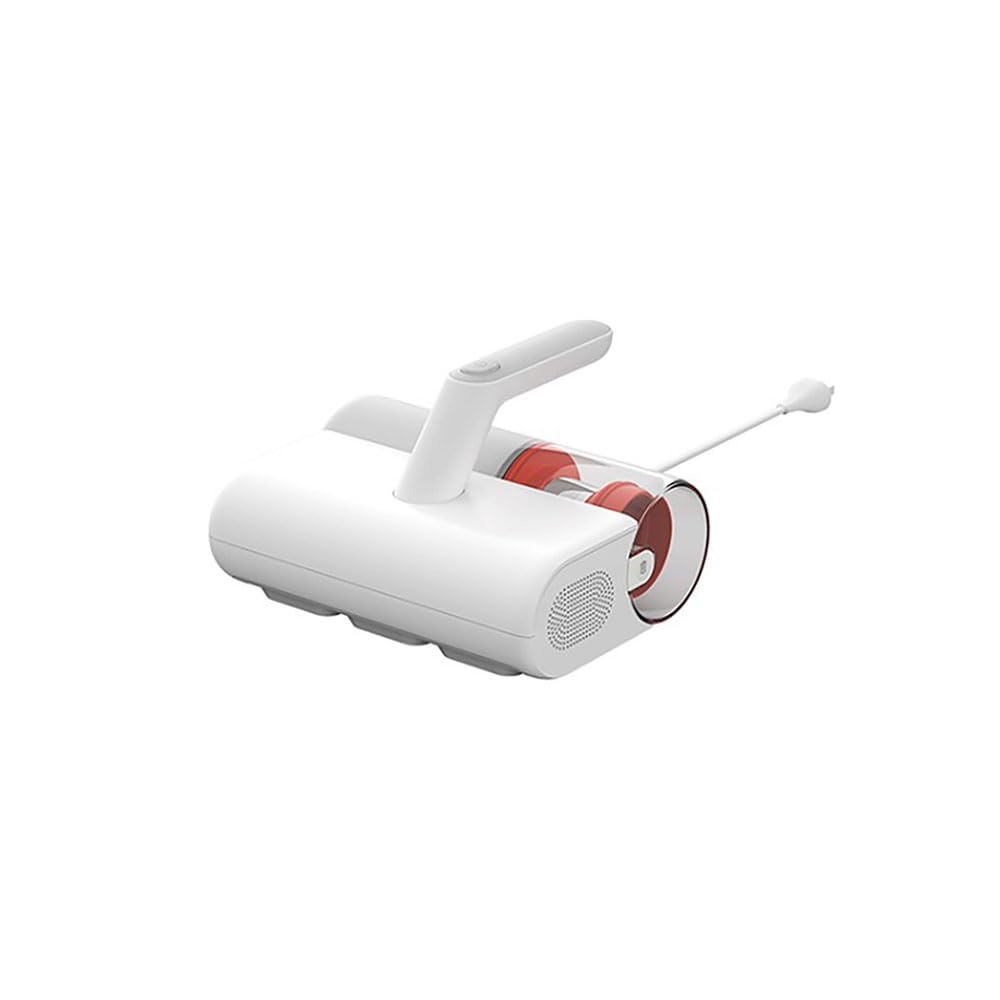
This image shows the Xiaomi Dust Mite Vacuum Cleaner 2 being used to clean upholstery, demonstrating its handheld operation.
6. ساتنه
منظم ساتنه غوره فعالیت تضمینوي او ستاسو د ویکیوم کلینر عمر اوږدوي.
۱. د دوړو راټولولو ډبې خالي کول
- ډاډ ترلاسه کړئ چې د ویکیوم کلینر غیر پلګ شوی دی.
- Locate the release button for the dustbin and detach it from the main unit.
- د کثافاتو ډبه پرانیزئ او مواد یې په کثافاتو ډبه کې خالي کړئ.
- If necessary, wipe the inside of the dustbin with a damp cloth and allow it to air dry completely before reattaching.
6.2. د HEPA فلټر پاکول
- With the dustbin removed, carefully take out the HEPA filter.
- Gently tap the filter over a waste bin to remove loose dust and debris.
- For a deeper clean, rinse the HEPA filter under running water. ډاډ ترلاسه کړئ چې فلټر د بیا نصبولو دمخه په بشپړه توګه وچ دی. Drying may take up to 24 hours.
6.3. Cleaning the UV-C Sterilization Lamp
- ډاډ ترلاسه کړئ چې د ویکیوم کلینر غیر پلګ شوی دی.
- Gently wipe the surface of the UV lamp with a clean, dry, soft cloth. Do not use liquids or abrasive cleaners.
6.4. د رولر برش پاکول
- ډاډ ترلاسه کړئ چې د ویکیوم کلینر غیر پلګ شوی دی.
- په دوره یي ډول د رولر برش معاینه کړئ چې ویښتان یا کثافات پکې وي.
- Carefully remove any obstructions using scissors or a brush.
7. ستونزه حل کول
که تاسو له کومې ستونزې سره مخ شئ، لاندې عامې ستونزې او حل لارې وګورئ:
- ځواک نشته:
- Check if the power cord is securely plugged into both the vacuum cleaner and the wall outlet.
- ډاډ ترلاسه کړئ چې د دیوال ساکټ فعال دی د بل وسیلې سره یې ازموینه کولو سره.
- ټیټ سکشن:
- The dust collection bin may be full. Empty it.
- The HEPA filter may be clogged. Clean or replace it as per maintenance instructions.
- Check for any blockages in the suction nozzle or roller brush area.
- UV Lamp کار نه کوي:
- Ensure the vacuum cleaner is powered on and in direct contact with the surface being cleaned. The UV lamp has a safety mechanism that prevents it from operating when not in contact with a surface.
- وګورئ که UV lamp area is clean and free from obstructions.
- غیر معمولي شور:
- Turn off and unplug the vacuum. Inspect the roller brush and suction path for any foreign objects that may be causing the noise.
که چیرې د دې حل لارو هڅه کولو وروسته هم ستونزه دوام ومومي، مهرباني وکړئ د پیرودونکو ملاتړ سره اړیکه ونیسئ.
8. مشخصات
| د ماډل شمیره | BHR8276EU |
| برانډ | XIAOMI |
| سکشن ځواک | 12000 Pa |
| درجه بندي ځواک | 350 W |
| د کثافاتو ظرفیت | 0.3 لیتره |
| وزن | 1.6 کیلو ګرامه |
| د فلټر ډول | د HEPA فلټر (د مینځلو وړ) |
| ځانګړي ځانګړتیاوې | UV-C Sterilization Lamp, Hot Air Drying (50°C), Bagless, Lightweight, Hypoallergenic |
| د بریښنا سرچینه | د بریښنا تار شوی |
| والیtage | 12 ولټه |
9. تضمین او ملاتړ
تضمین: This product comes with a two-year warranty against manufacturing defects from the date of purchase. Please retain your proof of purchase for warranty claims.
د پیرودونکي ملاتړ: For any questions, technical assistance, or warranty claims, please contact Xiaomi customer service through their official webسایټ یا د اړیکې معلومات چې ستاسو د پیرود اسنادو سره چمتو شوي.