
LIGE ST6 PRO-E
LIGE ST6 PRO-E Smart Watch User Manual
Model: ST6 PRO-E | Brand: LIGE
پیژندنه
This manual provides detailed instructions for the LIGE ST6 PRO-E Smart Watch. It covers product features, setup procedures, operational guidelines, maintenance tips, and troubleshooting information to ensure optimal use of your device.
په بکس کې څه دي
- سمارټ واچ
- د چارجر کیبل
- د سمارټ واچ لارښوونې
- د څار تنظیم کولو وسایل
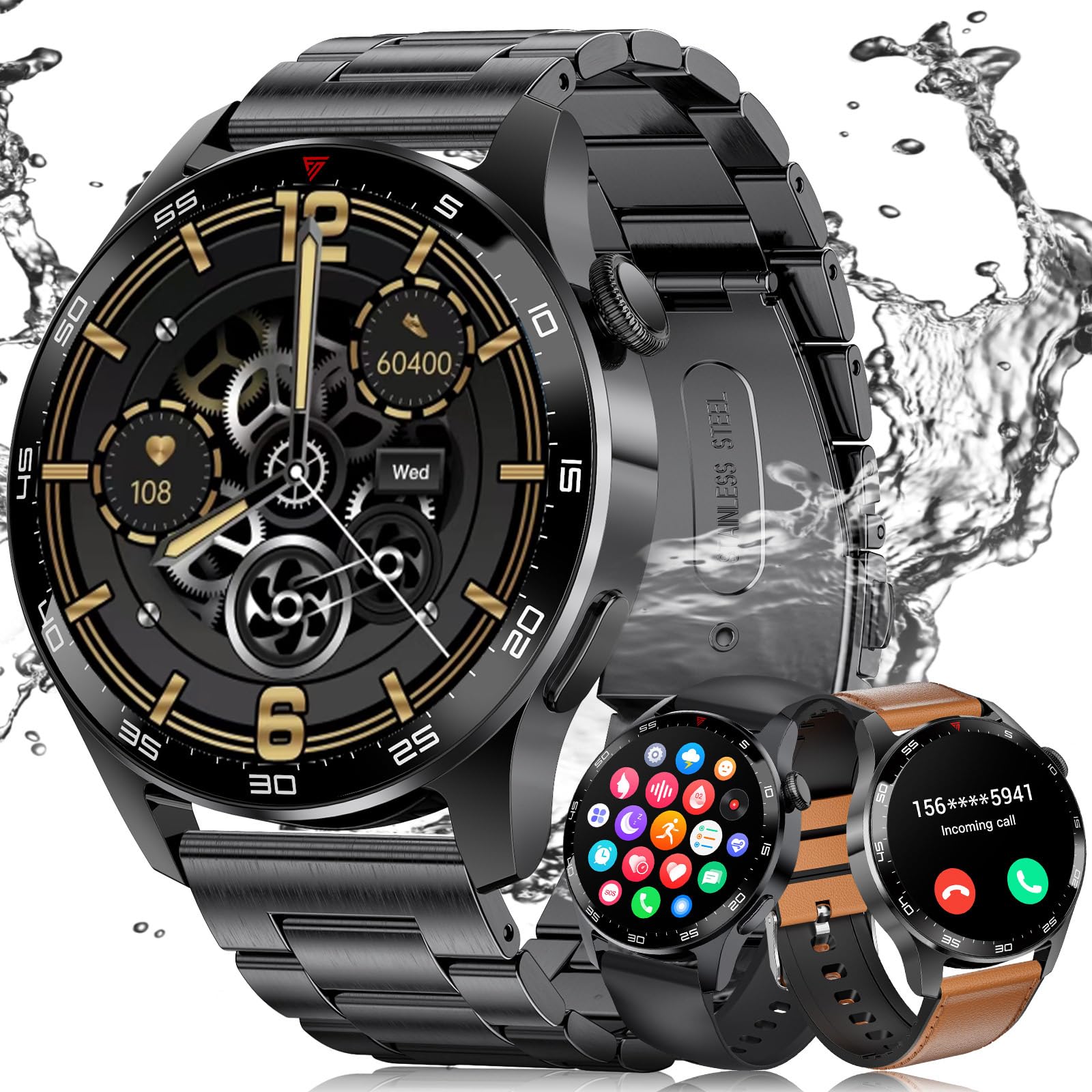
- Watch Straps (3 types: black stainless steel, black silicone, brown leather)
چمتو کول
۳. د اپلیکیشن نصب او د وسیلو جوړه کول
To use all features of your LIGE ST6 PRO-E Smart Watch, download and install the "GloryFit" app on your smartphone. The watch is compatible with Android 5.0+ and iOS 9.0+ devices.
- ډاډ ترلاسه کړئ چې ستاسو د سمارټ فون بلوتوث فعال دی.
- Open the "GloryFit" app and follow the on-screen instructions to add a new device.
- Select "ST6 PRO" from the list of available devices.
- په خپل تلیفون او سمارټ واچ دواړو کې د جوړه کولو غوښتنه تایید کړئ.
- Allow the "GloryFit" app to run in the background to maintain a stable connection.
2. Strap Adjustment and Replacement
Your smartwatch comes with three interchangeable straps: black stainless steel, black silicone, and brown leather. Use the provided watch setting tools to adjust or replace straps.
- To remove a strap: Locate the spring bar on the underside of the strap where it connects to the watch body. Use the tool to push the spring bar inward and gently pull the strap away.
- To attach a strap: Insert one end of the spring bar into the lug hole on the watch. Use the tool to push the other end of the spring bar inward, align it with the opposite lug hole, and release. Ensure the strap is securely fastened.
- For the stainless steel strap: Use the provided pin removal tool to adjust the length by pushing out pins from the links you wish to remove. Reinsert pins to secure the adjusted length.
عملیاتي لارښوونې
1. بنسټیز نیویګیشن
- پورته / ښکته سوائپ: چټکو ترتیباتو یا خبرتیاو ته لاسرسی ومومئ.
- کیڼ/ښي خوا ته سوپ کړئ: Navigate through widgets like activity, heart rate, weather, music control.
- د غاړې تڼۍ فشار ورکړئ: کور سکرین ته بیرته راشئ یا د اپلیکیشن مینو ته لاسرسی ومومئ.
- تاج وګرځوئ: Scroll through menus and watch faces.

۳.۲. د بلوتوث زنګ وهل او خبرتیاوې
Once paired with your phone, the smartwatch supports Bluetooth calls and smart notifications.
- زنګ وهل: Access the "Call" function from the app menu, use the dial pad to enter a number, or select from contacts.
- زنګونو ته ځواب ورکول: کله چې راتلونکی زنګ ترلاسه شي، د ځواب ورکولو لپاره د ساعت په سکرین کې شنه آیکون باندې کلیک وکړئ.
- خبرتیاوې: Receive alerts for messages from social media apps (e.g., WeChat, Facebook, WhatsApp) directly on your watch.
- ګډوډي مه کوئ: Swipe down on the watch face and tap the crescent moon icon to activate "Do Not Disturb" mode.

۳. د روغتیا څارنه
The watch provides continuous health monitoring features.
- د زړه ضربان څارنه: د ورځې په اوږدو کې ستاسو د زړه ضربان تعقیبوي.
- د وینې اکسیجن (SpO2) څارنه: ستاسو د وینې اکسیجن کچه اندازه کوي.
- د خوب څارنه: Records sleep patterns, including deep sleep, light sleep, and REM.
- Calorie Consumption: Tracks calories burned based on activity.

۶.۳. د فټنس تعقیب او د سپورت طریقې
The smartwatch supports over 100 sports modes and tracks daily activity.
- د فعالیت تعقیب: Monitors steps, distance, and active time.
- د سپورت طریقې: Select from various modes like outdoor running, cycling, skipping, swimming, and more to track specific workout data.

5. اضافي ځانګړتیاوې
- د موسیقۍ کنټرول: په خپل تلیفون کې د ساعت څخه مستقیم د میوزیک پلې بیک کنټرول کړئ.
- ریموټ کیمره: د خپل تلیفون کیمرې لپاره ساعت د ریموټ شټر په توګه وکاروئ.
- د هوا وړاندوینه: د هوا په اړه په ریښتیني وخت کې تازه معلومات ترلاسه کړئ.
- د الارم ساعت: ډیری الارمونه تنظیم کړئ.
- د غږ همکار: Interact with your phone's voice assistant.
- تلیفون/واچ ومومئ: Locate your phone using the watch, or vice-versa via the app.
- Customized Watch Faces: Choose from various pre-installed watch faces or use your own photos.

ساتنه
1. د بیټرۍ ژوند
The LIGE ST6 PRO-E Smart Watch is equipped with a 400mAh battery. Average service life is up to 3 days, with standby time exceeding 7 days. Ensure the "GloryFit" app is allowed to run in the background to optimize battery performance and maintain connectivity.

۶. د اوبو ضد درجه بندي
The smartwatch has an IP68 waterproof rating, making it resistant to dust and immersion in water up to 1.5 meters for 30 minutes. It is suitable for daily use and light water activities like swimming, but not for diving or high-pressure water activities.
د ستونزو حل کول
- د ارتباط مسلې: Ensure Bluetooth is on, the watch is within 9-10 meters of your phone, and the "GloryFit" app is running in the background without being closed by your phone's system.
- د روغتیا ناسم معلومات: Ensure the watch is worn snugly on your wrist. Clean the sensor regularly.
- نه چالانېږي وګورئ: Charge the watch for at least 30 minutes. If it still doesn't turn on, contact customer support.
- اپلیکیشن نه همغږي کیږي: Check your phone's internet connection and ensure the "GloryFit" app has all necessary permissions. Restart both the watch and the app.
مشخصات
| فیچر | تفصیل |
|---|---|
| د ماډل شمیره | ST6 PRO-E |
| د سکرین اندازه | ۱.۷۵ انچه HD AMOLED |
| د بیټرۍ ظرفیت | 400 mAh لیتیم پولیمر |
| ارتباط | بلوتوث 5.2 |
| د پنروک درجه | IP68 |
| مطابقت | انډرایډ ۹.۰+ / iOS ۱۴.۰+ |
| د حافظې ذخیره | 256 MB |
| د توکي وزن | 4.16 اونس |
| ځانګړي ځانګړتیاوې | Fitness Tracker, Always On Display, Phone Call, Sleep Monitor, 100+ Sports Modes, Blood Oxygen (SpO2) Monitor, Heart Rate Monitor, Calorie Tracker, Alarm Clock, Stopwatch, Timer, Pedometer, Camera Control, Music Playback/Control, Sedentary Reminder, Weather, Notifications. |
تضمین او ملاتړ
LIGE is committed to ensuring customer satisfaction. If you have any questions or require assistance with your LIGE ST6 PRO-E Smart Watch, please do not hesitate to contact our customer service. We are dedicated to providing reliable service and a positive experience.
Ask a question about this manual
Ask about setup, troubleshooting, compatibility, parts, safety, or missing instructions. Manuals+ will review the question and use this page’s manual context to help answer it.