
1. پیژندنه
Welcome to the YQSAVIOR Kids Tablet user manual. This guide provides essential information to help you set up, operate, and maintain your new tablet. Designed specifically for children, this tablet offers a safe and engaging platform for learning and entertainment, featuring robust parental controls and a durable design.
مهرباني وکړئ د وسیلې کارولو دمخه دا لارښود په بشپړ ډول ولولئ ترڅو مناسب فعالیت او خوندیتوب ډاډمن کړئ.
۲. په بکس کې څه دي؟
- YQSAVIOR Kids Tablet (Model YQQ1K)
- د چارج کیبل
3. محصول ختم شوview
The YQSAVIOR Kids Tablet is equipped with features designed for young users, including a durable shockproof case and an adjustable stand for comfortable viewing.
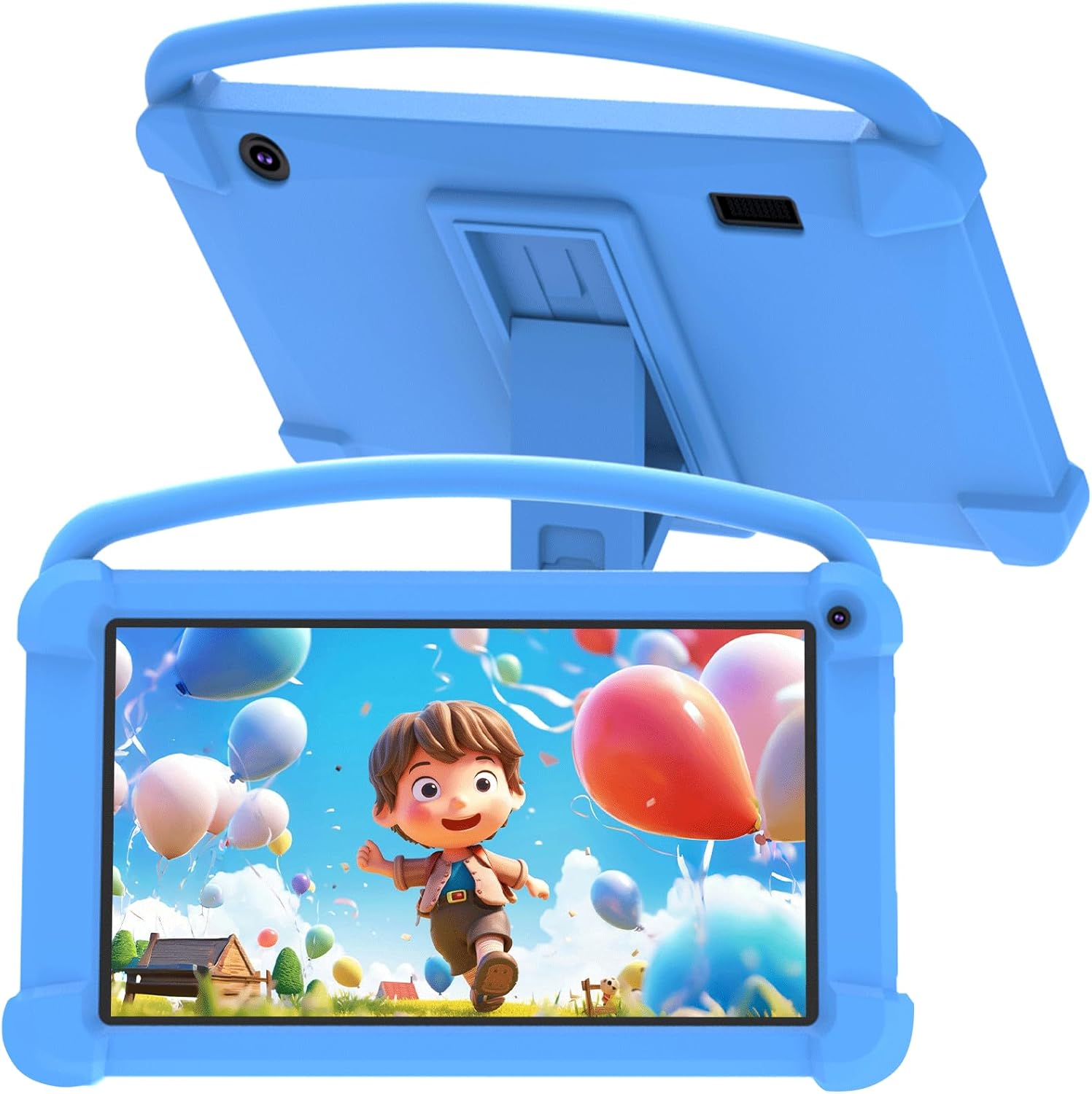
شکل 3.1: مخکی view of the YQSAVIOR Kids Tablet with its protective case.

Figure 3.2: The tablet's adjustable stand for hands-free viewing.
مهمې برخې:
- ۳.۱۶ انچه IPS HD ډسپلې: Provides clear and bright visuals (1024x600 resolution).
- د سیلیکون محافظتي قضیه: Designed to absorb shocks and prevent damage from drops.
- د تنظیم وړ موقف: Integrated into the case for convenient viewزاویې
- دوه ګونی کیمرې: Front 2.0MP and Rear 5.0MP for photos and video calls.
- د 3.5mm هیډفون جیک: د شخصي اوریدلو لپاره.
- د مایکرو SD کارت سلاټ: Expandable storage up to 512GB.
4. ترتیب کول
4.1 ابتدايي چارج کول
Before first use, fully charge the tablet using the provided charging cable and a compatible power adapter (not included). The charging indicator will show progress.
4.2 بریښنا کول / بندول
- د فعالولو لپاره: د بریښنا ت buttonۍ فشار او ونیسئ تر هغه چې اسڪرين روښانه شي.
- د بریښنا بندولو لپاره: د پاور تڼۍ کېکاږئ او ونیسئ، بیا د سکرین په سکرین کې د څرګندیدو انتخابونو څخه 'پاور بند' غوره کړئ.
۳.۴ د ابتدايي تنظیم وزرډ
Upon first power-on, the tablet will guide you through an initial setup process. This includes selecting your language, connecting to a Wi-Fi network, and setting up a Google account. A Google account is required to access the Google Play Store and other Google services.
4.4 د مایکرو ایس ډی کارت داخلول
To expand storage, locate the Micro SD card slot on the side of the tablet. Gently insert a Micro SD card (up to 512GB) until it clicks into place. The tablet will recognize the new storage.
5. عملیاتي لارښوونې
5.1 والدین کنټرولونه
The YQSAVIOR Kids Tablet features robust parental control options to ensure a safe digital environment for children. These controls allow you to manage screen time, filter content, and control app access.

شکل 5.1: پایview of parental control features.
Access the parental control settings through the dedicated app or system settings to:
- د ټابلیټ کارولو لپاره د ورځني وخت محدودیتونه وټاکئ.
- Approve or block specific applications.
- فلټر webسایټونه او آنلاین منځپانګې.
- Monitor activity logs.
۲.۲ د اپلیکیشن مدیریت
The tablet comes with pre-installed educational and entertainment apps. You can download additional applications from the Google Play Store, thanks to its GMS certification.

Figure 5.2: The tablet's 'All Apps' screen.
۵.۳ د رسنیو غږول
The tablet supports various media formats and is compatible with streaming services like Netflix due to Widevine L1 support. The 1024x600 IPS HD display ensures a clear visual experience for videos and games.
Video 5.3: An animated video showcasing the YQSAVIOR Kids Tablet's design, features like the protective case, adjustable stand, and dual cameras, along with its quad-core processor and various color options.
6. ساتنه
6.1 پاکول
Use a soft, lint-free cloth to clean the screen and the tablet's body. For stubborn smudges, slightly dampټوکر د اوبو سره ومینځئ. د سختو کیمیاوي موادو یا خړوبونکو موادو کارولو څخه ډډه وکړئ.
6.2 د بیټرۍ پاملرنه
- د ټابلیټ د سختې تودوخې (ګرمې یا سړې) سره د مخ کیدو څخه ډډه وکړئ.
- د بشپړ چارج کیدو وروسته د ټابلیټ چارج کولو ته د اوږدې مودې لپاره مه پریږدئ.
- د اوږدې مودې ذخیره کولو لپاره، بیټرۍ شاوخوا 50٪ چارج کړئ او وسیله بنده کړئ.
6.3 د سافټویر تازه معلومات
Periodically check for system updates in the tablet's settings to ensure optimal performance and access to the latest features and security patches.
7. ستونزه حل کول
عام مسایل او حل لارې:
- ټابلیټ نه چالانیږي: Ensure the tablet is charged. Connect it to a power source and try again.
- ورو فعالیت: Close unused applications, clear app caches, or restart the tablet.
- د وای فای اتصال مسلې: Check if Wi-Fi is enabled, restart your router, or forget and reconnect to the network.
- د اپلیکیشنونو خرابېدل: Ensure apps are updated. Try clearing the app's cache or reinstalling it.
- بیټرۍ ژر ختمیږي: Reduce screen brightness, close background apps, or disable unnecessary features like Bluetooth/GPS when not in use.
If issues persist, consider performing a factory reset (this will erase all data, so back up important files first) or contact customer support.
8. مشخصات
| فیچر | مشخصات |
|---|---|
| د ماډل نوم | YQQ1K |
| عملیاتي سیسټم | Android 12 |
| د سکرین اندازه | ۷۸۷ انچه |
| د سکرین ریزولوشن | 1024x600 Pixels (IPS HD) |
| RAM | ۸ جي بي (۳ جي بي+۵ جي بي) |
| داخلي ذخیره (ROM) | 32GB |
| د پراخیدو وړ ذخیره | مایکرو SD تر 512GB پورې |
| شاته کیمره | 5 MP |
| مخکینۍ کیمره | 2 MP |
| بې سیم ډول | ۸۰۲.۱۱ این (وای فای) |
| ارتباط | بلوتوث |
| بیټرۍ | 1 لیتیم ایون (شامل) |
| د توکي وزن | ۲.۴۵ پونډه |
| د محصول ابعاد | 7 x 0.3 x 3 انچه |
9. تضمین او ملاتړ
For warranty information and customer support, please refer to the documentation included with your purchase or visit the official YQSAVIOR store on Amazon. You can find more information and contact details at: YQSAVIOR Amazon Store.