
1. محصول ختم شوview
The TP-Link Deco X1500 is a Wi-Fi 6 Mesh System designed to provide seamless, whole-home Wi-Fi coverage. This 3-pack system utilizes advanced Wi-Fi 6 technologies to deliver faster speeds, connect more devices, and reduce latency for a superior network experience. It creates a unified network that automatically selects the best connection as you move throughout your home.

Image: A single TP-Link Deco X1500 Mesh WiFi 6 unit, showcasing its compact white cylindrical design.
کلیدي ځانګړتیاوې:
- Faster Connections: Wi-Fi 6 achieves speeds up to 1,500 Mbps: 1,201 Mbps on 5 GHz and 300 Mbps on 2.4 GHz.
- نور وسایل وصل کړئ: OFDMA and MU-MIMO technologies quadruple capacity for simultaneous transmission to multiple devices.
- Enhanced Seamless Coverage: Achieve perfect whole-home coverage with a clearer and stronger Wi-Fi signal generated by Wi-Fi 6.
- ډیر ټیټ ځنډ: Reduced latency enables more responsive gaming and video chats.
- متحد شبکه: Multiple units form a whole-home network that automatically selects the best connection as you move around your home.
- د والدینو قوي کنټرولونه: آنلاین وخت محدود کړئ او نامناسب بلاک کړئ websites based on unique profileد کورنۍ د هر غړي لپاره جوړ شوی.
- ساده ترتیب: The Deco app guides you step-by-step through the setup process.
2. د بسته محتويات
ډاډ ترلاسه کړئ چې ټول توکي ستاسو په کڅوړه کې شتون لري:
- ۲ x ډیکو ایکس ۶۰ واحدونه
- 1 x RJ45 ایترنیټ کیبل
- ۲ x د بریښنا اډاپټرونه
- 1 x د چټک نصبولو لارښود
۴. د تنظیم لارښوونې
Setting up your Deco X1500 Mesh System is straightforward using the TP-Link Deco app. Follow these steps for initial installation:
- د ډیکو اپلیکیشن ډاونلوډ کړئ: لټون 'TP-Link Deco' in the App Store (iOS) or Google Play Store (Android) and download the application.
- Sign Up or Log In: Open the Deco app and sign up for a TP-Link ID. If you already have one, log in.
- د اصلي ډیکو واحد سره وصل کړئ:
- خپل موډیم بند کړئ.
- د چمتو شوي ایترنیټ کیبل په کارولو سره یو ډیکو واحد خپل موډیم ته وصل کړئ.
- Power on your modem, then power on the Deco unit.
- د اپلیکیشن دننه لارښوونې تعقیب کړئ: The Deco app will automatically detect your Deco unit and guide you through the process of creating your Wi-Fi network name and password.
- اضافي ډیکو واحدونه اضافه کړئ: Once the main Deco is set up, the app will prompt you to add the remaining Deco units. Place them strategically throughout your home for optimal coverage. The app will provide guidance on ideal placement.
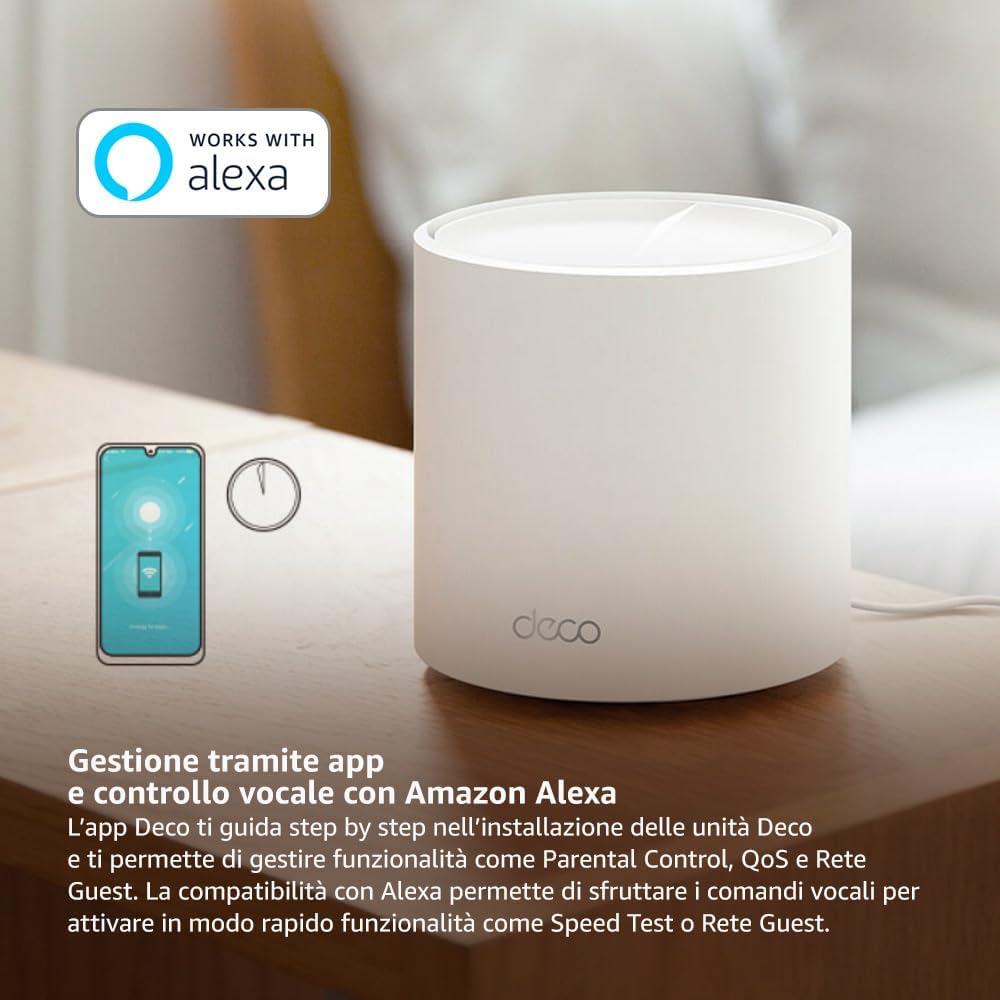
Image: A smartphone screen displaying the TP-Link Deco app, illustrating the step-by-step setup process for the mesh system.
4. عملیاتي لارښوونې
The Deco X1500 system is managed primarily through the TP-Link Deco app, offering various features to control and optimize your home network.
Using the Deco App:
- د شبکې مدیریت: View connected devices, monitor network status, and manage Wi-Fi settings.
- د والدینو کنټرول: پرو جوړ کړئfiles for family members, set time limits, and block inappropriate content.
- د خدماتو کیفیت (QoS): Prioritize devices or activities for optimal performance.
- د میلمه شبکه: د میلمنو لپاره جلا وای فای شبکه جوړه کړئ، ستاسو اصلي شبکه خوندي وساتئ.
- انټي ویروس: Utilize built-in HomeShield features for network protection.
Voice Control with Amazon Alexa:
The Deco X1500 is compatible with Amazon Alexa. Link your TP-Link Deco account to your Alexa account to use voice commands for network functions, such as:
- Enabling or disabling the Guest Network.
- Running a speed test.
- Pausing Wi-Fi for specific profiles.

انځور: شاته برخه view of a Deco X1500 unit, showing two Gigabit LAN/WAN auto-sensing Ethernet ports and the power input.
5. ساتنه
Regular maintenance ensures optimal performance and longevity of your Deco X1500 system.
د فرم ویئر تازه معلومات:
- The Deco app will notify you of available firmware updates. It is recommended to keep your Deco units updated to the latest firmware for improved performance, security, and new features.
- Follow the in-app instructions to perform firmware updates. Do not power off the units during an update.
پاکول او ځای پرځای کول:
- Clean the Deco units with a soft, dry cloth. Do not use liquid cleaners or aerosols.
- Place Deco units in open areas, away from obstructions like large metal objects, thick walls, or other electronic devices that may cause interference.
- Ensure adequate ventilation around each unit to prevent overheating.
6. ستونزه حل کول
If you encounter issues with your Deco X1500 system, refer to the following common troubleshooting steps.
د انټرنیټ اتصال نشته:
- موډیم وګورئ: ډاډ ترلاسه کړئ چې ستاسو موډیم فعال دی او فعال انټرنیټ اتصال لري.
- د کیبل پیوستون: تایید کړئ چې د ایترنیټ کیبل چې اصلي ډیکو واحد موډیم سره نښلوي په خوندي ډول پلګ ان شوی دی.
- وسیلې بیا پیل کړئ: Power cycle your modem and all Deco units. Wait a few minutes for them to restart and re-establish connections.
- د ډیکو اپلیکیشن حالت: Check the Deco app for network status and any error messages.
د وای فای کمزوری سیګنال یا مړې سیمې:
- د واحد ځای پرځای کول: Adjust the placement of your Deco units. Try to place them equidistant from each other and the main Deco, avoiding physical obstructions.
- لاسوهنه: Move Deco units away from other electronics (microwaves, cordless phones, Bluetooth devices) that might cause wireless interference.
- نور واحدونه اضافه کړئ: For very large homes or those with multiple floors, consider adding more Deco units to expand coverage.
وسیله نشي کولی د وای فای سره وصل شي:
- سم پټنوم: ډاډ ترلاسه کړئ چې تاسو سم د وای فای پټنوم داخل کوئ.
- د وسیله مطابقت: Verify that your device supports the Wi-Fi standards used by the Deco system (802.11ax/ac/n/a/g/b).
- وسیله بیا پیل کړئ: هغه وسیله بیا پیل کړئ چې د نښلولو هڅه کوي.
- Check Blacklist: Ensure the device has not been accidentally blacklisted in the Deco app.
7. مشخصات
| فیچر | مشخصات |
|---|---|
| برانډ | TP-لینک |
| د ماډل نوم | ډیکو X1500 |
| ځانګړی ځانګړنه | وای فای ۶ |
| د فریکونسی بانډ ټولګی | دوه ګونی بند |
| د بې سیمه مواصلاتو معیار | ایکس این ایم ایکس ایکس |
| مطابقت لرونکې وسیلې | کمپیوټر، سمارټ فون، ټابلیټ |
| وړاندیز شوی کارول | کور |
| د ارتباط ټیکنالوژي | RJ45 |
| رنګ | سپین |
| امنیت پروټوکول | WPA3 |
| Number of Ports (per unit) | 2 x Gigabit LAN/WAN (auto-sensing) |
| د کنټرول طریقه | اپلیکیشن |
| د معلوماتو د لیږد کچه | په یوه ثانیه کې ۲۶۰۰۰ میګابایټونه |
| د LAN پورټ بینډ ویت | 1000 Mbps |
| والیtage | 110.0V |
| Max Upstream Data Transfer Rate | په یوه ثانیه کې ۲۶۰۰۰ میګابایټونه |
| د انتن شمیره | داخلي |
| د سمارټ کور مطابقت | هو |
| د وای فای نسل | وای فای ۶ |
| پوښښ (۲-پیک) | تر 520 مربع مترو پورې |
| د توکي وزن | 1.8 کیلوګرامه |
8. د تضمین معلومات
The TP-Link Deco X1500 Mesh System comes with a د 3 کلن محصول تضمین. This warranty covers defects in materials and workmanship under normal use. For specific terms and conditions, please refer to the warranty card included in your package or visit the official TP-Link webسایټ
9. ملاتړ
For further assistance, technical support, or to access additional resources, please visit the official TP-Link support webسایټ:
You can also find FAQs, updated manuals, and community forums on the support page.