
1. محصول ختم شوview
The BougeRV MPPT Solar Charge Controller 40A is designed to efficiently manage power flow from your solar panels to your battery bank. It features advanced Maximum Power Point Tracking (MPPT) technology to maximize solar energy harvest and includes essential protections for various battery types, especially LiFePO4 batteries.
کلیدي ځانګړتیاوې:
- LiFePO4 Compatibility: Features low-temp cut-off charging (below 32°F) to protect LiFePO4 batteries and can reactivate dormant 12V or 24V LiFePO4 batteries.
- Smart LCD & APP Control: Remote app control via Bluetooth (up to 32 feet) for monitoring solar panel, battery, and load status. The backlit LCD offers three display modes: full-featured, no-load, and viewing.
- د لوړ موثریت چارج کول: Adjustable charge current from 0A to 40A with up to 99.5% tracking efficiency and 99% peak conversion efficiency.
- Active Shield Protection: CE and RoHS certified, featuring dual MOS circuit for reverse current prevention and 6 protections: over-temperature, open-circuit, short-circuit, overload, polarity reverse, and flow backward of current.

Image: BougeRV MPPT Solar Charge Controller 40A. This image shows the main unit of the solar charge controller.
2. د تنظیم کولو لارښود
۵.۱. د کنټرولر تار لګول
Proper wiring is crucial for safe and efficient operation. Always connect the battery first, then the solar panels.
Video: How to build a solar system with BougeRV products? This video demonstrates the physical wiring process for setting up the solar charge controller with a battery and solar panel.
2.2. App Download & Login
To utilize the smart features of your controller, download the official BougeRV app.
Video: BougeRV APP Part 1-Download. This video guides you through downloading and logging into the BougeRV application.
یادونه: There are two versions of the app (BougeRV APP and Solar APP). Ensure you download the correct version for your controller. The current digital manual refers to the new BougeRV APP.

Image: App Download and Pairing Guide. This image illustrates the steps for downloading the BougeRV app and pairing it with your device, including a QR code for easy access.
2.3. Connecting & Data Display
After downloading the app, connect it to your controller to view real-time data and historical information.
Video: BougeRV APP Part 2-Connection and Setup. This video demonstrates how to connect the app to the controller and view په ریښتیني وخت او تاریخي معلوماتو کې.

Image: Real-time Monitoring. This image shows the app interface displaying real-time system status, including voltage, current, and power for solar panel and battery.
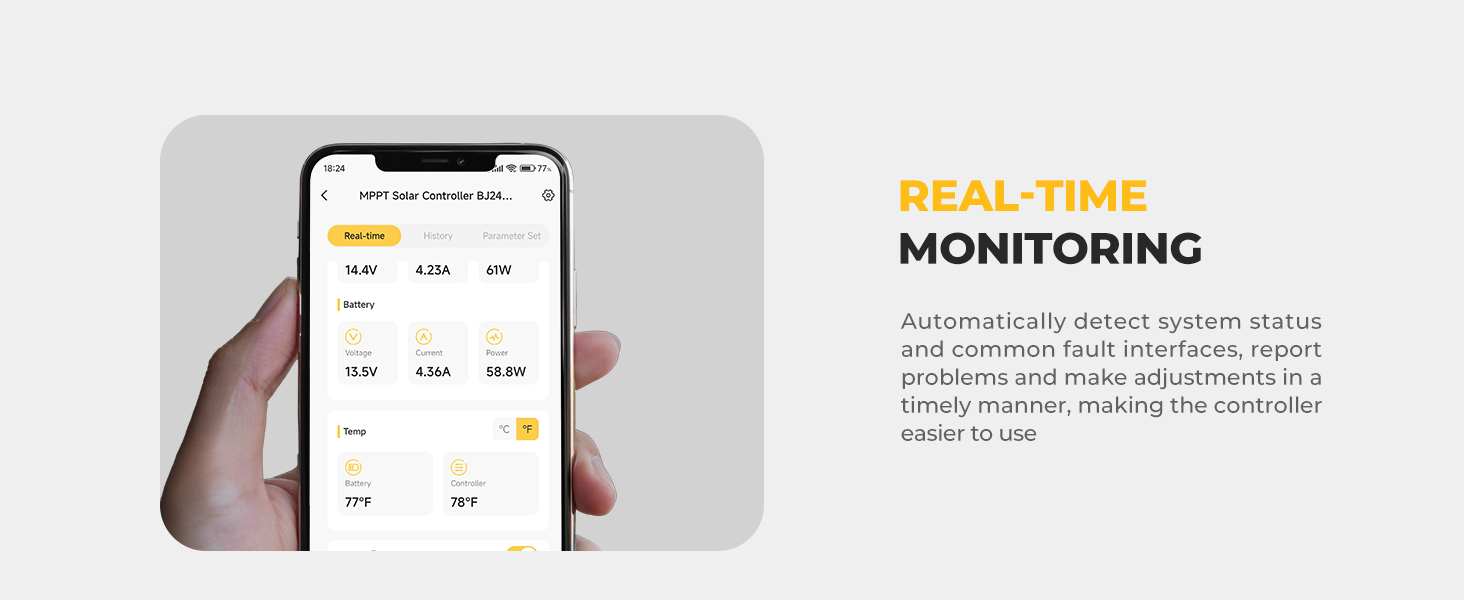
Image: Historical Data Viewing. This image displays the app's history section, showing past performance data for the solar system.
3. عملیاتي لارښوونې
3.1. د پیرامیټر تنظیمات
Configure your controller's settings via the app for optimal performance based on your battery type and system requirements.
Video: BougeRV APP Part 3-Parameter Settings. This video demonstrates how to adjust battery and charging parameters using the app.
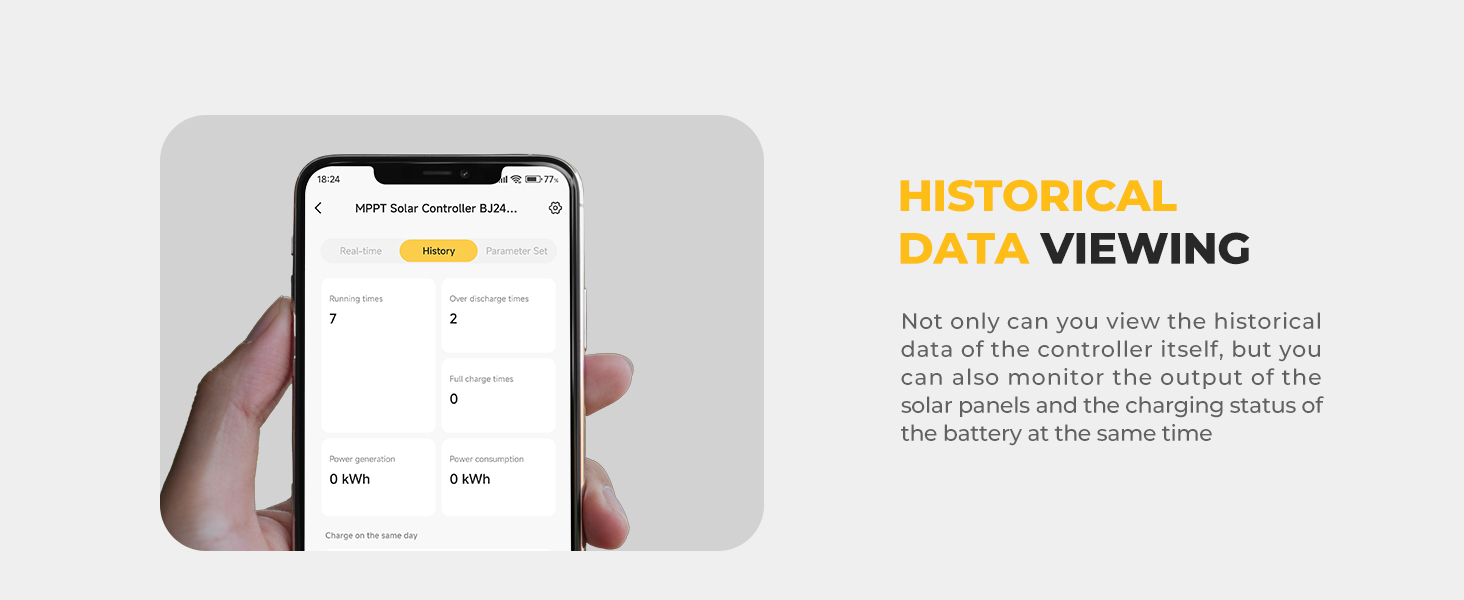
Image: Convenient Parameter Setting. This image shows the app interface for setting various parameters, including system voltage او د بیټرۍ ډول.
3.2. Load Settings
The controller offers various load modes to manage connected devices.
Video: BougeRV APP Part 4-Load Settings. This video explains how to configure load settings, including Normal On, Manual, and Pure Light Control modes.
3.3. د ښودلو طریقې
The controller's backlit LCD provides three operational modes:
- Full-featured Mode: Allows modification of all adjustable parameters via screen buttons.
- No-load Mode: Provides status parameters and battery settings, excluding load settings.
- Viewد کولو حالت: Monitors system status parameters only, without editing capabilities.
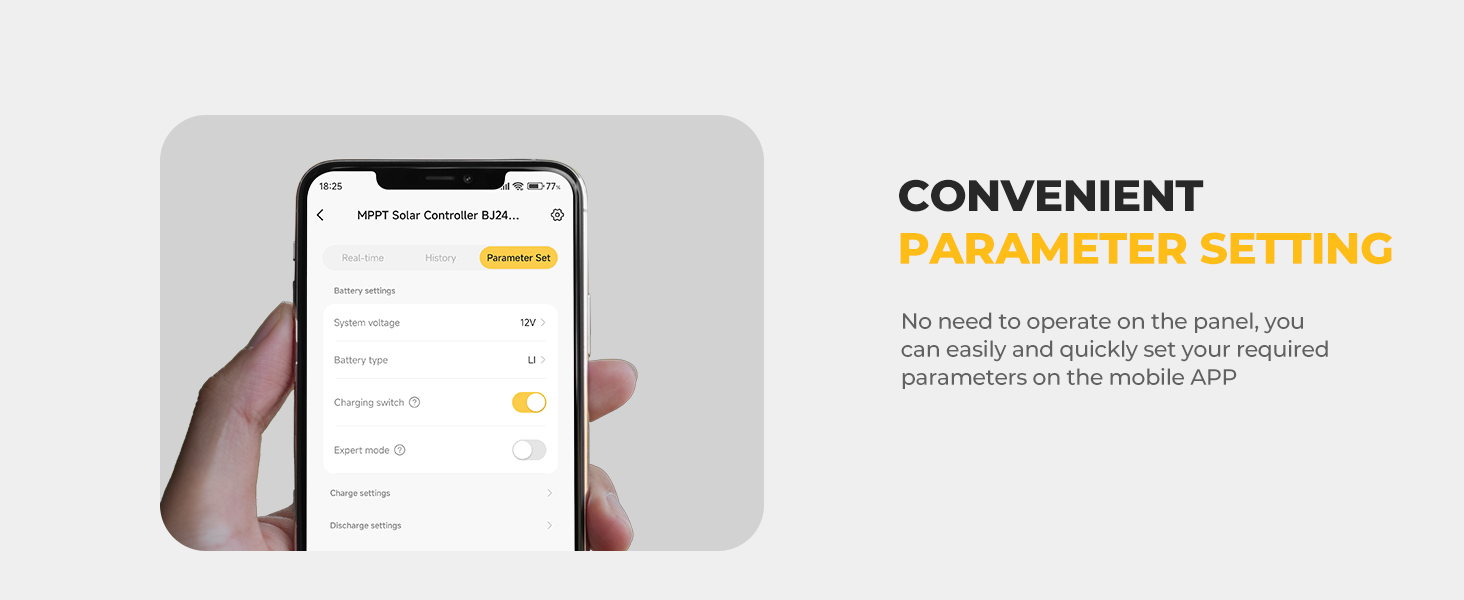
Image: Display Overview. This image labels the various icons and indicators on the controller's backlit LCD screen.
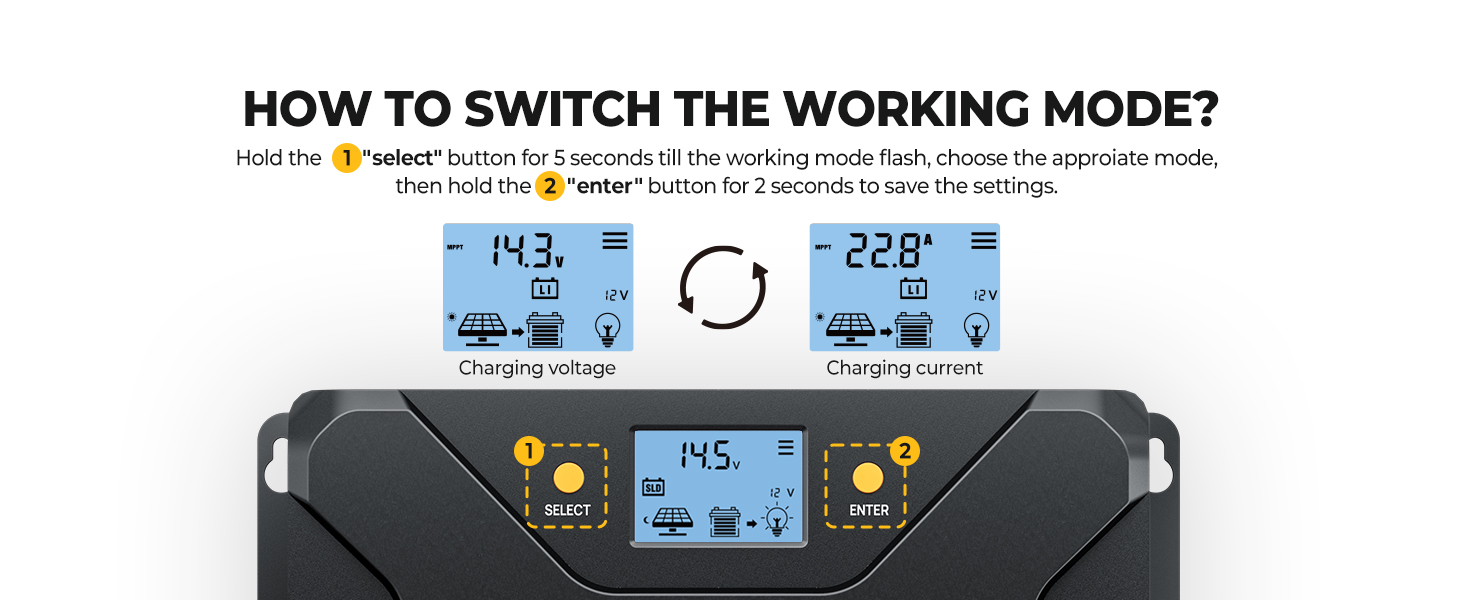
Image: How to Switch the Working Mode. This image demonstrates using the 'SELECT' and 'ENTER' buttons to switch between display modes and save settings.
3.4. Low-Temperature Cut-Off
The controller includes a low-temperature cut-off feature to protect LiFePO4 batteries from damage when charging in cold conditions.

Image: Low-Temp Cut-Off. This image visually explains the low-temperature cut-off function, showing the controller and battery in a snowy environment.
3.5. Flexible Adjustment of Charging Current
The controller allows you to customize the charging current from 0A to 40A to suit different equipment and battery sizes.

Image: Flexible Adjustment. This image illustrates the 0-40A flexible adjustment feature for charging current, adapting to various needs from small equipment to large batteries.
3.6. Battery Type Compatibility
The BougeRV Sunflow MPPT controller is compatible with multiple battery types, including LiFePO4, SLD, Gel, FLD, and AGM batteries.

Image: Fully Compatible with Kinds of Battery Types. This image shows the controller's compatibility with SLD, AGM, GEL, FLD, and LI (LiFePO4) battery types.
4. ساتنه
4.1. System Restart & Factory Reset
If you encounter issues or wish to reset settings, you can perform a system restart or factory reset via the app.
Video: BougeRV APP Part 5-Reset. This video demonstrates how to perform a system restart or factory reset using the BougeRV app.
5. ستونزه حل کول
This section provides guidance for common issues. For more detailed support, please refer to the app's support center or contact BougeRV customer service.
- No Power Display: Ensure all connections (battery, solar panel) are secure and correctly polarized. Check for blown fuses or tripped circuit breakers.
- نه چارج کول: Verify solar panel input voltage is within the controller's operating range. Check for shading on solar panels. Confirm battery type settings in the app are correct.
- د اپلیکیشن اتصال مسلې: Ensure Bluetooth is enabled on your device and the controller. Try restarting both the app and the controller. Register an account to connect to Bluetooth.
- د تېروتنې کوډونه: Consult the app or the full digital manual for specific error code definitions and solutions.
د خوندیتوب خوندیتوب:
The controller is equipped with an 8-point safety system:
- د ټیټ تودوخې محافظت
- د تودوخې څخه ډیر محافظت
- ډیر ولtage ساتنه
- د ډیر خارج کیدو محافظت
- د لنډ سرکټ ساتنه
- د کنکشن محافظت ریورس
- د ډیر بار محافظت
- Input Power Limit Protection
6. مشخصات
| فیچر | تفصیل |
|---|---|
| ماډل | BJ2440N |
| د سیسټم Voltage | 12V/24V (Auto-sensing) |
| د چارج اوسنۍ درجه | 40A |
| Max. PV Input Power (12V) | 600W |
| Max. PV Input Power (24V) | 1200W |
| Max PV ننوتو حجمtage | 95V |
| د اوسني بار اندازه | 20A |
| د تعقیب موثریت | تر 99.5٪ پورې |
| د تبادلې لوړ موثریت | تر 99٪ پورې |
| د بیټرۍ مطابقت | LiFePO4, SLD, Gel, FLD, AGM |
| Low-Temp Cut-Off | Yes (for LiFePO4, below 32°F) |
| د اپلیکیشن کنټرول | Yes (Bluetooth, up to 32 feet) |
| د ښودلو ډول | Backlit LCD |
| د محصول ابعاد | ۷۱"لیتر x ۲۳.۶"واټه x ۲۴.۴"هوا |
| د توکي وزن | 3.95 پونډه |
| مواد | ABS پلاستيک |
| تصدیقونه | CE، RoHS |
7. تضمین او ملاتړ
7.1. د تضمین معلومات
BougeRV provides an 18-month manufacturer warranty for the 40 Amp MPPT solar charge controller from the date of purchase. Please retain your proof of purchase for warranty claims.
7.2. د پیرودونکي ملاتړ
For any questions, technical assistance, or to request the manual for the old version of the Solar APP, please contact BougeRV customer service. You can find contact information on the official BougeRV website or through the support section of the BougeRV app.


