
1. پیژندنه او وروستهview
The Reloop RT-1 BT is a versatile belt-drive turntable designed for both aspiring DJs and Hi-Fi enthusiasts. It combines classic vinyl playback with modern wireless convenience, featuring integrated Bluetooth for seamless connection to compatible speakers. Its robust construction, including a sturdy chassis and precision-cast platter, ensures stable and distortion-free audio reproduction. The turntable comes equipped with a pre-assembled Ortofon OM Black magnetic pickup system and an integrated phono pre-amplifier, offering flexibility for various audio setups.
2. د خوندیتوب لارښوونې
Please read and understand all safety instructions before operating the Reloop RT-1 BT turntable. Retain this manual for future reference.
- د بریښنا رسول: یوازې چمتو شوی بریښنا اډاپټر وکاروئ. ډاډ ترلاسه کړئ چې حجمtage matches your local power supply. Disconnect power during thunderstorms or when unused for extended periods.
- اوبه او رطوبت: Do not expose the unit to rain, moisture, or liquids. Avoid placing objects filled with liquids, such as vases, on or near the turntable.
- وینټیلیشن: Ensure adequate ventilation. Do not block ventilation openings. Install the unit according to the manufacturer's instructions.
- تودوخه: د تودوخې کومې سرچینې ته نږدې مه نصب کړئ لکه ریډیټرونه، د تودوخې راجسترونه، بخارۍ، یا نور وسایل (په شمول ampلایفیر) چې تودوخه تولیدوي.
- پاکول: یوازې د وچ ټوکر سره پاک کړئ. د مایع یا ایروسول پاکوونکو کارولو څخه ډډه وکړئ.
- خدمت کول: د دې محصول د خدمت کولو هڅه مه کوئ. ټول خدمتونه وړ خدماتو پرسونل ته واستوئ. خدمت کول هغه وخت اړین دي کله چې وسیله په هر ډول زیانمنه شوې وي، لکه د بریښنا رسولو تار یا پلګ زیانمن شوی وي، مایع توی شوی وي یا شیان په وسیله کې غورځیدلي وي، وسیله باران یا رطوبت سره مخ شوې وي، په نورمال ډول کار نه کوي، یا غورځول شوی وي.
- ځای په ځای کول: د ټرن میز په یوه مستحکم، سطحه سطحه کېږدئ ترڅو د وایبریشن مخه ونیول شي او مناسب عملیات ډاډمن شي.
3. د بسته محتويات
Carefully unpack your Reloop RT-1 BT turntable and verify that all the following components are included:
- Reloop RT-1 BT Turntable Unit
- د المونیم تخته
- Belt Drive (pre-installed or separate)
- Reloop OM Black Pickup System (by Ortofon, pre-assembled on headshell)
- سرلیک
- فټ مټ
- Dust Cover (removable acrylic)
- د وزن ضد
- Audio Cable (RCA)
- Center Adapter (for 45 RPM records)
- د بریښنا رسولو واحد
- د لارښوونې لارښود
4. ترتیب کول
Follow these steps to set up your Reloop RT-1 BT turntable for the first time.
4.1 پاکول او ځای پرځای کول
- په احتیاط سره د بسته بندۍ څخه ټولې برخې لرې کړئ.
- Place the turntable unit on a stable, level surface away from direct sunlight, heat sources, and excessive dust.
۵.۲ د پلیټ او کمربند نصبول
- Place the aluminum platter onto the spindle of the turntable.
- If the belt is not pre-installed, carefully loop the drive belt around the motor pulley and the inner rim of the platter.
- د پلیټ په سر کې احساس شوی چټکی ځای په ځای کړئ.
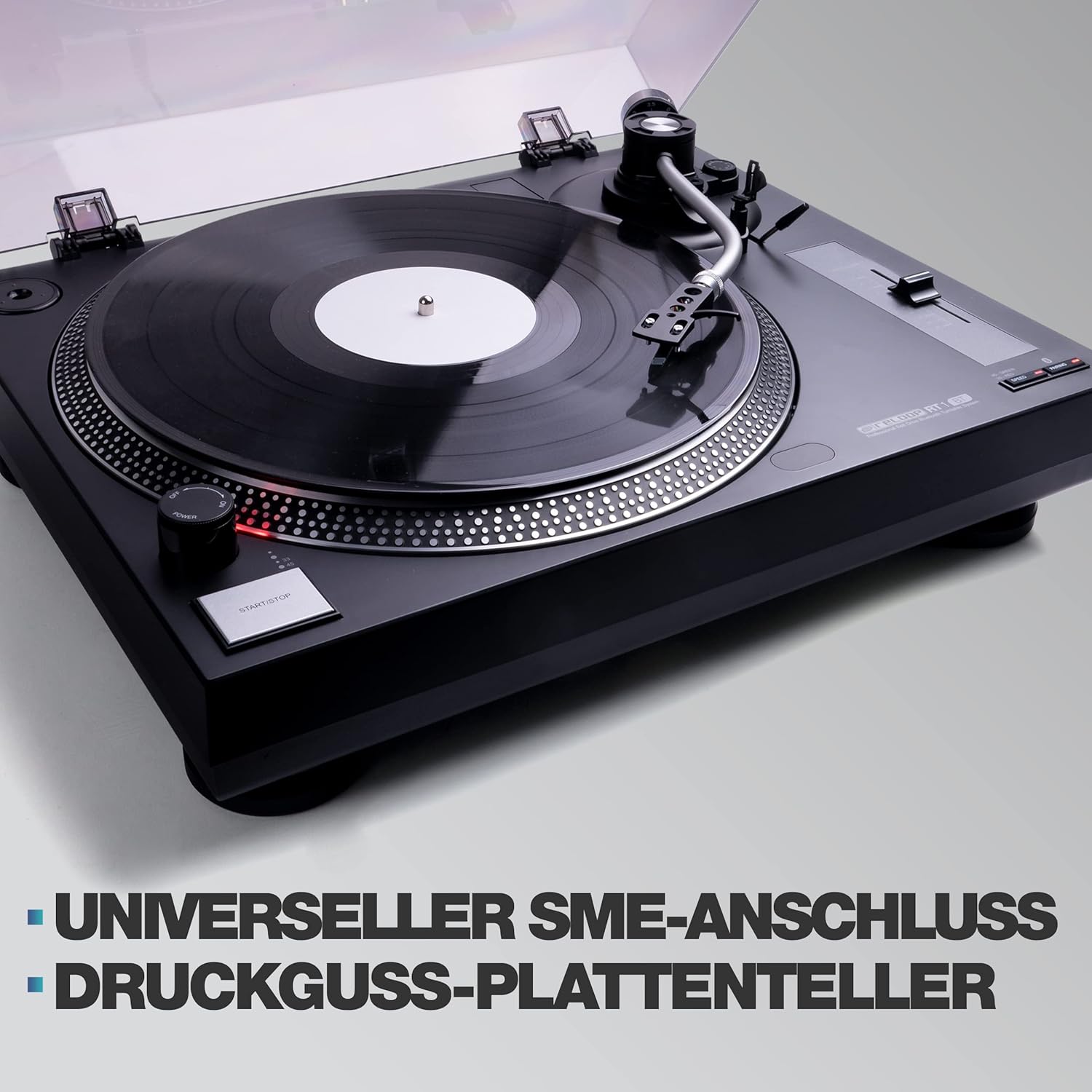
Image: The Reloop RT-1 BT turntable with its aluminum platter and S-shaped tonearm, highlighting the universal SME connection and cast platter.
۴.۳ د ټوني وسلو او کارتریج تنظیم کول
- The Ortofon OM Black pickup system is pre-assembled on the headshell. Attach the headshell to the tonearm.
- Install the counterweight onto the rear of the tonearm. Adjust it to balance the tonearm horizontally. Refer to the Ortofon manual for precise tracking force settings (typically 1.5-2.0 grams for OM Black).
- Adjust the anti-skating dial to match the tracking force setting.

Image: The Reloop RT-1 BT turntable shown with its removable acrylic dust cover and the included Reloop OM Black pickup system by Ortofon.
4.4 آډیو ارتباطات
The RT-1 BT features an integrated phono pre-ampلایفیر، تاسو ته اجازه درکوي چې دا په مستقیم ډول ستاسو په لاین کچه ان پټ سره وصل کړئ amplifier or active speakers. You can also use the PHONO output if your ampلایفیر یو وقف شوی فونو ان پټ لري.
- Connect the RCA audio cable from the turntable's output to the appropriate input on your ampلایفیر یا ځواک لرونکي سپیکرې.
- Select either PHONO or LINE output using the switch on the rear panel, depending on your ampد ژوند کوونکي ان پټ.

انځور: شاته view of the Reloop RT-1 BT turntable, illustrating the integrated phono pre-amplifier and its output connections.
4.5 د بریښنا نښلول
- Connect the power supply unit to the DC input on the turntable.
- د بریښنا اډاپټر په مناسب دیوال آوټ لیټ کې ولګوئ.
5. عملیاتي لارښوونې
This section details how to operate your Reloop RT-1 BT turntable.
۵.۳ ریکارډ غږول
- Place a record on the felt mat. For 7-inch records, use the included center adapter.
- Select the correct speed (33 1/3 RPM for LPs, 45 RPM for singles) using the speed selector switch.
- د پلیټرې د ګرځولو پیل کولو لپاره د START/STOP تڼۍ کېکاږئ.
- Gently lift the tonearm using the cueing lever and position the stylus over the desired groove of the record.
- Lower the cueing lever to slowly drop the stylus onto the record.
- To stop playback, lift the tonearm using the cueing lever, return it to the tonearm rest, and press the START/STOP button.

Image: Close-up of the Reloop RT-1 BT turntable's controls, featuring the precise pitch adjustment slider (+/-10%) and the two-speed selector (33 1/3 & 45 RPM).
۳.۳ د پچ سمون
Use the pitch slider to fine-tune the playback speed by +/-10% for precise beat matching or personal preference.
5.3 د بلوتوت ارتباط
The RT-1 BT allows wireless audio streaming to Bluetooth-enabled speakers or stereo systems.
- Ensure your Bluetooth speaker or receiver is in pairing mode.
- Press and hold the Bluetooth pairing button on the RT-1 BT (refer to the diagram in your quick start guide for exact location). The Bluetooth indicator light will flash.
- Once successfully paired, the indicator light will remain solid. Audio from the turntable will now stream wirelessly to your connected device.

Image: The Reloop RT-1 BT turntable demonstrating smart connectivity, wirelessly streaming audio to two Bluetooth speakers.
6. ساتنه
Regular maintenance will help ensure the longevity and optimal performance of your turntable.
- د واحد پاکول: Use a soft, dry, lint-free cloth to wipe the turntable chassis and dust cover. Avoid abrasive cleaners or solvents.
- د سټایلس پاملرنه: Periodically clean the stylus using a soft brush designed for stylus cleaning, brushing gently from back to front. A dirty stylus can degrade sound quality and damage records.
- د دوړو پوښ: کله چې د ټرن میز کارول نه وي، د دوړو او کثافاتو څخه د ساتنې لپاره د دوړو پوښ وتړئ.
- د کمربند معاینه: Occasionally inspect the drive belt for signs of wear, stretching, or cracking. Replace the belt if necessary to maintain accurate speed.
7. ستونزه حل کول
If you encounter issues with your Reloop RT-1 BT, refer to the following common problems and solutions.
| ستونزه | احتمالي لامل | د حل لاره |
|---|---|---|
| نه غږ یا ټیټ حجم |
|
|
| Poor sound quality (distortion, skipping) |
|
|
| د بلوتوث پیوستون مسلې |
|
|
| د پلې بیک سرعت ناسم دی |
|
|
If the problem persists after trying these solutions, please contact Reloop customer support or your retailer.
8. مشخصات
| فیچر | تفصیل |
|---|---|
| د ماډل نوم | RT-1 BT |
| د ماډل شمیره | 245051 |
| د ډرایو ډول | بیلټ ډرایو |
| سرعت | 33 1/3, 45 RPM (selectable) |
| پچ کنټرول | +/-10% |
| ټونارم | S-shaped, statically balanced with hydraulic lift and anti-skating |
| کارتوس | Ortofon OM Black (pre-assembled) |
| مخکېampلايف | Integrated Phono Pre-amplifier (switchable PHONO/LINE output) |
| ارتباط | Bluetooth output, RCA audio output |
| د بریښنا سرچینه | د بریښنا تار شوی |
| رنګ | تور |
| ابعاد (W x D x H) | ۱۰ x ۱۰ x ۱۰ سانتي متره (تقریبا ۳.۹۴ x ۳.۹۴ x ۳.۹۴ انچه) |
| وزن | 3.96 کیلوګرام (نږدې 8.73 پونډه) |
| مطابقت لرونکې وسیلې | ويناوالو |
9. تضمین او ملاتړ
For warranty information, please refer to the warranty card included with your product or visit the official Reloop website. For technical support, troubleshooting beyond this manual, or service inquiries, please contact your authorized Reloop dealer or Reloop customer service directly. Keep your proof of purchase for warranty claims.