
ASUS AI2202
ASUS Zenfone 9 5G User Manual
ماډل: AI2202

انځور: مخ او شا view of the ASUS Zenfone 9 5G in Midnight Black.
پیژندنه
The ASUS Zenfone 9 is a compact, high-performance 5G smartphone designed for ease of use and powerful capabilities. Featuring the Snapdragon 8+ Gen 1 Mobile Platform and a long-lasting 4300 mAh battery, it offers robust performance. Its advanced dual camera system includes a 6-Axis Hybrid Gimbal Stabilizer for exceptional photo and video stability. This manual provides essential information for setting up, operating, maintaining, and troubleshooting your Zenfone 9.
پیل کول: لومړنی تنظیم
Follow these steps to set up your new ASUS Zenfone 9 5G.
۲.۱. د بکس خلاصول او وسیله ختمولview
Carefully unbox your Zenfone 9. The package typically includes the Zenfone 9 device, a USB-C cable, and a power adapter. Familiarize yourself with the device's physical layout, including ports, buttons, and camera modules.
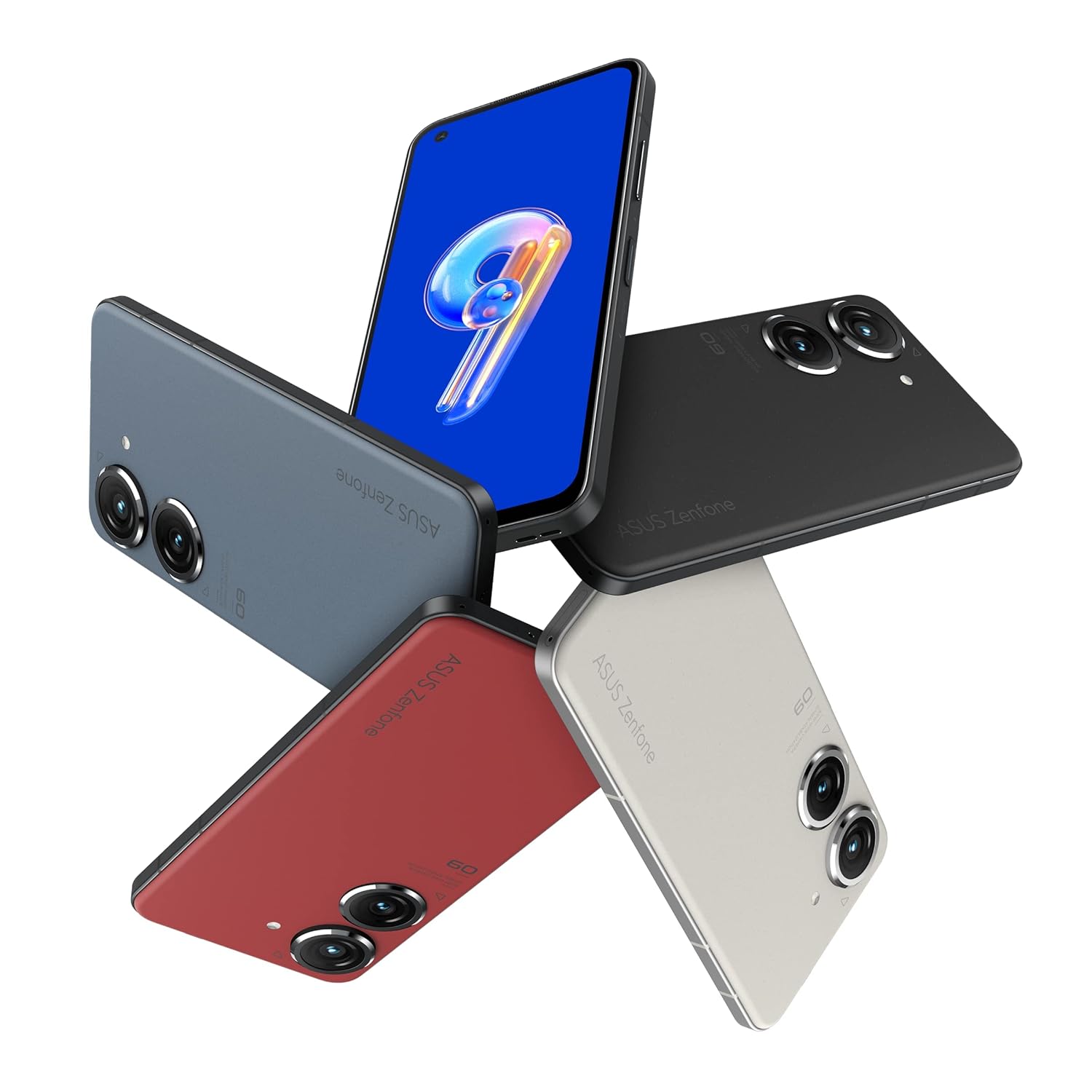
Image: ASUS Zenfone 9 5G in various color options, highlighting its compact design.
2. د سیم کارت نصب کول
- Locate the SIM card tray on the side of your Zenfone 9.
- د سیم ایجکټور وسیله (که چیرې چمتو شوې وي) د ټری تر څنګ په کوچني سوري کې دننه کړئ او په نرمۍ سره فشار ورکړئ تر هغه چې ټری بهر راشي.
- Place your Nano-SIM card(s) into the designated slots on the tray, ensuring proper orientation.
- د سیم ټرې په احتیاط سره تلیفون ته بیا دننه کړئ تر هغه چې دا په خپل ځای کې راشي.
۱. د بریښنا ابتدايي فعالول او تنظیمولو وزرډ
- Press and hold the power button (located on the right side) until the ASUS logo appears.
- Follow the on-screen instructions of the Android setup wizard. This will guide you through selecting your language, connecting to a Wi-Fi network, setting up your Google account, and configuring security options like fingerprint unlock.
- The Zenfone 9 features a conveniently located fingerprint sensor integrated into the power button for hassle-free unlocking.
ستاسو وسیله چلول
Basic Navigation and ZenTouch Button
The Zenfone 9 operates on the Android platform, utilizing a touchscreen interface for navigation. Swipe, tap, and pinch gestures are standard. The unique ZenTouch multi-function button, integrated with the power button, enhances one-handed operation. You can customize its functions, including:
- پورته / ښکته سوائپ: Voice to text, open notifications, refresh web page, move to top/bottom of page.
- دوه ځله کلیک: Media control, quick app launch.

انځور: اړخ view of the Zenfone 9, illustrating the position of the ZenTouch power button.
د کیمرې ځانګړتیاوې
The Zenfone 9 is equipped with a massively upgraded dual camera system. The primary camera features a 6-Axis Hybrid Gimbal Stabilizer, providing super steady photos and videos even in motion. Explore various camera modes for different shooting scenarios.
- شاته کیمره: Dual camera setup for high-quality photography and videography.
- مخکینۍ کیمره: د سیلفي او ویډیو زنګونو لپاره.
- 6-Axis Hybrid Gimbal Stabilizer: Ensures smooth, blur-free content capture.
ارتباط
Your Zenfone 9 supports a range of connectivity options:
- وای فای: د انټرنیټ لاسرسي لپاره بېسیم شبکو سره وصل شئ.
- بلوتوث: د بېسیم هیډفونونو، سپیکرو، او نورو بلوتوث فعالو وسیلو سره جوړه کړئ.
- USB: Use the USB-C port for charging, data transfer, and connecting to a computer.
- GPS: Integrated GLONASS for accurate location services.
د بیټرۍ مدیریت
The Zenfone 9 is powered by a 4300 mAh battery. To optimize battery life:
- د غوره چارج کولو لپاره چمتو شوي چارجر او کیبل وکاروئ.
- د سکرین روښانتیا تنظیم کړئ.
- په شاليد کې روان نه کارول شوي ایپسونه بند کړئ.
- د اړتیا په وخت کې د بیټرۍ سیور حالت فعال کړئ.
پاملرنه او ساتنه
Proper care ensures the longevity and optimal performance of your Zenfone 9.
- پاکول: د سکرین او بدن پاکولو لپاره له نرم، لینټ څخه پاک ټوکر څخه کار واخلئ. د سختو کیمیاوي موادو یا خړوبونکو موادو څخه ډډه وکړئ.
- د سافټویر تازه معلومات: په منظم ډول د سیسټم تازه معلومات وګورئ او نصب کړئ ترڅو ډاډ ترلاسه کړئ چې ستاسو وسیله وروستي ځانګړتیاوې، امنیتي پیچونه، او د فعالیت ښه والی لري.
- د ذخیرې مدیریت: په دوره توګه بیاview او غیر ضروري حذف کړئ files, apps, and media to free up storage space and maintain device speed.
- د چاپیریال شرایط: Avoid exposing your phone to extreme temperatures, direct sunlight for prolonged periods, or excessive moisture.
د عامو ستونزو حل کول
This section addresses common problems you might encounter with your Zenfone 9.
وسیله نه فعاله کیږي
- ډاډ ترلاسه کړئ چې بیټرۍ چارج شوې ده. چارجر وصل کړئ او د چالانولو هڅه کولو دمخه څو دقیقې انتظار وکړئ.
- د بریښنا تڼۍ د شاوخوا ۱۰-۱۵ ثانیو لپاره په نیولو سره جبري بیا پیل وکړئ.
د اپلیکیشنونو خرابیدل یا کنګل کیدل
- اپلیکیشن بند او خلاص کړئ.
- Clear the app's cache and data from the device settings (Settings > Apps > [App Name] > Storage).
- Ensure the app and your device's operating system are up to date.
د اتصال ستونزې (وای فای/بلوتوث)
- وای فای یا بلوتوث بند او فعال کړئ.
- خپل وسیله بیا پیل کړئ.
- د وای فای لپاره، خپل روټر بیا پیل کړئ.
- شبکه/آله هېره کړئ او بیا وصل شئ.
د فابریکې بیا تنظیم (وروستی چاره)
If persistent issues occur, a factory reset can resolve many software-related problems. خبرداری: دا به ستاسو په تلیفون کې ټول معلومات له منځه یوسي. د پرمخ تللو دمخه مهم معلومات بیک اپ کړئ.
- ترتیبات> سیسټم> د بیا تنظیم کولو اختیارونو ته لاړ شئ.
- "ټول معلومات پاک کړئ (د فابریکې بیا تنظیم)" غوره کړئ.
- خپله پریکړه تایید کړئ او لارښوونې تعقیب کړئ.
تخنیکي مشخصات
Key specifications for the ASUS Zenfone 9 5G (Model: AI2202).
| فیچر | مشخصات |
|---|---|
| عملیاتي سیسټم | Android |
| RAM | 8 جي بي |
| داخلي ذخیره | 128 جي بي |
| پروسیسر | سنیپډریګون ۸+ جنر ۱ موبایل پلیټ فارم |
| ټیکنالوژي ښکاره کول | AMOLED |
| د ښودلو ریزولوشن | 1080p |
| شاته کیمره | Dual Camera with 6-Axis Hybrid Gimbal Stabilizer |
| مخکینۍ کیمره | هو |
| د بیټرۍ ظرفیت | 4300 mAh (لیتیم ایون) |
| ابعاد (LxWxH) | 14.99 x 7.62 x 1.02 سانتي متره |
| وزن | 460 ګرامه |
| ارتباط | Bluetooth, Wi-Fi, USB, GLONASS (GPS) |
| رنګ | نیمه شپه تور |
Note: Specifications are subject to change without notice. For the most up-to-date information, please refer to the official ASUS webسایټ
تضمین او ملاتړ
د تضمین په اړه د تفصيلي معلوماتو لپاره، مهرباني وکړئ د خپل محصول سره شامل شوي تضمین کارت ته مراجعه وکړئ یا د ASUS رسمي ملاتړ ته مراجعه وکړئ. website. ASUS provides customer support for technical assistance, repairs, and service inquiries.
آنلاین ملاتړ: لیدنه وکړئ د ASUS ملاتړ Webسایټ for FAQs, driver downloads, and service requests.
د ملاتړ سره اړیکه: ASUS ته مراجعه وکړئ website for regional contact numbers and service center locations.