
YQSAVIOR YQ10S
YQSAVIOR 10" Android 14 Tablet User Manual
Model: YQ10S | Brand: YQSAVIOR
1. پیژندنه
This user manual provides comprehensive instructions for the YQSAVIOR 10" Android 14 Tablet (Model: YQ10S). It covers essential information regarding product setup, operation, maintenance, and troubleshooting. Please read this manual thoroughly before using your tablet to ensure proper functionality and to maximize your user experience.
2. د خوندیتوب معلومات
- د بیټرۍ خوندیتوب: Do not attempt to replace the battery yourself. Use only the provided charger and cable. Avoid exposing the tablet to extreme temperatures or direct sunlight.
- د اوبو مقاومت: This tablet is not water-resistant. Avoid exposure to liquids.
- پاکول: Disconnect the tablet from power before cleaning. Use a soft, dry cloth. Avoid abrasive cleaners or solvents.
- تخریب: Dispose of the tablet and its accessories responsibly according to local regulations. Do not dispose of electronic waste in household trash.
- ماشومان: کوچني برخې او بسته بندي توکي له ماشومانو څخه لرې وساتئ ترڅو د ټکان خطرونو مخه ونیول شي.
3. د بسته محتويات
ډاډ ترلاسه کړئ چې ټول توکي ستاسو په کڅوړه کې شتون لري:
- 1x YQ10S tablet
- 1x چارجر
- 1x ډول C کیبل
- ۱x د کارونکي لارښود (دا سند)
4. محصول ختم شوview
Familiarize yourself with the physical features and components of your YQSAVIOR 10" Android 14 Tablet.

شکل 4.1: مخکی او شاته view of the YQSAVIOR 10" Android 14 Tablet in Pink. The tablet features a sleek design with a textured pink back panel and a black front display.
4.1. کلیدي برخې
- ښکاره کول: 10-inch IPS Touch Screen with 1280x800 resolution for vibrant colors and clear visuals.
- مخکینۍ کیمره: 2.0MP camera, typically located above the screen for video calls and selfies.
- شاته کیمره: 8.0MP camera, located on the back panel for capturing photos and videos.
- د بریښنا تڼۍ: Usually on the side, used to turn the tablet on/off or put it to sleep/wake.
- د حجم تڼۍ: Typically located near the power button, used to adjust audio volume.
- د USB ډول-C پورټ: د چارج کولو او ډیټا لیږد لپاره.
- د مایکرو ایس ډی کارت سلاټ: Allows for storage expansion up to 1TB.
- دوه ګوني سپیکرې: Located on the sides or bottom for audio output.

شکل 4.2: The tablet supports 5G/2.4G WiFi and Wi-Fi 6, ensuring fast and stable network connectivity for browsing and streaming.
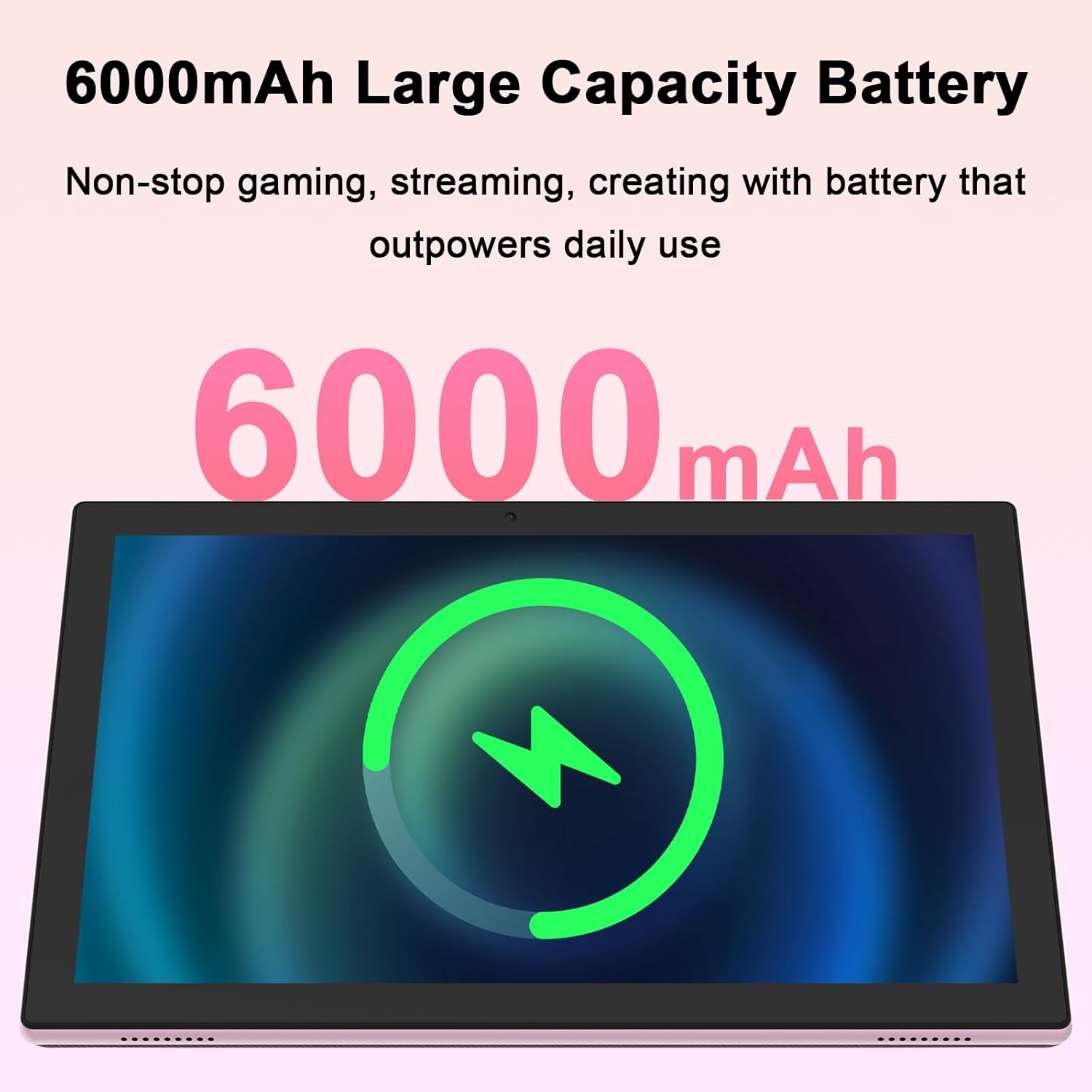
شکل 4.3: Equipped with a 6000mAh large capacity battery, the tablet provides extended usage time for various activities.

شکل 4.4: The tablet features an 8MP rear camera and a 2MP front camera, suitable for capturing moments and video calls.

شکل 4.5: The tablet's powerful quad-core processor and 8GB RAM (4+4GB) ensure smooth performance for gaming and multimedia consumption.

شکل 4.6: With 64GB ROM and support for up to 1TB expandable storage via TF card, the tablet offers ampد اپلیکیشنونو، عکسونو او ویډیوګانو لپاره ځای.
ویډیو 4.1: د محصول رسمي ویډیو نندارهasing the YQSAVIOR 10-inch tablet's features, including its display, speakers, and overall design. This video highlights the tablet's suitability for various uses.
5. ترتیب کول
5.1. د ټابلیټ چارج کول
Before first use, fully charge your tablet. Connect the provided Type-C cable to the tablet's charging port and the other end to the charger. Plug the charger into a power outlet. The battery indicator on the screen will show charging status. A full charge typically takes several hours.
5.2. بریښنا کول/بندول
- د فعالولو لپاره: Press and hold the Power button until the YQSAVIOR logo appears on the screen.
- د بریښنا بندولو لپاره: د بریښنا تڼۍ فشار ورکړئ او ونیسئ تر هغه چې د بریښنا بند مینو څرګند شي. "د بریښنا بند" غوره کړئ او تایید یې کړئ.
- د خوب/پاڅېدو لپاره: Briefly press the Power button to put the tablet to sleep or wake it from sleep mode.
5.3. ابتدايي ترتیب
د لومړي ځل لپاره د بریښنا په فعالولو سره، ټابلیټ به تاسو ته د لومړني تنظیم کولو پروسې له لارې لارښوونه وکړي. د سکرین پر لارښوونو تعقیب کړئ ترڅو:
- خپله ژبه وټاکئ.
- د Wi-Fi شبکې سره وصل شئ.
- د خپل ګوګل حساب سره لاسلیک وکړئ (یا یو جوړ کړئ).
- د سکرین لاک (پن، نمونه، پټنوم) تنظیم کړئ.
- Review او شرایط او مقررات ومني.
5.4. د وای فای سره نښلول
د وائی فای شبکې سره د نښلولو لپاره:
- ورتګ ترتیبات > شبکه او انټرنیټ > وای فای.
- وائی فای چالان کړئ.
- له لیست څخه خپل مطلوب شبکه غوره کړئ.
- که غوښتل شي نو پټنوم دننه کړئ او کلیک وکړئ نښلول.
6. عملیاتي لارښوونې
6.1. بنسټیز نیویګیشن
The YQSAVIOR tablet uses a touch-sensitive screen for navigation:
- ټایپ: د یو توکي غوره کولو یا غوښتنلیک خلاصولو لپاره.
- لمس او نیول: د شرایطو مینو ته د لاسرسي یا د توکو لیږدولو لپاره.
- سوائپ: د سکرینونو یا لیستونو له لارې سکرول کول.
- د زوم کولو لپاره پنچ: د انځورونو د زوم ان یا آوټ کولو لپاره او web پاڼې
6.2. د اپلیکیشن مدیریت
As a GMS Certified Tablet, you can download and install a wide variety of applications from the Google Play Store.
- د اپلیکیشنونو نصب کول: خلاص کړئ Play Store اپلیکیشن، د خپلې خوښې اپلیکیشن لټون وکړئ، او ټایپ کړئ نصب کړئ.
- د اپلیکیشنونو غیر نصب کول: Touch and hold the app icon on the home screen or app drawer, then drag it to "Uninstall" or select "App info" and choose "Uninstall".
6.3. د ذخیرې مدیریت
Your tablet comes with 64GB of internal storage. You can expand this by inserting a MicroSD card (up to 1TB).
- د مایکرو ایس ډی کارت داخلول: Locate the MicroSD card slot, gently insert the card until it clicks into place.
- د ذخیره کولو اداره کول: ورتګ ترتیبات > ذخیره کول ته view د ذخیره کولو کارول او اداره کول files.
6.4. د کیمرې کارول
Use the built-in cameras to capture photos and videos.
- خلاص کړئ کیمره اپلیکیشن
- Switch between front (2MP) and rear (8MP) cameras using the camera switch icon.
- د عکس اخیستلو یا د ویډیو ثبت پیل/بندولو لپاره د شټر تڼۍ کلیک وکړئ.
6.5. د بلوتوټ ارتباط
Connect your tablet to Bluetooth devices like headphones or speakers.
- ورتګ ترتیبات > وصل شوي وسایل > بلوتوث.
- بلوتوټ فعال کړئ.
- د جوړه کولو لپاره د شته وسیلو له لیست څخه خپل وسیله غوره کړئ.
7. ساتنه
۱. خپل ټابلیټ پاکول
د خپل ټابلیټ په غوره حالت کې ساتلو لپاره:
- د سکرین او بدن د پاکولو لپاره یو نرم، لینټ نه لرونکی ټوکر وکاروئ.
- د سختو داغونو لپاره، لږ څهampد اوبو سره ټوکر یا د سکرین کلینر چې د برقیاتو لپاره ډیزاین شوی.
- په ټابلیټ باندې مستقیم مایعات مه سپری کوئ.
7.2. د سافټویر تازه معلومات
په منظم ډول د سافټویر تازه معلومات وګورئ او نصب کړئ ترڅو ډاډ ترلاسه کړئ چې ستاسو ټابلیټ وروستي ځانګړتیاوې، امنیتي پیچونه، او د فعالیت ښه والی لري.
- Ensure your tablet is connected to Wi-Fi.
- ورتګ ترتیبات > سیسټم > د سیسټم تازه کول.
- د شته تازه معلوماتو د کتلو او نصبولو لپاره په سکرین کې لارښوونې تعقیب کړئ.
8. ستونزه حل کول
This section addresses common issues you might encounter with your YQSAVIOR tablet.
| ستونزه | احتمالي لامل | د حل لاره |
|---|---|---|
| ټابلیټ نه چالانیږي. | د بیټرۍ ټیټه کچه؛ د سافټویر خرابوالی. | Charge the tablet for at least 30 minutes. Perform a forced restart by holding the Power button for 10-15 seconds. |
| Tablet is slow or freezes. | ډېر اپلیکېشنونه روان دي؛ کم ذخیره؛ زوړ سافټویر. | Close unused apps. Clear cache. Free up storage space. Check for system updates. Restart the tablet. |
| د وائی فای سره وصل نشو. | غلط پټنوم؛ د روټر ستونزه؛ وای فای غیر فعال دی. | Ensure correct password. Restart your Wi-Fi router. Toggle Wi-Fi off and on in tablet settings. |
| بیټرۍ په چټکۍ سره وچیږي. | د سکرین لوړ روښانتیا؛ د شالید اپلیکیشنونه؛ ضعیف سیګنال. | Reduce screen brightness. Close background apps. Disable unused features like Bluetooth/GPS. |
| Apps crashing or not installing. | Insufficient storage; app incompatibility; corrupted data. | Clear app cache/data. Free up storage. Ensure app is compatible with Android 14. Reinstall the app. |
If problems persist, consider performing a factory data reset (ترتیبات > سیسټم > اختیارونه بیا تنظیم کړئ > ټول معلومات پاک کړئ (د فابریکې بیا تنظیم کول)). Note: This will erase all data on your tablet, so back up important fileلومړی.
9. مشخصات
| فیچر | تفصیل |
|---|---|
| برانډ | YQSAVIOR |
| د ماډل نوم | YQ10S |
| عملیاتي سیسټم | Android 14 |
| د سکرین اندازه | ۷۸۷ انچه |
| د سکرین ریزولوشن | ۱۲۸۰x۷۲۰ آی پي ایس |
| پروسیسر | 1.6 GHz Quad-core (ARM Rockchip) |
| RAM | ۱۶ جي بي (۸+۸ جي بي) |
| داخلي ذخیره (ROM) | 64 جي بي |
| د پراخیدو وړ ذخیره | تر ۲ ټې بې مایکرو ایس ډي پورې |
| شاته کیمره | 8 MP |
| مخکینۍ کیمره | 2 MP |
| بې سیم ډول | 802.11n (2.4G WiFi), Bluetooth |
| د بیټرۍ ظرفیت | 6000mAh |
| د اوسط بیټرۍ ژوند | ۸ ساعته (مخلوط استعمال) |
| د توکي وزن | ۷.۳۷ اونس (تقریبا ۲۰۹ ګرامه) |
| د محصول ابعاد (LxWxH) | 10 x 4.6 x 0.3 انچه |
| رنګ | ګلابي |
10. تضمین او ملاتړ
YQSAVIOR products are designed and manufactured to the highest quality standards. For information regarding warranty coverage, technical support, or service inquiries, please refer to the warranty card included with your product or visit the official YQSAVIOR website. Please have your product model number (YQ10S) and purchase details ready when contacting support.