
1. پیژندنه
Thank you for choosing the VOYEE WE-07 Wired Game Controller. This manual provides detailed instructions for setting up, operating, and maintaining your controller. The WE-07 is designed for a responsive and immersive gaming experience on both PC and PlayStation 3 platforms.

Image: The VOYEE WE-07 wired game controller, featuring a black and red design with prominent VOYEE branding and illuminated rumble effects, indicating its dual shock capabilities.
2. د محصول ب Featuresې
- سیم نښلول: Equipped with a 1.8-meter (5.9ft) USB cable for a stable connection and comfortable gaming distance.
- Dual Shock Vibration: Built-in dual motion motors provide varied intensity feedback for an authentic gaming experience.
- ارګونومیک ډیزاین: Features a special matte layer for a comfortable grip during extended gaming sessions.
- پراخه مطابقت: Supports Windows 7/8/8.1/10/11 PC games (DInput and XInput modes) and is fully compatible with Sony PlayStation 3 consoles.

Image: An illustration highlighting the internal dual shock rumble motor within the VOYEE WE-07 controller, emphasizing its vibration feedback capability.
۳. د کنټرولر ترتیب
Familiarize yourself with the buttons and controls of your VOYEE WE-07 controller:

Image: A detailed diagram of the VOYEE WE-07 controller, labeling all buttons and joysticks, including R1/R2/L1/L2 buttons, LED indicators, SELECT, START, HOME, D-Pad, Left/Right Joysticks, and A/B/X/Y buttons.
- کیڼ جویسټیک: د سمتي حرکت لپاره.
- ښي جویسټیک: د کیمرې کنټرول یا هدف ټاکلو لپاره.
- D-pad: Directional pad for precise input.
- د عمل تڼۍ (A، B، X، Y): د لوبې دننه کړنو لپاره.
- د اوږو تڼۍ (L1، R1): پورته نصب شوي تڼۍ.
- Trigger Buttons (L2, R2): Bottom-mounted analog triggers.
- د انتخاب تtonۍ: Typically for menu navigation or specific game functions.
- د پیل تڼۍ: Typically for pausing or starting games.
- HOME/P3 Button: For accessing system menus or PlayStation 3 home screen.
- LED Indicators (1-4): Show player number or connection status.
۴. د تنظیم لارښوونې
Connecting your VOYEE WE-07 controller is a straightforward process:
4.1. Connecting to a PC (Windows 7/8/8.1/10/11)
- په خپل کمپیوټر کې موجود USB پورټ ومومئ.
- Plug the USB connector of the VOYEE WE-07 controller into the USB port.
- Your computer will automatically detect and install the necessary drivers. This may take a few moments.
- Once installed, the controller will be ready for use. You may need to configure the controller settings within your game or platform (e.g., Steam) for optimal performance.
The controller supports both DInput (DirectInput) and XInput modes. Most modern PC games use XInput, which is automatically recognized. For older games, DInput might be used.
4.2. Connecting to a PlayStation 3 (PS3)
- ډاډ ترلاسه کړئ چې ستاسو د PS3 کنسول فعال دی.
- Plug the USB connector of the VOYEE WE-07 controller into an available USB port on your PS3.
- The PS3 will recognize the controller. The LED indicators on the controller will light up to show the assigned player number.
- The controller is now ready for use with your PlayStation 3 games.

Image: A close-up of the VOYEE WE-07 controller's USB cable connecting to a device, illustrating the wired connection process.
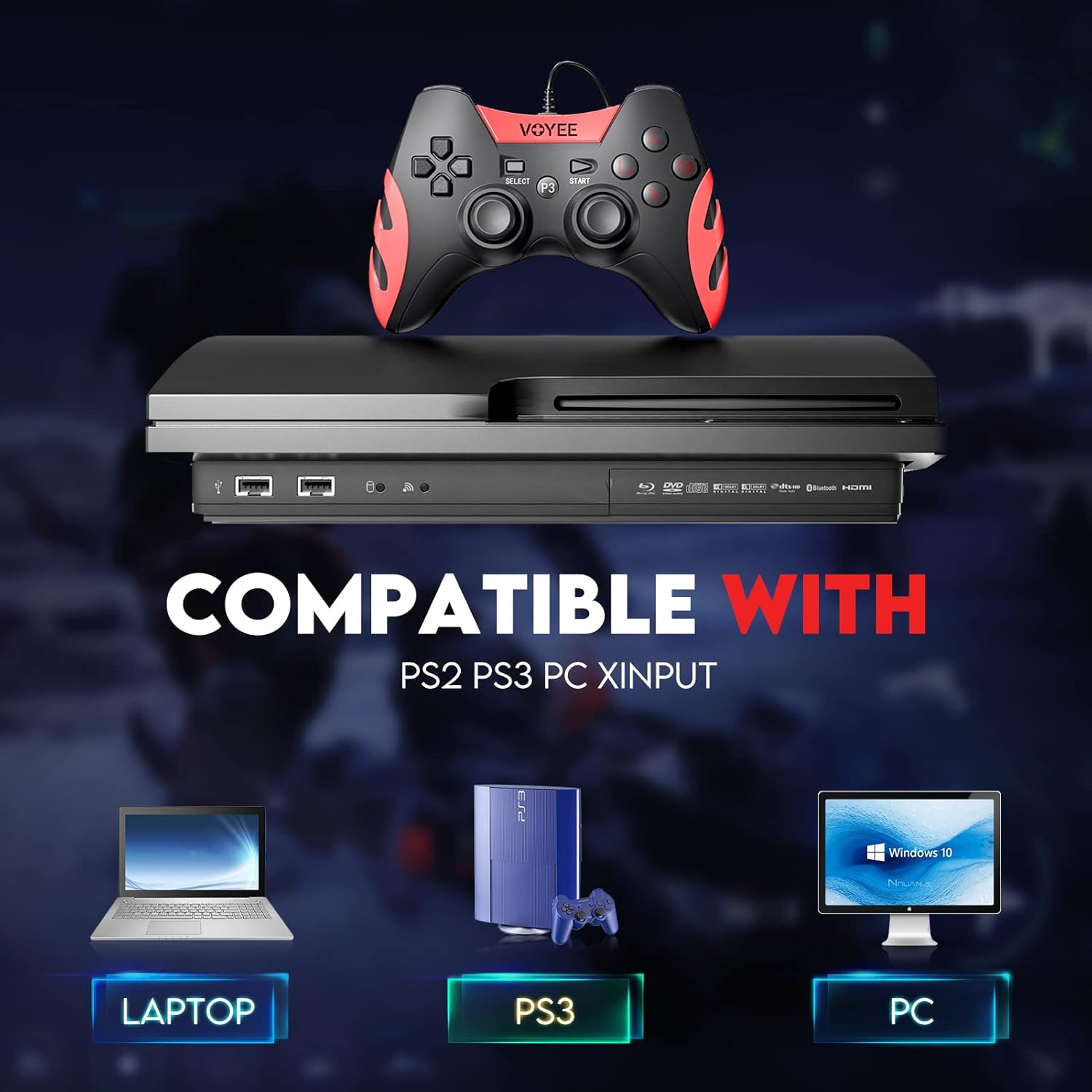
Image: A graphic demonstrating the VOYEE WE-07 controller's compatibility with various platforms, including laptops, PlayStation 3 consoles, and desktop PCs, highlighting its versatility.
5. عملیاتي لارښوونې
Once connected, the VOYEE WE-07 controller functions similarly to standard gamepads. Here are some general operating tips:
- Game Control: Use the joysticks and D-Pad for movement and navigation. The action buttons (A, B, X, Y) and shoulder/trigger buttons (L1, R1, L2, R2) perform in-game actions as defined by the specific game.
- د وایبریشن فیډبیک: The dual shock motors will provide tactile feedback during gameplay, enhancing immersion. This feature is automatically enabled when supported by the game.
- HOME/P3 Button: Press this button to access the system menu on PS3 or to bring up the game overlay on PC (depending on the game or platform).
- ارګونومکس: The controller's matte finish and ergonomic design are intended for comfortable use during long gaming sessions.
6. ستونزه حل کول
If you encounter issues with your VOYEE WE-07 controller, please refer to the following common solutions:
| ستونزه | د حل لاره |
|---|---|
| Controller not recognized by PC/PS3. |
|
| د وایبریشن فیډبیک کار نه کوي. |
|
| تڼۍ یا جوی سټیکونه غیر ځواب ویونکي دي. |
|
7. ساتنه
To ensure the longevity and optimal performance of your VOYEE WE-07 controller, follow these maintenance guidelines:
- پاکول: د کنټرولر سطحې د پاکولو لپاره نرم، وچ ټوکر وکاروئ. د سختې خاورې لپاره، یو څه dampټوکر د اوبو سره ومینځئ. د سختو کیمیاوي موادو یا د کثافاتو پاکوونکو کارولو څخه ډډه وکړئ.
- ذخیره کول: کنټرولر په یخ او وچ ځای کې د مستقیم لمر وړانګو او سختې تودوخې څخه لرې وساتئ. په کنټرولر باندې د درنو شیانو له ایښودلو څخه ډډه وکړئ.
- د کیبل پاملرنه: Do not sharply bend or pull the USB cable. Always grasp the plug when disconnecting, not the cable itself.
- له څاڅکو ډډه وکړئ: کنټرولر د څاڅکو او اغیزو څخه خوندي کړئ، کوم چې کولی شي داخلي برخو ته زیان ورسوي.
8. مشخصات
| ماډل | WE-07 |
| برانډ | VOYEE |
| ارتباط | وائرډ USB |
| د کیبل اوږدوالی | 1.8 متره (5.9 فوټ) |
| مطابقت لرونکې وسیلې | PC (Windows 7/8/8.1/10/11), PlayStation 3 |
| د کنټرولر ډول | Gamepad, Joystick (DInput & XInput) |
| اضافي ځانګړتیاوې | Dual Shock Vibration, Ergonomic Design, Matte Finish |
| د تڼۍ مقدار | 17 |
9. تضمین او ملاتړ
VOYEE provides a د 365 ورځو تضمین for the WE-07 wired gamepad controller from the date of purchase. This warranty covers manufacturing defects under normal use.
If you encounter any problems or have questions regarding your VOYEE WE-07 controller, please do not hesitate to contact our customer service team via e-mail. Our friendly customer service is available to assist you.
For support, please visit the official VOYEE webسایټ ته مراجعه وکړئ یا د اړیکو معلوماتو لپاره خپل د پیرود اسنادو ته مراجعه وکړئ.