
1. پیژندنه
Thank you for choosing the Birsppy OmniBreeze Tower Fan. This manual provides essential information for the safe and efficient operation of your new fan. Please read it thoroughly before use and retain it for future reference.
2. د خوندیتوب مهمې لارښوونې
- تل د پاکولو یا هر ډول ساتنې ترسره کولو دمخه فین خلاص کړئ.
- فین د خراب شوي تار یا پلګ سره مه چلوئ.
- فین د اوبو او رطوبت څخه لرې وساتئ. په اوبو کې مه ډوبوئ.
- ډاډ ترلاسه کړئ چې فین په یوه مستحکم، هواره سطحه کې ځای پر ځای شوی ترڅو د ټیپ کولو مخه ونیسي.
- Keep fingers and other objects away from the fan grilles when in operation.
- د هوا د خلاصیدو مخنیوی مه کوئ.
- دا فین یوازې د کور دننه کارونې لپاره دی.
3. د بسته محتويات
- OmniBreeze Tower Fan
- ریموټ کنټرول
- د کارن لارښود
4. محصول ختم شوview
Familiarize yourself with the components of your OmniBreeze Tower Fan.

شکل 1: مخکی view of the OmniBreeze Tower Fan.
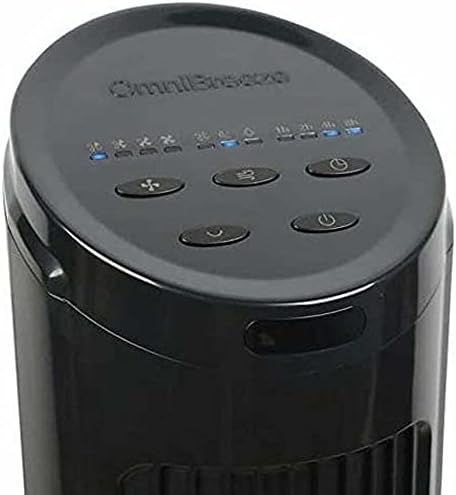
Figure 2: Top control panel with power, speed, mode, oscillation, and timer buttons.
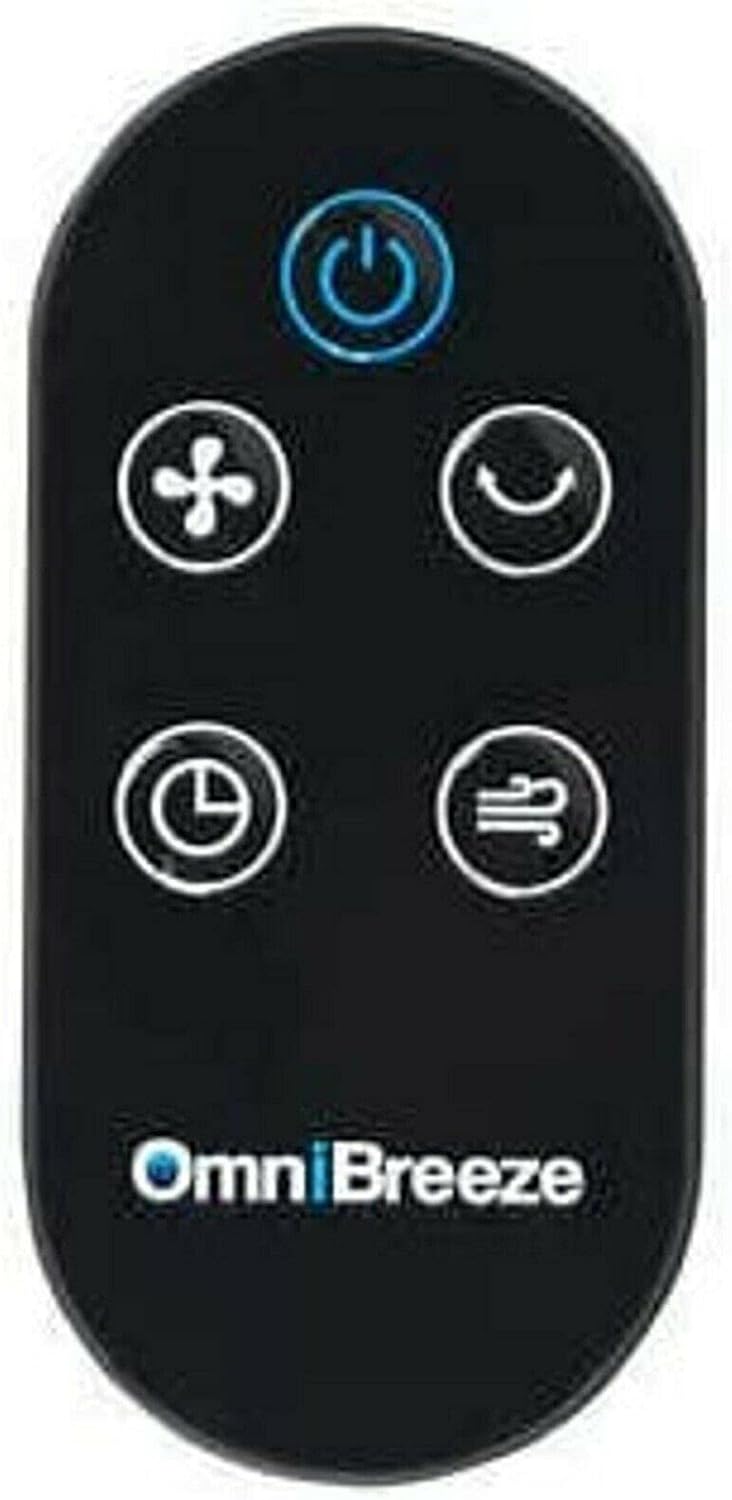
Figure 3: Remote control for the OmniBreeze Tower Fan.

Figure 4: Integrated remote control storage slot on the fan body.
5. ترتیب کول
- خلاص کړئ: په احتیاط سره د بسته بندۍ څخه ټولې برخې لرې کړئ.
- د اساس اسمبلۍ (که اړتیا وي): If the base is separate, align it with the bottom of the fan body and secure it according to the included quick start guide (not provided in this manual, but typically involves twisting or screwing).
- ځای په ځای کول: فین په یوه کلک او هموار سطحه کېږدئ. ډاډ ترلاسه کړئ چې د فین شاوخوا د هوا د مناسب جریان او حرکت لپاره کافي ځای شتون لري.
- د بریښنا پیوستون: د بریښنا تار په معیاري بریښنایی پلورنځی کې ولګوه.
6. عملیاتي لارښوونې
Your OmniBreeze Tower Fan can be operated using the control panel on top of the unit or the remote control.
د کنټرول پینل دندې:
- د چالانېدو تڼۍ (U): د فین د فعالولو یا بندولو لپاره فشار ورکړئ.
- د سرعت تڼۍ (د فین نښه): Press repeatedly to cycle through 4 fan speeds (Low, Medium, High, Turbo). Corresponding indicators will light up.
- د حالت تڼۍ (Wave icon): Press to select from 3 breeze modes (Normal, Natural, Sleep).
- د اورښت تڼۍ (Curved arrow icon): Press to activate or deactivate the widespread oscillation feature.
- د ټایمر تڼۍ (د ساعت آیکون): Press to set the auto-off timer for 1, 2, 4, or 8 hours. The selected duration will be indicated.
ریموټ کنټرول:
The remote control duplicates all functions of the control panel for convenient operation from a distance. Ensure the remote has working batteries (not included, typically 2x AAA). Store the remote in the designated slot on the fan when not in use.
7. ساتنه
پاکول:
- تل د پاکولو دمخه فین خلاص کړئ.
- یو نرم استعمال کړئ، دamp د بهرنۍ سطحې د پاکولو لپاره ټوکر. د کثافاتو پاکوونکي یا محلولونه مه کاروئ.
- Use a vacuum cleaner with a brush attachment to gently clean dust from the air intake and exhaust grilles.
- د فین دننه ته د اوبو د څاڅکو اجازه مه ورکوئ.
ذخیره کول:
When not in use, store the fan in a cool, dry place. It is recommended to store it in its original box to protect it from dust and damage.
8. ستونزه حل کول
- فین نه فعالیږي: وګورئ چې د برېښنا تار په خوندي ډول په کاري ساکټ کې ولګول شوی دی. ډاډ ترلاسه کړئ چې د برېښنا تڼۍ فشار شوې ده.
- د هوا ضعیف جریان: Increase the fan speed. Check for any obstructions around the air intake or exhaust grilles. Clean the grilles if dusty.
- فین شور دی: Ensure the fan is on a stable, level surface. Check for any loose parts or foreign objects inside the fan (unplug first).
- ریموټ کنټرول کار نه کوي: Check and replace batteries if necessary. Ensure there are no obstructions between the remote and the fan's sensor.
که ستونزې دوام ومومي، مهرباني وکړئ د پیرودونکو ملاتړ سره اړیکه ونیسئ.
9. مشخصات
| فیچر | تفصیل |
|---|---|
| برانډ | بیرسپي |
| د ماډل نوم | OmniBreeze |
| د بریښنایی فین ډیزاین | د فرش فین |
| د بریښنا سرچینه | د بیټرۍ چلول (د ریموټ لپاره) |
| د سرعت ترتیبات | 4 |
| Breeze Modes | 3 |
| ځانګړی ځانګړنه | اورکول |
| ټایمر | 1h، 2h، 4h، 8h |
| د کنټرول طریقه | ریموټ کنټرول |
| د کور دننه / بهر کارول | دننه |
| رنګ | تور |
10. تضمین او ملاتړ
This product comes with a standard manufacturer's warranty. For specific warranty details, please refer to the product packaging or contact Birsppy customer support. If you encounter any issues or have questions not covered in this manual, please reach out to our support team for assistance.