
Tecmate TM-381
OptiMate 6 12V/24V High Performance Battery Charger & Maintainer User Manual
Brand: Tecmate | Model: TM-381
پیژندنه
The OptiMate 6 12V/24V is a smart, fully automatic battery charger and maintainer designed to optimize performance and extend the life of 12V and 24V deep cycle batteries in RVs, marine crafts, and also suitable for starter batteries in cars, pickup trucks, ATVs, or motorcycles. It features Ampmatic charge control with built-in temperature compensation, ensuring an optimal charge every time. The automatic 8-step program can save deeply discharged batteries and maintain them long-term.
په بکس کې څه دي
- OptiMate 6 Battery Charger
- د بیټرۍ کلپونه
- د بیټرۍ لیډ

Image: The OptiMate 6 charger unit shown with its included battery clips and permanent battery lead accessories.
تنظیم او پیوستون
Before connecting, ensure the charger is unplugged from the AC power outlet. Connect the battery clips or permanent battery lead to your battery terminals. The red clip/connector goes to the positive (+) terminal, and the black clip/connector goes to the negative (-) terminal. Once connected, plug the charger into a suitable AC power outlet.
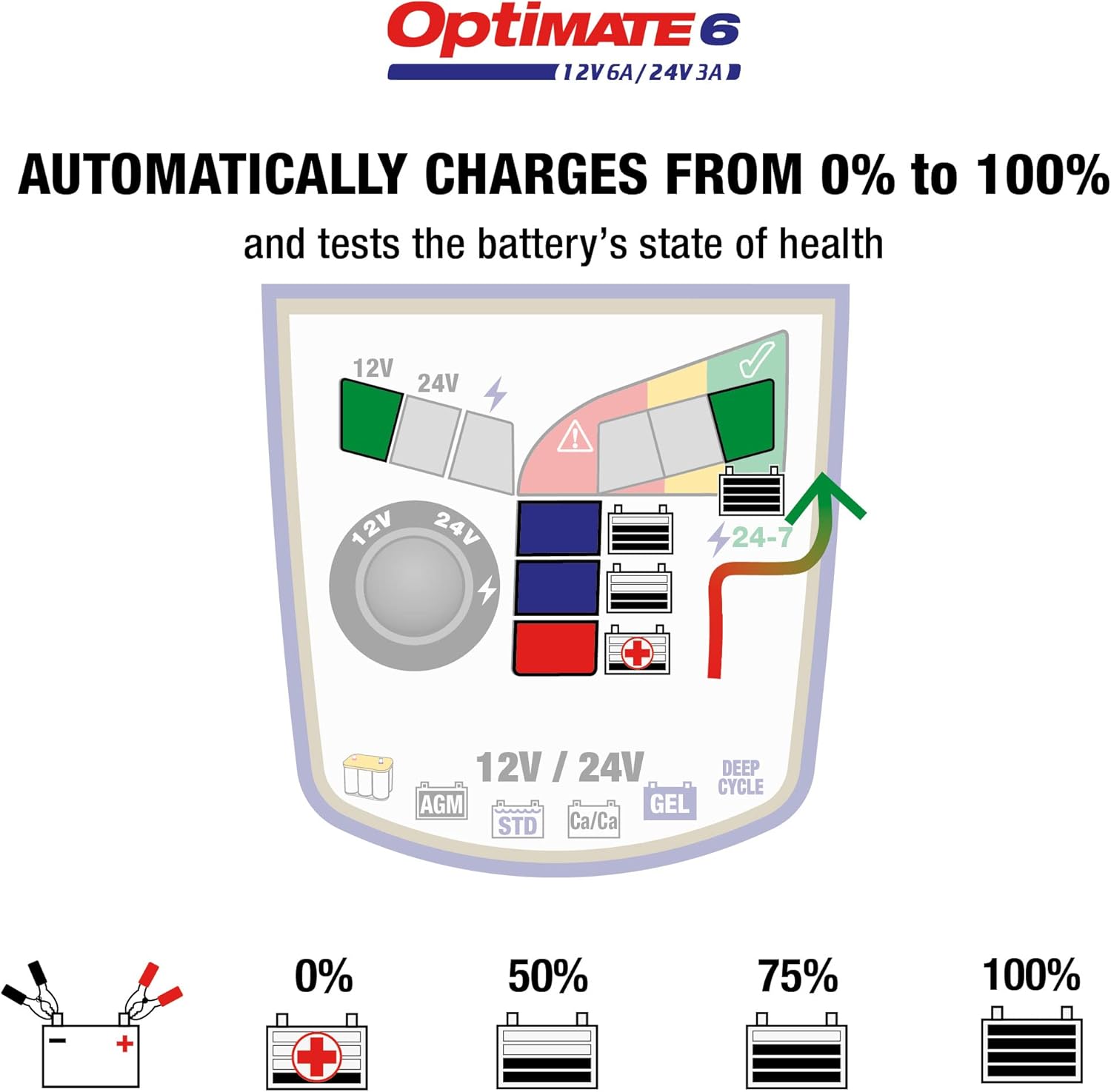
Diagram: Connection methods for the OptiMate 6, illustrating both battery clip and ring terminal connections to a battery.
عملیاتي لارښوونې
Automatic Charging and Maintenance
The OptiMate 6 is a smart, fully automatic battery charger. It is designed for 24/7 use and can be left connected to the battery without fear of overcharging. The Ampmatic program automatically adjusts the charge current to match the battery size and condition. A larger battery receives more current, while a smaller battery receives less.

Diagram: The Ampmatic system dynamically adjusts charging current based on the battery's size and condition.
د تودوخې تاوان
Charging is also adjusted based on ambient temperature. When hot, the charge voltage is lowered. When cold, the voltage is adjusted higher to help the battery perform better.
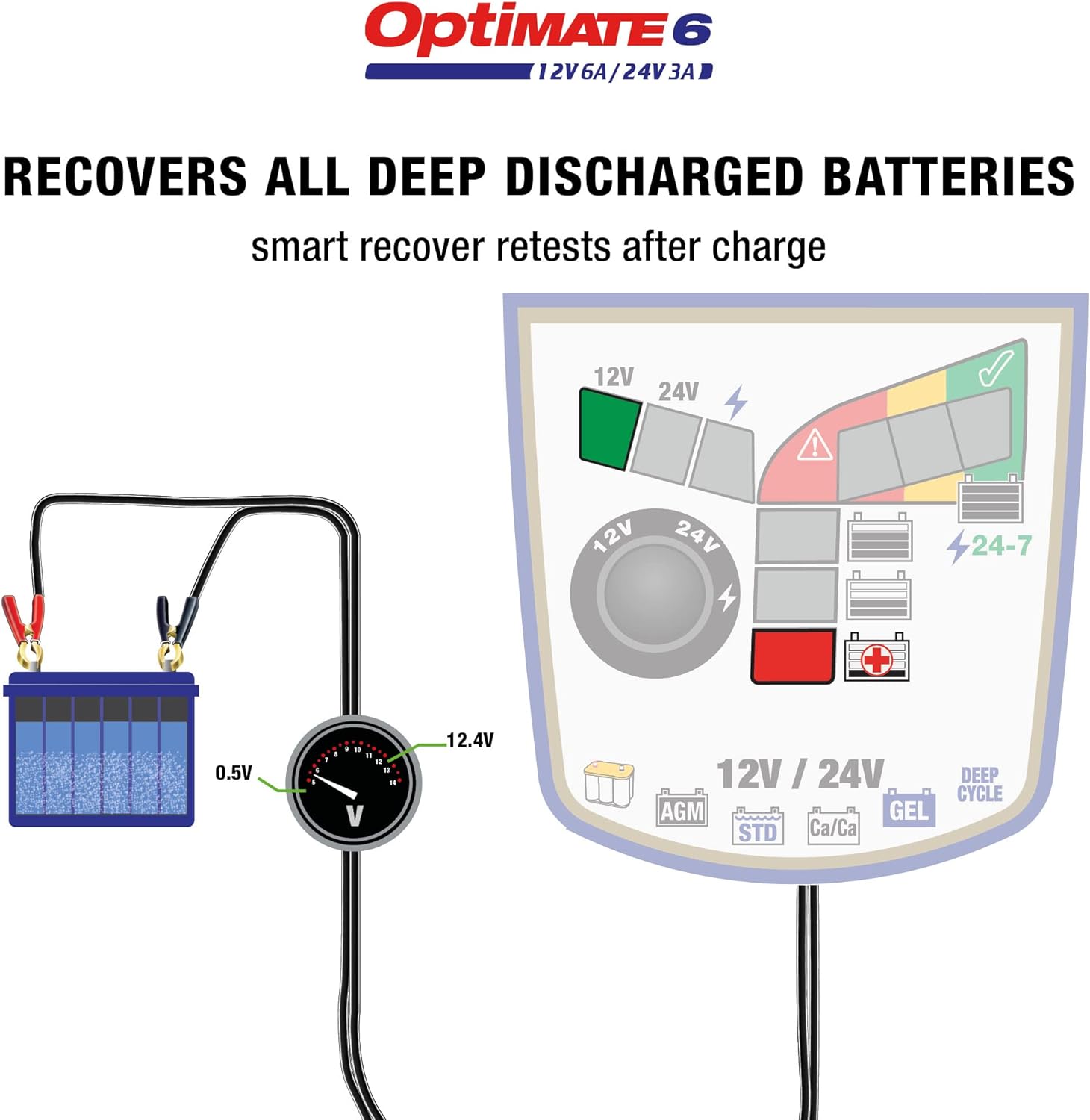
Diagram: The charger adjusts its voltage output based on ambient temperature to optimize charging performance.
والیtage انتخاب
دوه چارج حجمtage selections are available for 12V and 24V lead-acid batteries. The default safe charge voltage is 14.4V for most 12V batteries or 28.8V for most 24V batteries. High-performance AGM or deep cycle batteries may require a higher charge voltage of 14.7V (for 12V) or 29.4V (for 24V). The selected mode remains in memory until a new selection is made.
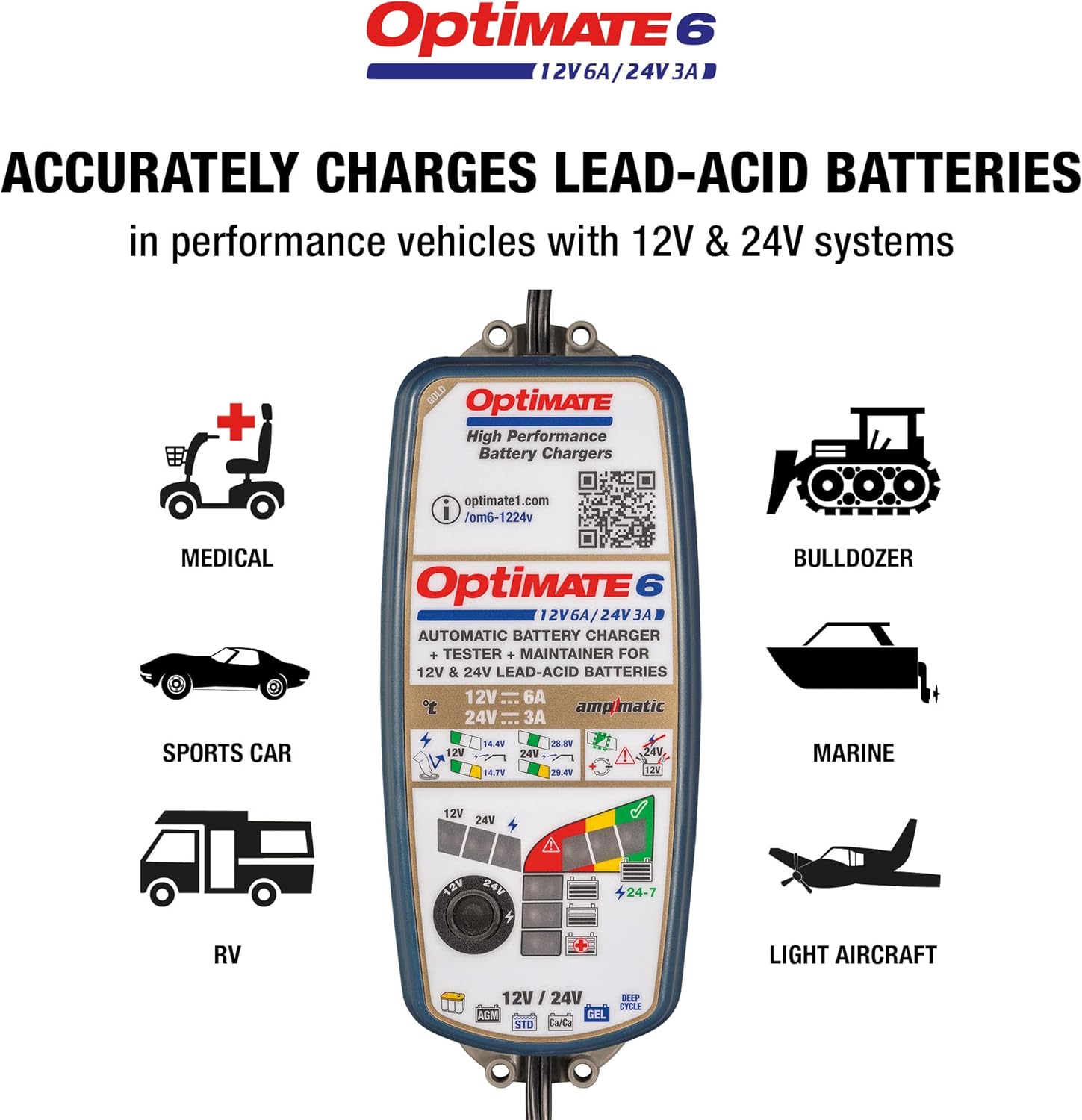
Diagram: The voltage selection dial allows users to choose between 12V and 24V charging modes.

Diagram: Recommended battery types for the OptiMate 6, including standard, AGM, GEL, Calcium-Calcium, and deep cycle batteries.
Charge Progress Indication
The LED panel indicates charge progress. Charging always starts at the 25% or 50% level. A battery with more charge will progress quicker.

Diagram: The LED indicators on the charger display the current charging progress, from 0% to 100%.
د بیټرۍ بیا رغونه
The automatic 8-step program saves deeply discharged batteries from as low as 0.5 Volts.

Diagram: The 8-step charging process, showing how the charger recovers deeply discharged batteries and optimizes their charge.
ساتنه
Once charging reaches 100%, the OptiMate stops and tests the battery's ability to retain charge. The automatic 24/7 maintenance program monitors the charge hourly, delivering charge only when necessary. This procedure helps eliminate electrolyte loss through gassing, ensuring the battery is always at its optimal charge level.

Diagram: The 24/7 maintenance mode ensures the battery remains optimally charged without overcharging.
د ستونزو حل کول
If the battery is unable to hold sufficient voltage after charging, it may need to be replaced. However, there might be other reasons for a poor test result, such as a parasitic drain from connected circuitry in a vehicle or craft. In such cases, remove the battery from the vehicle and try charging and testing again.
The LED indicators provide feedback on battery health:
- سره LED: Indicates a battery voltage between 0.5V and 12.4V (for 12V batteries) or 24.8V (for 24V batteries), suggesting a deeply discharged or problematic battery.
- ژیړ LED: Indicates a battery voltage between 12.4V and 12.7V (for 12V batteries) or 24.8V and 29.0V (for 24V batteries), suggesting a partially charged or aging battery.
- شنه LED: Indicates a battery voltage above 12.7V (for 12V batteries) or 29.0V (for 24V batteries), indicating a healthy, fully charged battery.

Diagram: Visual representation of battery voltage ranges and their corresponding health indicators (red, yellow, green LEDs).
مشخصات
| فیچر | تفصیل |
|---|---|
| برانډ | Tecmate |
| ماډل | OptiMATE 6 12V/ 24V (TM-381) |
| د توکي وزن | ۲.۴۵ پونډه |
| د محصول ابعاد | 8.74 x 3.5 x 2.48 انچه |
| د محصول Voltage | 24 ولټه (DC) |
| د خوندیتوب تصدیقونه | CSA, UL, DOE |
تضمین او ملاتړ
For warranty information and technical support, please visit the official Tecmate webسایټ یا ستاسو د محصول سره شامل اسنادو ته مراجعه وکړئ. تاسو کولی شئ د Tecmate Store on Amazon د اضافي سرچینو لپاره.
Protection plans are available for purchase separately to extend coverage beyond the manufacturer's warranty.
Ask a question about this manual
Ask about setup, troubleshooting, compatibility, parts, safety, or missing instructions. Manuals+ will review the question and use this page’s manual context to help answer it.