
1. محصول ختم شوview
The VENTION 3.5mm Stereo AUX Cable is designed to connect audio devices with a 3.5mm auxiliary port. It features gold-plated connectors for optimal signal transfer and a durable braided exterior for extended lifespan. This cable facilitates audio transmission between various devices such as smartphones, headphones, car stereos, laptops, and speakers.

Image 1.1: The VENTION 3.5mm Stereo AUX Cable.
2. تنظیم او پیوستون
Connecting the VENTION 3.5mm Stereo AUX Cable is a straightforward process. Ensure both devices you intend to connect have a standard 3.5mm audio input or output jack.
- د بندرونو پیژندنه: Locate the 3.5mm audio jack on your source device (e.g., smartphone, laptop) and your receiving device (e.g., headphones, car stereo, speaker). These ports are typically marked with a headphone icon or 'AUX'.
- کیبل نښلول: Insert one end of the VENTION 3.5mm Stereo AUX Cable into the audio output jack of your source device.
- Connect to Receiving Device: Insert the other end of the cable into the audio input jack of your receiving device.
- پیوستون تایید کړئ: Ensure both connectors are fully inserted into their respective ports for a secure connection.
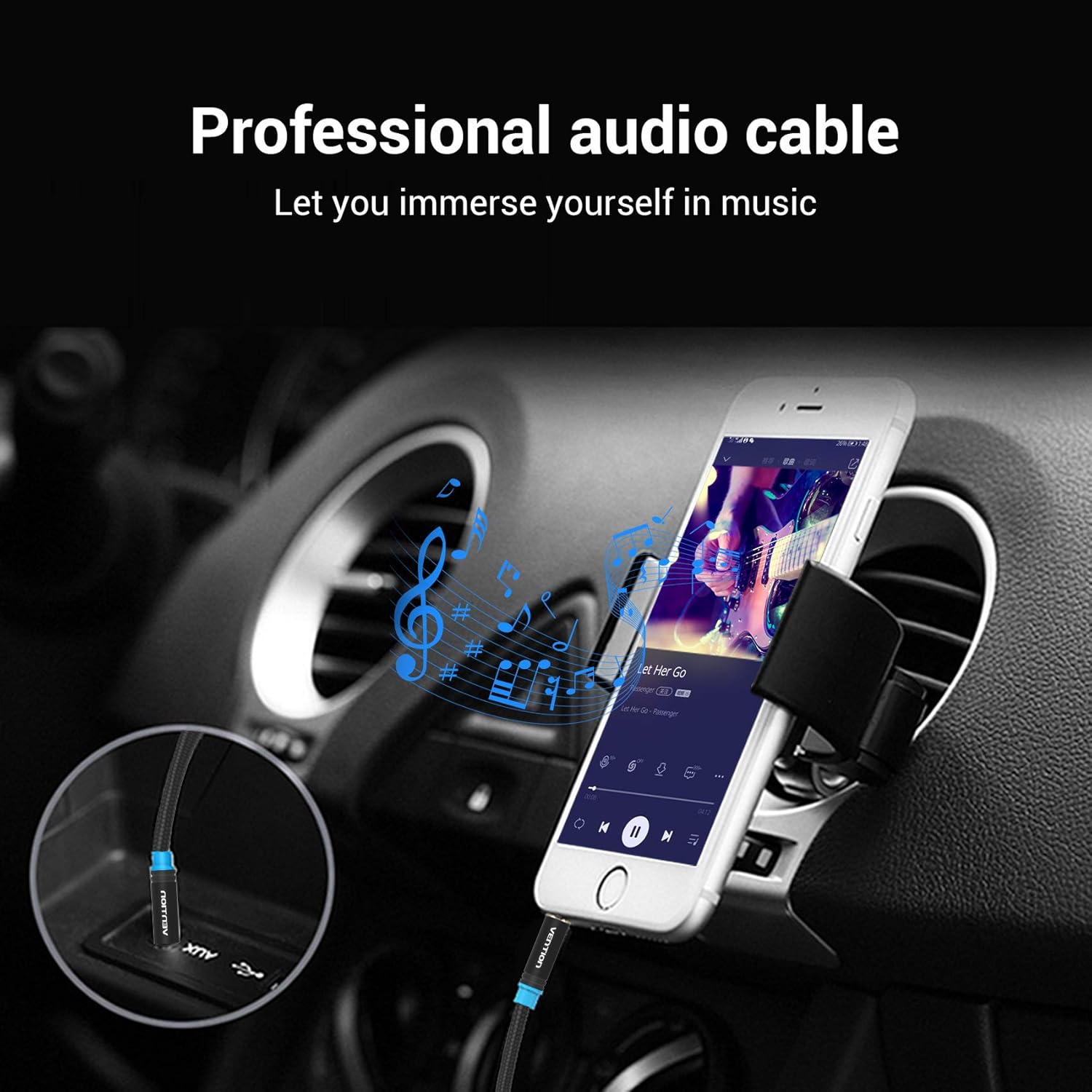
Image 2.1: Connecting the AUX cable to a car stereo for audio playback from a smartphone.

Image 2.2: Connecting a laptop to an external speaker using the AUX cable.
3. عملیاتي لارښوونې
Once the cable is connected, the operation is automatic. The cable transmits audio signals directly between the connected devices.
- د آډیو پلې بیک: Begin playing audio on your source device. The sound will be routed through the VENTION 3.5mm Stereo AUX Cable to your receiving device.
- د حجم کنټرول: Adjust the volume using the controls on your source device or the receiving audio device (e.g., car stereo, speaker, headphones).
- مطابقت: The cable is universally compatible with any device featuring a standard 3.5mm audio jack. This includes, but is not limited to, headphones, Hi-Fi systems, car stereos, tablets, laptops, smartphones, MP3 players, and speakers.

Image 3.1: User enjoying audio through headphones connected with the VENTION AUX cable.

Image 3.2: The VENTION AUX cable is compatible with smartphones, iPads, laptops, CD players, MP3 players, soundboxes, cars, and headphones.
4. ساتنه او پالنه
To ensure the longevity and optimal performance of your VENTION 3.5mm Stereo AUX Cable, follow these maintenance guidelines:
- د تیزو بندونو څخه ډډه وکړئ: While the cable features a durable braided exterior, excessive or sharp bending can damage the internal wiring. Store the cable in a loose coil rather than tightly wound.
- پاک نښلونکي: په دوراني ډول د سرو زرو پوښل شوي نښلونکي د دوړو یا کثافاتو لپاره معاینه کړئ. که اړتیا وي، په نرمۍ سره یې د وچ، لینټ پاک ټوکر سره پاک کړئ. د مایعاتو یا کثافاتو موادو کارولو څخه ډډه وکړئ.
- مناسب ذخیره کول: When not in use, store the cable in a clean, dry environment away from extreme temperatures and direct sunlight.
- په احتیاط سره سمبالول: د کیبل د لګولو یا خلاصولو پر مهال تل د نښلونکي کور ونیسئ، پرځای یې چې پخپله کیبل کش کړئ.

Image 4.1: Detail of the gold-plated connectors and cotton braided cable, designed for durability and superior sound quality.

Image 4.2: The cable's design allows for flexibility while maintaining resistance to bending and wear.
5. ستونزه حل کول
If you encounter issues with your VENTION 3.5mm Stereo AUX Cable, refer to the following troubleshooting steps:
- غږ نشته:
- Ensure both ends of the cable are fully and securely plugged into their respective ports.
- Check the volume levels on both the source device and the receiving audio device.
- Verify that the correct audio input/output is selected on your receiving device (e.g., 'AUX' input on a car stereo).
- کیبل د مختلفو وسیلو سره ازموینه وکړئ ترڅو د یو وصل شوي وسیلو سره ستونزه له منځه یوسي.
- Poor Sound Quality (Static, Distortion, Intermittent Audio):
- ډاډ ترلاسه کړئ چې نښلونکي پاک او له کثافاتو څخه پاک دي.
- کیبل ته د کوم فزیکي زیان لپاره وګورئ، په ځانګړې توګه د نښلونکو ته نږدې.
- Avoid routing the cable near sources of electromagnetic interference (e.g., power cables, large electronic appliances).
- Test with another known-good 3.5mm audio cable to determine if the issue is with the VENTION cable or the devices.
- کیبل مناسب نه دی:
- Confirm that the ports on your devices are indeed 3.5mm audio jacks.
- If using a phone case, ensure it does not obstruct the headphone jack. The slim design of the cable's connector is intended to fit most cases.
6. مشخصات
| فیچر | تفصیل |
|---|---|
| برانډ | وینشن |
| د نښلونکي ډول | معاون |
| د کیبل ډول | AUX |
| مطابقت لرونکې وسیلې | Car Stereo, Laptop, PC, Smartphone, Speaker, Tablet |
| ځانګړی ځانګړنه | لښتي |
| رنګ | تور |
| نښلونکی جندر | له نارینه څخه نارینه |
| شکل | ګرد |
| د واحد شمیره | 1.0 شمېره |
| د مشخصاتو ملاقات | CE |
| د کور دننه / بهر کارول | دننه، بهر |
| جوړونکی | وینشن |
| UPC | 616859493032 |
| د کڅوړې ابعاد | 5.35 x 3.82 x 0.55 انچه |
| د توکي وزن | 0.739 اونس |
| ASIN | B08GS9N7XD |
| نیټه لومړی شتون لري | د اګست ۷، ۲۰۲۴ |
7. تضمین او ملاتړ
The VENTION 3.5mm Stereo AUX Cable comes with a د ټول عمر تضمین، د کیفیت او دوام په اړه د ذهن سکون ډاډمن کول.
For any product-related inquiries, technical support, or warranty claims, please contact VENTION customer service. Refer to the official VENTION webد ځانګړو اړیکو توضیحاتو لپاره سایټ یا ستاسو د پیرود اسناد.