
1. پیژندنه
Thank you for choosing the Gembird MUS-6B-01 Optical USB Mouse. This manual provides essential information for setting up, operating, maintaining, and troubleshooting your new mouse. Please read these instructions carefully to ensure optimal performance and longevity of your device.

Image: The official Gembird brand logo, featuring the company name in a stylized font with a geometric design.
2. محصول ختم شوview
The Gembird MUS-6B-01 is a reliable 6-button optical USB mouse designed for comfortable and precise navigation. Its ambidextrous design makes it suitable for both left and right-handed users.
کلیدي ځانګړتیاوې:
- نظري تعقیب: Provides smooth and accurate cursor control.
- 6 تڼۍ: Includes standard left/right click, scroll wheel, DPI adjustment, and two side buttons for enhanced functionality.
- د USB نښلول: Simple plug-and-play connection to your computer.
- محیطي ډیزاین: Comfortable for both left and right-handed users.
اجزا:
- بائیں کلیک تڼۍ
- ښي تڼۍ کلیک وکړئ
- Scroll Wheel (also functions as a middle click button)
- د DPI د سمون تڼۍ
- د مخ په وړاندې تڼۍ (اړخ)
- د شا تڼۍ (اړخ)
- Optical Sensor (underside)
- USB Connector (at the end of the cable)
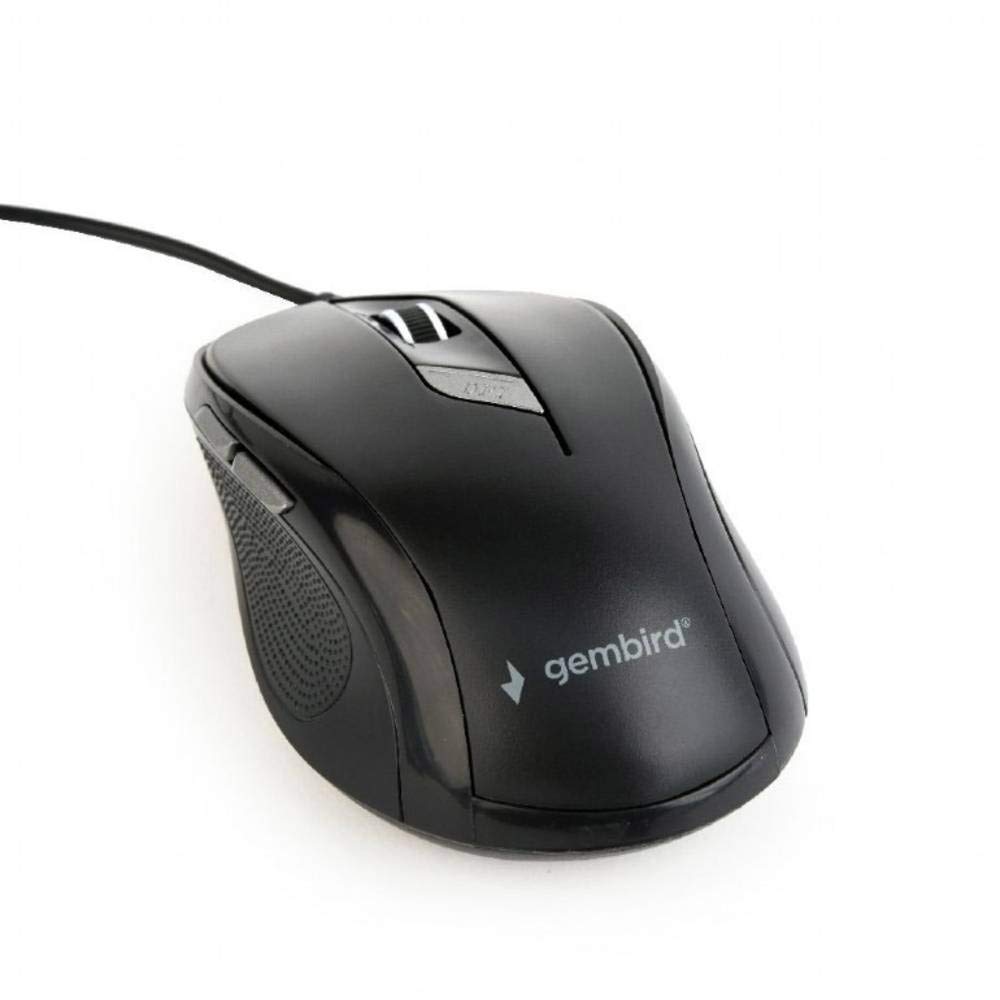
انځور: له پورته څخه ښکته view of the Gembird MUS-6B-01 optical USB mouse. The mouse is black with a matte finish, featuring a scroll wheel, left and right click buttons, a DPI button, and two side buttons. A black USB cable extends from the front of the mouse.
3. ترتیب کول
Setting up your Gembird MUS-6B-01 mouse is a simple plug-and-play process.
د نصبولو مرحلې:
- په خپل کمپیوټر کې موجود USB پورټ ومومئ.
- Plug the USB connector of the Gembird MUS-6B-01 mouse firmly into the USB port.
- Your operating system (Windows, Linux) will automatically detect and install the necessary drivers. This process may take a few moments.
- کله چې چلوونکي نصب شي، موږک د کارولو لپاره چمتو دی.
د اساسي فعالیت لپاره معمولا د اضافي سافټویر نصبولو ته اړتیا نشته.
4. عملیاتي لارښوونې
Familiarize yourself with the functions of each button on your Gembird MUS-6B-01 mouse.
اساسي دندې:
- کیڼ کلیک: Primary action, selecting items, opening files.
- ښي کلیک: Opens context menus, provides additional options.
- سکرول ویل: د اسنادو له لارې پورته یا ښکته سکرول کړئ او web پاڼې
- منځنی کلیک (د سکرول ویل پریس): Often used to open links in new tabs or for specific application functions.
پرمختللې دندې:
- د DPI تنظیم کولو تڼۍ: Located behind the scroll wheel, this button allows you to cycle through different sensitivity (DPI) settings. Press it to change the cursor speed to suit your preference.
- د مخ په وړاندې تڼۍ (اړخ): Typically navigates forward in web براوزرونه یا file سپړونکي
- Backward Button (Side): Typically navigates backward in web براوزرونه یا file سپړونکي
The functionality of the side buttons may vary depending on the application or operating system settings. Some operating systems allow customization of these buttons.
5. ساتنه
Proper care will help extend the life of your Gembird MUS-6B-01 mouse.
پاکول:
- د پاکولو دمخه موږک له خپل کمپیوټر څخه جلا کړئ.
- یو نرم، لږ څه استعمال کړئamp, lint-free cloth to wipe the surface of the mouse.
- For stubborn dirt, a small amount of mild soap solution can be applied to the cloth (not directly to the mouse).
- Use a cotton swab or compressed air to clean around the scroll wheel and between buttons.
- Ensure the optical sensor on the underside is clean and free of dust or debris.
- Do not use harsh chemicals, abrasive cleaners, or immerse the mouse in water.
ذخیره کول:
When not in use for extended periods, store the mouse in a clean, dry environment away from extreme temperatures and direct sunlight.
6. ستونزه حل کول
If you encounter issues with your Gembird MUS-6B-01 mouse, try the following troubleshooting steps:
| ستونزه | احتمالي حل |
|---|---|
| موږک ځواب نه ورکوي |
|
| Erratic or jumpy cursor movement |
|
| بټن کار نه کوي |
|
7. مشخصات
Detailed technical specifications for the Gembird MUS-6B-01 Optical USB Mouse:
| فیچر | مشخصات |
|---|---|
| برانډ | ګیمبرډ |
| د ماډل نوم | MUS-6B-01 |
| د ارتباط ټیکنالوژي | برښنایی (USB) |
| د حرکت کشف ټیکنالوژي | نظري |
| د تڼۍ مقدار | 6 |
| د لاس لارښوونه | متضاد |
| مطابقت لرونکي عملیاتي سیسټمونه | لینکس، وینډوز ۷، وینډوز ایکس پی (او نوي نسخې) |
| د هارډویر پلیټ فارم | شخصي کمپیوټر |
| د کیبل اوږدوالی | 5.0 متره |
| د توکي وزن | 74 ګرامه |
| مواد | پلاستیک |
| رنګ | تور |
| بیټرۍ ته اړتیا ده | نه |
8. د خوندیتوب معلومات
مهرباني وکړئ د خوندیتوب لاندې لارښوونې تعقیب کړئ:
- Do not expose the mouse to water or excessive moisture.
- د قوي تاثیراتو لپاره موږک د غورځولو یا تابع کولو څخه ډډه وکړئ.
- د موږک د جلا کولو یا ترمیم کولو هڅه مه کوئ. د وړ خدماتو پرسونل ته مراجعه وکړئ.
- وسیله د خورا تودوخې او مستقیم لمر وړانګو څخه لرې وساتئ.
- د سیمه ییزو مقرراتو سره سم د بریښنایی کثافاتو مسؤلیت سره تصفیه کړئ.
9. تضمین او ملاتړ
Gembird products are designed for reliability and performance. For specific warranty terms and conditions, please refer to the warranty card included with your product or visit the official Gembird website. For technical support or further assistance, please contact your retailer or the Gembird customer service department.