
1. پیژندنه
The StarTech.com SV231DPU34K is a 2-Port DisplayPort KVM Switch designed to allow control of two DisplayPort-enabled computers from a single monitor, keyboard, and mouse. This device supports high-resolution video up to 4K at 60Hz and includes an integrated USB 3.0 hub for sharing additional USB peripherals between connected systems. It also features 3.5mm analog audio switching and offers flexible control via front-panel push buttons or hotkey commands.
2. د بسته محتويات
- 1x KVM Switch (SV231DPU34K)
- 1x Universal Power Adapter (NA/JP, EU, UK, ANZ)
- 4x Rubber Foot Pads
3. محصول ختم شوview
3.1 مخکښ پینل
The front panel provides convenient access to a USB HID port, a USB 3.0 port, and selection buttons for switching between connected computers.

انځور 1: Front Panel of the SV231DPU34K KVM Switch. Features include a USB HID port, a USB 3.0 port, and two computer selection buttons (1 and 2) with a 'SELECT' button.
3.2 شاته پینل
The rear panel houses the power input, console DisplayPort and USB HID ports, and dedicated DisplayPort, USB, and audio ports for each connected PC.
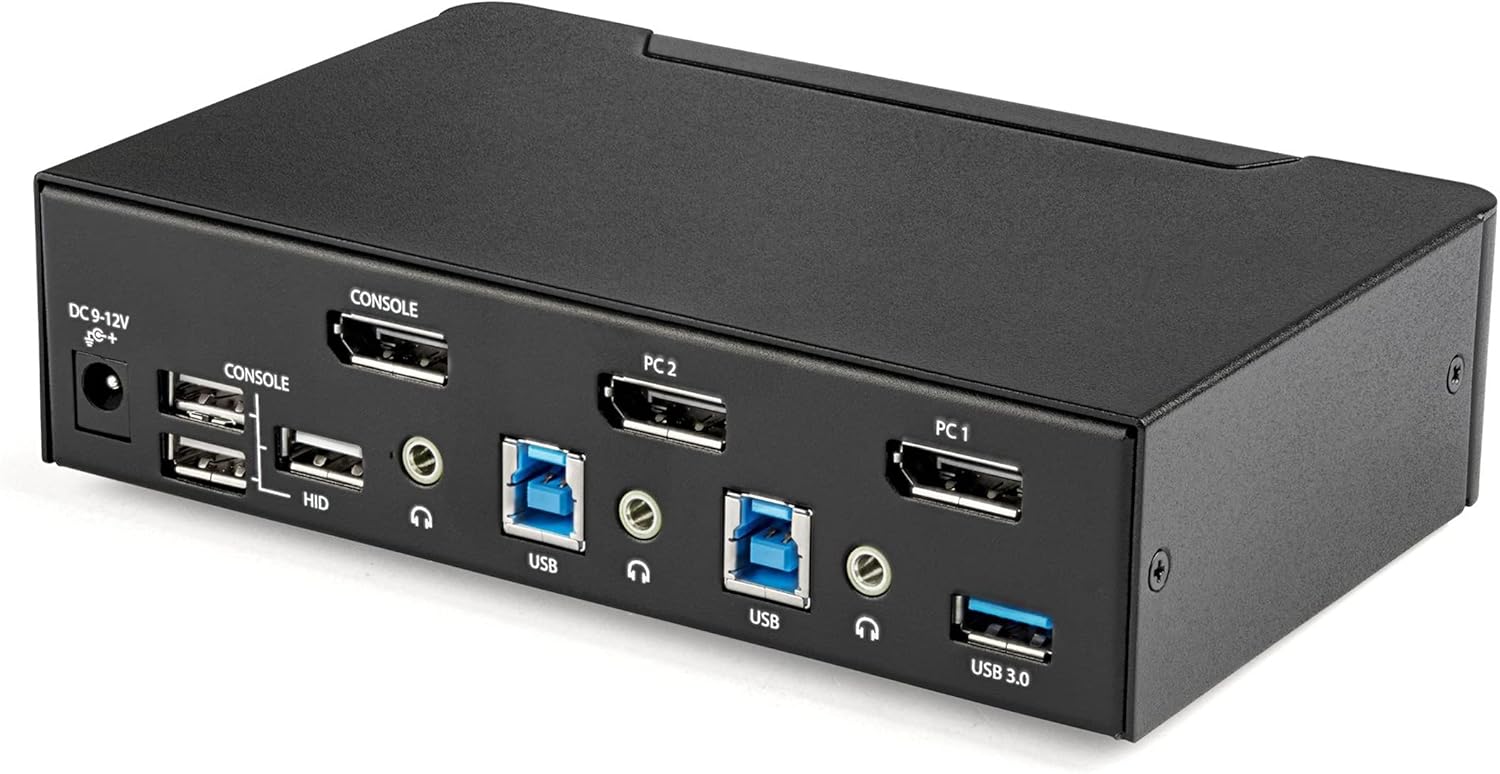
انځور 2: Rear Panel of the SV231DPU34K KVM Switch. Connections include DC 9-12V power, Console DisplayPort, Console USB HID ports, and individual DisplayPort, USB 3.0 Type-B, and 3.5mm audio jacks for PC1 and PC2.
3.3 Labeled Diagram
This diagram provides a comprehensive view of all ports and their functions on both the front and rear panels.

انځور 3: Labeled diagram illustrating all ports on the SV231DPU34K KVM Switch, including console connections for monitor, keyboard, and mouse, and PC connections for two computers.
۴. د تنظیم لارښوونې
Follow these steps to set up your StarTech.com SV231DPU34K KVM Switch:
- د بریښنا بند وسایل: Ensure all computers, monitors, and peripherals are powered off before beginning the installation.
- د کنسول وسایل وصل کړئ:
- Connect your DisplayPort monitor to the CONSOLE DisplayPort on the rear of the KVM switch.
- Connect your USB keyboard and mouse to the CONSOLE HID USB Type-A ports on the rear of the KVM switch.
- If using external speakers or a microphone, connect them to the CONSOLE 3.5mm audio jacks شاته
- Connect Computers (PC1 and PC2): د هر کمپیوټر لپاره:
- Connect a DisplayPort cable from your computer's DisplayPort output to the corresponding PC1 DisplayPort or PC2 DisplayPort input on the KVM switch.
- Connect a USB 3.0 Type-A to Type-B cable from your computer's USB 3.0 port to the corresponding PC1 USB 3.0 Type-B or PC2 USB 3.0 Type-B input on the KVM switch.
- If using audio, connect 3.5mm audio cables from your computer's audio output/input to the corresponding PC1/PC2 3.5mm audio jacks.
- د USB وسایلو سره وصل کړئ: Connect any additional USB 3.0 peripherals (e.g., USB hub, printer, flash drive) to the د USB 3.0 ډول-A بندرونه on the front or rear of the KVM switch.
- بریښنا وصل کړئ: شامل شوی یونیورسل پاور اډاپټر سره وصل کړئ د DC 9-12V بریښنا آخذه on the rear of the KVM switch, then plug it into a power outlet.
- پاور آن: Power on the KVM switch, then power on your monitor, and finally power on your connected computers.
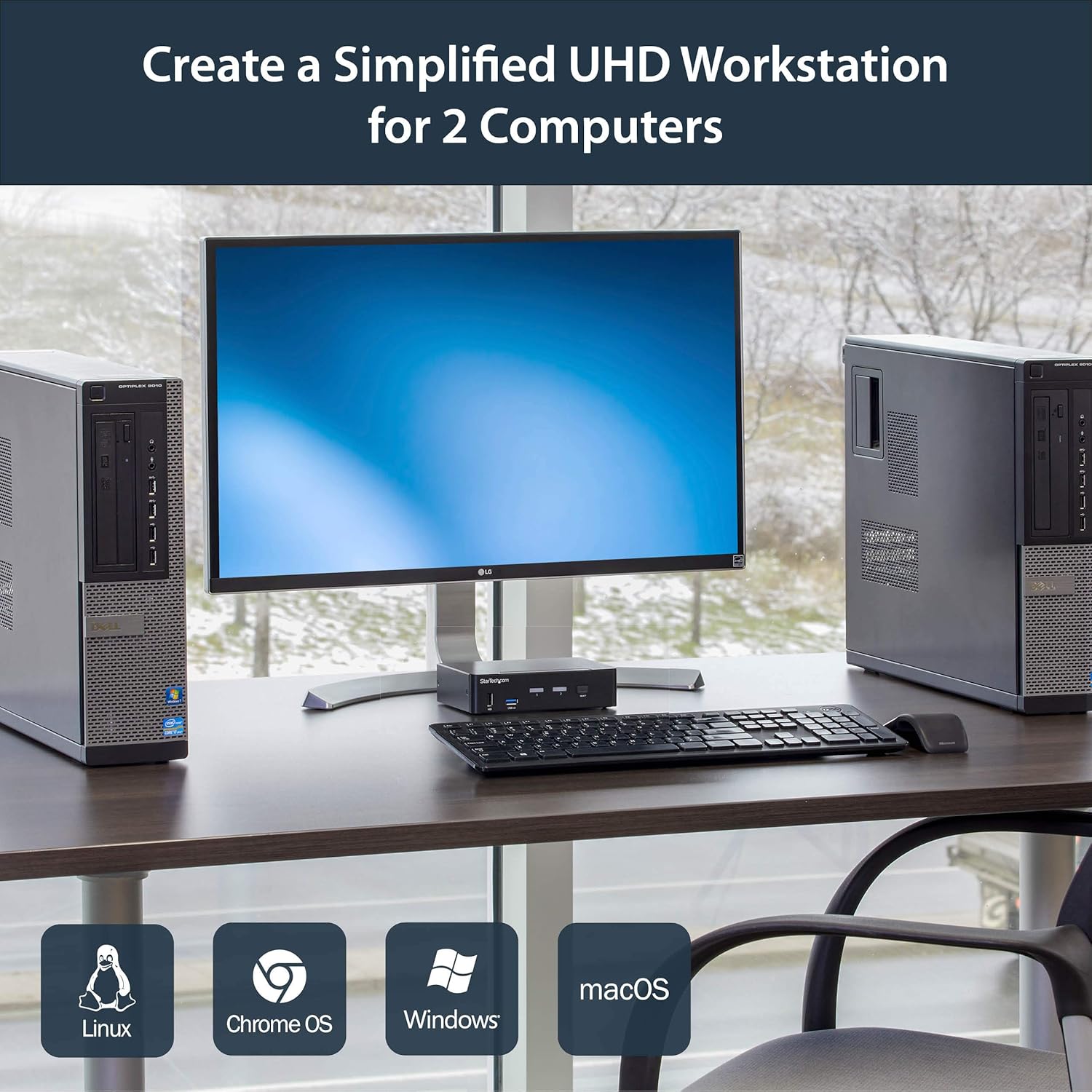
انځور 4: Connection diagram for the SV231DPU34K KVM Switch, showing how two computers share one display and peripherals.
5. عملیاتي لارښوونې
The SV231DPU34K KVM Switch offers two methods for switching between connected computers:
5.1 Front Panel Push Buttons
اړونده فشار ورکړئ انتخاب button on the front panel of the KVM switch to switch to the desired computer (PC1 or PC2). The LED indicator for the selected computer will illuminate.
انځور 5: Front panel with computer selection buttons.
5.2 Hotkey Switching
The KVM switch supports hotkey commands for switching between computers. Refer to the quick start guide or the official StarTech.com product page for specific hotkey sequences.
6. ساتنه
To ensure optimal performance and longevity of your KVM switch, follow these maintenance guidelines:
- پاکول: Keep the device clean and free from dust. Use a soft, dry, lint-free cloth for cleaning. Avoid using liquid or aerosol cleaners.
- وینټیلیشن: Ensure adequate airflow around the KVM switch to prevent overheating. Do not block any ventilation openings.
- د کیبل مدیریت: Organize cables to prevent strain on ports and accidental disconnections.
- د چاپیریال شرایط: Operate the device within its specified temperature and humidity ranges. Avoid extreme temperatures or moisture.
7. ستونزه حل کول
که تاسو د خپل KVM سویچ سره ستونزې سره مخ شئ، لاندې عامې ستونزې او حل لارې وګورئ:
| ستونزه | احتمالي حل |
|---|---|
| No display or flickering display after switching. |
|
| کیبورډ یا موږک ځواب نه ورکوي. |
|
| USB 3.0 devices not detected or working intermittently. |
|
| Audio issues (static, no sound). |
|
| G-Sync or FreeSync not working. |
|
8. مشخصات
| فیچر | تفصیل |
|---|---|
| ماډل | SV231DPU34K |
| برانډ | سټارټیک. com |
| ویډیو برسیر | ډیسپلی پورټ 1.2 |
| د اعظمي پریکړه | 3840 x 2160 @ 60Hz (4K UHD) |
| MST Passthrough | ملاتړ شوی |
| د USB مرکز | 2-پورټ USB 3.0 حب |
| د USB HID بندرونه | 4x USB Type-A (for keyboard/mouse) |
| آډیو | 3.5mm Analog Audio Switching |
| د بدلولو طریقې | Push Button, Hotkey |
| مواد | فولاد |
| ابعاد (L x W x H) | 3.9 x 6.3 x 1.6 انچه (9.9 x 16.0 x 4.1 سانتي متره) |
| د توکي وزن | 1.3 پونډه (0.59 kg) |
| د بریښنا انډول | DC 9-12V, 18 Watts |
| رنګ | تور |
| د عملیاتي حرارت درجه | له 0°C څخه تر 40°C (32°F څخه تر 104°F) |
| د ذخیرې د حرارت درجه | -20°C ته 60°C (-4°F ته 140°F) |
| رطوبت | 0-80% RH (غیر کنډیشن) |
9. تضمین او ملاتړ
9.1 د تضمین معلومات
دا StarTech.com محصول د a لخوا ملاتړ کیږي ۱-کلن تضمین. For detailed warranty terms and conditions, please refer to the official StarTech.com webسایټ
9.2 تخنیکي ملاتړ
For technical assistance, product documentation, or driver downloads, please visit the official StarTech.com support webسایټ: