
1. Important Safety Instructions
Read all instructions carefully before using the appliance and save them for future reference. Failure to follow these safety instructions may result in electric shock, fire, or serious injury.
- Electrical Safety: Always unplug the appliance from the power supply before assembling, disassembling, or cleaning. Do not immerse the motor unit in water or any other liquid.
- Blade Safety: The blades are very sharp. Handle them with extreme care, especially when removing the blade unit from the jar, emptying the jar, and during cleaning.
- Child Safety: This appliance is not intended for use by children. Keep the appliance and its cord out of reach of children.
- Usage Restrictions: Do not blend hot liquids. Allow hot ingredients to cool before processing. Do not operate the appliance without ingredients in the jar.
- Overheating Protection: The appliance is equipped with a safety system that protects against overheating. If the appliance stops during use, unplug it and let it cool down for 15 minutes before restarting.
- Damage: Do not use the appliance if the cord, plug, or any other part is damaged. Contact PHILIPS customer support for assistance.
2. Product Overview
The PHILIPS HR2156/90 Blender is designed for efficient blending of various ingredients, featuring ProBlend 5 technology for smooth results and a durable Tritan jar.
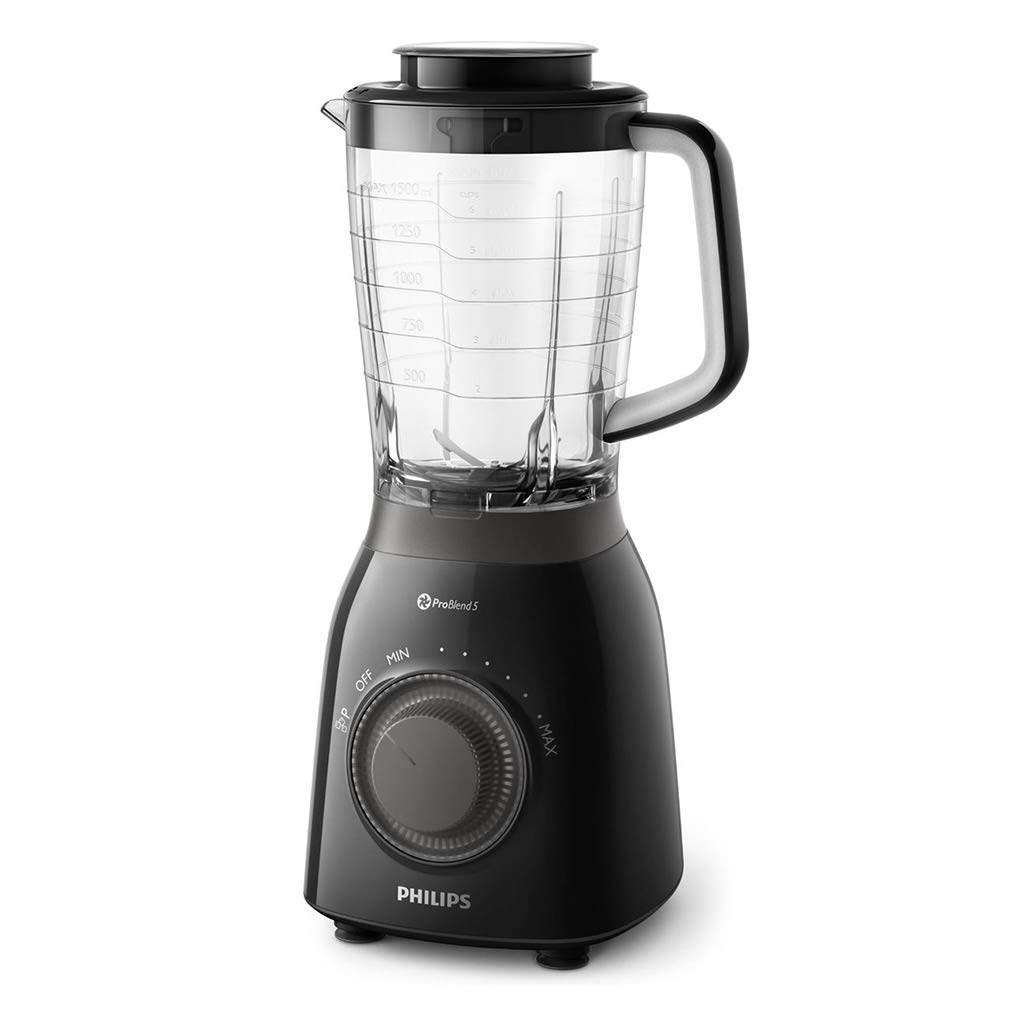
Image: The PHILIPS HR2156/90 Blender, showcasing its motor unit, blade assembly, and Tritan jar. This image illustrates the main components of the appliance.
Main Components:
- Motor Unit: The base of the blender containing the motor and control knob.
- Blade Unit: Detachable blade assembly with ProBlend 5 technology for efficient blending.
- Tritan Jar: A durable, shatter-resistant 2-liter jar for blending ingredients.
- Lid: Covers the jar during operation, often with a removable measuring cup.
3. Setup and Assembly
Before first use, clean all parts that will come into contact with food. Ensure the appliance is unplugged during assembly.
- Clean Components: Wash the jar, lid, and blade unit in warm soapy water. Rinse thoroughly and dry.
- Assemble Blade Unit: Carefully attach the blade unit to the bottom of the Tritan jar by twisting it clockwise until securely fastened.
- Place Jar on Motor Unit: Place the assembled jar onto the motor unit. Ensure it is seated correctly and locked into position. Some models may require a slight twist to lock.
- Add Ingredients: Place your desired ingredients into the jar. Do not exceed the maximum fill level indicated on the jar.
- Secure Lid: Place the lid onto the jar and ensure it is securely closed.
4. Operating Instructions
Follow these steps for safe and effective blending.
- Plug In: Plug the appliance into a power outlet.
- Select Speed: Turn the control knob to your desired speed setting. The PHILIPS HR2156/90 features adjustable speed settings for various blending tasks.
- Low Speed: For softer ingredients or gentle mixing.
- High Speed: For harder ingredients, thicker mixtures, or faster blending.
- Pulse Function: Use the pulse setting for short bursts of power, ideal for chopping or crushing ice. The ProBlend 5 technology ensures efficient ice crushing in seconds.
- Blend: Allow the blender to run until the desired consistency is achieved. For best results, blend in short intervals rather than continuously for extended periods.
- Stop: Turn the control knob to the "OFF" position when blending is complete.
- Unplug: Always unplug the appliance from the power outlet before removing the jar or cleaning.
Tip for Smoothies: For optimal smoothie results, start with liquids, then add soft ingredients, followed by harder ingredients, and finally ice or frozen fruits.
5. Cleaning and Maintenance
Regular cleaning ensures optimal performance and extends the life of your blender. Always unplug the appliance before cleaning.
- Disassemble: Remove the jar from the motor unit. Carefully detach the blade unit from the jar.
- Clean Jar and Blade Unit: The Tritan jar, lid, and blade unit are dishwasher-safe. Alternatively, wash them in warm water with a mild detergent. Use a brush to clean the blades carefully.
- Clean Motor Unit: Wipe the motor unit with a damp cloth. Never immerse the motor unit in water or rinse it under the tap.
- Dry: Ensure all parts are thoroughly dry before reassembling or storing the appliance.
- Storage: Store the blender in a dry place, out of reach of children.
6. Troubleshooting
If you encounter issues with your PHILIPS HR2156/90 Blender, refer to the following common problems and solutions:
| Problem | Possible Cause | Solution |
|---|---|---|
| Blender does not start. | Not plugged in, jar not assembled correctly, overheating. | Ensure the appliance is plugged in. Check if the jar is securely locked onto the motor unit. If overheated, unplug and let cool for 15 minutes. |
| Ingredients are not blending smoothly. | Too little liquid, too many ingredients, ingredients are too large. | Add more liquid. Reduce the amount of ingredients. Cut large ingredients into smaller pieces. Use the pulse function for stubborn ingredients. |
| Unpleasant odor during use. | Overloading, new appliance smell. | Reduce the load. A slight odor is normal for new motors; it should dissipate after a few uses. If persistent or strong, discontinue use and contact support. |
If the problem persists after trying these solutions, please contact PHILIPS customer support.
7. Specifications
Key technical details for the PHILIPS HR2156/90 Blender:
- Brand: PHILIPS
- Model: HR2156/90
- Color: Black
- Key Feature: Smoothie function, Ice crushing
- Capacity: 2 Liters
- Material: Tritan (jar)
- Technology: ProBlend 5
- Accessories: Dishwasher-safe parts
8. Warranty and Support
This PHILIPS HR2156/90 Blender comes with a standard manufacturer's warranty. Please refer to the warranty card included in your product packaging for specific terms and conditions, including the warranty period and coverage details.
For technical support, service, or to purchase replacement parts, please visit the official PHILIPS website or contact their customer service hotline. You can find contact information on the PHILIPS website or in your product documentation.
Online Support: www.philips.com/support
When contacting support, please have your model number (HR2156/90) and purchase date ready.


