
1. پیژندنه
Thank you for choosing the Yoobao Portable USB Handheld Fan F02-BE. This compact and versatile fan is designed to provide personal cooling in various settings, whether at home, in the office, or during travel. Please read this manual carefully before use to ensure proper operation and maintenance.
2. محصول ختم شوview
2.1 اجزا
The Yoobao Portable USB Handheld Fan F02-BE includes the following components:
- Yoobao Handheld Fan
- Charging Dock (for wireless charging)
- د مایکرو USB چارج کولو کیبل
- د کارن لارښود

Figure 1: Product packaging and included components.
2.2 کلیدي ځانګړتیاوې
- وړ وړ ډیزاین: د اسانه وړلو لپاره سپک او کمپیکټ.
- Adjustable Wind Speed: Three distinct speed settings (Low, Medium, High).
- د چارج وړ بیټرۍ: Integrated 3000mAh battery for extended use.
- څو اړخیز چارج کول: Supports both Micro USB cable charging and wireless charging via the included dock.
- خاموش عملیات: Designed for minimal noise output.

Figure 2: Fan dimensions (9.3 inches height, 4.1 inches width) and weight (174g / 6.14oz).
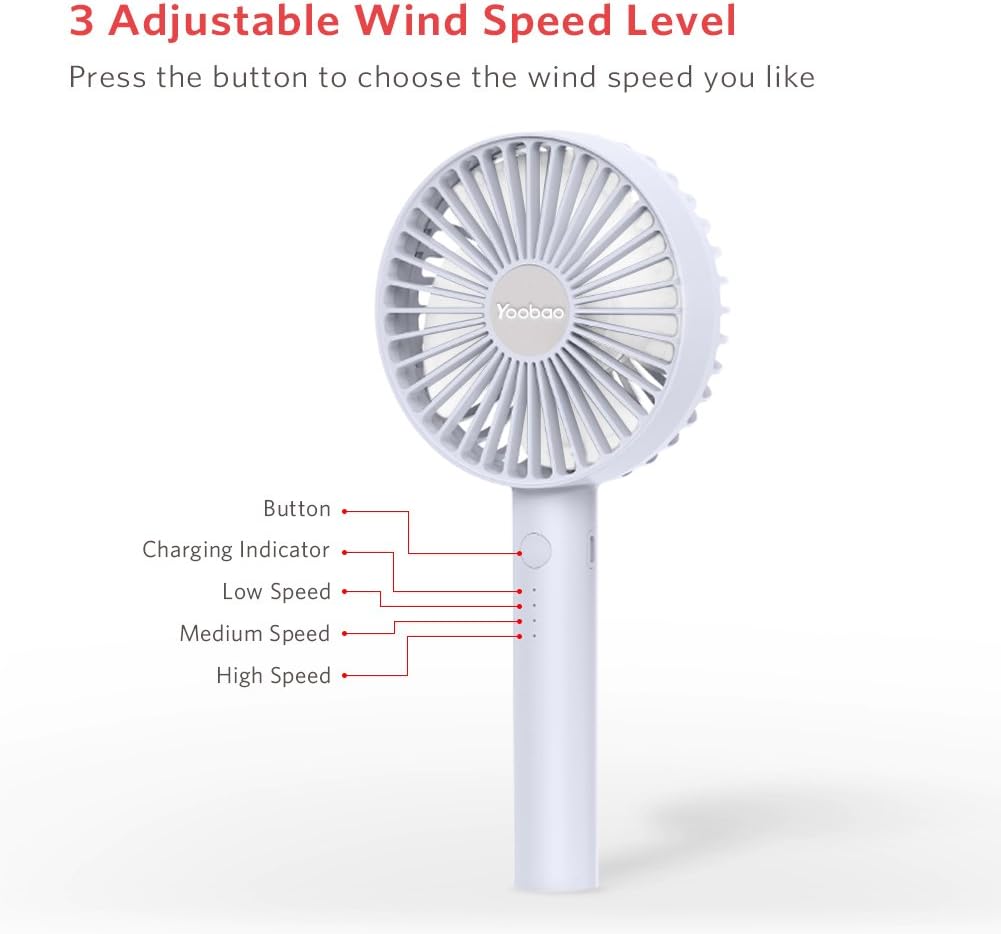
Figure 3: Fan controls and indicators, showing the power button, charging indicator, and three speed indicators (Low, Medium, High).
3. ترتیب کول
Before first use, ensure the fan is fully charged. Refer to the 'Charging Instructions' section for details.
- د بکس څخه ټول اجزا خلاص کړئ.
- Place the fan on a stable surface or hold it comfortably in your hand.
- If using the charging dock, connect the Micro USB cable to the dock and a power source.
4. عملیاتي لارښوونې
The fan features a single button for power and speed control.
- د فعالولو لپاره: یو ځل د بریښنا تڼۍ فشار ورکړئ. فین به په ټیټ سرعت سره پیل شي.
- د سرعت تنظیمولو لپاره: Press the power button repeatedly to cycle through speeds:
- لومړی فشار: ټیټ سرعت
- دوهم پریس: منځنی سرعت
- دریم پریس: لوړ سرعت
- بندول: Press the power button a fourth time after High speed, or press and hold the button for 2 seconds at any speed.

Figure 4: The fan can be used handheld for personal cooling.
5. د چارج کولو لارښوونې
The Yoobao F02-BE fan offers two charging methods: direct USB cable charging and wireless charging via the dock.
5.1 Direct USB Charging
- Locate the Micro USB charging port on the side of the fan handle.
- Connect the provided Micro USB cable to the fan's charging port.
- Connect the other end of the USB cable to a suitable USB power source (e.g., power adapter, computer USB port, power bank).
- The charging indicator lights will illuminate to show charging status.
5.2 Wireless Charging with Dock
- Connect the Micro USB cable to the charging dock and a suitable USB power source.
- Gently place the fan into the charging dock, ensuring it is seated correctly.
- The charging indicator lights on the fan will illuminate to show charging status.
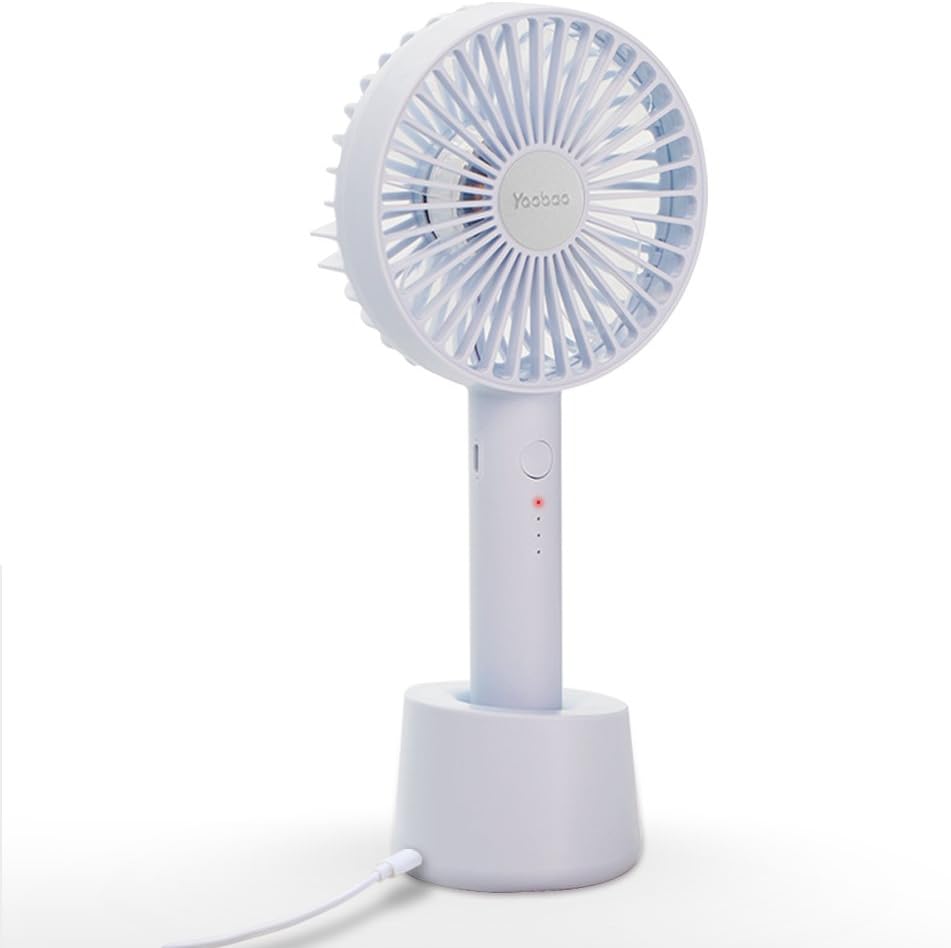
Figure 5: The fan securely placed in its charging dock, connected via USB cable.
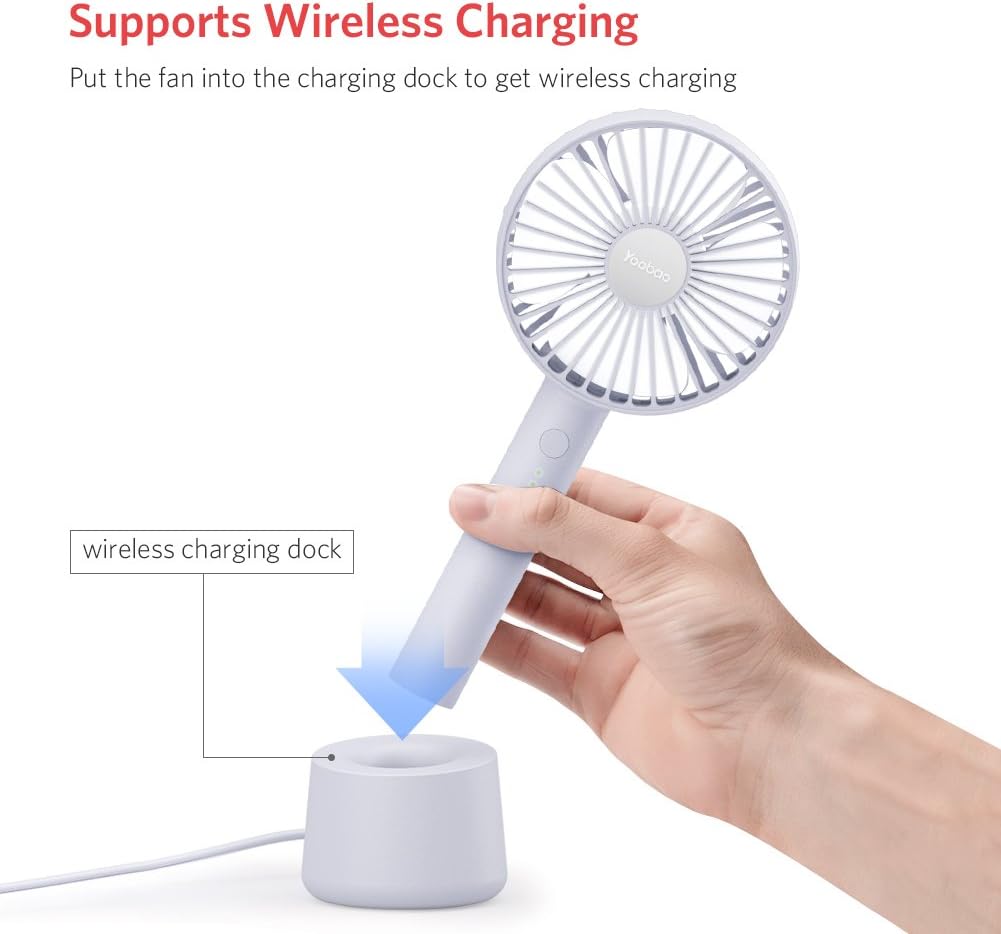
Figure 6: Illustrates placing the fan into the wireless charging dock for convenient charging.

Figure 7: Demonstrates charging via power adapter, computer/laptop, and power bank.
5.3 د بیټرۍ ژوند
A full charge provides approximately:
- Low Speed: Up to 11.7 hours
- Medium Speed: Up to 6 hours
- High Speed: Up to 3.5 hours
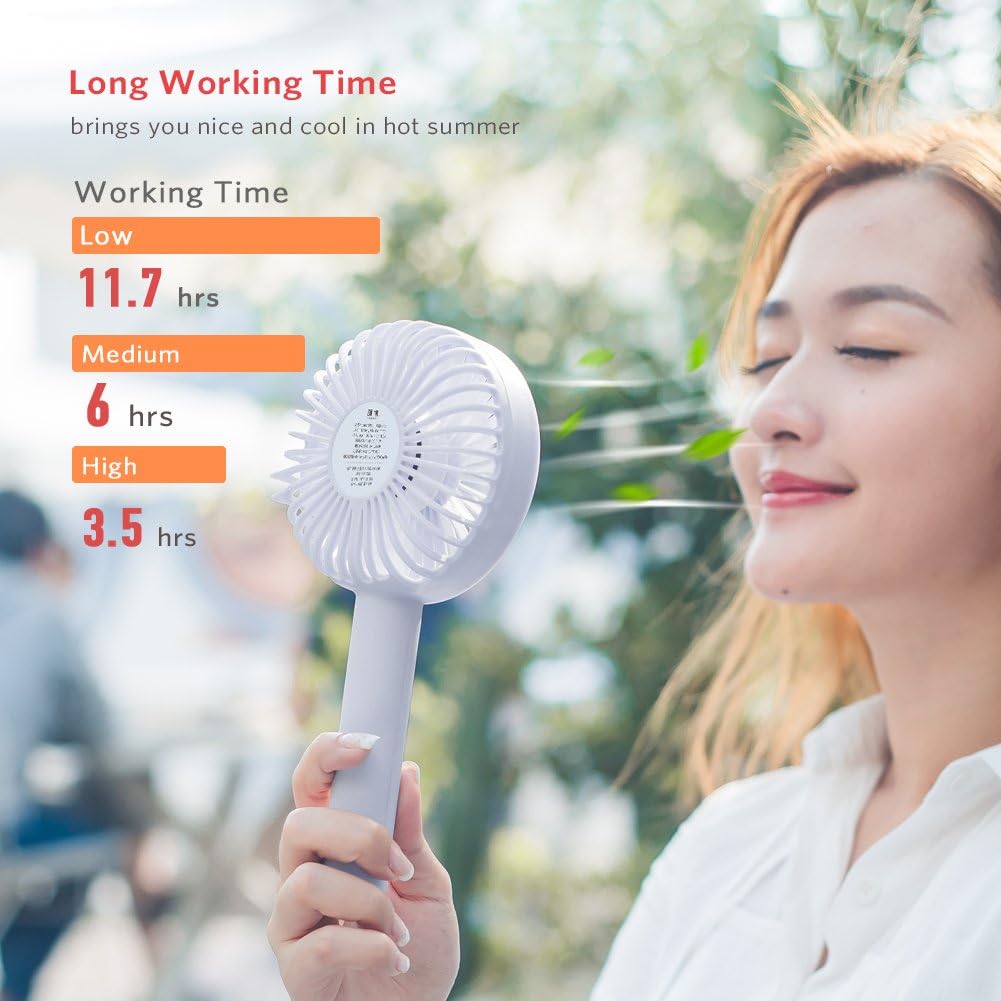
Figure 8: Visual representation of battery life at different fan speeds.
6. ساتنه
6.1 پاکول
- Ensure the fan is turned off and unplugged from any power source before cleaning.
- د فین بهرنۍ برخه د نرم او وچ ټوکر سره پاک کړئ.
- د کثافاتو پاکوونکي، محلولونه مه کاروئ، یا فین په اوبو کې مه ډوبوئ.
- For dust accumulation on the fan blades, use a soft brush or compressed air to gently clean the grille and blades.
6.2 ذخیره کول
- فین په یخ او وچ ځای کې د مستقیم لمر وړانګو او سختې تودوخې څخه لرې وساتئ.
- که چیرې د اوږدې مودې لپاره ذخیره کوئ، نو بیټرۍ نږدې 50٪ پورې چارج کړئ ترڅو د هغې عمر اوږد شي.
7. ستونزه حل کول
If you encounter issues with your Yoobao Portable USB Handheld Fan F02-BE, please refer to the following common problems and solutions:
| ستونزه | احتمالي لامل | د حل لاره |
|---|---|---|
| فین نه چالانېږي. | بیټرۍ ختمه شوې. | Charge the fan using the provided USB cable or charging dock. |
| ضعیف هوا جریان. | فین په ټیټ سرعت ترتیب کې دی. | د فین سرعت زیاتولو لپاره د بریښنا تڼۍ فشار ورکړئ. |
| فین غیر معمولي غږ کوي. | د فین په تیغونو کې خنډ یا داخلي ستونزه. | Turn off the fan and check for any obstructions. If the noise persists, contact customer support. |
| Fan tips over easily in dock. | Unstable surface or improper placement. | Ensure the dock is placed on a flat, stable surface. Verify the fan is correctly seated in the dock. |
| د چارج کولو شاخص څراغونه کار نه کوي. | د چارج کولو کیبل یا د بریښنا سرچینې ستونزه. | Check the USB cable connection and try a different power source. Ensure the fan is properly seated in the charging dock if using wireless charging. |
8. مشخصات
| فیچر | تفصیل |
|---|---|
| برانډ | یوباو |
| د ماډل شمیره | F02-BE |
| د بریښنایی فین ډیزاین | Wearable Fan / Handheld Fan |
| د بریښنا سرچینه | د بیټرۍ چلول |
| د بیټرۍ ظرفیت | 3000mAh (approximate, inferred from product title) |
| د محصول ابعاد (LxWxH) | ۷.۸ x ۲.۴ x ۱.۵ انچه (۱.۵"D x ۲.۴"W x ۷.۸"H) |
| د توکي وزن | ۰.۹۸۶ اونس (۲۷.۹۴ ګرامه) |
| واټtage | ۴۵ واټه |
| والیtage | 5 ولټه |
| ځانګړی ځانګړنه | لږ وزن، د پورټ وړ |
| شاملې برخې | Cord (Micro USB Charging Cable) |
9. تضمین او ملاتړ
Yoobao products are designed for quality and reliability. For specific warranty details, please refer to the warranty card included with your product or visit the official Yoobao website. If you experience any issues or have questions regarding your Yoobao Portable USB Handheld Fan F02-BE, please contact Yoobao customer support through their official channels.
مهرباني وکړئ د تضمین ادعاوو لپاره د پیرود ثبوت په توګه خپل د پیرود رسید وساتئ.