
1. پیژندنه
Thank you for choosing the Solight LED Desk Lamp WO46. This versatile lamp combines modern design with practical features, including a dimmable LED light, an integrated display showing time, date, alarm, and temperature. This manual provides essential information for the safe and efficient use of your new desk lamp.
2. د خوندیتوب لارښوونې
- د کارولو دمخه ټولې لارښوونې په دقت سره ولولئ او د راتلونکي حوالې لپاره یې وساتئ.
- د بریښنا رسولو حجم ډاډمن کړئtage matches the requirements specified on the product.
- l افشا مه کوئamp اوبه ورکول یا ډیر رطوبت.
- Avoid disassembling or modifying the lamp. ټول خدمات وړ پرسونل ته راجع کړئ.
- l وساتئamp د تودوخې سرچینو او مستقیم لمر څخه لرې.
- l پاک کړئamp یوازې د نرم، وچ ټوکر سره. د کثافاتو پاکوونکي یا محلول مه کاروئ.
- دا محصول یوازې د داخلي کارونې لپاره ډیزاین شوی.
3. د بسته محتويات
مهرباني وکړئ د لاندې توکو لپاره په بسته کې وګورئ:
- د سولیټ LED میز Lamp ویکسینکس
- د بریښنا کیبل
- د کارونکي لارښود (دا لاسوند)
4. محصول ختم شوview
The Solight LED Desk Lamp WO46 features a flexible arm, an integrated LED light panel, and a multi-functional display on its base. The base also houses the touch-sensitive controls.

Figure 1: Solight LED Desk Lamp WO46 in folded position, displaying time, date, and temperature on its integrated screen.

Figure 2: Solight LED Desk Lamp WO46 with its arm extended, highlighting the LED light panel and the functional display.
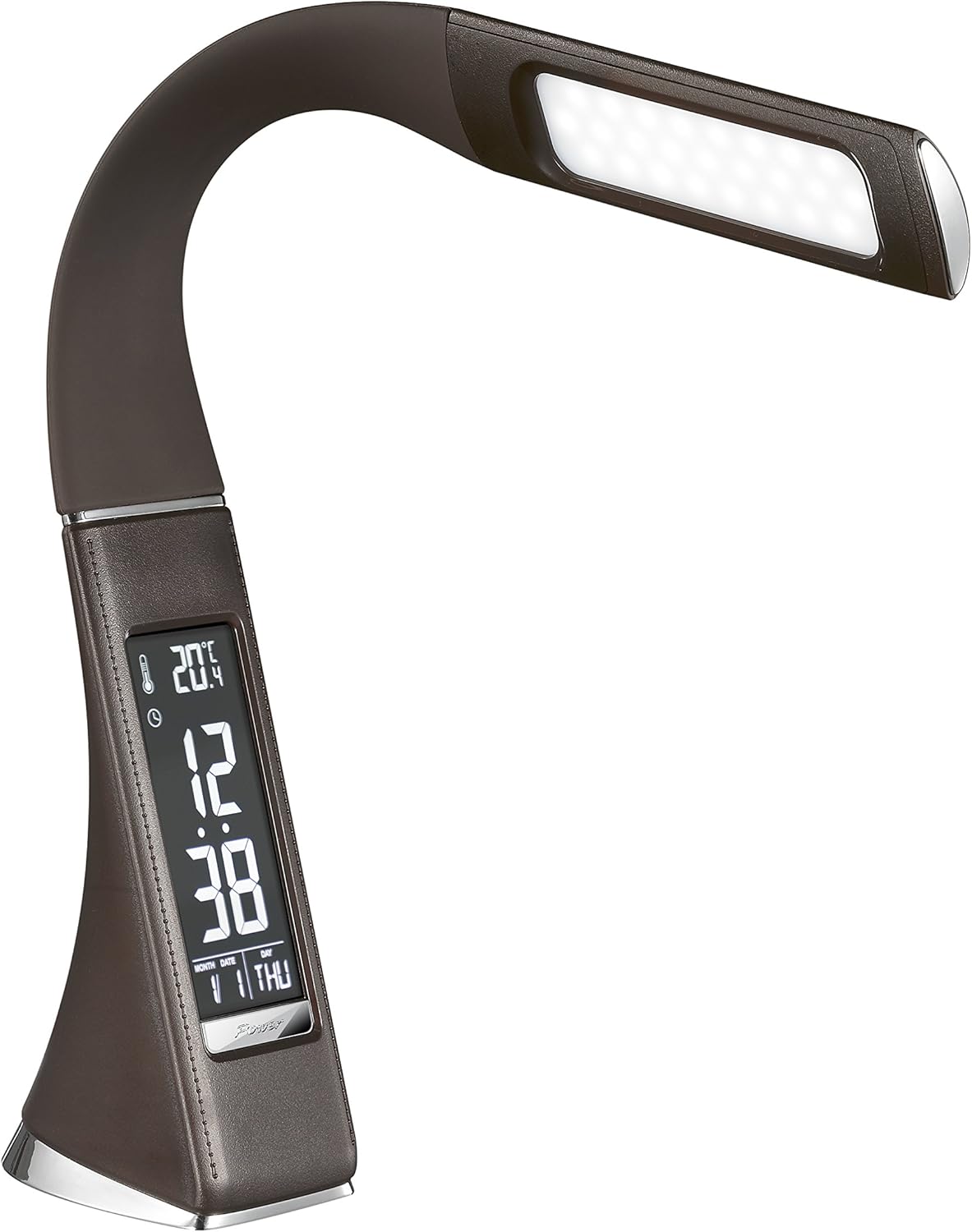
شکل ۳: زاویه لرونکی view of the Solight LED Desk Lamp WO46, extended, emphasizing its sleek design and the display panel.
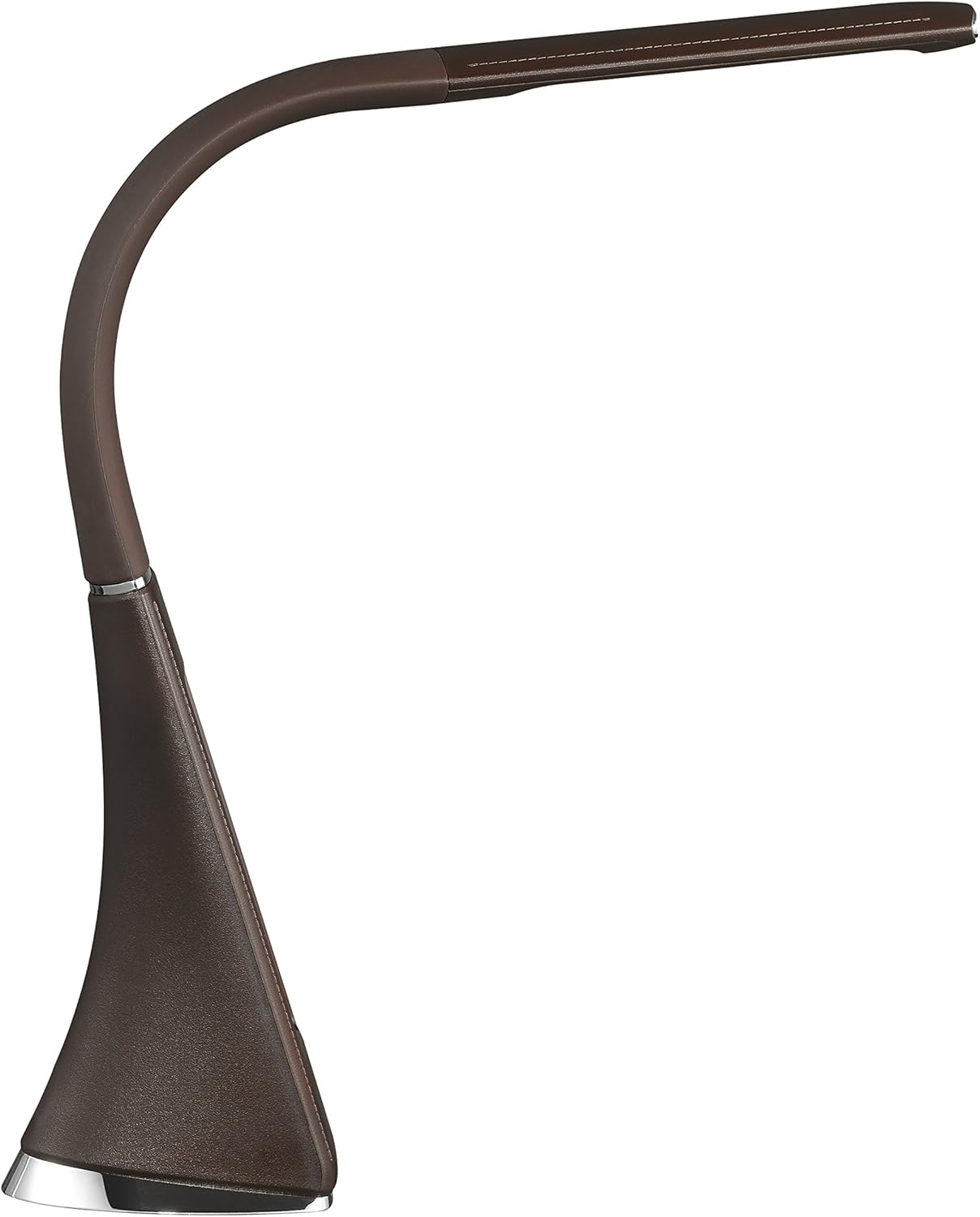
شکل ۳: د اړخ پروfile of the Solight LED Desk Lamp WO46, extended, illustrating the flexibility of its arm and the slim design of the light panel.

شکل 5: شاته view of the Solight LED Desk Lamp WO46, extended, indicating the power input port located at the back of the lampاساس
5. ترتیب کول
- خلاص کړئ: په احتیاط سره د بسته بندۍ څخه ټولې برخې لرې کړئ.
- ځای په ځای کول: L ځای پر ځای کړئamp on a stable, flat surface. The non-slip base ensures stability.
- بریښنا وصل کړئ: Insert the power cable into the DC input port at the back of the lamp's base, then plug the adapter into a standard electrical outlet.
- موقعیت تنظیم کړئ: Gently adjust the flexible arm to your desired lighting angle.
6. عملیاتي لارښوونې
۳.۳.۳ د رڼا کنټرول
- پاور آن/بند: Press the touch-sensitive power button on the base to turn the lamp آن یا بند.
- د روښانتیا سمون: د ایل سرهamp on, press and hold the power button to cycle through the three available brightness levels. Release the button at your desired brightness.
6.2 د دندو ښودل
The integrated display shows time, date, day of the week, temperature, and alarm status. Specific buttons on the base (e.g., 'Mode', 'Set', 'Up', 'Down' - refer to physical markings on your lamp if available) are used to navigate and set these functions.
- د وخت او نیټې ټاکل:
- Press the 'Mode' button until the time display flashes.
- Use the 'Up' and 'Down' buttons to adjust the hour, then press 'Set' to confirm and move to minutes.
- د دقیقو، کال، میاشتې او ورځې لپاره تکرار کړئ.
- Press 'Mode' to exit setting mode.
- د الارم ترتیب کول:
- Press the 'Mode' button repeatedly until the alarm icon appears and the alarm time flashes.
- Use 'Up' and 'Down' to set the alarm hour, then 'Set' to confirm and move to minutes.
- Press 'Mode' to activate/deactivate the alarm. An alarm icon will indicate if it's active.
- د تودوخې ښودنه: دamp automatically displays the ambient temperature. No user adjustment is typically required for this function.
7. ساتنه
- پاکول: lamp د پاکولو دمخه د بریښنا رسولو څخه. l پاک کړئamp's surface with a soft, dry, lint-free cloth. Do not use liquid cleaners or sprays.
- ذخیره کول: که چیرې د l ذخیره کولamp د اوږدې مودې لپاره، ډاډ ترلاسه کړئ چې دا پاک او وچ وي. دا په یخ او وچ ځای کې د مستقیم لمر وړانګو څخه لرې وساتئ.
8. ستونزه حل کول
| ستونزه | احتمالي لامل | د حل لاره |
|---|---|---|
| Lamp نه چلیږي. | بریښنا نشته. | Check if the power cable is securely connected to the lamp and the electrical outlet. Ensure the outlet is functional. |
| Display is blank or incorrect. | Power interruption or incorrect settings. | Ensure continuous power. Reset time and date settings as per Section 6.2. |
| رڼا څراغونه. | بې ثباته برېښنا. | د l پلګ کولو هڅه وکړئamp into a different electrical outlet. |
| الارم نه غږېږي. | الارم فعال شوی نه دی یا په غلط ډول تنظیم شوی دی. | Verify that the alarm is set and activated (alarm icon visible) as per Section 6.2. |
9. مشخصات
| فیچر | تفصیل |
|---|---|
| د ماډل شمیره | WO46-H |
| ابعاد (L x W x H) | 5.5 x 9 x 50 سانتي متره |
| وزن | 599 ګرامه (1.32 پونډه) |
| مواد | PS (Polystyrene) |
| د پای ډول | Leather look |
| د رڼا سرچینې ډول | LED |
| د بلبونو شمیر | 3 |
| روښانه فلکس | 300 lm |
| ځواک | 1.5 واټ |
| والیtage | 230 ولټه |
| اوسط عمر | 30,000 ساعته |
| د IP درجه بندي | IP20 |
| ډول بدل کړئ | تڼۍ فشار کړئ |
| د انرژۍ لیبل | A+ |
10. تضمین او ملاتړ
Solight products are designed and manufactured to the highest quality standards. For information regarding warranty coverage, technical support, or spare parts availability, please refer to the documentation provided with your purchase or visit the official Solight webسایټ. مهرباني وکړئ د هر ډول تضمین ادعا لپاره د پیرود ثبوت وساتئ.