
Amazon Basics B074SVCYZY
Amazon Basics Heavy-Duty Tilting TV Wall Mount & High-Speed HDMI Cable User Manual
Model: B074SVCYZY
پیژندنه
This manual provides comprehensive instructions for the safe and proper installation, operation, and maintenance of your Amazon Basics Heavy-Duty Tilting TV Wall Mount and High-Speed HDMI Cable. This wall mount is designed to securely hold flat-panel televisions ranging from 37 inches to 80 inches, with a maximum weight capacity of 120 pounds. The included HDMI cable supports Ethernet, 3D, and 4K video, along with Audio Return Channel (ARC) for versatile connectivity.
Please read this manual thoroughly before beginning installation to ensure correct setup and to prevent damage to the product or injury.
د خوندیتوب معلومات
خبرداری: Failure to read and follow all instructions can result in personal injury or property damage. The manufacturer is not responsible for damage or injury caused by incorrect mounting, incorrect assembly, or incorrect use.
- Ensure the wall structure can safely support the combined weight of the mount and the television. Consult a qualified professional if unsure.
- د وزن اعظمي ظرفیت له ۲۵۰ پونډو (۱۱۳ کیلوګرامه) څخه زیات مه کوئ.
- This mount is intended for use with flat-panel TVs between 37 and 80 inches.
- Always use appropriate safety gear, including eye protection, during installation.
- Verify the location of electrical wires, water pipes, and gas lines behind the wall before drilling.
- Two people are recommended for installation due to the size and weight of TVs.
- ټولې کوچنۍ برخې او د بسته بندۍ توکي له ماشومانو لرې وساتئ.
د بسته محتويات
Carefully unpack the box and ensure all components are present and undamaged. If any parts are missing or damaged, do not attempt to install. Contact customer support for assistance.
- د دیوال پلیټ اسمبلۍ (1)
- د تلویزیون د نصبولو قوسونه (۲)
- High-Speed HDMI Cable (1)
- د هارډویر کټ (مختلف پیچونه، واشیرونه، فاصله کونکي، لنگرونه)
- د لارښود لارښود (دا سند)


تنظیم او نصب کول
اړین وسایل (شامل ندي):
- د سټډ موندونکی
- Drill with appropriate drill bits (wood/concrete)
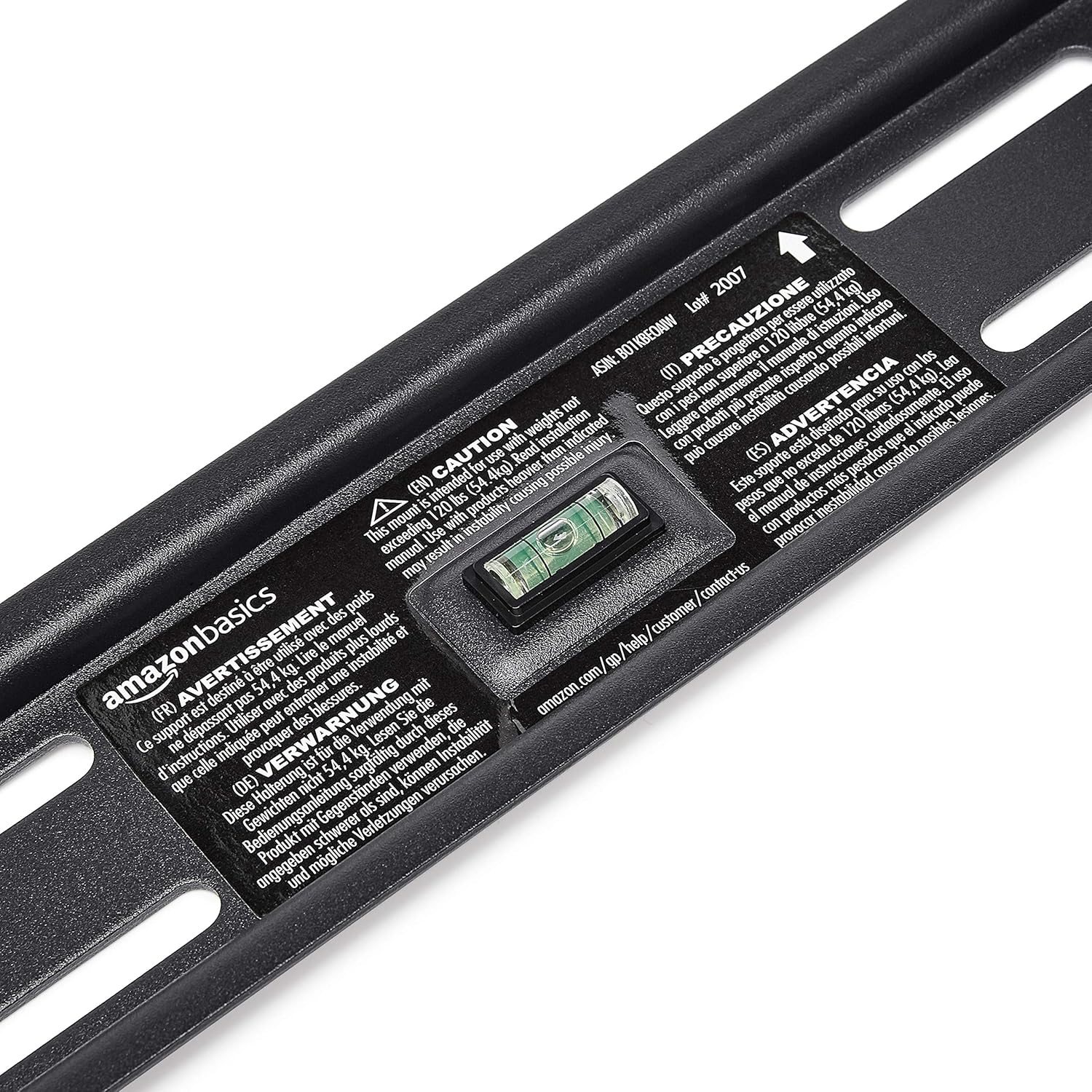
- Level (though one is built into the mount)
- د فیلپس سر سکریوډرایور
- Socket wrench or adjustable wrench
- پنسل
- د اندازه کولو ټیپ
1 ګام: د نصب کولو ځای مشخص کړئ
Choose a location on your wall that is structurally sound and free from electrical wires, water pipes, or gas lines. Use a stud finder to locate wood studs if mounting to drywall, or ensure you have appropriate concrete anchors if mounting to masonry.
دوهم ګام: د دیوال پلیټ نصب کړئ
- Hold the wall plate against the wall at the desired height. Use the built-in level to ensure it is perfectly horizontal.
- د دیوال په تخته کې د سوریو له لارې د سوراخ کولو ځایونه د پنسل سره په نښه کړئ.
- په نښه شویو ځایونو کې پیلوټ سوري وکړئ. د ډرل بټ اندازه به ستاسو د دیوال ډول او کارول شوي لنگرونو / لیګ بولټونو پورې اړه ولري.
- Secure the wall plate to the wall using the provided lag bolts and washers. Ensure it is firmly attached and level.

Step 3: Attach TV Mounting Brackets to TV
- د خپل تلویزیون مخ په نرم او پاک سطحه کېږدئ ترڅو د سکرین زیان مخه ونیسي.
- د خپل تلویزیون شاته د VESA نصب کولو سوري وپیژنئ.
- د هارډویر کټ څخه مناسب پیچونه، واشیرونه او فاصلې غوره کړئ چې ستاسو د تلویزیون د نصب کولو سوري سره مناسب وي.
- Attach the two vertical TV mounting brackets to the back of your TV, ensuring they are centered and aligned with the VESA pattern. The hooks on the brackets should face upwards.

څلورم ګام: تلویزیون د دیوال پلیټ ته پورته کړئ
- With assistance, carefully lift the TV and hook the brackets onto the top edge of the wall plate.
- Gently lower the TV until the brackets fully engage with the wall plate. You should hear a click or feel it lock into place.
- Pull the release strings (if applicable) to ensure the TV is securely latched to the mount. Some models have safety screws to further secure the TV; tighten these if present.


Step 5: Connect HDMI Cable
Connect one end of the included High-Speed HDMI cable to the HDMI output port on your source device (e.g., Blu-ray player, game console, streaming device) and the other end to an HDMI input port on your TV.

عملیاتي لارښوونې
Tilting the TV:
This wall mount allows for 18 degrees of tilt, ranging from +15 degrees (upward) to -3 degrees (downward), to achieve an optimal viewد زاویې لوړول او ځلا کمول. د خښتې تنظیمولو لپاره:
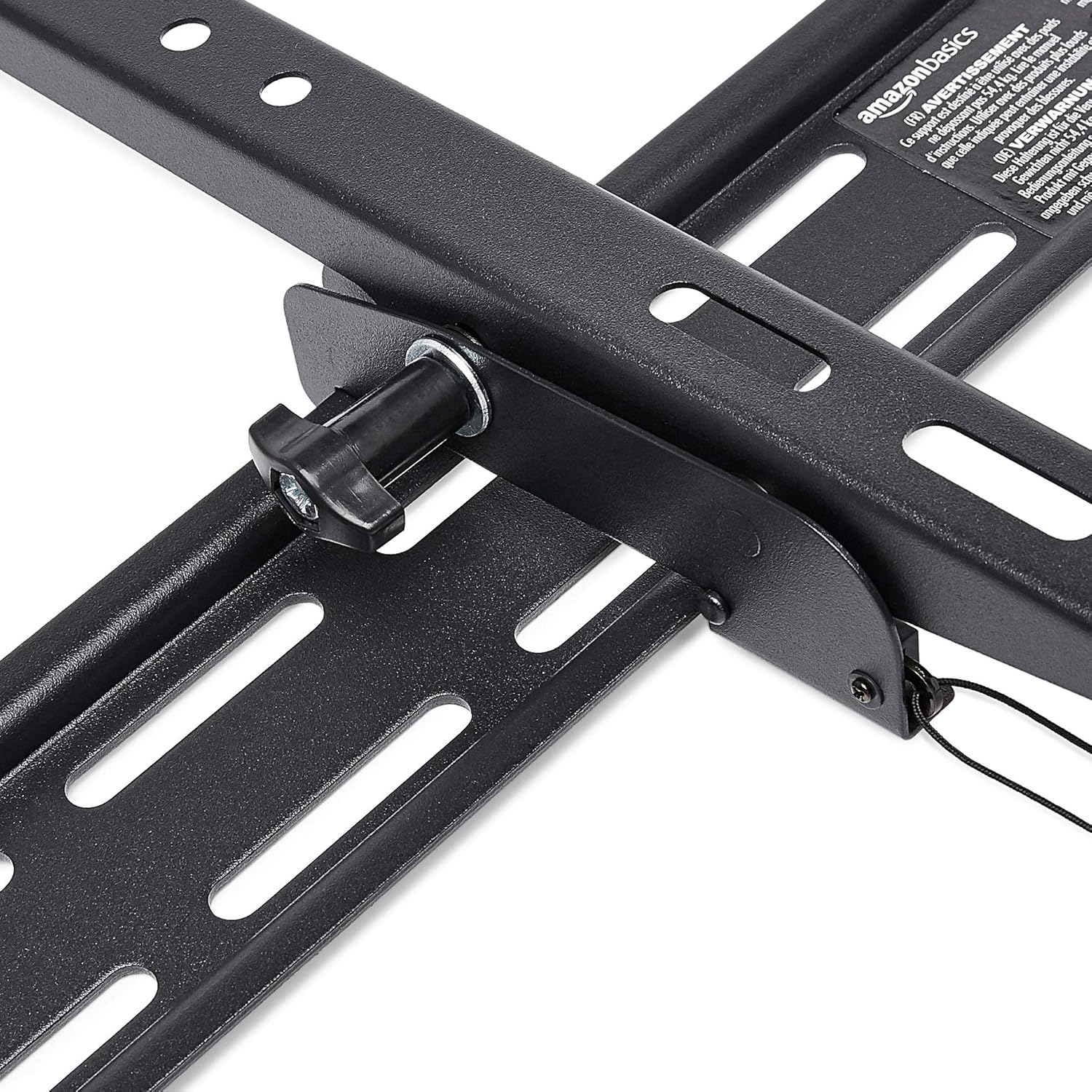
- Locate the tilt adjustment knobs or levers on the side of the TV mounting brackets.
- Loosen the knobs or levers to allow the TV to tilt freely.
- Carefully tilt the TV to your desired angle.
- Tighten the knobs or levers to secure the TV in place.
ساتنه
- په دوره یي ډول ټول پیچونه او بولټونه وګورئ ترڅو ډاډ ترلاسه شي چې دوی کلک او خوندي پاتې دي.
- Clean the mount and HDMI cable with a soft, dry cloth. Avoid abrasive cleaners or solvents.
- Do not hang anything from the mount or TV that exceeds the weight capacity.
د ستونزو حل کول
| ستونزه | احتمالي لامل | د حل لاره |
|---|---|---|
| د نصبولو وروسته تلویزیون سطحه نه لري. | د نصبولو پرمهال د دیوال پلیټ سطحه نه وي. | Carefully remove TV, loosen wall plate screws, adjust level using built-in bubble level, and re-tighten. Re-mount TV. |
| TV not securely attached to mount. | Brackets not fully engaged or safety screws not tightened. | Ensure brackets are fully seated on the wall plate. Tighten any safety screws on the bottom of the brackets. |
| No picture/sound via HDMI. | Incorrect input selected on TV, loose cable connection, or faulty source device. | Verify TV input matches the connected HDMI port. Ensure HDMI cable is firmly connected at both ends. Test with another HDMI cable or source device if possible. |
مشخصات
- نښه: د ایمیزون اساسات
- ماډل: Heavy-Duty Tilting TV Wall Mount & High-Speed HDMI Cable
- ASIN: B074SVCYZY
- د نصب کولو ډول: ټيټ
- د مناسب تلویزیون اندازه: له 37 څخه تر 80 انچو پورې
- د اعظمي وزن ظرفیت: ۶ پونډه (۳ کیلو ګرامه)
- د خښتو زاویه: +15 to -3 degrees (18 degrees total)
- د HDMI کیبل اوږدوالی: 10 پښه
- د HDMI ځانګړتیاوې: Supports Ethernet, 3D, 4K video, Audio Return Channel (ARC)
تضمین او ملاتړ
For warranty information and customer support, please refer to the official Amazon Basics webسایټ یا مستقیم د ایمیزون پیرودونکي خدماتو سره اړیکه ونیسئ. د تضمین ادعاوو لپاره خپل د پیرود رسید وساتئ.
Webسایټ: د ایمیزون اساساتو پلورنځی