
1. Wprowadzenie
This manual provides essential information for the safe and efficient use of your TCL 55A400M 55-inch QLED Mini LED 4K Smart TV. Please read it thoroughly before operating the device and retain it for future reference. Your new television features advanced display technologies like QLED and Mini LED for superior picture quality, a 144Hz Variable Refresh Rate (VRR) for smooth motion, and the Google TV operating system for a smart and connected entertainment experience.
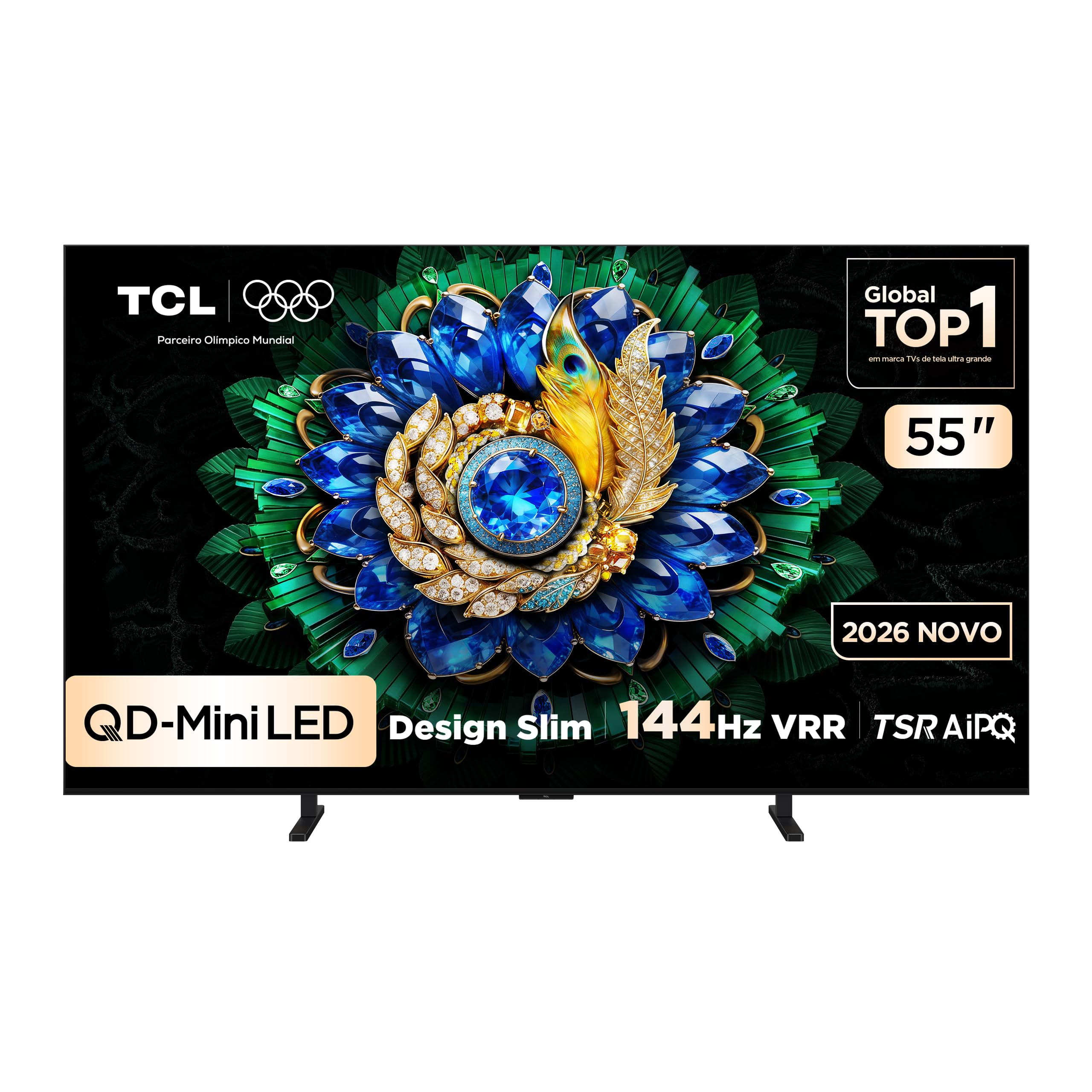
Obraz: Przód view of the TCL 55A400M Smart TV, showcasindzięki żywemu wyświetlaczowi i cienkim ramkom.
2. Informacje dotyczące bezpieczeństwa
Aby zapobiec pożarowi, porażeniu prądem elektrycznym lub obrażeniom ciała, należy zawsze przestrzegać następujących środków ostrożności:
- Nie wystawiaj telewizora na działanie deszczu ani wilgoci.
- Nie otwieraj telewizoraasing; wszelkie prace serwisowe należy zlecać wykwalifikowanemu personelowi.
- Zapewnij odpowiednią wentylację wokół telewizora. Nie blokuj otworów wentylacyjnych.
- Ustaw telewizor na stabilnej, równej powierzchni lub zamontuj go solidnie na ścianie.
- Trzymaj telewizor z dala od źródeł ciepła i bezpośredniego światła słonecznego.
- Odłączaj przewód zasilający od gniazdka podczas burzy z piorunami lub jeśli nie używasz urządzenia przez dłuższy czas.
- Z przewodem zasilającym należy obchodzić się ostrożnie, aby uniknąć uszkodzenia.
3. Zawartość opakowania
Sprawdź, czy w opakowaniu znajdują się wszystkie elementy:
- TCL 55A400M 55-inch Smart TV
- Zdalne sterowanie
- Kabel zasilający
- Stojak pod telewizor (2 sztuki)
- Śruby do stojaka pod telewizor
- Instrukcja obsługi (ten dokument)
- Szybki przewodnik

Image: The remote control included with the TCL 55A400M Smart TV.
4. Konfiguracja
4.1. Konfiguracja fizyczna
Montaż stojaka:
- Ostrożnie połóż telewizor ekranem do dołu na miękkiej, płaskiej powierzchni, aby zapobiec uszkodzeniu ekranu.
- Dopasuj podstawę telewizora do odpowiednich otworów na spodzie telewizora.
- Przymocuj stojaki za pomocą dołączonych śrub.
Montaż na ścianie:
If you choose to wall-mount your TV, use a VESA-compatible wall mount kit (sold separately) and follow the instructions provided with the wall mount. Ensure the wall can support the weight of the TV. Professional installation is recommended.

Image: The TCL 55A400M TV mounted on a wall, showcasing its ability to display images with vibrant, contrasting colors.
4.2. Podłączanie urządzeń
Connect external devices to the appropriate ports on the back of your TV. Refer to the diagram below for port locations:
Obraz: Tył view of the TCL 55A400M Smart TV, detailing the various input and output ports.
- HDMI (1-4): Connect Blu-ray players, game consoles, cable/satellite boxes. HDMI 1 and 2 support 4K@144Hz. HDMI 1 supports eARC/ARC.
- USB (1-2): Connect USB storage devices for media playback. USB 1 is 3.0, USB 2 is 2.0.
- LAN: Podłącz kabel Ethernet, aby uzyskać przewodowe połączenie z Internetem.
- Wejście kablowe/antenowe: Podłącz antenę lub sygnał telewizji kablowej.
- Cyfrowe wyjście audio (optyczne): Podłącz do zewnętrznego odbiornika audio lub soundbara.
4.3. Włącz zasilanie
After connecting all devices, plug the power cable into an electrical outlet. Press the power button on the remote control or on the TV to turn it on.
5. Instrukcja obsługi
5.1. Zdalne sterowanieview
Zapoznaj się z przyciskami pilota, aby łatwiej poruszać się po telewizorze i sterować jego funkcjami.
5.2. Konfiguracja początkowa (Google TV)
Po pierwszym włączeniu telewizor poprowadzi Cię przez proces początkowej konfiguracji:
- Wybierz swój język.
- Connect to a Wi-Fi network or use a wired LAN connection.
- Zaloguj się na swoje konto Google, aby uzyskać dostęp do funkcji Google TV, aplikacji i spersonalizowanych rekomendacji.
- Follow on-screen prompts to complete channel scanning and other settings.

Image: A screenshot of the Google TV interface, showing various streaming applications and content recommendations.
5.3. Funkcje podstawowe
- Moc: Turn the TV on/off or to standby mode.
- Tom: Dostosuj poziom dźwięku.
- Kanał: Zmiana kanałów telewizyjnych (jeśli telewizor jest podłączony do anteny/kabla).
- Wejście: Select the desired input source (HDMI 1, HDMI 2, etc.).
5.4. Funkcje Smart TV
Your TCL 55A400M TV runs on Google TV, offering a wide range of smart features:
- Google TV: Access a personalized home screen with content recommendations from your streaming services.
- Asystent głosowy: Use the built-in Google Assistant via the remote control to search for content, control smart home devices, and get information.
- Aplikacje: Download and install various applications from the Google Play Store.
- Google Meet: Conduct video calls directly from your TV (requires compatible USB camera, sold separately).

Image: A TV screen displaying a Google Meet video call, illustrating the TV's capability for video conferencing.
5.5. Ustawienia obrazu i dźwięku
Aby dostosować obraz i dźwięk, przejdź do menu ustawień telewizora:
- Tryby obrazu: Choose from various presets (Standard, Dynamic, Movie, Game) or customize brightness, contrast, color, and sharpness.
- Obsługa HDR: Enjoy enhanced contrast and color with HDR10+ and Dolby Vision content.
- Tryby dźwięku: Select audio presets (Standard, Music, Movie) or adjust equalizer settings.
- ONKYO Audio: Benefit from the integrated ONKYO sound system for a high-quality audio experience.

Image: A living room scene with sound waves emanating from the TV, emphasizing the immersive audio experience provided by the ONKYO sound system.
5.6. Funkcje gier
The TCL 55A400M is designed for an optimal gaming experience:
- 144Hz VRR: Enjoy ultra-smooth gameplay with a native 144Hz refresh rate and Variable Refresh Rate (VRR) support, reducing screen tearing and stuttering.
- Game Accelerator 288Hz: Experience even smoother motion with 1080p content at 288Hz.
- Małe opóźnienie wejścia: Optimized for responsive gaming.

Image: A dynamic image of a sports car with a '288Hz' overlay, illustrating the TV's high refresh rate capabilities for gaming.
6. Konserwacja
6.1. Czyszczenie
Aby wyczyścić telewizor:
- Odłącz telewizor od gniazdka elektrycznego.
- Do przecierania ekranu i obudowy używaj miękkiej, suchej i niepozostawiającej włókien ściereczki.
- W przypadku uporczywych plam delikatnieampPrzetrzyj szmatkę wodą lub delikatnym, nieściernym środkiem do czyszczenia ekranów.
- Nigdy nie rozpylaj środka czyszczącego bezpośrednio na ekran.
6.2. Aktualizacje oprogramowania
Your TV may receive software updates automatically via the internet. You can also manually check for updates in the TV's settings menu to ensure optimal performance and access to the latest features.
7. Rozwiązywanie Problemów
Jeśli napotkasz problemy, wypróbuj następujące rozwiązania:
| Problem | Rozwiązanie |
|---|---|
| Brak zasilania | Check if the power cable is securely plugged into the TV and the outlet. Try a different outlet. |
| Brak obrazu, ale dźwięk jest | Upewnij się, że wybrano prawidłowe źródło sygnału wejściowego. Sprawdź połączenia kablowe z urządzeniami zewnętrznymi. |
| Brak dźwięku, ale obraz jest | Sprawdź poziom głośności i wyciszenie. Sprawdź połączenia kabli audio. Sprawdź ustawienia wyjścia audio w telewizorze. |
| Pilot nie działa | Replace batteries. Ensure no obstructions between the remote and the TV. Re-pair Bluetooth remote if applicable. |
| Problemy z połączeniem sieciowym | Restart your router/modem. Check Wi-Fi password. Try a wired Ethernet connection. |
8. Specyfikacje
Key technical specifications for the TCL 55A400M Smart TV:
| Funkcja | Szczegół |
|---|---|
| Nazwa modelu | 55A400M |
| Rozmiar ekranu | 55 cali |
| Technologia wyświetlania | Mini LED, QLED |
| Rezolucja | 4K (3840x2160) |
| Częstotliwość odświeżania | 144 Hz |
| Obsługa formatu HDR | Dolby Vision, HDR10+ |
| System operacyjny | Telewizja Google |
| Łączność | Bluetooth, HDMI (4 ports), USB (2 ports), Wi-Fi, LAN |
| System audio | ONKYO |
| Cechy specjalne | Gemini, Google Assistant, Game Accelerator 288Hz |
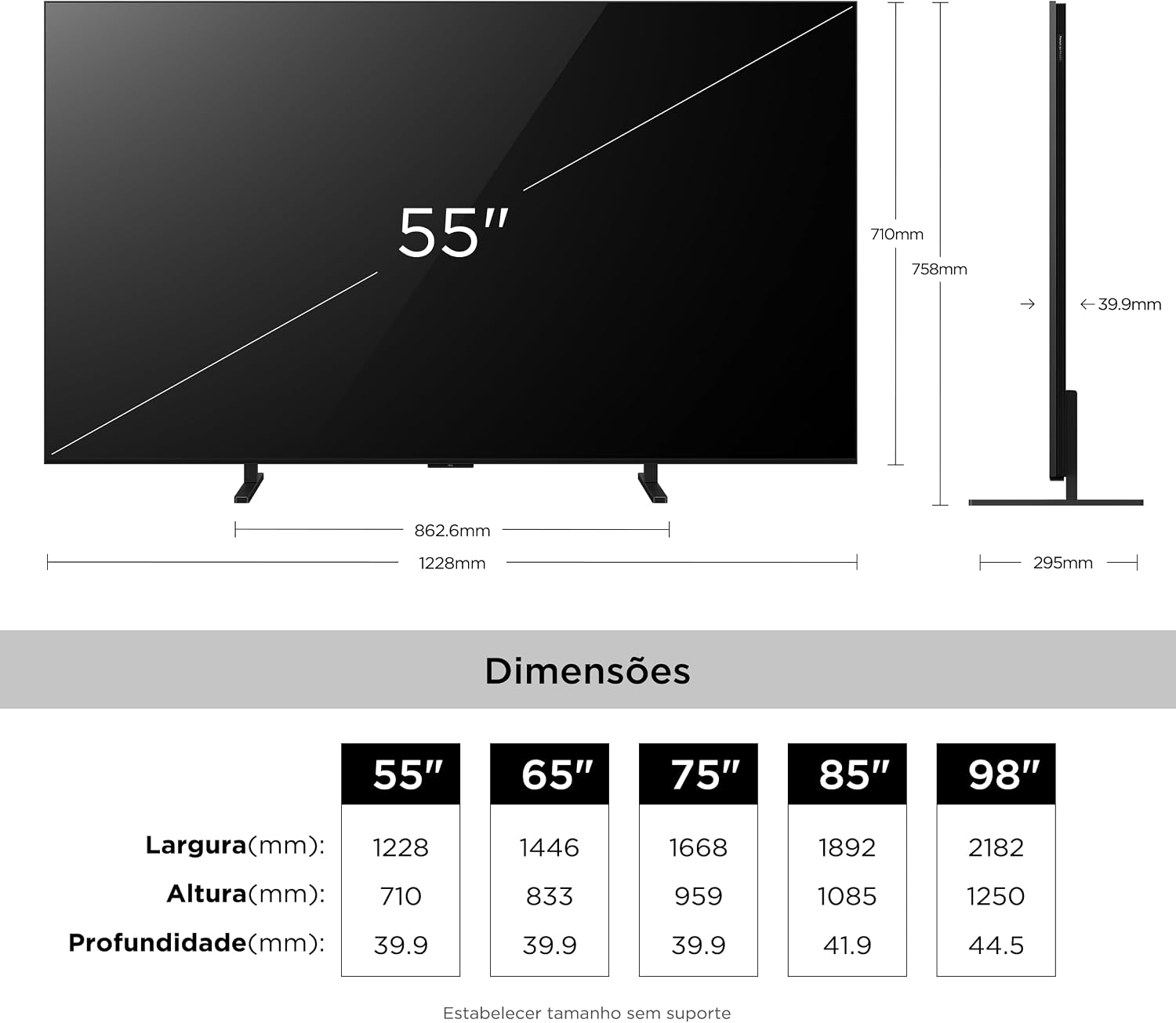
| Dimensions (P x L x A) | 4P x 122.8L x 71A centimeters (without stand) |
| Waga przedmiotu | 16.4 kilograma |
| Tomtage | 110-220 Volts (Auto-sensing) |
9. Informacje o gwarancji
Your TCL 55A400M Smart TV comes with a 1-roczna ograniczona gwarancja from the date of purchase. This warranty covers manufacturing defects in materials and workmanship under normal use. It does not cover damage caused by misuse, accidents, unauthorized modifications, or external factors. Please retain your proof of purchase for warranty claims.
For detailed warranty terms and conditions, please refer to the warranty card included in your product packaging or visit the official TCL support webstrona.
10. Wsparcie
If you require further assistance or have questions not covered in this manual, please contact TCL Customer Support:
- Odwiedź oficjalną stronę pomocy technicznej TCL webStrona zawierająca odpowiedzi na często zadawane pytania, pliki do pobrania oprogramowania i dane kontaktowe.
- Refer to the contact details provided in your product's quick start guide or warranty card.