
1. Wprowadzenie
This manual provides essential information for using your new XIAOMI 17T smartphone. Please read it carefully before using the device to ensure proper operation and to maximize its features. Keep this manual for future reference.

Image: The XIAOMI 17T smartphone, showcasinze względu na jego elegancki wygląd.
2. Zawartość opakowania
Sprawdź, czy w opakowaniu produktu znajdują się wszystkie elementy:
- XIAOMI 17T Smartphone
- Kabel USB-C
- SIM Eject Tool (SIM-Pin)
- Silicone Cover (may vary by region/bundle)
- Skrócona instrukcja obsługi (ta instrukcja)

Image: Contents of the XIAOMI 17T package, including the smartphone, USB-C cable, and SIM eject tool.
3. Konfiguracja
3.1 Wkładanie karty SIM
- Znajdź tackę na kartę SIM znajdującą się z boku urządzenia.
- Włóż narzędzie do wyjmowania karty SIM w mały otwór obok tacki i mocno naciśnij, aż tacka wyskoczy.
- Umieść kartę(y) nano-SIM w tacce złotymi stykami do dołu. Upewnij się, że jest ona prawidłowo ułożona.
- Ostrożnie wsuń tackę z powrotem do gniazda, aż zatrzaśnie się na swoim miejscu.
3.2 Pierwsze włączenie i konfiguracja
- Press and hold the Power button until the XIAOMI logo appears.
- Postępuj zgodnie z instrukcjami wyświetlanymi na ekranie, aby wybrać język i region, połączyć się z siecią Wi-Fi i skonfigurować konto Google.
- You may be prompted to transfer data from an old device. Follow the instructions if desired.
- Aby uzyskać dostęp do ekranu głównego, zakończ proces konfiguracji.
4. Operating Your XIAOMI 17T
4.1 Funkcje wyświetlacza
The XIAOMI 17T features a 6.59-inch 120Hz Eye-Care Display. This display offers a high refresh rate for smooth visuals and includes intelligent visual protection features adapted to environment, time, and usage.
- Częstotliwość odświeżania 120 Hz: Provides fluid scrolling and gaming experience.
- Super Sunlight Display: Poprawia widoczność w jasnych warunkach atmosferycznych.
- Wet Touch 2.0: Improves touch responsiveness even with wet fingers.
- Low Blue Light Certification: Zmniejsza zmęczenie oczu przy dłuższym użytkowaniu.

Image: The XIAOMI 17T display, highlighting its eye-care features.
4.2 System kamer
The device is equipped with a Leica 5x Telephoto lens, offering advanced photography capabilities.
- Leica 5x Telephoto: Provides 5x optical zoom and 10x optical-level lossless zoom.
- AI Ultra Zoom: Achieve up to 120x digital zoom for distant subjects.
- Leica Live Moment: Captures decisive moments and the story leading up to them with authentic Leica imagery.
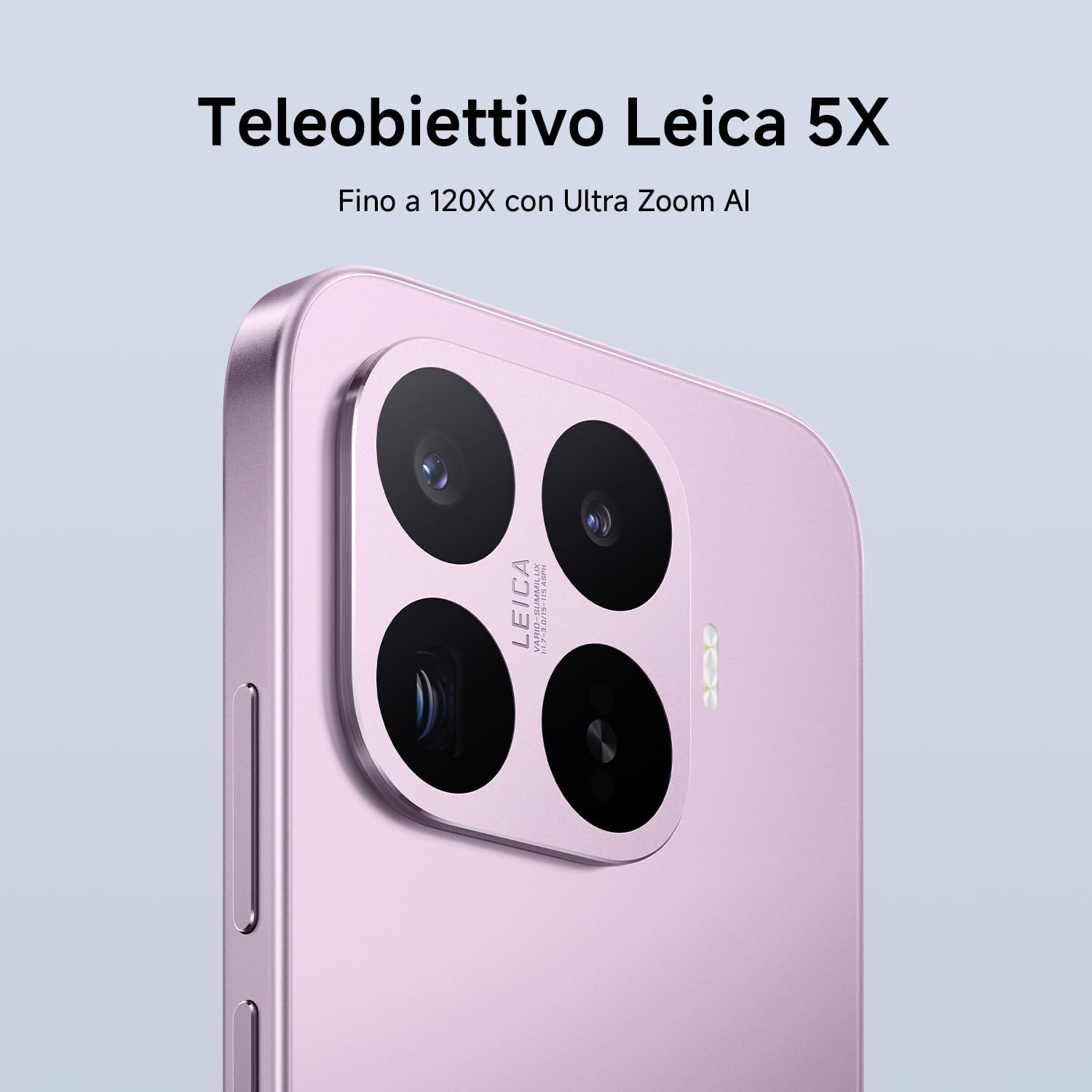
Image: Close-up of the XIAOMI 17T's Leica camera module.

Obraz: Byłyample of photography using the Leica Live Moment feature, capturing dynamic motion.
4.3 Bateria i ładowanie
The XIAOMI 17T is equipped with a 6500mAh Silicon-Carbon battery, designed for extended usage.
- 6500mAh (typ) Battery: Offers up to 17.2 hours of continuous use.
- 67W HyperCharge: Achieve 100% charge in approximately 58 minutes.
- Obsługa szybkiego ładowania: Supports 50W PD/PPS fast charging and other third-party protocols.
- Wired Reverse Charging: Up to 22.5W for charging other devices.

Image: Diagram illustrating the internal structure and capacity of the 6500mAh Silicon-Carbon battery.
4.4 Wydajność
Powered by the MediaTek Dimensity 9500 processor, the XIAOMI 17T delivers robust performance.
- MediaTek Dimensity 9500: Built on a 4nm TSMC process for high performance and efficiency.
- 8-core GPU: Ensures smooth multitasking and intense gaming experiences.
- System Xiaomi 3D IceLoop: An efficient cooling system designed to maintain optimal performance by dissipating heat rapidly.

Image: Representation of the MediaTek Dimensity 9500-Ultra processor chip.

Image: Diagram showing the Xiaomi 3D IceLoop System for efficient heat dissipation within the smartphone.
4.5 Software (Xiaomi HyperOS)
The XIAOMI 17T runs on Xiaomi HyperOS, providing a seamless and intuitive user experience.
- HyperOS: An advanced operating system designed for enhanced performance and efficiency.
- Funkcje AI: Availability of AI features may vary by region. Check your local webstrona po więcej informacji.

Image: The Xiaomi HyperOS logo, indicating the operating system of the device.
5. Konserwacja
- Czyszczenie: Do czyszczenia ekranu i obudowy używaj miękkiej, niepozostawiającej włókien ściereczki. Unikaj materiałów ściernych i silnych środków chemicznych.
- Wodoodporność: The device may have a degree of water resistance, but it is not waterproof. Avoid submerging it in water.
- Temperatura: Używaj urządzenia w zalecanym zakresie temperatur (zwykle od 0°C do 35°C).
- Aktualizacje oprogramowania: Regularnie aktualizuj oprogramowanie swojego urządzenia, aby zapewnić optymalną wydajność i bezpieczeństwo.
6. Rozwiązywanie Problemów
| Problem | Możliwe rozwiązanie |
|---|---|
| Urządzenie nie włącza się. | Upewnij się, że akumulator jest naładowany. Podłącz go do ładowarki na co najmniej 10 minut, a następnie spróbuj ponownie go włączyć. |
| Ekran nie reaguje. | Wykonaj wymuszone ponowne uruchomienie, przytrzymując przycisk zasilania przez około 10–15 sekund. |
| Słaba żywotność baterii. | Sprawdź, czy aplikacje działające w tle są aktywne, zmniejsz jasność ekranu, wyłącz niepotrzebne funkcje, takie jak GPS lub Bluetooth, gdy z nich nie korzystasz. |
| Camera issues. | Clear the camera app's cache and data. Ensure there are no obstructions on the camera lenses. |
| Problemy z łącznością sieciową. | Check SIM card insertion. Restart the device. Reset network settings in the phone's settings menu. |
If problems persist, contact customer support or visit an authorized service center.
7. Specyfikacje
| Funkcja | Szczegół |
|---|---|
| Marka | XIAOMI |
| Nazwa modelu | Xiaomi 17T |
| Pojemność magazynowa | 256 GB |
| Kolor | Czarny |
| Wyświetlacz | 6.59" Eye-Care Display, 120Hz |
| Bateria | 6500mAh Silicon-Carbon (typ) |
| Ładowanie | 67W HyperCharge, 50W PD/PPS, 22.5W Wired Reverse Charging |
| Kamera tylna | Leica 5x Telephoto, AI Ultra Zoom up to 120x |
| Edytor | MediaTek Dimensity 9500 (4nm TSMC process, 8-core GPU) |
| System operacyjny | System operacyjny Xiaomi HyperOS |
8. Gwarancja i wsparcie
Your XIAOMI 17T smartphone comes with a standard warranty. Please refer to the warranty card included in your package or visit the official XIAOMI webAby zapoznać się ze szczegółowymi warunkami gwarancji obowiązującymi w Twoim regionie, odwiedź naszą witrynę.
- Okres gwarancji: Typically 2-3 years, depending on local regulations.
- Obsługa klienta: For technical assistance, troubleshooting, or service requests, please contact XIAOMI customer support through their official website or local service centers.
- Zasoby internetowe: Visit the official XIAOMI webwitryna z odpowiedziami na często zadawane pytania, aktualizacjami oprogramowania i dodatkowymi materiałami pomocniczymi.
Note: This product is not a medical device. Its functions are not intended for medical purposes and are not designed to predict, diagnose, prevent, or cure any disease.


