
Wstęp
This manual provides essential information for setting up, operating, maintaining, and troubleshooting your TCL TAB A1 Plus Android Tablet. The tablet features a 12.2-inch 2.4K 120Hz display, a Snapdragon 4 Gen 2 processor, 6GB RAM, and 128GB internal storage, expandable up to 2TB. It is equipped with an 8000mAh battery, quad stereo speakers, and 5MP front and 8MP rear cameras.
For optimal performance and longevity, please read these instructions carefully before using your device.
1. Konfiguracja
1.1 Rozpakowanie i wstępna inspekcja
Carefully remove all components from the packaging. Verify that all items listed in the "What's in the Box?" section are present and undamaged.

Image: The TCL TAB A1 Plus tablet, a USB-C cable, a Quick Guide & PSI document, and a SIM Pin are shown, illustrating the contents of the box.
- TCL TAB A1 Plus Android Tablet: Urządzenie główne.
- Kabel typu C: Do ładowania i przesyłania danych.
- QG & PSI: Quick Guide and Product Safety Information.
- SIM Pin: For accessing the SIM/microSD card tray.
1.2 Ładowanie tabletu
Przed pierwszym użyciem należy całkowicie naładować tablet.
- Connect the Type-C cable to the tablet's USB-C port.
- Connect the other end of the cable to a compatible power adapter (not included) and plug it into a wall outlet.
- Wskaźnik baterii na ekranie pokaże stan ładowania.

Image: A person is using the TCL TAB A1 Plus tablet while it is charging, with a visual representation of the 8000mAh battery and 20W fast charging capability.
The tablet supports 20W fast charging for quick power restoration.
1.3 Włączanie/wyłączanie
- Włączanie: Press and hold the Power button until the TCL logo appears.
- Aby wyłączyć: Naciśnij i przytrzymaj przycisk zasilania, a następnie wybierz na ekranie opcję „Wyłącz”.
1.4 Konfiguracja początkowa
Aby dokończyć konfigurację początkową, postępuj zgodnie z instrukcjami wyświetlanymi na ekranie, obejmującymi:
- Wybór języka.
- Łączenie z siecią Wi-Fi.
- Logowanie przy użyciu konta Google.
- Setting up security features (PIN, pattern, fingerprint).
2. Instrukcja obsługi
2.1 Funkcje wyświetlacza
The TCL TAB A1 Plus features a 12.2-inch 2.4K display with a 120Hz refresh rate and 100% sRGB color. TCL NXTVISION technology enhances visuals for richer colors and sharper clarity.

Image: A user relaxing on a couch, holding the TCL TAB A1 Plus tablet which displays a vibrant image, highlighting its 12.2" 2.4K display, 120Hz refresh rate, 550 nits brightness, and 100% sRGB color.
2.2 Wydajność i przechowywanie
Powered by Snapdragon 4 Gen 2 with 6GB RAM (expandable to 16GB total with RAM Expansion) and 128GB storage (expandable to 2TB via microSD), the tablet offers smooth performance for various tasks.

Image: A graphic illustrating the Snapdragon 4 Gen 2 processor, emphasizing its 4nm process and LPDDR5 memory for fast and smooth performance.

Image: The TCL TAB A1 Plus tablet displaying multiple open applications, with icons indicating 16GB RAM, 128GB ROM, and 2TB expandable storage.
2.3 Multitasking Features
The tablet supports several multitasking modes to enhance productivity:
- Podzielony ekran: Run two applications side-by-side.
- Pływające okna: Keep apps visible in resizable windows while working on other tasks.
- Tryb rozszerzania: Use the tablet as a second screen for your laptop.
- Tryb lustrzany: Mirror your PC screen to the tablet for presentations or document review.

Image: A visual representation of the TCL TAB A1 Plus tablet's multitasking capabilities, including Split Screen, Floating Window, Extend Mode (tablet as second screen), and Mirror Mode (PC screen mirrored to tablet).
2.4 AI Productivity Tools
Leverage built-in AI tools for enhanced productivity:
- Google Gemini AI: For summarizing, generating ideas, and instant assistance.
- Zakreśl, aby wyszukać: Szybko wyszukaj informacje, zakreślając treść na ekranie.
- Pomoc w pisaniu: Get AI help for emails, essays, and notes.
- Text Assist: Translate, rewrite, or summarize text instantly.
- Smart Translator: Real-time translation of text, images, or voice.
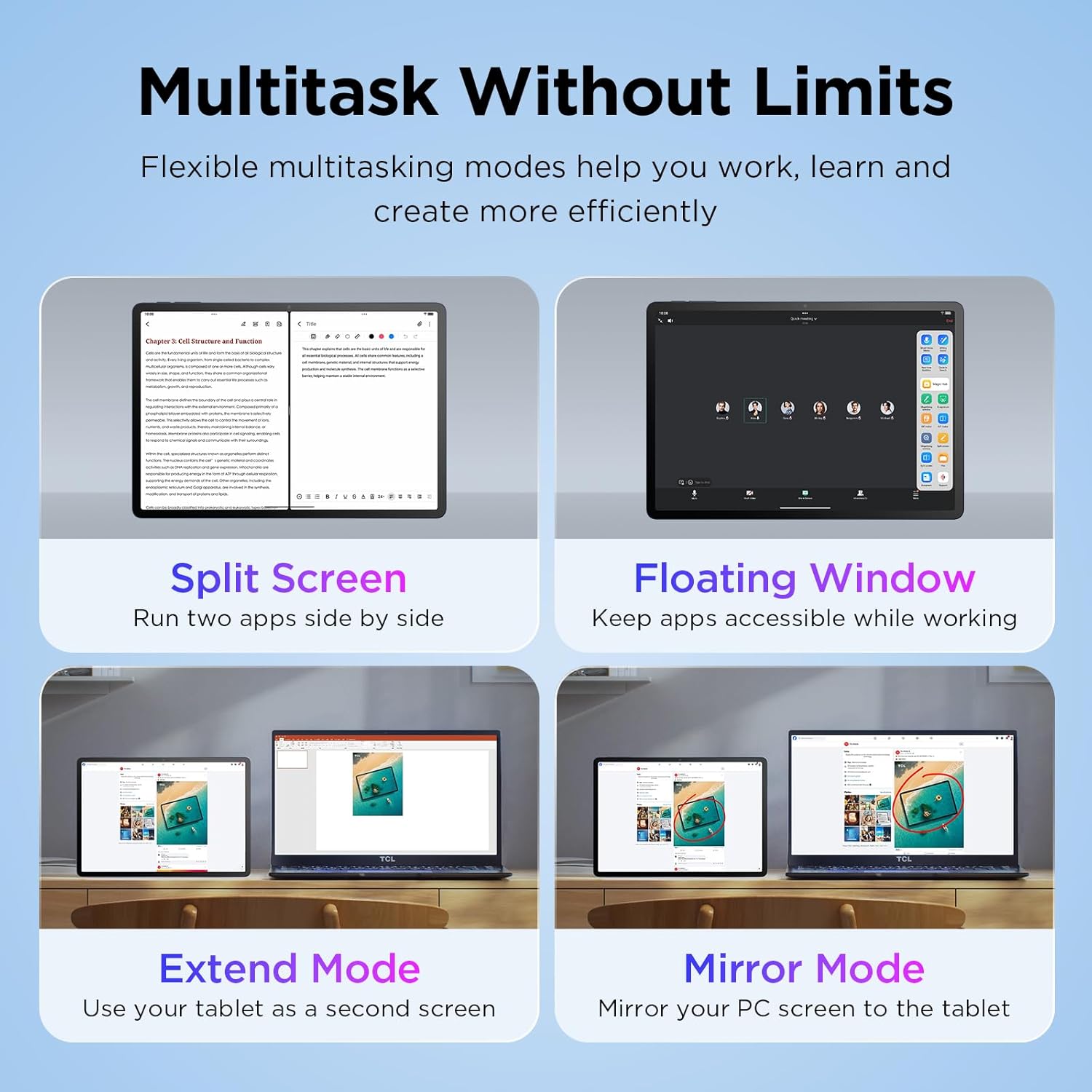
Image: The TCL TAB A1 Plus tablet displaying a search result for a landmark, with icons representing Google Gemini, Circle to Search, Writing Assist, Text Assist, and Smart Translator.
2.5 Dźwięk i kamera
The tablet features quad stereo speakers for rich audio and 5MP front and 8MP rear cameras for clear video calls and photography.

Image: A split image showing the TCL TAB A1 Plus tablet with sound waves emanating from its quad speakers on one side, and the tablet's front and rear cameras (5MP front, 8MP rear) with examples of video calls and photos on the other.
Video: This official video from TCL showcases the smart performance and simple operation of the TCL TAB A1 Plus, demonstrating its key features and user experience.
3. Konserwacja
3.1 Czyszczenie tabletu
- Do czyszczenia ekranu i obudowy należy używać miękkiej, niepozostawiającej włókien ściereczki.
- Unikaj stosowania środków czyszczących o właściwościach ściernych, alkoholu i rozpuszczalników, gdyż mogą one uszkodzić ekran i wykończenie.
- W przypadku uporczywych plam delikatnieampi szmatkę z wodą.
3.2 Aktualizacje oprogramowania
Regularnie sprawdzaj dostępność aktualizacji oprogramowania i instaluj je, aby zapewnić sobie optymalną wydajność, bezpieczeństwo i dostęp do nowych funkcji.
- Idź do Ustawienia.
- Uzyskiwać System > Aktualizacja systemu.
- Postępuj zgodnie z instrukcjami wyświetlanymi na ekranie, aby pobrać i zainstalować dostępne aktualizacje.
3.3 Pielęgnacja baterii
- Unikaj wystawiania tabletu na działanie ekstremalnych temperatur.
- Nie należy dopuszczać do zbyt częstego całkowitego rozładowania akumulatora.
- Do ładowania użyj dostarczonego kabla typu C.
4. Rozwiązywanie Problemów
4.1 Tablet się nie włącza
- Ensure the battery is charged. Connect the tablet to a power source and wait a few minutes before attempting to power on again.
- Spróbuj wymusić ponowne uruchomienie, przytrzymując przycisk zasilania przez 10–15 sekund.
4.2 Ekran nie reaguje
- Uruchom ponownie tablet.
- Upewnij się, że ekran jest czysty i wolny od wilgoci i zanieczyszczeń.
4.3 Problemy z łącznością Wi-Fi
- Włącz lub wyłącz Wi-Fi w Ustawieniach.
- Uruchom ponownie router Wi-Fi.
- Zapomnij o sieci i połącz się ponownie, wpisując jeszcze raz hasło.
4.4 Aplikacje ulegają awarii lub zawieszają się
- Zamknij i ponownie otwórz aplikację.
- Wyczyść pamięć podręczną i dane aplikacji w Ustawienia > Aplikacje > [Nazwa aplikacji] > Składowanie.
- Upewnij się, że aplikacja jest zaktualizowana do najnowszej wersji.
- If issues persist, uninstall and reinstall the app.
5. Specyfikacje
| Marka | TCL |
| Nazwa modelu | TCL TAB A1 Plus |
| Rozmiar ekranu | 12.2 cali |
| Rozdzielczość wyświetlacza | 2400 x 1600 pikseli (2.4K) |
| Częstotliwość odświeżania | 120 Hz |
| Edytor | Snapdragon 4 pierwszej generacji |
| BARAN | 6 GB (z możliwością rozszerzenia do 16 GB) |
| Składowanie | 128 GB (z możliwością rozszerzenia do 2 TB za pomocą karty microSD) |
| System operacyjny | Android 16 (Upgradable to Android 17), 3 Years Security Updates |
| Pojemność baterii | 8000 mAh |
| Przednia kamera | 5 MP |
| Kamera tylna | 8 MP |
| Wymiary (dł. x szer. x grubość) | 10.85" dł. x 7.45" szer. x 0.26" gł. |
| Waga | 1.19 funtów |
| Łączność | Bluetooth, Wi-Fi (802.11ac, 802.11ax), USB Type C |
| Cechy specjalne | AI-Powered Productivity Tools, Advanced Multitasking Modes, NXTVISION Display |
6. Informacje o gwarancji
The TCL TAB A1 Plus Android Tablet comes with a 1-letnia gwarancja producenta. This warranty covers defects in materials and workmanship under normal use. Please refer to the included Product Safety Information (PSI) document for full terms and conditions.
Zachowaj dowód zakupu na potrzeby roszczeń gwarancyjnych.
7. Wsparcie
Aby uzyskać dalszą pomoc, wsparcie techniczne lub view frequently asked questions, please visit the official TCL support webodwiedź witrynę lub skontaktuj się z obsługą klienta.
- Wsparcie online: Odwiedź TCL Official Store on Amazon Aby uzyskać informacje o produkcie i zasoby pomocy technicznej.
- Skontaktuj się z obsługą klienta: Refer to the contact information provided in your Quick Guide or on the TCL official webstrona.