
1. Wprowadzenie
Thank you for choosing the Cooler Master ELITE Gold 1000W Power Supply Unit. This manual provides essential information for the safe and efficient installation, operation, and maintenance of your new power supply. The ELITE Gold 1000W is designed for daily gaming and PC building enthusiasts, fully supporting the latest ATX 3.1 standard and offering flexible compatibility with RTX 50 series GPUs and future upgrades.
2. Informacje dotyczące bezpieczeństwa
Please read and understand all safety instructions before installing or operating this product. Failure to do so may result in personal injury or damage to the product or connected devices.
- Ryzyko porażenia prądem elektrycznym: Do not open the power supply unit casing. Wysoka objętośćtages are present inside, even when the unit is turned off. There are no user-serviceable parts inside.
- Prawidłowe uziemienie: Ensure the power supply is properly grounded using the provided power cord.
- Wentylacja: Do not block any ventilation openings of the power supply. Ensure adequate airflow around the unit to prevent overheating.
- Wilgoć: Nie wystawiaj zasilacza na działanie wody i nadmiernej wilgoci.
- Źródło zasilania: Connect the power supply only to a power source with the correct voltage and frequency as indicated on the unit's label.
- Zarządzanie kablami: Ostrożnie poprowadź kable, aby uniknąć ich przyciśnięcia lub uszkodzenia.
- Temperatura: Operate the power supply within the specified temperature range (up to 40°C high-load environments).
3. Zawartość opakowania
Sprawdź, czy w przesyłce znajdują się wszystkie elementy:
- Cooler Master ELITE Gold 1000W Power Supply Unit
- Modular Cable Set (including 12+4 Pin, ATX24 Pin, EPS 4+4 Pin, EPS 8 Pin, SATA + Peripheral 4 Pin connectors)
- AC Power Cord (A/JP cord)
- Śruby montażowe
- Instrukcja obsługi
4. Konfiguracja i instalacja
Follow these steps to install your Cooler Master ELITE Gold 1000W Power Supply Unit:
- Przygotuj swój system:
Before installation, ensure your computer is completely powered off and unplugged from the wall outlet. Discharge any residual power by pressing the power button a few times.
- Install the PSU into the PC Case:
Position the ELITE Gold 1000W PSU into the designated power supply bay in your PC case. The compact design (under 150mm) facilitates easy installation in various PC cases. Secure the PSU with the provided mounting screws.

Image: The Cooler Master ELITE Gold 1000W Power Supply Unit installed within a computer chassis, viewed from above, highlighting its compact form factor and top-mounted fan grill.
- Podłącz kable modułowe:
The ELITE Gold 1000W features a full modular design. Connect only the necessary cables to the power supply unit first. Refer to the labels on the PSU for correct connector types (e.g., 10P MB, 18P MB, 8P PCI-E/CPU, 12V-2x6, 6P SATA/HDD).

Obraz: szczegółowy view of the Cooler Master ELITE Gold 1000W Power Supply Unit's modular cable interface, clearly showing labeled ports for various component connections such as motherboard, CPU, PCIe, and SATA/HDD.

Image: The Cooler Master ELITE Gold 1000W Power Supply Unit with its full suite of modular cables securely connected and neatly routed, demonstrating the full modular design.
- Połącz z komponentami:
- Płyta główna: Podłącz 24-pinowy kabel ATX do płyty głównej.
- Procesor: Connect the 4+4 pin or 8-pin EPS cable(s) to your motherboard's CPU power connector(s).
- Karta graficzna (GPU): Connect the appropriate PCIe power cables (e.g., 8-pin, 12+4 pin for ATX 3.1/PCIe Gen 5.1) to your graphics card(s). This unit is optimized for RTX 50 series GPUs.
- Urządzenia pamięci masowej: Podłącz kable zasilające SATA do dysków SSD, HDD i napędów optycznych.
- Urządzenia peryferyjne: Connect peripheral 4-pin cables to any other devices requiring power.
- Podłącz zasilanie sieciowe:
Connect the provided AC power cord to the power supply unit and then to a grounded wall outlet. Ensure the power switch on the PSU is in the OFF position before connecting to the wall outlet.
5. Instrukcja obsługi
Po pomyślnej instalacji wykonaj poniższe czynności, aby uruchomić system:
- Włączanie:
Flip the power switch on the back of the power supply unit to the ON (I) position.
- Uruchomienie systemu:
Press the power button on your computer case to start your system. The ELITE Gold 1000W will provide stable and efficient power, thanks to its 80 Plus Gold certification and quiet, long-life rifle bearing fan.
- Wyłączone:
To power off your system, shut down your operating system normally. For complete power disconnection, flip the power switch on the back of the power supply unit to the OFF (O) position and unplug the AC power cord.
6. Konserwacja
Proper maintenance ensures the longevity and optimal performance of your power supply unit.
- Czyszczenie kurzu: Periodically clean dust from the power supply's fan and ventilation grilles using compressed air. Ensure the system is powered off and unplugged before cleaning.
- Wentylacja: Upewnij się, że obudowa komputera ma odpowiedni przepływ powietrza i że wlot i wylot wentylatora zasilacza nie jest zablokowany.
- Kontrola kabla: Regularly check all modular cables for any signs of wear, fraying, or damage. Replace damaged cables immediately.
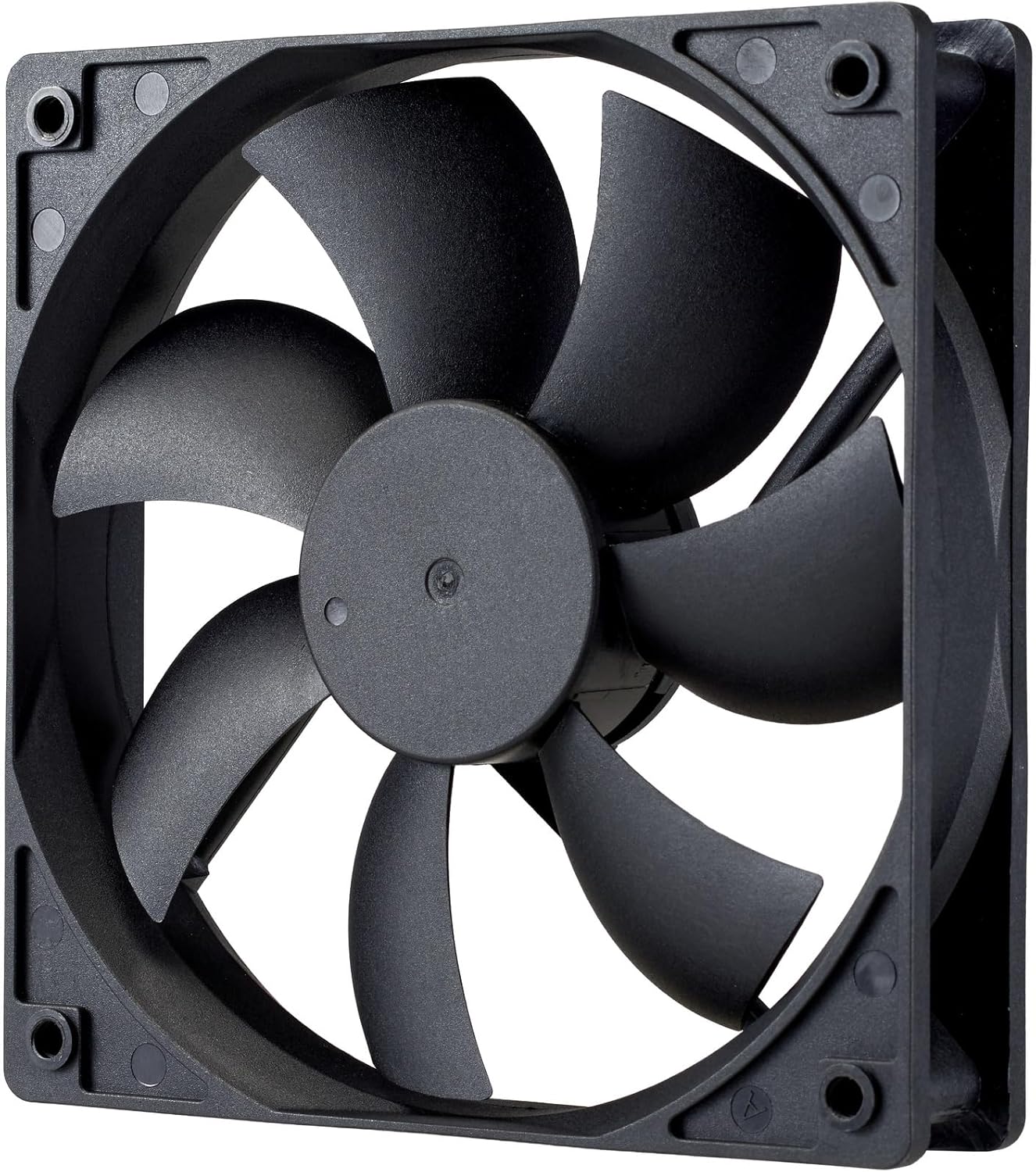
Obraz: Zbliżenie view of the power supply's cooling fan, featuring five blades designed for efficient airflow and quiet operation.
7. Rozwiązywanie Problemów
If you encounter issues with your power supply, refer to the following troubleshooting steps:
- Brak zasilania:
- Upewnij się, że przewód zasilający jest prawidłowo podłączony do zasilacza i gniazdka ściennego.
- Verify that the power switch on the back of the PSU is in the ON (I) position.
- Check all modular cables (24-pin ATX, EPS, PCIe) are firmly seated in both the PSU and the respective components.
- Sprawdź działanie gniazdka ściennego za pomocą innego urządzenia.
- Niestabilność systemu/losowe wyłączanie się systemu:
- Ensure adequate ventilation within your PC case to prevent overheating.
- Verify that your system's power requirements do not exceed the 1000W capacity of the PSU.
- Sprawdź, czy połączenia kabli nie są luźne.
- Nietypowe dźwięki:
- A quiet rifle bearing fan is designed for minimal noise. If you hear unusual grinding or rattling, ensure no cables are obstructing the fan.
- If the noise persists, contact Cooler Master support.
If these steps do not resolve the issue, please contact Cooler Master customer support for further assistance.
8. Specyfikacje
Detailed technical specifications for the Cooler Master ELITE Gold 1000W Power Supply Unit:
| Nazwa modelu | ELITE Gold |
| Numer modelu producenta | MPX-A005-AFAG-BJP |
| Marka | Mistrz chłodnicy |
| Moc wyjściowatage | 1000 watów |
| Certyfikat 80 PLUS | Złoto |
| Wersja ATX | ATX3.1 |
| Wersja PCIe | PCIe gen. 5.1 |
| Współczynnik kształtu | ATX |
| Projekt zasilania | Pełny modułowy |
| Typy złączy | 12+4 Pin, ATX24 Pin, EPS 4+4 Pin, EPS 8 Pin, SATA + Peripheral 4 Pin |
| Liczba fanów | 1 (Rifle Bearing Fan) |
| Maksymalna objętość wejściowatage | 240 V (AC) |
| Minimalna objętość wejściowatage | 100 V (AC) |
| Wymiary produktu (dł. x szer. x wys.) | Wymiary 14 x 15 x 8.6 cm |
| Waga produktu | 2230 gramów |
| Temperatura pracy | Do 40°C |

Obraz: Góra view of the Cooler Master ELITE Gold 1000W Power Supply Unit, showcasing its branding and honeycomb-patterned ventilation.

Image: The official 80 PLUS GOLD certification logo, indicating high power efficiency.
9. Gwarancja i wsparcie
The Cooler Master ELITE Gold 1000W Power Supply Unit comes with a 5-letnia gwarancja od daty zakupu. Niniejsza gwarancja obejmuje wady materiałowe i wykonawcze przy normalnym użytkowaniu.
For technical support, warranty claims, or further assistance, please visit the official Cooler Master website or contact your local Cooler Master distributor. Please have your product model number (MPX-A005-AFAG-BJP) and proof of purchase ready when contacting support.