
Wstęp
This manual provides detailed instructions for the Philips SPK7858 Wireless Optical Mouse. Designed for ergonomic comfort and versatile performance, this mouse features multi-connection options, adjustable DPI settings, and a rechargeable battery, making it suitable for everyday use, office tasks, and gaming. Please read this manual thoroughly to ensure proper setup and operation.
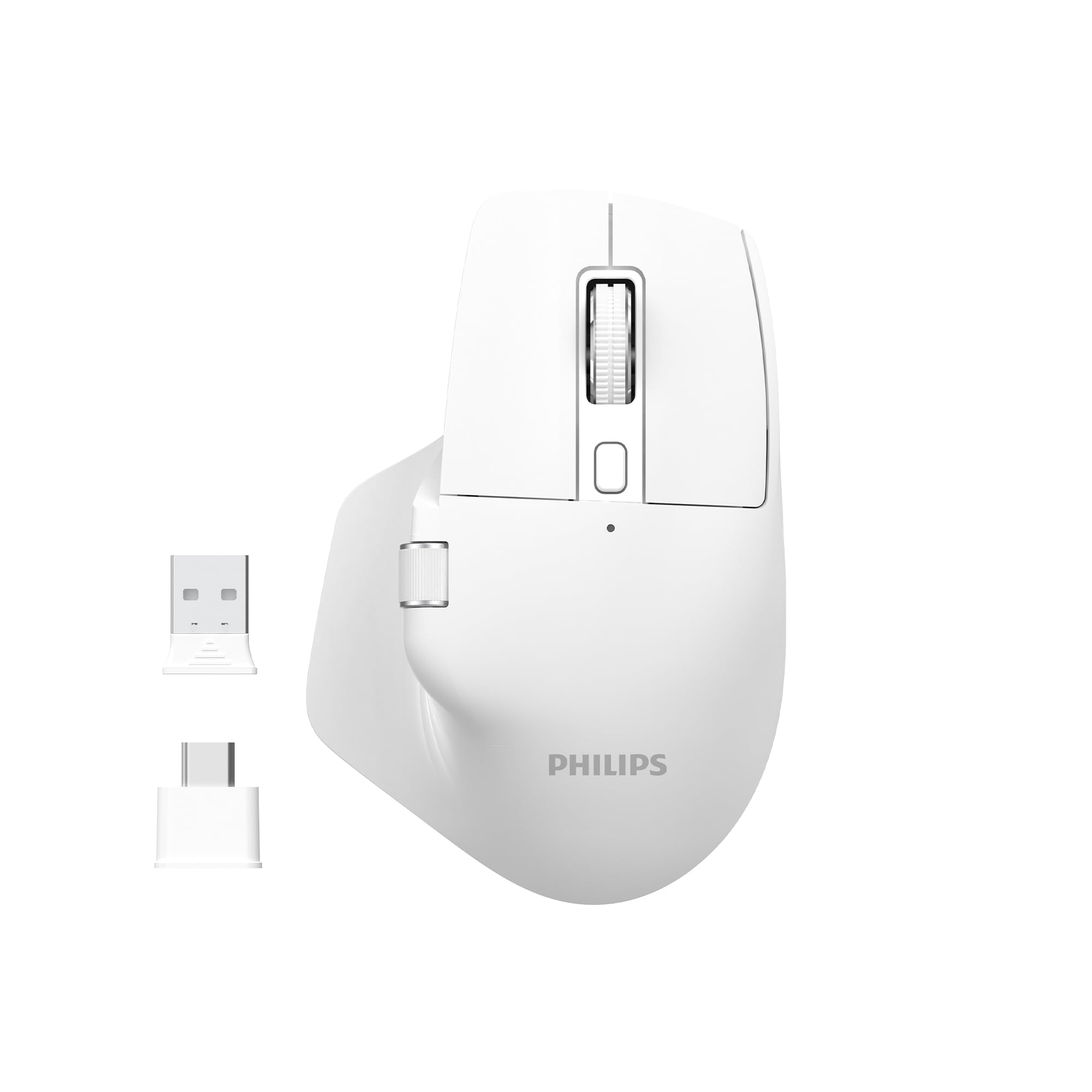
Image: The Philips SPK7858 Wireless Optical Mouse in white, shown with its USB receiver and Type-C adapter.
Organizować coś
1. Zawartość opakowania
Zanim zaczniesz, upewnij się, że w przesyłce znajdują się wszystkie elementy:
- Philips SPK7858 Wireless Optical Mouse
- Odbiornik USB
- Adapter USB typu C.
- Kabel ładujący (typ C)
- Instrukcja obsługi (ten dokument)
2. Ładowanie myszy
The mouse comes with a built-in rechargeable battery. For first-time use, it is recommended to fully charge the mouse.
- Znajdź port ładowania typu C z przodu myszy.
- Podłącz dołączony kabel ładujący do myszy i źródła zasilania USB (np. portu USB komputera, zasilacza ściennego USB).
- Zaświeci się kontrolka ładowania. Po pełnym naładowaniu kontrolka może zmienić kolor lub zgasnąć.

Obraz: Bok view of the Philips SPK7858 mouse, highlighting the Type-C charging port.
3. Podłączanie myszy
Mysz łączy się bezprzewodowo za pomocą odbiornika USB 2.4 GHz.
- Wyjmij odbiornik USB z gniazda znajdującego się na spodzie myszy.
- Plug the USB receiver directly into an available USB-A port on your computer. If your computer only has Type-C ports, use the provided Type-C adapter.
- Włącz mysz za pomocą włącznika zasilania znajdującego się na spodzie.
- Komputer powinien automatycznie wykryć i zainstalować niezbędne sterowniki. Mysz jest gotowa do użycia.

Image: Underside of the Philips SPK7858 mouse, illustrating the USB dongle storage area and the optical sensor.
Obsługa myszy
Funkcje przycisków
The Philips SPK7858 mouse features 7 programmable buttons for enhanced control and efficiency.
- Lewy przycisk myszy: Standardowa funkcja kliknięcia podstawowego.
- Przycisk prawego przycisku myszy: Standardowa funkcja dodatkowego kliknięcia.
- Kółko przewijania: Scrolls vertically. Can also be pressed for middle-click functionality.
- Przycisk regulacji DPI: Przełącza między ustawieniami czułości DPI.
- Przycisk do przodu: Nawiguje do przodu w web przeglądarki lub file odkrywcy.
- Przycisk Wstecz: Porusza się wstecz web przeglądarki lub file odkrywcy.
- Kółko przewijania bocznego: Provides horizontal scrolling functionality.

Obraz: Przód view of the Philips SPK7858 mouse, detailing the main scroll wheel, DPI button, and side buttons.
Regulacja DPI
Adjust the mouse sensitivity (DPI) to match your preference or task requirements. The SPK7858 offers 5 adjustable DPI levels.
- Press the DPI adjustment button (located behind the main scroll wheel) to cycle through the available DPI settings.
- Each press will switch to the next DPI level: 800, 1600, 2400, 3200, and 4000 DPI.
- Select the DPI setting that provides the most comfortable and precise cursor movement for your current activity.

Image: A visual representation of the five adjustable DPI levels (800, 1600, 2400, 3200, 4000) available on the Philips SPK7858 mouse.
Uniwersalna kompatybilność
The Philips SPK7858 mouse is designed for broad compatibility across various operating systems, ensuring seamless integration with your devices.

Image: Icons representing universal compatibility with Windows, Apple (macOS), Chrome OS, Linux, and Android operating systems.
Konserwacja
Czyszczenie
To maintain optimal performance and appearance, clean your mouse regularly.
- Do czyszczenia powierzchni myszy należy używać miękkiej, suchej i niepozostawiającej włókien ściereczki.
- W przypadku uporczywych zabrudzeń, delikatnieampPrzetrzyj ściereczkę wodą lub delikatnym środkiem czyszczącym. Unikaj silnych środków chemicznych.
- Do not allow liquids to enter the mouse body.
- Aby zapewnić dokładne śledzenie, okresowo czyść czujnik optyczny znajdujący się na spodzie przy pomocy wacika.
Pielęgnacja baterii
The mouse features a rechargeable battery designed for long service life.
- Charge the mouse when the battery indicator shows low power.
- Aby przedłużyć żywotność akumulatora, należy unikać jego całkowitego rozładowywania.
- If storing the mouse for an extended period, charge it to about 50% before storage and recharge every few months.
Rozwiązywanie problemów
Mysz nie odpowiada
- Sprawdź moc: Upewnij się, że mysz jest włączona i ma wystarczająco naładowaną baterię. W razie potrzeby naładuj ją.
- Sprawdź połączenie: Sprawdź, czy odbiornik USB jest prawidłowo podłączony do działającego portu USB w komputerze. Spróbuj użyć innego portu USB.
- Naprawa: Turn off the mouse, unplug the receiver, then plug the receiver back in and turn on the mouse.
- Ingerencja: Move the mouse closer to the receiver or away from other wireless devices that might cause interference.
Inaccurate Tracking or Cursor Jumps
- Wyczyść czujnik: Wyczyść czujnik optyczny znajdujący się na spodzie myszy.
- Powierzchnia: Ensure you are using the mouse on a suitable surface. Highly reflective, transparent, or uneven surfaces may affect tracking performance. A mouse pad is recommended.
- Ustawienie DPI: Jeśli kursor jest zbyt czuły, zmień ustawienie DPI na niższą wartość.
Przyciski nie działają
- Sprawdź baterię: Low battery can sometimes affect button responsiveness.
- Konflikt oprogramowania: If using custom button assignments, check your operating system's mouse settings or any third-party software for conflicts.
Specyfikacje
| Funkcja | Szczegół |
|---|---|
| Marka | Philips |
| Nazwa modelu | SPK7858 |
| Technologia łączności | Bezprzewodowy (odbiornik USB) |
| Technologia wykrywania ruchu | Optyczny |
| Poziomy DPI | 800, 1600, 2400, 3200, 4000 |
| Liczba przycisków | 7 |
| Funkcja specjalna | Ergonomic Design, Rechargeable Battery |
| Kolor | Biały |
| Waga przedmiotu | Około. 99g (w tym bateria) |
| Baterie | 1 Nonstandard Battery (included, rechargeable) |
| Zawartość pudełka | Mysz |

Image: Diagram illustrating the dimensions of the Philips SPK7858 mouse: Height 12.3cm, Width 8.27cm, Depth 4.48cm, and approximate weight of 99g (including battery).
Informacje o gwarancji
Philips products are manufactured to the highest standards and undergo rigorous quality checks. For detailed warranty information, including terms, conditions, and duration, please refer to the warranty card included with your product or visit the official Philips webZachowaj paragon jako dowód zakupu.
Obsługa klienta
If you encounter any issues or have questions not covered in this manual, please contact Philips customer support. You can find contact details, FAQs, and additional resources on the official Philips support webstrona.
Wsparcie online: Odwiedzać www.philips.com/support