
1. Wprowadzenie
This manual provides detailed instructions for the safe and efficient operation of your TOOLTOP TT-Yihua-8858-I Portable Hot Air Station. This device is designed for various electronic repair tasks, including PCB SMD repair and BGA rework, offering precise temperature and airflow control. Please read this manual thoroughly before using the product and retain it for future reference.
2. Instrukcje bezpieczeństwa
Aby zapobiec obrażeniom ciała lub uszkodzeniu urządzenia, należy zawsze przestrzegać następujących środków ostrożności:
- Zagrożenie wysoką temperaturą: The hot air nozzle and emitted air reach very high temperatures. Avoid direct contact with skin or flammable materials.
- Wentylacja: Use the hot air station in a well-ventilated area to disperse fumes generated during soldering or desoldering.
- Zasilanie: Upewnij się, że napięcie zasilaniatage matches the specifications of the device. Do not use if the power cord is damaged.
- Dzieci i użytkownicy nieupoważnieni: Keep the device out of reach of children and individuals not trained in its use.
- Ochłonąć: Poczekaj, aż urządzenie całkowicie ostygnie, zanim je schowasz.
- Konserwacja: Nie próbuj samodzielnie naprawiać urządzenia. Wszelkie naprawy zlecaj wykwalifikowanemu personelowi.
- Prawidłowe użycie: Używaj urządzenia tylko zgodnie z jego przeznaczeniem.
3. Zawartość opakowania
Sprawdź, czy w przesyłce znajdują się wszystkie wymienione poniżej elementy:
- TOOLTOP TT-Yihua-8858-I Portable Hot Air Station (Main Unit)
- Hot Air Nozzles (Various sizes)
- Przewód zasilający
- Instrukcja obsługi (ten dokument)

Image 3.1: The TOOLTOP TT-Yihua-8858-I Portable Hot Air Station shown with three included nozzles.
4. Koniec produktuview
Familiarize yourself with the components and controls of your hot air station.
4.1 Główne komponenty
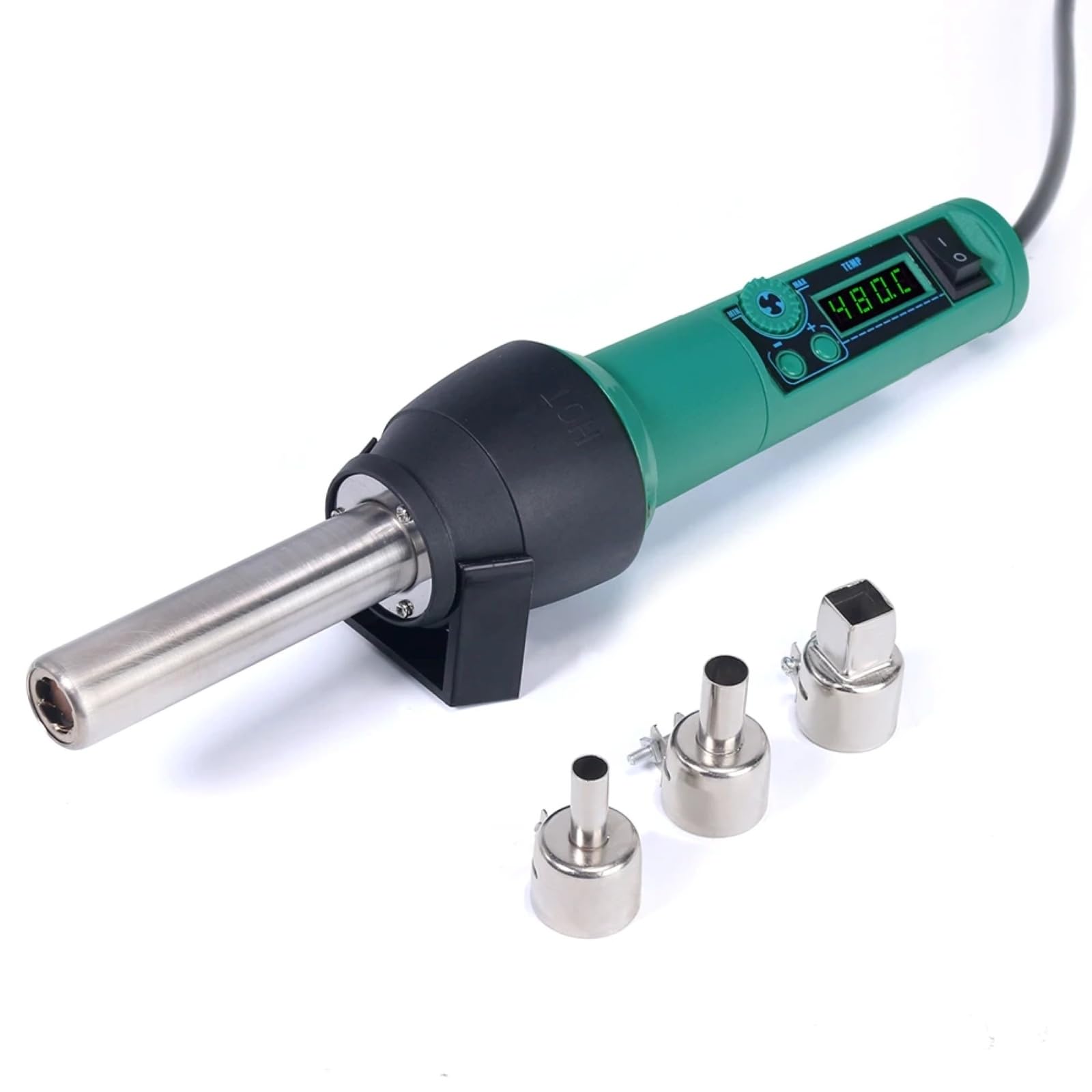
Image 4.1: The main unit of the hot air station, displaying the digital temperature display and control buttons.
4.2 Airflow System
The hot air station features a spiral wind airflow design for efficient and even heat distribution.

Image 4.2: Detail of the nozzle interior, illustrating the spiral wind air flow mechanism.
Wlot powietrza 4.3
The air inlet is located at the rear of the unit, ensuring proper air circulation for heating.

Image 4.3: The air inlet grille, essential for the device's cooling and heating functions.
4.4 Sterowanie
The device features intuitive controls for adjusting air volume and temperature.

Image 4.4: The control panel showing buttons for adjusting air volume (MIN/MAX) and temperature (up/down arrows).
4.5 Hot Air Gun Holder
A dismountable holder is provided for safe placement of the hot air gun when not in use or during cool-down.
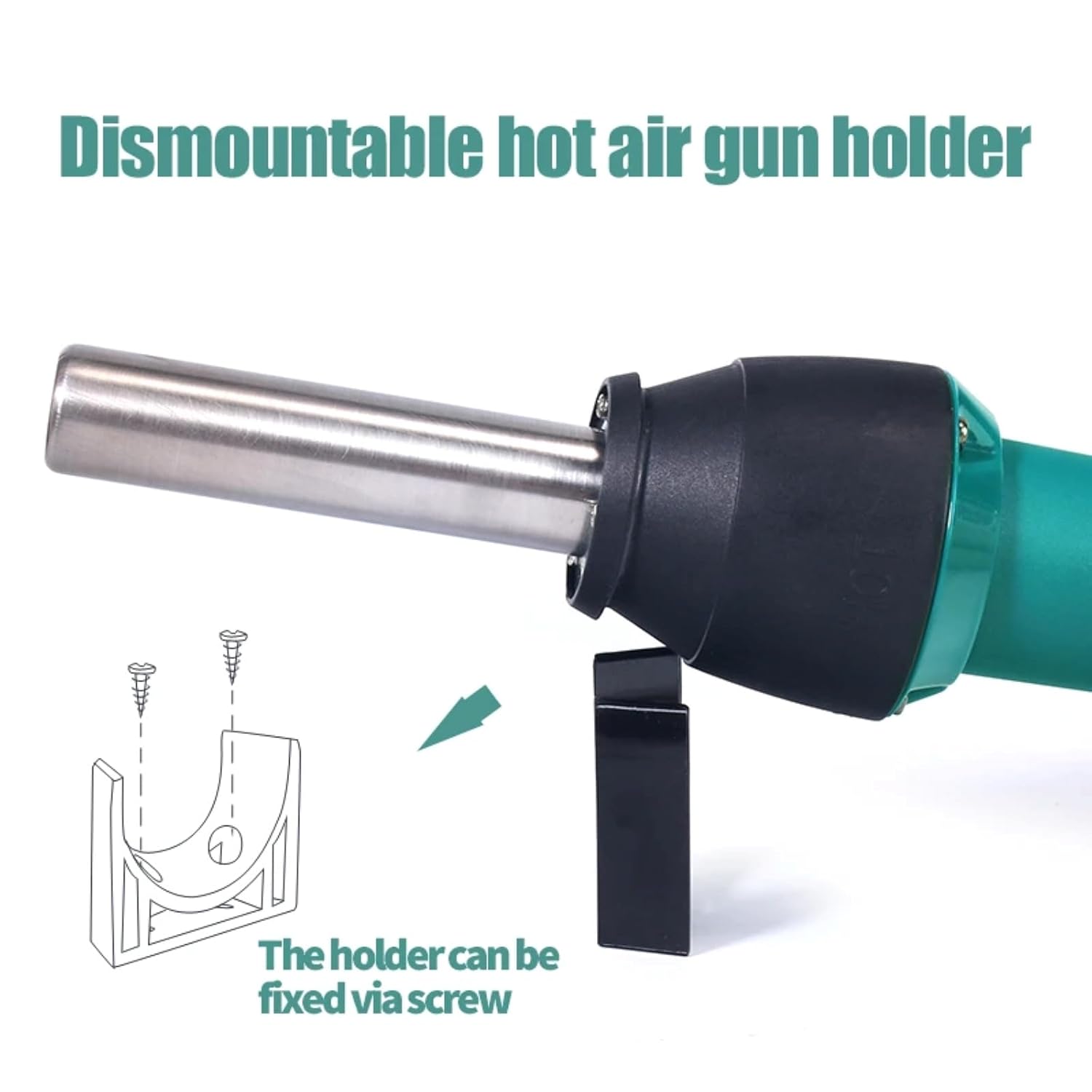
Image 4.5: The hot air gun holder, which can be fixed via screw for stability.
5. Konfiguracja
- Rozpakować: Ostrożnie wyjąć wszystkie elementy z opakowania.
- Sprawdzać: Check the device and accessories for any signs of damage. Do not use if damaged.
- Umieszczenie: Place the hot air station on a stable, heat-resistant surface in a well-ventilated area. Ensure there is sufficient space around the air inlet and outlet for proper airflow.
- Zamocuj dyszę: Wybierz odpowiednią dyszę do swojego zadania i pewnie zamocuj ją na pistolecie na gorące powietrze.
- Podłącz zasilanie: Plug the power cord into the hot air station and then into a suitable power outlet.
- Install Holder (Optional): If desired, attach the dismountable hot air gun holder to a workbench using screws for convenient and safe storage during operation.
6. Instrukcja obsługi
- Włączanie: Flip the power switch to the "ON" position. The LED digital display will illuminate, showing the current temperature.
- Dostosuj temperaturę: Use the temperature adjustment buttons (up/down arrows) to set the desired temperature. The adjustable range is typically 100°C to 480°C. The display will show the set temperature and then the actual temperature as it heats up.
- Dostosuj objętość powietrza: Use the air volume adjustment buttons (MIN/MAX) to set the desired airflow. Start with a lower setting and increase as needed for your application.
- Podgrzewanie wstępne: Allow the unit to reach the set temperature before beginning work. This usually takes a few seconds.
- Działanie: Direct the hot air nozzle towards the component or area you wish to work on. Maintain a safe distance to avoid overheating or damaging surrounding components.
- Ochłonąć: After use, place the hot air gun back into its holder. The unit will automatically enter a cool-down mode, blowing cool air until the temperature drops to a safe level. Do not switch off the power until the cool-down cycle is complete, as this protects the heating element.
- Wyłączone: Once the unit has cooled down and the display indicates a safe temperature, you can switch off the power.
7. Konserwacja
Regular maintenance ensures the longevity and optimal performance of your hot air station.
- Czyszczenie: Ensure the device is unplugged and completely cool before cleaning. Wipe the exterior with a soft, damp ściereczka. Nie należy używać środków czyszczących o właściwościach ściernych ani rozpuszczalników.
- Wlot/wylot powietrza: Periodically check the air inlet and nozzle for any obstructions (dust, debris). Clean gently with a soft brush if necessary to maintain proper airflow.
- Dysze: Clean the nozzles regularly to prevent solder or flux buildup, which can affect airflow and heat distribution.
- Składowanie: Store the hot air station in a dry, dust-free environment when not in use.
8. Rozwiązywanie Problemów
If you encounter issues with your hot air station, refer to the table below for common problems and solutions.
| Problem | Możliwa przyczyna | Rozwiązanie |
|---|---|---|
| Urządzenie nie włącza się. | No power supply; power cord damaged; power switch off. | Check power connection; inspect power cord; ensure power switch is ON. |
| Brak ciepłego powietrza lub niewystarczające ciepło. | Heating element failure; air inlet/outlet blocked; incorrect temperature setting. | Contact customer support; clean air inlets/outlets; verify temperature setting. |
| Przepływ powietrza jest słaby lub nierównomierny. | Air volume set too low; fan malfunction; air path obstruction. | Increase air volume setting; clean air inlets/outlets; contact customer support. |
| Błąd wyświetlania temperatury. | Awaria czujnika. | Power cycle the device; if error persists, contact customer support. |
Jeśli po wypróbowaniu tych rozwiązań problem nadal występuje, skontaktuj się z obsługą klienta.
9. Specyfikacje
| Numer modelu | TT-Yihua-8858-I |
| Marka | NARZĘDZIA |
| Pobór mocy | 700 W |
| Zakres temperatur | 100°C - 480°C (212°F - 896°F) |
| Typ wyświetlacza | Wyświetlacz cyfrowy LED |
| Typ przepływu powietrza | Spiral Wind |
| Zawarte komponenty | Hot Air Station, Nozzles, Power Cord |
10. Gwarancja i wsparcie
The TOOLTOP TT-Yihua-8858-I Portable Hot Air Station comes with a 1-letnia gwarancja producenta od daty zakupu. Niniejsza gwarancja obejmuje wady materiałowe i wykonawcze przy normalnym użytkowaniu.
For warranty claims, technical support, or any inquiries regarding your product, please contact TOOLTOP customer service through your retailer or the official TOOLTOP webStrona. Kontaktując się z pomocą techniczną, prosimy o przygotowanie numeru modelu i daty zakupu.